
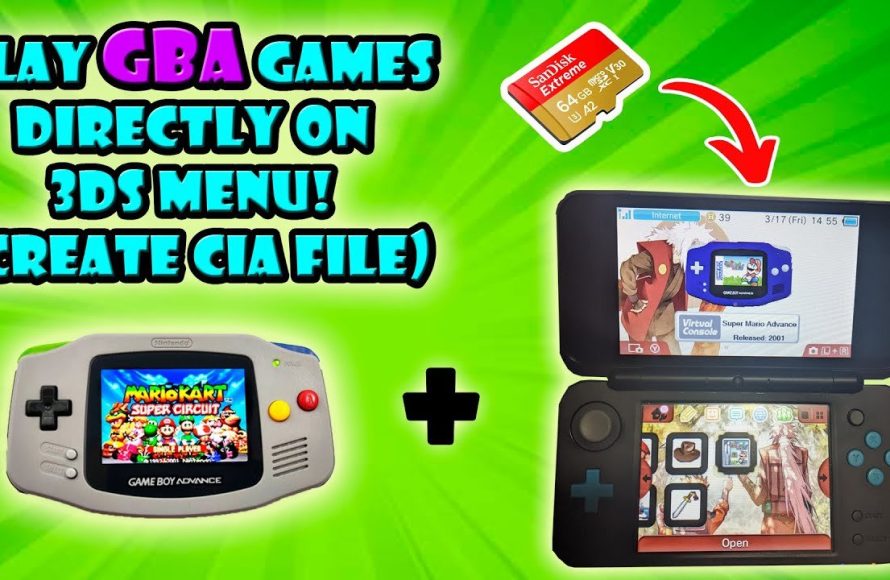
Yes, a 3DS can play some Game Boy games, specifically those released on the Virtual Console through the Nintendo eShop.
Curious if your trusty 3DS can revisit those classic Game Boy titles? Many gamers wonder if they can experience retro adventures on their handheld console. The question of whether a 3DS can play Game Boy games pops up frequently, and it’s a valid one. It’s great to know about the options.

Can a 3DS Play Game Boy Games?
Okay, let’s talk about a question many retro game fans have: Can your Nintendo 3DS play those classic Game Boy games? The short answer is: kinda, but it’s not as straightforward as you might hope. The 3DS is a great handheld, but it wasn’t built to play every old game. It’s like having a really cool new car, but wanting it to drive on the old horse-and-buggy trails – it can handle some, but not all of them. Let’s dive into the specifics and see what’s possible when it comes to playing Game Boy games on a 3DS.
The Different Flavors of Game Boy
Before we go any further, it’s good to know about the different types of Game Boy. Think of it like different types of cookies – they’re all cookies, but some have chocolate chips, some have nuts, and some are plain. Nintendo had a few handhelds that play Game Boy games. These are:
- Game Boy: The original, chunky grey brick. It played black-and-white games.
- Game Boy Pocket: A smaller version of the original. It also played black-and-white games.
- Game Boy Color: This one added color to the games! It also played some of the old black-and-white games.
- Game Boy Advance: A totally new system with better graphics and more power. It plays its own games, plus games from the original Game Boy and Game Boy Color.
The 3DS isn’t directly compatible with the original Game Boy cartridges. You can’t just pop an old Game Boy game into the 3DS and start playing. It’s like trying to put a square peg in a round hole. They are just built differently, but there are ways to enjoy these classic games on your 3DS.
Virtual Console: Your Gateway to Retro Gaming
Nintendo knows many people love retro games, so they created the Virtual Console. This is a special shop on the 3DS where you can buy and download classic games. It’s like having a digital library of old favorites. But here’s the catch: it focuses on specific games, not every title released for each Game Boy system.
Game Boy and Game Boy Color on Virtual Console
Nintendo released several games from the original Game Boy and Game Boy Color on the 3DS Virtual Console. This means you can legally buy and download games like:
- Super Mario Land
- The Legend of Zelda: Link’s Awakening DX
- Pokémon Trading Card Game
- Wario Land
- Metroid II: Return of Samus
This list of games on Virtual Console isn’t exhaustive. Nintendo periodically added new games. It’s worth checking the eShop on your 3DS to see what’s available. These games are usually very affordable and they look great on the 3DS screen. Plus, they are emulated, which means that your 3DS is running a software that acts like a Game Boy console.
Game Boy Advance on Virtual Console – A Different Story
Unfortunately, the 3DS Virtual Console experience with the Game Boy Advance is not the same as the original Game Boy and Game Boy Color. While the 3DS itself is powerful enough to handle GBA games, Nintendo only made GBA games available via a very limited program for people who bought the system early. This program, the “Ambassador Program,” gave those early buyers a set of free games, including a number of GBA titles. But generally, you won’t find many Game Boy Advance titles available for purchase on the standard Virtual Console for 3DS. This was largely due to the way that the 3DS handled those games; GBA titles were natively emulated on 3DS, instead of running on a separate Virtual Console mode, and this presented certain issues. The Ambassador program included titles such as:
- The Legend of Zelda: The Minish Cap
- Metroid Fusion
- Mario Kart: Super Circuit
- WarioWare, Inc.: Mega Microgames!
- Fire Emblem: The Sacred Stones
Sadly, that was the end of the official GBA games on the 3DS. These were not available for purchase even on the eShop.
Understanding Emulation and How it Works
Now you might hear the word “emulation” a lot when discussing retro games. What does it even mean? Emulation is like a computer pretending to be another piece of hardware. In this case, a program on the 3DS can pretend to be a Game Boy, allowing it to play those games. The 3DS Virtual Console games use a form of emulation to run the older games. This is how your 3DS can play games originally designed for systems that use different hardware. It’s like having a special app that can turn your modern phone into an old game console for a little while.
However, not all emulators are equal. Nintendo does a good job with its Virtual Console, making the games run smoothly. Unofficial emulators or homebrew programs can sometimes be a bit glitchy or not work perfectly. They might not play the sound correctly, or the game’s speed might be off. For that reason, most users prefer to utilize the Virtual Console options when available.
Physical Cartridges: The Reality Check
Remember those physical Game Boy cartridges? The ones you used to blow on and push into your old Game Boy? Sadly, the 3DS cannot use those cartridges. It doesn’t have the right slot for them. The 3DS uses special 3DS game cards and DS game cards – completely different types of cartridges.
Think of it like this: You can’t put a CD into a DVD player. Even though they’re both discs, they’re different shapes and sizes, and the player is designed for only one of them. The same is true with Game Boy cartridges and the 3DS, they simply have different physical connectors and shapes. So even if you have a huge collection of old Game Boy cartridges, you won’t be able to use them directly on your 3DS system.
Homebrew and Unofficial Emulators – Proceed with Caution
Now, there’s another side of the story that some people talk about: homebrew and unofficial emulators. Homebrew is like making your own software for the 3DS. If you modify your 3DS (which is not recommended by Nintendo and could void your warranty) you may be able to install programs that act as Game Boy emulators. These emulators can sometimes play more Game Boy games than what you find on the Virtual Console, such as roms of original GBA cartridges. However, using homebrew comes with some risks:
- It can be complicated: You need some technical knowledge to install homebrew. It’s not as simple as downloading an app from an app store.
- It might void your warranty: Messing with your 3DS software can make Nintendo not cover it if something goes wrong.
- Emulators are not always perfect: As mentioned, sometimes unofficial emulators can have glitches or problems with sound or speed.
- You could accidentally harm your 3DS: If not done correctly, homebrew can cause issues with your 3DS that you won’t be able to fix.
We are not recommending you try homebrew or unauthorized emulators, but it’s good to understand that they exist and what risks may come with them.
The DS Slot: Not for Game Boy Games
You might notice that the 3DS has a slot for Nintendo DS game cards. However, these are a completely different type of cartridge, and are not compatible with Game Boy or Game Boy Color games. While the 3DS is backwards-compatible with Nintendo DS games, it does not have a way to play original Game Boy games using this slot. The 3DS does, however, have the ability to play Gameboy Advance games through the use of the slot – although these require the use of the original GBA cartridges.
Alternatives to Playing Game Boy Games on the 3DS
If you’re a big fan of Game Boy games, and the limited Virtual Console offerings don’t quite satisfy, there are still some good options to consider:
Using Original Game Boy Systems
You could always go back to the classics! Dust off your old Game Boy, Game Boy Color, or Game Boy Advance and play your games the way they were originally intended. These systems are still readily available online, and many people enjoy the classic feel of these handhelds. This is especially useful if you have an old collection of games and prefer to play using original cartridges, instead of digital downloads or roms.
The Nintendo Switch
The Nintendo Switch also has access to the Virtual Console on its online service and it has several of the games from the original Gameboy and Gameboy Color available. This is a great modern alternative to the 3DS as Nintendo has focused more efforts on Switch-related ports of retro titles. It is important to note that the Switch doesn’t play Nintendo DS games or any games from earlier systems.
Retro Handheld Consoles
There are several handheld devices available that specifically focus on emulation of classic games. These devices often provide larger screens than the original Gameboy system and some even have access to a wider variety of emulators for different consoles, including Gameboy and Gameboy Advance.
Other Options
There are of course other methods for playing Game Boy games, including using PC or mobile-based emulators. These methods can be effective and easily accessible for many people. However, for those wanting to use a dedicated handheld device, the above options may be the most appealing to you.
So while your 3DS can’t play all Game Boy games, it still offers a fun way to play certain classics, and there are many alternative options if that’s not sufficient for you.
Does Nintendo 3DS Play Gameboy Advance Games #nintendo3ds #Nintendo #gaming
Final Thoughts
In conclusion, the 3DS can play certain Game Boy and Game Boy Color titles through the Virtual Console on the eShop. However, it is not capable of playing original Game Boy cartridges directly. The 3DS hardware doesn’t support physical game cartridges for those older systems.
Therefore, the answer to ‘can a 3ds play gameboy games’ is both yes and no. Digital versions, yes; physical copies, no.

