
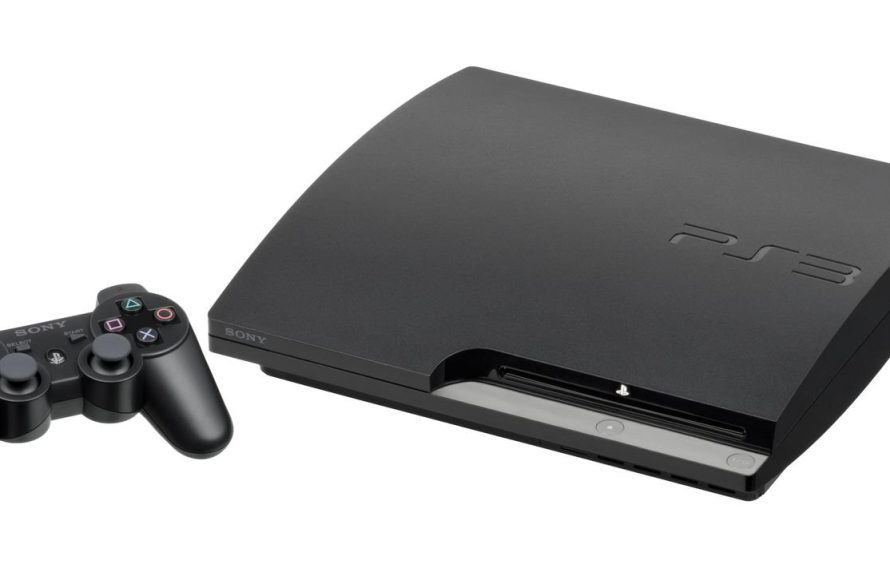
Some PlayStation 3 models can play PlayStation 2 games, while others cannot, depending on the specific hardware.
Do you have a stack of old PlayStation 2 games collecting dust? Wondering if your PlayStation 3 can bring them back to life? The question “can a playstation 3 play playstation 2 games” is a common one for retro gaming enthusiasts.
The answer, however, isn’t a simple yes or no. Some early PS3 models included the necessary hardware to play PS2 discs, while later versions removed this compatibility. So, let’s delve into which PS3s can actually revisit the classics.

Can a PlayStation 3 Play PlayStation 2 Games?
That’s a really good question! Many people who love video games wonder if they can play their older PlayStation 2 games on the newer PlayStation 3. It’s like wondering if you can play your old favorite board game on a brand-new game console. The answer isn’t as simple as a yes or no, so let’s dig in and see what’s what. We’ll look at which PS3 models can play PS2 games, how this works, and if there are any tricks to it.
The Great Divide: PS3 Models and Backwards Compatibility
The PlayStation 3 came in many different versions, and not all of them are created equal when it comes to playing PS2 games. This is a key point! The ability for a PS3 to play PS2 games is known as “backwards compatibility”. Think of it like this: some newer computers can use older programs, and some can’t. The same idea applies to the PS3.
The Lucky Ones: Original Launch PS3 Models
The very first versions of the PlayStation 3, often called the “fat” models, were special. These early consoles had all the hardware inside needed to play PlayStation 2 games. These specific PS3 consoles contain both the processor and the graphics chip of the PS2. They were basically a PS2 and a PS3 combined into one machine.
- Why it works: These PS3s have the actual PS2 hardware inside. So, they aren’t just pretending to be a PS2, they are a PS2.
- How to identify them: Look at the console. If it has four USB ports on the front and is quite large, it’s likely one of the models with backwards compatibility. Check the model number too!
- Model Numbers: The models that support full PS2 backwards compatibility often start with CECHA or CECHB. These are like the golden tickets!
The Middle Ground: Partial Software Emulation
After the initial launch models, Sony made some changes. They wanted to make the PS3 cheaper to build. To do this, they removed some of the hardware from the console. So they decided to use emulation software to play PS2 games on these models. Emulation is like having a translator that allows the PS3 to understand the game and play it.
- How it Works: Instead of using PS2 hardware, the PS3 uses its own processor to act like a PS2. This process is called software emulation.
- Limitations: Not all PS2 games will work perfectly with emulation. Some games may have glitches, run slower, or simply not work at all. This is unlike the original fat models where almost all PS2 games are playable.
- Model Numbers: The CECHC and CECHE models of PS3 consoles are known to have this partial emulation feature.
The “Slim” and “Super Slim” PS3: No Native PS2 Play
Unfortunately, the later versions of the PlayStation 3, like the “Slim” and “Super Slim” models, don’t play PlayStation 2 games natively. They don’t have the hardware or full emulation software required. These models focused on reducing cost and are solely built for PS3 games.
- Why No PS2 Play: These models completely removed any hardware that could be used to play PS2 games. They rely on PS3 software and game code.
- No Emulation: These models also did not receive the software emulation for PS2 games. So, no official way to play PS2 game discs on these models.
PS2 Classics on the PlayStation Store
Even if your PS3 cannot play the actual PS2 game discs, some selected PS2 games can be played on most PS3 models, including the slim and super slim. These games are offered via the Playstation Store as ‘PS2 Classics.’ These are digital versions of some popular PS2 games that have been updated to work on the PS3.
- Availability: A limited selection of games is available. Not every PS2 game is available as a classic.
- Purchase Required: You will have to pay to download these games.
- Compatibility: PS2 Classics work on all PS3 models, but require a working internet connection to download and purchase the games.
Identifying Your PS3 Model: A Quick Guide
So, how do you know which PS3 you have? The easiest way is to look at the sticker on the back of your console. It will have the model number on it. Here’s a quick rundown:
- CECHA or CECHB: These are the original “fat” models with full hardware backwards compatibility. They can play most PS2 games.
- CECHC or CECHE: These are also “fat” models, but they use partial software emulation for PS2 games. Not all games may work.
- CECHG, CECHH, CECHJ, CECHK, CECHL, CECHM, CECHP, CECHQ, CECH-20XX, CECH-21XX, CECH-25XX, CECH-30XX, CECH-40XX: These are the Slim and Super Slim models and they do not play PS2 discs directly. They can only play digital “PS2 Classics” from the PlayStation Store.
You can also often tell by the number of USB ports on the front. The original models tend to have four, while the Slim and Super Slim models will only have two.
Why Did Sony Remove Backwards Compatibility?
That is a valid question. Why did Sony remove the ability to play PS2 games? There were several reasons for this change. The primary reason was cost. Including PS2 hardware inside the PS3 made it more expensive to manufacture. By removing the PS2 components and the need for them, the PS3 became cheaper to produce and easier to sell at a more competitive price.
Another reason was that Sony wanted to move people toward the PS3 platform. They wanted people buying PS3 games and not sticking with their old PS2 games. They also wanted to encourage people to buy digital versions of PS2 games.
The World of Emulation
As we mentioned before, emulation allows one system to act like another. It’s like having an interpreter that allows one computer to read and run a program that was written for a completely different computer. Emulation is not a perfect science and can have various outcomes.
Software Emulation
Software emulation, which is what the middle PS3 models use to play some PS2 games, relies completely on the PS3’s own processor. It’s a tough job. It is like translating from one language to another in real-time. As we noted, some games run perfectly, while others may have slowdown, graphic errors, or simply not run at all.
Hardware Emulation
The hardware emulation in the early PS3 models is a different story. These machines had the actual PS2 chips, they weren’t just trying to act like one, they were a PS2 machine combined with the PS3 technology. This approach resulted in more accurate and smoother gameplay. This is the reason why these fat models are highly sought after.
Are There Any Other Options?
If you have a newer PS3 model or want to play a PS2 game that isn’t a ‘PS2 Classic,’ you might be wondering what options are left.
Using a PlayStation 2
The easiest option is to use a PlayStation 2 console. It is the most direct way to experience PS2 games. They are fairly inexpensive to acquire if you do not have one. This also offers the most accurate way to experience any game since it is the native platform for all PS2 games.
PC Emulation
Another option is to use a PC to emulate a PS2 console using available software. It is a bit more complex and requires a decently powerful computer. The quality may vary depending on the PC and the software used.
PlayStation Now (Now PlayStation Plus Premium)
Some classic PS2 games are available as part of the PlayStation Plus Premium subscription service. This lets you stream or download some classic PS2 games to your PS4 or PS5. It is not a direct option for PS3, but it allows modern systems to play some of those games.
Tips for Using a Backwards Compatible PS3
If you’re lucky enough to have a backwards-compatible PS3, here are a few things to keep in mind:
- Keep It Cool: These older PS3 models can get hot. Be sure your console is in a well-ventilated place.
- Original Hardware: Using original Sony PlayStation controllers, memory cards, and cables are the best way to ensure compatibility and prevent issues.
- Updates: Check for software updates for your PS3. Updates may improve game compatibility or stability.
- Game Compatibility: Not all PS2 games are perfect on PS3, even the backwards-compatible models. Some rare glitches or problems may still occur.
So, can a PlayStation 3 play PlayStation 2 games? The answer is both yes and no. It all comes down to which version of the PS3 you own. The early “fat” models could play most of them, then some models had partial support, while the “Slim” and “Super Slim” PS3 do not play PS2 game discs directly. Always check your specific model. However, even without backwards compatibility, there are some options available. The best way to play PS2 games is still on an original PS2, but if that’s not possible, you now know your other options. Happy Gaming!
"Can PS3 Play PS2 Games? Quick Compatibility Guide"#gaming #ps3share #retro #ps2 #snes
Final Thoughts
The answer is nuanced. Some early PlayStation 3 models could play PlayStation 2 games, using the console’s hardware. However, later PS3 models removed this feature to cut costs. This means not all PS3s offer this capability.
So, can a PlayStation 3 play PlayStation 2 games? Only specific older models have this backwards compatibility. Check your particular PS3 model to confirm its ability. Always research before buying if this feature is important to you.

