
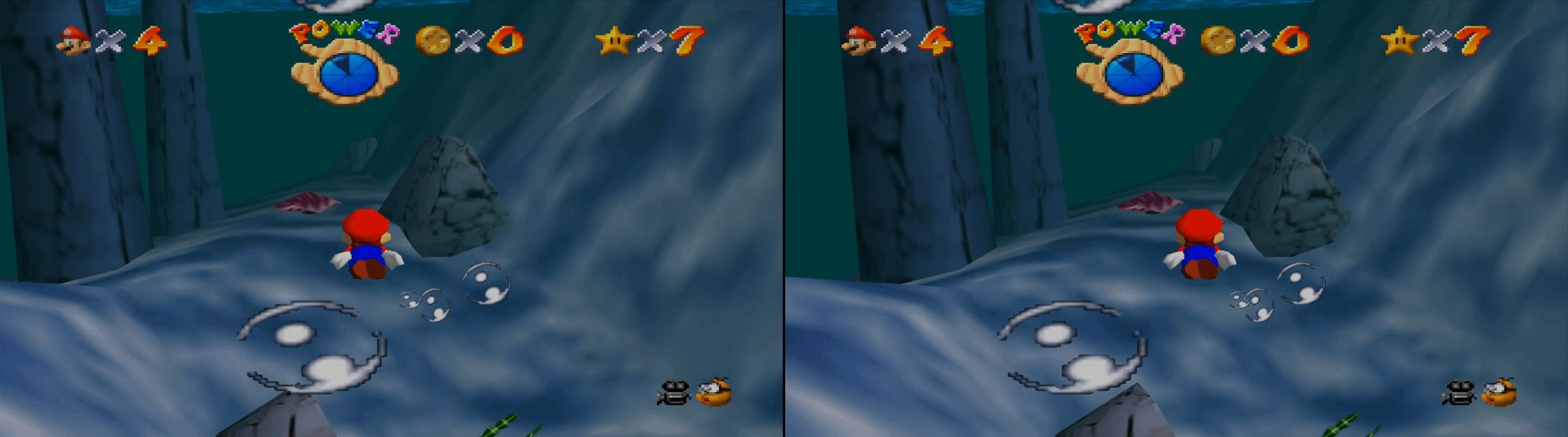
Yes, the Dolphin emulator can play N64 games, although it primarily focuses on GameCube and Wii emulation. You’ll need to use a separate N64 emulator like Project64 for playing those specific titles.
Ever wondered if you could revisit classic Nintendo 64 games on your modern computer? It’s a thought that crosses many gamers’ minds. The question arises, can Dolphin play N64 games? Dolphin is a popular emulator, but its core focus lies elsewhere.
While Dolphin excels at emulating GameCube and Wii games, it’s not built for the N64. For your N64 gaming needs, you would need to explore a dedicated emulator option. Project64 is a great starting point for those seeking to experience the magic of those retro titles again.

Can Dolphin Play N64 Games?
Okay, let’s dive into this super cool question: Can Dolphin play Nintendo 64 games? It’s a question that pops up in the minds of many retro gaming fans, and the answer, while not a simple ‘yes’ or ‘no,’ is definitely exciting. The Dolphin emulator is famous for playing GameCube and Wii games, but the N64, that’s a different story. So, buckle up as we explore the world of emulation and figure out if you can get your Mario 64 fix using Dolphin.
Understanding Emulators and the N64
Before we jump right in, let’s quickly talk about what an emulator actually is. Think of it like a translator. Your computer normally speaks its own language, right? Well, an emulator lets your computer pretend to be a different device, in this case, a game console. It translates the instructions from a game, like Mario Kart 64, so your computer can understand them and run the game. Different game systems have different ways of speaking and different hardware inside them, so you need specific emulators for each one.
The Nintendo 64, or N64, was a powerful console back in its day. It had unique hardware, including a special central processing unit (CPU) and graphics processing unit (GPU) that allowed it to create those 3D worlds we all know and love. These technical details mean that emulating an N64 is very different from emulating a GameCube or a Wii. Because it’s different, that means that the Dolphin emulator, which is designed for GameCube and Wii games, is not actually made to run N64 games natively.
Dolphin’s Purpose: GameCube and Wii Emulation
The Dolphin emulator has a very specific job – it’s designed to emulate the GameCube and the Wii consoles. It’s amazing at this job, too! It can run many GameCube and Wii games at very high resolutions and frame rates, often making them look even better than they did on the original consoles. The Dolphin emulator achieves this by directly translating how the GameCube and Wii hardware worked. Because it focuses on these systems, it has specialized code that makes this possible. The GameCube and Wii architectures share similarities, which means that the same emulator can efficiently support both of them. This dedication to the specific architectures is what makes Dolphin so powerful for the consoles it is designed for.
Why Dolphin Can’t Emulate N64
So, why can’t Dolphin just add N64 emulation? It’s a great question! The main reason is the huge difference in hardware between the N64 and the GameCube/Wii. The processors and graphic chips in the N64 function in a completely different way than those in the later consoles. This means that the way the Dolphin emulator translates game instructions doesn’t work for N64 games at all. Dolphin’s code is built to understand the specific instructions used by the GameCube and Wii, and it simply isn’t built to understand N64 instructions.
It’s like having a translator that speaks Spanish and Italian; you can’t expect them to understand or translate Japanese without a very different set of skills. While theoretically, it might be possible to modify Dolphin to include N64 capabilities, doing so would be a massive undertaking that would essentially mean rebuilding the emulator from the ground up. The developers of Dolphin have instead chosen to focus on optimizing and improving the emulation of GameCube and Wii games, as they have different requirements, and adding a completely different architecture to the code base is not always possible.
N64 Emulation Alternatives: Project64 and RetroArch
Don’t worry! Just because Dolphin can’t play N64 games doesn’t mean you’re out of luck. There are other very good emulators that are specifically made for the N64. Here are two of the most popular options:
Project64: A Dedicated N64 Emulator
Project64 is one of the most well-known N64 emulators. It’s been around for quite a while and has a great track record of running N64 games very well. It is specifically designed to understand and translate the N64’s unique code and system and to create the perfect gaming experience. It’s often used by people who want to experience N64 games on their computers. Here are some great things about Project64:
- Good Compatibility: It can run most N64 games with high accuracy.
- User-Friendly Interface: It’s fairly easy to set up and use.
- Plugin Support: It allows for the use of plugins which can add extra features.
- Good Performance: It generally runs games smoothly, even on older computers.
To start using Project64, you will need to download the program and then find your N64 game files (also called ROMs). The process to get started is relatively straightforward: you download the program, find game ROM files and then open the ROM with the emulator.
RetroArch: The All-in-One Emulator
RetroArch is another very popular choice. It is different than Project64 in that it’s not just an N64 emulator, it’s an emulator that can run many different consoles from different time periods. It uses what’s called “cores”, which are mini-emulators for different consoles like the N64, SNES, PlayStation, and more. For N64 emulation in RetroArch, you use a core called “ParaLLEl N64” or “Mupen64plus”.
Here are some of the highlights of using RetroArch:
- Multiple Systems: It can emulate a vast range of retro gaming systems.
- Unified Interface: It has a consistent user interface regardless of the system you are playing.
- Advanced Features: It has a ton of options for customizing your gaming experience, like shaders, save states and more.
- Cross-Platform: It is available on many different operating systems, not just Windows.
RetroArch can be a little more complicated to set up than Project64, because it has so many options, but it can be very rewarding if you want to play many kinds of old video games using one single program. This makes RetroArch a great choice for gamers who enjoy retro games from many consoles. In essence, RetroArch serves as a hub for various emulators.
How Emulators Work in More Detail
Let’s explore a little deeper into how emulators work, because it helps us to understand why a certain emulator is made for certain systems and not others. Emulators essentially need to recreate the hardware and instructions of the original console. When you load a game, the emulator does these things:
- Reads the Game ROM: It loads the game data from your ROM file, which is like a digital copy of the game cartridge.
- Translates Instructions: It translates the specific machine code that the original console would understand into instructions that your computer’s CPU can understand.
- Simulates Hardware: It creates a fake (emulated) version of the original hardware, including the CPU, GPU, RAM, and even the sound processor.
- Outputs Results: It takes the results of the emulated hardware and displays them on your computer screen, which allows you to see the game in real time.
This process is very complicated and requires specific knowledge of the systems being emulated. The more accurate the emulation, the better the experience will be, but it also demands more computer processing power. A good emulator, like Project64 or the N64 cores in RetroArch, tries to be as accurate as possible, without sacrificing too much speed.
Challenges in N64 Emulation
Emulating the N64 can sometimes be quite difficult because of the console’s hardware. The N64 has several features that made it hard to reproduce, these include:
- Unusual CPU: The N64 used a MIPS processor, which is quite different from the x86 processors found in most computers. The way it processes instructions is very different and must be accurately translated.
- Graphics Chip: The N64’s graphics system was very complex, with its own ways of drawing images, making it a lot of work for an emulator to reproduce the same visuals.
- Microcode: N64 used microcode, which means that programs on the console were very close to the actual hardware. The emulator has to recreate how this microcode works in order for the games to look and run properly.
- Accuracy vs. Performance: Emulators always have to find a balance between accuracy (how close they reproduce the original console) and performance (how smoothly the games run). Because the N64 is so complex, it can be very difficult to get both perfect accuracy and very smooth performance at the same time.
Setting Up an N64 Emulator
Now that you know you can’t use Dolphin for N64, let’s look at the steps for setting up a proper N64 emulator using Project64 or RetroArch.
Using Project64
- Download the Emulator: Visit the official Project64 website and download the latest version for your operating system (Windows usually).
- Install Project64: Run the installer you downloaded and follow the on-screen instructions.
- Obtain ROMs: You’ll need to find game ROM files. Remember that you should only use ROMs of games you own.
- Load a ROM: Open Project64, go to “File,” and then select “Open ROM.” Find the N64 ROM file on your computer.
- Configure Settings: If needed, adjust the graphics and control settings in Project64 to ensure smooth gameplay.
- Start Playing: Begin your retro gaming journey on your computer!
Using RetroArch
- Download RetroArch: Head to the RetroArch website and download the latest version for your operating system.
- Install RetroArch: Install RetroArch and run the program.
- Download a Core: In RetroArch go to “Online Updater” and then select “Core Updater.” Download the “ParaLLEl N64” or “Mupen64plus” core.
- Obtain ROMs: Find game ROM files of your favorite N64 games.
- Load a ROM: Go to “Load Content,” find your ROM, select it, and RetroArch will automatically use the proper core to play it.
- Configure Settings: If necessary, adjust settings in RetroArch for visuals and controls.
- Start Playing: You can now begin playing N64 games using RetroArch.
Optimizing Your N64 Gaming Experience
To get the best possible experience when playing N64 games, here are some tips:
- Computer Specs: A faster computer with a decent processor and graphics card will run games more smoothly.
- Graphics Plugins: Both Project64 and RetroArch let you use graphics plugins. Try out different ones to find what works best for your computer.
- Controller: Using a USB controller, or even better a N64 USB replica controller, can make the games feel more authentic.
- Screen Resolution: Running games at higher resolutions can make them look clearer on modern screens. But, be sure to find a balance between resolution and smooth gameplay.
- Audio Settings: Sometimes, audio settings can cause problems. Experiment with different audio plugins to find one that provides clear and accurate sound without lag.
Remember that each game might have slightly different requirements, so you may need to experiment with the emulator settings. Also, remember that playing roms that you do not legally own can be a violation of copyright law, so please ensure you have legal right to play all roms.
In summary, while Dolphin is an excellent emulator, it is not designed to run N64 games. Instead, you can rely on excellent alternatives such as Project64 and RetroArch to enjoy your favorite games. By setting them up properly and adjusting the settings for your setup, you can have an amazing retro gaming experience that allows you to play many of your favorite games from the past. Remember that there are many good emulators, and to always download these from a trusted source. With some patience and setup, you’ll be able to play your favorite games in no time.
NOW Dolphin Is The Best Emulator!!
Final Thoughts
Dolphin, a powerful emulator, focuses primarily on GameCube and Wii titles. It does not directly play Nintendo 64 games. Therefore, answering ‘can dolphin play n64 games’, the answer is no.
While Dolphin excels at emulating other consoles, you require a separate emulator for N64. Many great alternatives exist for playing those classic games.

