
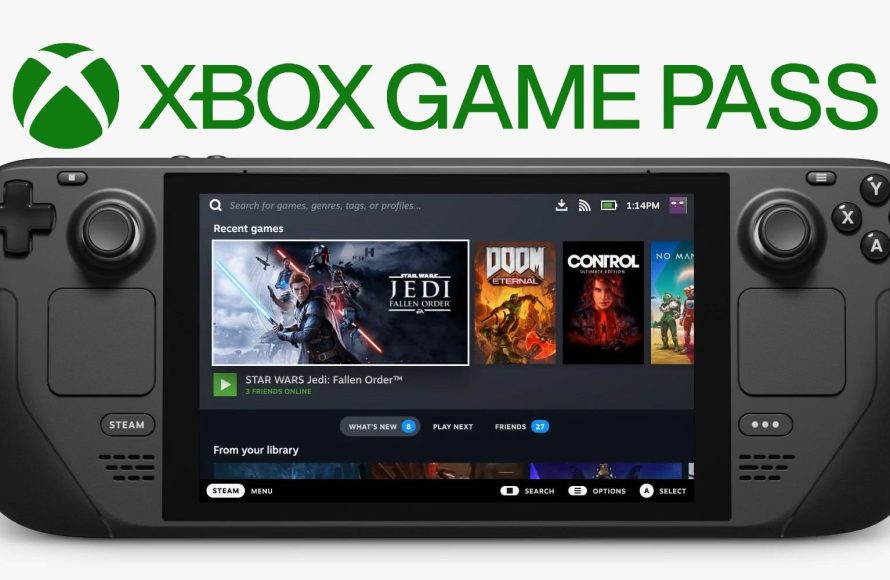
No, generally Game Pass games cannot directly play with Steam games due to different platforms and online services.
Ever wondered if you could team up with your friend on Steam while you’re playing a game from Xbox Game Pass? It’s a common question. Many gamers are curious about this cross-platform compatibility. The desire to play together is strong.
Unfortunately, direct crossplay between Game Pass and Steam is usually not supported because of their different ecosystems. Each platform uses separate servers and online infrastructure for multiplayer. Developers would need to actively implement crossplay support for it to work.

Can Game Pass Play with Steam? Exploring Cross-Platform Gaming
So, you’re wondering if your friends on Steam can join your gaming adventures on Xbox Game Pass? It’s a super common question, and the answer isn’t always a simple yes or no. Let’s dive into the details and figure out how cross-platform play works between these two popular gaming platforms.
Understanding Game Pass and Steam
Before we get into the nitty-gritty of playing together, it’s good to understand what each platform is all about. Think of them as two separate playgrounds, each with their own cool games and rules. Xbox Game Pass is like a big library of games you can access with a subscription. You can play these games on your Xbox console, PC, or even on your phone using cloud gaming. Steam, on the other hand, is a huge online store for games. You buy games individually, and they are mostly played on your PC.
What is Xbox Game Pass?
Xbox Game Pass is a subscription service offered by Microsoft. For a monthly fee, you gain access to a large catalog of games that you can download and play. This service operates on Xbox consoles, PCs, and even through the cloud. Game Pass is similar to having a Netflix subscription for games. They add new games regularly and sometimes remove older ones from their catalog. There are different tiers to Game Pass with different prices and benefits, like access to Xbox Live Gold (for online multiplayer) and cloud gaming options. A big attraction of Game Pass is that it features many Microsoft first party titles on Day One.
What is Steam?
Steam is a digital video game distribution service developed by Valve. It is mainly used for games on PCs. Users can buy and download games from Steam. It is one of the biggest platforms for buying video games and has an enormous amount of games available from various publishers and developers. Unlike Game Pass, which is based on a subscription, Steam requires that you buy games individually before you are able to play them. Steam also includes features like community forums, friend lists, and game updates. Steam also has a huge library of games, including big blockbuster titles and indie games.
The Core Challenge: Different Ecosystems
The biggest hurdle when trying to play between Game Pass and Steam is that they’re separate ecosystems. Imagine two different neighborhoods, each with its own set of houses and roads. It is difficult to travel between the two. Microsoft and Valve built these platforms separately, so games bought on one often don’t automatically work on the other. The games are also built in different ways to work with the architecture of those specific systems, and that means they cannot play together easily.
Cross-Play: The Key to Playing Together
This is where cross-play, sometimes also called cross-platform play, comes in. Cross-play means that a game allows players on different platforms to play together online. Not every game supports cross-play. It’s up to the game developers to add this feature when they build their games. When they do, they often use Microsoft servers, but Steam also has this capacity, depending on the game.
How to Know if a Game Has Cross-Play
Finding out if a particular game has cross-play capabilities requires a little bit of searching. Here are some ways you can investigate:
- Check the Game’s Page: Look for details on the game’s page on the Steam store, Xbox website, or the Microsoft Store. Often, they will have tags or a section stating if cross-play is available.
- Look at Game Details in Game Pass: On PC Game Pass or on the console’s Xbox Game Pass menu, you can look at the game details and see if it says cross-play is supported.
- Read Reviews and Forums: Look at community discussions or reviews for the game on websites or communities to see if people have mentioned cross-play between different platforms.
- Developer’s Website: Check the official website for the game. The developers sometimes list supported platforms.
When Cross-Play is Possible Between Game Pass and Steam
When games are designed with cross-play in mind, the experience can be amazing. Here are some scenarios where you can play together:
Microsoft Published Games
Microsoft sometimes publishes games that are available on both Game Pass (PC) and Steam. If these games are designed with cross-play enabled, this allows Steam users to play with players on Game Pass. This usually includes first-party titles from Microsoft’s gaming studios.
- Examples: Games like Sea of Thieves, Minecraft, Grounded, Forza Horizon (series) are good examples of cross-platform games available on both services. These games generally have seamless cross-play capabilities.
- How it Works: Often, these games use an Xbox Live account system, allowing Steam players to link their accounts with an Xbox gamertag to join their friends playing on Game Pass.
Third-Party Games with Cross-Play
Some third-party developers also incorporate cross-play between Steam and Game Pass. This means games made by studios not owned by Microsoft, like indie studios or large third-party publishers, may have cross-play enabled.
- Examples: Games like Back 4 Blood, Among Us, and No Man’s Sky have cross-play functionality between Steam and other platforms.
- How it Works: These games often use their own systems to connect players from different platforms, sometimes with their own servers or account systems.
When Cross-Play is NOT Possible
It’s important to know that many games do not offer cross-play between Game Pass and Steam. This can be due to different reasons.
Games without Cross-Play Support
Many games available on either Steam or Game Pass simply do not have cross-play as a feature. The developers may have not considered cross-play or it might have not been feasible or profitable.
- Reasons: Game engines, server infrastructure, or development costs can all be barriers to cross-play functionality.
- Limitations: Even if a game is available on both platforms, you still may not be able to play it together if it doesn’t have cross-play. It could mean you have to purchase the game on the same platform as your friend to play together.
Games on Steam Exclusively
Many games are only available on Steam. If you have a group of friends who all play on Steam and are using games that are not available on the Game Pass library, it will not be possible to play with them if you play games on Game Pass. The solution here is to either purchase the games on Steam or find a different group of people to play with who use the same platform.
Games Exclusive to Game Pass
Similarly, some titles are exclusive to Game Pass and not available on Steam. Players on Steam will not be able to play these titles. In this situation, if they would like to play with you, they would have to get Game Pass. It works the same as games exclusive to Steam, just on different platforms.
How to Set Up Cross-Play (When Possible)
The exact process of setting up cross-play varies from game to game, but here are some general steps you might see:
- Make an Account: Most games with cross-play require you to have an account with that specific game or a related service like Xbox Live or Microsoft account, even if you are on Steam.
- Link Accounts: You might need to link your Steam account to your Xbox Live account or an in-game account. This might be an option in the game’s settings.
- Add Friends: You often need to add your friends using their in-game usernames or by linking to social platforms or the Xbox system.
- Join a Game: Once linked, you should be able to join your friends’ games through a server browser or an in-game friend list.
Troubleshooting Cross-Play Issues
Sometimes, cross-play doesn’t work as smoothly as you would want. Here are some things you can try if you run into problems:
- Check Game Updates: Make sure both you and your friends are on the latest version of the game.
- Check Server Status: See if there are any known issues with the game’s servers that might be preventing cross-play. You can often check the game’s website or community forums for more information.
- Restart the Game: Sometimes simply restarting the game and the launcher on both platforms can solve the problem.
- Re-Link Accounts: If things are still not working, try re-linking your accounts and double-check that your accounts are fully connected.
- Use Dedicated Servers: For some games, connecting to dedicated community servers can help solve cross-platform connection issues.
Why Don’t All Games Have Cross-Play?
You might be wondering why every game doesn’t have cross-play. There are quite a few things that might get in the way:
Technical Hurdles
- Development Complexity: Creating cross-play functionality often needs a lot of time and effort during game development. The game needs to be built from the ground up to work across different systems.
- Server Differences: Managing game servers that can handle players from different platforms needs a lot of planning and is complex.
Business Decisions
- Profitability: Some developers may not see cross-play as profitable. They may not think the cost of development will be worth it.
- Platform Exclusivity: Sometimes, companies want their games to be exclusive to their platforms to attract players.
Balancing Issues
- Controller vs Keyboard & Mouse: Different input methods can give some players an unfair edge. For instance, PC gamers often use keyboards and mice which can be more precise than controllers.
- Game Balance: It’s sometimes hard to balance a game that is available on multiple platforms with different features. Developers may choose to forgo cross-play because of balancing challenges.
Cross-play between Game Pass and Steam is not always a given, it depends entirely on if the game developers implemented the feature. It is a very complex and difficult system to implement and is often not included on all games.
In summary, while playing games between Game Pass and Steam isn’t a universal thing, it’s definitely possible when developers add cross-play support. Always double-check for cross-play availability on the specific games you want to play. When you find a game with it, you can have lots of fun playing with friends on different platforms.
Is Game Pass on Steam Deck good enough? 🤔
Final Thoughts
Crossplay compatibility between Game Pass and Steam depends on the specific game. Not all titles support it. Developers make the ultimate decision regarding cross-platform play.
Therefore, whether a game allows you to play with friends on both platforms varies. Some games enable crossplay while others restrict multiplayer to within their respective ecosystems.
Ultimately, can Game Pass play with Steam? The answer is maybe. Always check the game’s details to confirm crossplay before purchasing.

