
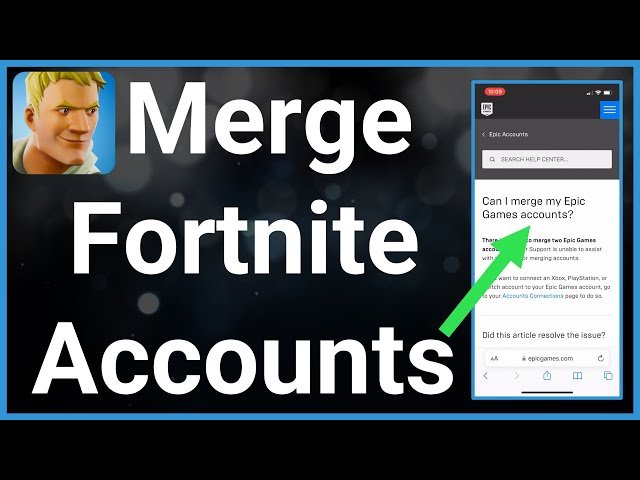
No, you cannot directly link two Epic Games accounts.
Ever wondered if merging your separate Epic Games profiles was possible? Perhaps you’ve got games spread across different accounts and you’re hoping for a consolidation. It’s a common question, many gamers ask “can i link two epic games accounts?” because of this.
Unfortunately, Epic Games does not support the direct linking or merging of accounts at this time. This means your games and progress are tied to individual accounts. So, you will have to manage each of them separately.

Can I Link Two Epic Games Accounts? – A Detailed Guide
Can I Link Two Epic Games Accounts?
Have you ever wondered if you could combine all your awesome games and progress from two different Epic Games accounts into one? Maybe you started playing on one account, then created another for a different reason, and now you want everything together. It’s a common question many gamers have, and it’s important to understand the current rules. The quick answer is, no, you cannot directly merge or link two Epic Games accounts. Epic Games does not provide a direct feature to combine your game libraries, progress, or friend lists from multiple accounts into one single account. This is mainly for security and to ensure fair play within their ecosystem. But, don’t worry! There are still things you can do to manage your games across different accounts, and we’ll go through all of that in detail.
Why Can’t You Directly Link Accounts?
It might seem like a simple thing to do, just pressing a “merge” button, but there’s a good reason why Epic Games doesn’t allow direct account linking. The main reasons revolve around security, how purchases and ownership are tracked, and making sure everyone plays fairly.
Security and Account Integrity
Imagine if anyone could link any two accounts together. It would create a huge security problem. Hackers could try to take over accounts and combine them, making it very difficult to get your original account back. The current system, where each account is separate, offers much better protection against this. Also, Epic Games has a strong system in place to verify that you are who you say you are when you make purchases or change account information. Merging would complicate that process.
Ownership and Licensing of Games
When you buy a game on your Epic Games account, you’re actually buying a license to play that game through that particular account. Each game and its related content are tied to that specific account. If you could link two accounts, it would be difficult for the system to know who owns what, especially if there are items and progress. It would also get very confusing with refunds and other transactions. So, keeping them separate ensures the system knows exactly what you own.
Fair Play and Game Integrity
In many multiplayer games, your progress and stats are linked to your specific account. Allowing players to merge accounts could be abused for unfair advantage. For example, someone with a very high rank or valuable items could try to move that progress to a newer account. This would be very unfair to other players. Keeping separate accounts helps prevent things like that and protects the integrity of games played.
What You Can Do With Multiple Accounts
Even though you can’t merge accounts, there are some things you can do to manage your games and content if you find yourself using multiple Epic Games accounts.
Sharing a Library via Family Sharing
While Epic Games does not offer a direct “family sharing” feature like Steam, it’s still possible to share your games with family members. The easiest way to do this is by having one main account that purchases games and using the account to play games on a single device. Then, family members can create their own accounts, but they would play the shared games using the primary account on the same device. So, you don’t directly share libraries across multiple accounts, but you can share your purchased games on a single device. This is useful if multiple family members play on the same PC or console.
Using Different Accounts on Different Devices
You can use different accounts on different devices, of course. This is the most common way people handle having multiple Epic Games accounts. For example, you might use one account for playing on your PC and another account for playing on your console. This approach will mean that game progress isn’t shared, but your game licenses are separate and easier to manage this way. It is something to consider if you play on different platforms.
Manually Purchasing Games Across Accounts
It’s also possible to manually repurchase games you want to play on a new account. While this isn’t ideal, it is what you will need to do if you want to play a game on a separate account from where you initially purchased it. For example, if you have a copy of Rocket League on Account A, but now you want to use Account B, you would have to buy Rocket League on Account B. You wouldn’t be able to move it over. This can be frustrating, but this is how licensing works with Epic Games. Make sure you check the requirements for each game when purchasing on different accounts.
Friends Lists and Social Features
One of the more tedious aspects of using separate accounts is keeping up with your friends. Unfortunately, you will have to add all your friends on each separate account that you use. If you’ve got a large friend list, this can be a pain. If there are a few friends, it can be managed, however. There isn’t currently any function to cross-add friends between accounts. Be sure to keep an eye on updates, as features could change.
Account Management Tips
Even without direct linking, here are some ways to better manage multiple Epic Games accounts:
Choosing a Main Account
If you find yourself juggling multiple accounts, it’s often helpful to choose one account to be your “main” account. This account should be the one you use for the games you care about the most and where you’ll purchase new games. It’s easiest to keep track of all your game purchases on one account rather than spreading them out among different accounts.
Keeping Track of Log-In Information
Make sure that you write down or use a password manager to keep your passwords and login information for each account. If you get into your Epic Games account but don’t know how you log-in to the other one, it will be very frustrating! It’s very easy to forget what email or password you used for the last account.
Checking Account Settings
Go through the settings on each account. This includes setting up two-factor authentication for additional security on each of them. It is also a good idea to familiarize yourself with Epic Games privacy settings and notification settings. This will keep all your accounts secure and easy to manage.
Platform Specifics
If you play games on both PC and consoles, it is important to understand platform specifics. Some games may offer cross progression (your progress carries between systems), but this isn’t always the case. Cross progression is tied to each game and platform, rather than your Epic Games account. So, even with multiple accounts, it is important to remember this. Here’s a look at some common scenarios.
PC Gaming
PC gamers often have the most flexibility in terms of switching between accounts. It’s common for people to have different accounts for testing different settings or if multiple people share the same PC. If multiple people play on the same PC, you will want to make sure your games are installed on the computer in separate user accounts for the PC. This keeps any configurations you make on one account from mixing with the other.
Console Gaming (PlayStation, Xbox, Nintendo)
Consoles also allow the use of multiple Epic Games accounts. Just make sure you sign out of one account completely before logging in to another. Make sure you don’t log into one account when you meant to log into the other, or you might risk losing your progress on that day. It is important to have the correct account logged in, as different games may treat progress differently. Sometimes progress is tied to the account, and sometimes it isn’t.
Mobile Gaming
Mobile gaming is also able to use different Epic Games accounts on different devices. The same issues and concerns mentioned with the other platforms apply. Make sure you are logging in to the correct account when you play, especially if you are playing on a shared device. Mobile gaming has a unique challenge that is not present in other platforms: if a mobile game is installed on a mobile, you will need to make sure you download the right version that connects to the correct Epic Games account. For instance, if you have two different accounts, they will be like two separate games on your mobile device.
What to Do If You Have Account Issues
If you encounter any problems with your Epic Games accounts, you have a few avenues to explore:
Contacting Epic Games Support
The first and best way to resolve issues is by reaching out to Epic Games Support. They have a help page that can provide a lot of answers. And if you don’t see what you need, you can submit a ticket for additional help. Be prepared to provide specific information about the account and problems that you are experiencing. Epic Games has a very active support team, and you can find their support page via their official website.
Checking Community Forums
Sometimes other players have experienced similar issues and may have solutions posted on community forums or sites. Reddit and other fan sites can be good places to check before you contact support. However, always take community suggestions with a grain of salt and make sure that the advice is coming from a trusted source.
Consulting Official Epic Games FAQs
Epic Games has a detailed FAQ section on their website. This is probably the first place to look if you have any questions or concerns about your Epic Games accounts. This FAQ will often have up to date and accurate information about the latest features and issues being addressed by the support team. This FAQ is a good first place to go if you have a problem.
Looking Towards the Future
While direct account merging isn’t possible right now, the gaming world is constantly evolving. Epic Games might consider new features in the future to make account management easier. For now, being informed about the current system is the best way to go. Always check the official Epic Games website and their news announcements for any updates.
Managing multiple accounts can be a little challenging, but understanding why Epic Games handles accounts this way will make it much easier. Remember, while you can’t directly merge, you can use different accounts on different platforms, share your game library through your main account on a single device, and manually re-purchase games if necessary. By staying organized, using a main account, and being aware of the system, you can make sure your gaming experience is as smooth as possible.
Merging two EPIC GAMES ACCOUNTS?? #videogames #fortnite
Final Thoughts
No, you cannot directly link two Epic Games accounts. Epic Games does not offer a feature to merge or combine accounts. Each account remains separate and independent.
You must manage each account individually. If you need access to content from two different accounts, you must switch between them. So, “can I link two epic games accounts?” is definitively answered with a no.

