
No, you cannot directly send GOG games to friends as gifts through the platform itself after purchase.
Ever wondered, “can I send GOG games to friends?” It’s a common question for those wanting to share their favorite DRM-free titles. GOG provides a vast catalog of games, but the gifting process differs from some other digital platforms.
While you cannot send a game after you’ve bought it, you can purchase games as gifts for friends during the checkout process. This means planning ahead to ensure your friend gets the game you had in mind.

Can I Send GOG Games to Friends?
Okay, so you’ve got a fantastic game on GOG (Good Old Games) and you’re itching to share the fun with a friend. That’s awesome! It’s natural to wonder if you can just send them a copy like you might with a physical game or some digital gifts on other platforms. The short answer is, it’s a bit more complicated than that. Let’s dive deep into how GOG works and what options you actually have when you want to share the gaming love.
Understanding GOG’s Game Ownership
Before we explore ways to share games, it’s super important to understand how GOG handles game ownership. Unlike some other platforms where you might “buy” a license, GOG is focused on the idea of owning a digital copy. When you purchase a game on GOG, you download a file that you can install on your computer. This is similar to buying a CD or a DVD in the old days. You own a copy, but you can’t just give it away and still play it yourself, because technically you would be giving away your copy, just like with physical media. This means you are not getting a key or a license to the game like other platforms do. This approach influences how you can, and cannot, send a game to someone else.
The DRM-Free Difference
GOG is very popular because of its DRM-free policy. DRM stands for Digital Rights Management. It’s like a lock on digital games that stops people from copying them illegally. GOG chooses to not use these locks. This gives players a lot of freedom. You are able to install the game on multiple devices (as long as they belong to you) that are able to run the game. DRM free games is a positive and a negative when it comes to sending game to your friends. The positive side is that GOG’s DRM-free philosophy means you can do some things that are impossible on other gaming platforms but this also restricts certain sharing options.
Gifting GOG Games: The Official Way
While you can’t directly send a game you’ve already bought to a friend, GOG provides a gift system that can allow to send games to your friends. This is the officially supported method. Here is how it works:
- Choosing a Game: Find the game you want to gift on the GOG store. Make sure it is something your friend will enjoy!
- The Gift Button: On the game’s page, you will see a “Buy as a gift” button, rather than the “add to cart” button. This button will allow you to send this game as gift.
- Entering your Friend’s Email: When you select the gift option, you will be asked to enter the email address of your friend. Make sure you use the correct email address!
- Confirmation: After making the payment, the email will be sent to your friend.
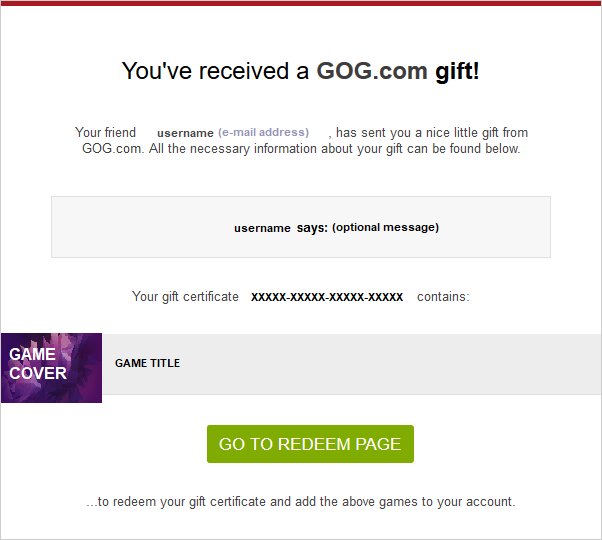
- Your friend redeems the gift: your friend will get an email that contains a gift code. They can use this to claim the game for their GOG account.
It’s simple, effective, and ensures your friend gets a legitimate copy of the game linked to their GOG account. The gift will appear in their GOG library after it’s redeemed, and they can download and play the game whenever they want.
Gifting Limitations
There are some things to keep in mind while gifting games on GOG:
- Region Locks: Some games might have region locks, but mostly these games are not. This means that the game can only be gifted to someone in certain regions. Make sure that the game you want to gift can be played by the person you want to send it to.
- Gifting to Specific Users: You can only gift games to users via the official gifting method, which means through the email and gift code.
- No Retroactive Gifting: You cannot gift a game that you already own. If you want to share a game you’ve purchased before with a friend, you will need to purchase a second copy.
These limitations are in place to protect GOG and developers, and ensure fair access to games.
Can You Share Your Downloaded Files?
Because GOG games are DRM-free, you might wonder if you can just send the downloaded game files to your friend. Here’s the breakdown:
The Technical Possibility
Technically speaking, yes, you can send your downloaded game installer files to anyone you want because the files are not locked. You can copy the installation file (.exe) and share it through any file sharing method (such as cloud drives, emails, USB drives etc.), and your friend can install it on their computer. But this leads to a number of issues.
The Legal and Ethical Issues
While it’s technically possible, sharing your downloaded game files is against the terms of service of GOG. Here is the breakdown:
- Terms of Service Violation: GOG’s terms of service clearly state that the game you purchase is only for your personal use. Sharing game files is the same as illegally distributing a copy, which is a breach of copyright.
- Unfair to Developers: Game developers spend lots of time and money making games. When you share a game instead of having a friend buy their own copy, you are not supporting the developers.
- No Future Updates: If your friend installs the game from your shared files, they will not get any game updates. GOG releases regular updates, and it is important to have these updates to fix game bugs. Also, multiplayer games won’t work well if not updated.
- No GOG Integration: The games you send to your friends won’t be connected to your friend’s GOG accounts, or GOG Galaxy. This means that they can’t use online features or get any future benefits. They won’t be able to manage their games properly through GOG. They will need to search through their pc to start a specific game.
Therefore, even if it’s easy to do, sending game files to your friends goes against the rules and is not the best option.
Sharing Your Account: A Bad Idea
One temptation might be to simply share your GOG account details with a friend so they can download the game you want to share. But doing this is a really bad idea for many reasons. Here’s why:
Security Risks
- Account Compromise: You are giving access to all of your games and payment information to someone else. This could lead to your account being used without your permission.
- Loss of Control: If someone else is using your account, you don’t have full control over it. This could mean that they could change your settings or your account information.
- Account Ban: GOG might ban your account if they see that multiple people are using it. This can result in losing access to all your games.
Why It’s Not Worth It
- Trust Issues: Sharing your account password is never a good idea. If you have any payment information saved on the account, you are sharing that too.
- Privacy concerns: You are letting someone else access your private information. This is never a good idea and you should never do it.
Sharing your GOG account is a risky idea. It’s better to stick with the official gifting method or ask them to purchase the game themselves. The potential security risks and the violation of the terms of service are not worth it.
Alternative Ways to Share the Gaming Experience
If you really want to enjoy games with your friends, but cannot gift a copy to them or want to play the games together, then there are some alternative solutions that you can try.
Playing Together
Many GOG games have multiplayer options, meaning you can play together online. Here is how you can do that:
- Online Multiplayer: If a game has online multiplayer, you and your friend can both purchase the game and play together using the game’s online features.
- Local Co-op: Some games also have local co-op, which means you can play on the same PC using controllers.
Streaming Gameplay
You can use live streaming to share your gameplay with your friend. Here is how:
- Streaming Platforms: You can use services such as Twitch, YouTube Gaming, or Discord to stream your gameplay to your friends. This will allow them to see you play, and you can chat with them as you play the game.
- Share the Joy: While they aren’t playing with you directly, they can still experience the game through you, and this can be a lot of fun.
Suggesting Game Purchases
Sometimes, the easiest way to share a game is to encourage your friend to get their own copy. Here is how you can do that:
- Recommend Games: If you love a game, tell your friend about it and recommend they buy it on GOG. You can even show them gameplay if you are streaming and get them excited about playing it.
- Discussing: You can have a discussion about the game and this will make your friend more excited to play it. You can talk about your favorite parts of the game or how you finished a particular quest.
By trying these methods, you can still share your enjoyment of GOG games with your friends in a way that respects GOG’s rules and supports game developers.
Ultimately, while the DRM-free nature of GOG games might make you think you can easily share your purchases, the best approach is to use the official gifting system. Sharing your downloads or account are not good options, and are also against GOG’s terms of service. The official gift option allows your friends to play the game properly, and you can also enjoy the games together using one of the alternatives. Always ensure that you are supporting developers by purchasing games legitimately.
GOG 2.0 – How To Get All Your Games And Friends In One Place Within Minutes
Final Thoughts
Ultimately, you can’t directly send GOG games to friends as gifts through their platform. GOG does not provide a feature to transfer games after purchase. Gifting is generally done by purchasing a separate copy for your friend.
Therefore, if you ask “can i send gog games to friends?” the immediate answer is no. You’ll need to buy them a gift copy. This method ensures they have their own legally obtained game.

