
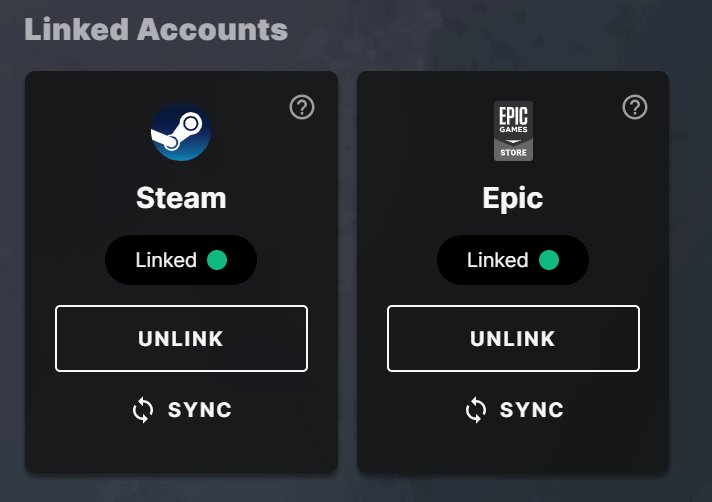
No, you cannot directly transfer a game from Epic Games to Steam. These are separate platforms with different licensing systems.
Have you ever wondered if you can move your favorite games between different launchers? The question ‘can i transfer game from epic games to steam’ often pops up. It’s a common desire to consolidate your library, isn’t it?
Unfortunately, the process isn’t that simple. Epic and Steam operate as distinct marketplaces. Each platform uses its own method for managing games and licenses.

Can I Transfer Game from Epic Games to Steam?
So, you’ve got a fantastic game on the Epic Games Store, and you’re wondering if you can move it over to your Steam library? It’s a pretty common question, and the short answer is usually, unfortunately, no, you can’t directly transfer a game from Epic Games to Steam. But, don’t worry! Let’s dive deeper into why this is the case, and what your options might be. Think of it like having a toy you bought at one store; you usually can’t just take it to another store and exchange it for a toy they have! This same idea applies to digital games and different gaming platforms like Epic Games and Steam.
Why Direct Game Transfers Are Not Possible
The main reason you can’t just move a game between Epic Games and Steam comes down to how these platforms work. Each store has its own digital rights management system (DRM). DRM is a type of technology used to protect the game. It helps make sure you own a valid copy of the game. This system is deeply tied to the specific store where you bought it. For example, when you purchase a game on Epic, the license is tied to your Epic Games account and their system. Likewise, when you buy a game on Steam, it’s licensed to your Steam account and their system.
It’s like each platform has its own special key for each game. The keys from Epic Games won’t work with the Steam platform and vice versa. They’re not designed to be interchangeable. So, even though it might seem like you’re just moving game files from one place to another, the game requires permission to run from the platform where it was originally purchased.
The Role of Game Licenses and Digital Rights Management (DRM)
Think of your game license as a special permission slip. This “slip” allows you to play the game you bought. This permission is not the same across different stores or platforms. The key to understanding the difference is DRM, it makes sure that each copy of the game is played by the authorized user. DRM also prevents people from illegally copying and distributing the game. This technology is different between platforms like Epic Games and Steam, and that’s a major reason you can’t move games back and forth.
Each platform uses its own proprietary DRM system, which means that a license granted by Epic games will only work with Epic games launcher and not with Steam. The game files may be identical, but the authorization system is not. So, even if you manually moved the game files, they wouldn’t run without the correct authorization from the original platform.
Differences in Game Distribution and Platforms
Epic Games and Steam operate as two separate digital marketplaces. They have different business strategies, different partnerships with developers, and of course, different methods for distributing game licenses. Think of it like two different supermarkets selling similar products, they each have their own system for how you pay for and use those products. This means that games bought on one platform are simply not meant to be used on another.
Because these are different platforms that operate separately, they each have their own infrastructure for delivering games. Epic has its launcher, and Steam has its own. They are built on different architectures and don’t communicate directly with each other. This is why you can’t just pick a game up from one shop and place it on the shelf of the other.
Here is a very simple overview:
- Epic Games: Has its own launcher and platform, focused on game exclusives and free giveaways.
- Steam: A well-established platform with a large library and a focus on community and features.
Exploring Potential Workarounds (and Why They Usually Don’t Work)
While a direct transfer isn’t possible, let’s explore some ideas people have tried. You might come across claims that suggest ways to move game files between the platforms. However, most of these methods don’t work and often lead to errors or game malfunction.
Manually Copying Game Files
One common idea is to try to manually copy game files from the Epic Games folder to the Steam folder. While you can copy the files, they usually don’t work. The game client on Steam is not going to be able to recognize the game as valid. Even if you manage to make Steam recognize the copied files, the game will likely still not work because of DRM and the unique license associated with each game. The Steam client will not be able to activate a game it did not license, and the game files are useless without the proper license.
Think of it like having a puzzle. You have all the pieces of the puzzle (the game files), but without the correct picture to reference (the license), the pieces will not make the whole image (the playable game). The game and its license must match the platform.
Using Third-Party Tools or Hacks
You might find some suggestions online about using third-party tools or “hacks” to transfer games. It is strongly recommended to not use these tools as they are not guaranteed to work. Using them could lead to malware issues or you can risk the security of your PC. These tools often try to bypass DRM, which can lead to a ban from the gaming platforms.
It’s much safer and easier to accept that transferring games directly is not possible and explore other options, like buying the game again. It’s very much like trying to use a tool that you’re not sure about, it could break the game or your computer. Always be careful of offers that sound too good to be true. If it sounds suspicious or too risky, it’s best to avoid it altogether.
What You Can Do If You Want a Game on Steam
So, if transferring the game isn’t an option, what can you do? The most straightforward answer is that you might have to buy the game again on Steam if you want to play it there. Though this can be frustrating, it’s the only legitimate and safe way to get the game running on Steam.
Purchasing the Game on Steam
The simplest and most reliable solution is to purchase the game again from the Steam store. While this means spending extra money, it ensures you have a legitimate license. You’ll also have the peace of mind knowing that the game will work correctly on the Steam platform, with access to all its features. You will have the benefit of Steam’s community features and achievements, if you like those. If you decide to buy the game on Steam again, make sure to check if there are any sales or discounts that might help you save some money.
Waiting for Sales or Bundles
If you’re not in a rush to play the game on Steam, keep an eye out for sales and bundles that might include the game you are looking for. Steam often hosts seasonal sales events where you can find great discounts on a wide variety of games. It’s a good idea to add the game to your Steam wishlist to be notified when it goes on sale.
Checking if the Game Has Cross-Save Functionality
If the game supports cross-save functionality, you can at least keep your progress if you decide to buy it on Steam. Cross-saves allow you to use your game progress from one platform to another. This doesn’t make the game transfer over, but it does save you from starting all over. Not all games offer this feature. You will want to check if the game has this feature before you buy it.
Here is a quick guide on checking for cross-save functionality:
- Check the game’s official website.
- Look for information on the game’s Steam page.
- See if the game has any cloud-save options.
The Future of Game Transfers
The idea of transferring games between platforms might feel like a desirable feature for many gamers. But for now, it’s not part of the business model of these digital stores. Although it is not currently available, it is possible there might be some progress in the future.
Potential Changes in DRM and Licensing
As gaming technologies advance, there might be changes in how DRM and game licensing work. Some game publishers are starting to move toward DRM-free releases and cross-platform gameplay. This could potentially lead to more flexibility in the future regarding playing games on multiple platforms, but these changes are slow and not guaranteed to happen.
Cross-Platform Play and Save Features
Many game developers are focusing on implementing cross-platform play, where you can play with friends regardless of which gaming platform they use. Developers are starting to introduce cross-save options as well. As more games integrate these features, it might become less important to have a game on a specific platform. While this doesn’t help you transfer the game itself, it does allow you to enjoy the game with your friends and keep your saved progress.
So, while the direct transfer from Epic Games to Steam is currently not possible, there are ways to get the games on the platform you want and potentially keep your progress. The gaming world is ever evolving and it is possible that we may see some changes in the future. For now though, buying the game again on Steam is the best option if you wish to play it on that platform.
Adding Games from Epic to your Steam Client (w/ EGS Online Support)
Final Thoughts
You cannot directly transfer games between Epic Games and Steam. These platforms operate with distinct game libraries and DRM systems. Purchasing a game on one does not grant access on the other.
Therefore, the answer to “can i transfer game from epic games to steam” is a definite no. Each store requires a separate purchase of the game.

