
No, you cannot turn off your Xbox while installing a game. Doing so will interrupt the process and potentially cause issues.
So you’ve just popped in a new game and you’re wondering, can i turn off my xbox while installing a game? It’s a common question since install times can be lengthy. Naturally, you may want to do something else while the installation runs its course.
Leaving the console on throughout the installation is the best way to ensure it completes correctly. Interrupting it can cause data corruption, requiring you to start again. It is always best to wait until the install progress shows as complete.

Can I Turn Off My Xbox While Installing a Game?
Hey there, fellow gamers! We’ve all been there, that exciting moment when a new game arrives, and you just can’t wait to dive in. But then, the dreaded installation screen appears, and it seems to take forever. A big question pops into everyone’s mind during this waiting period: can I turn off my Xbox while it’s installing a game? It’s a valid question, and the answer is a bit more complex than a simple “yes” or “no.” Let’s break it down to ensure you get the best experience with your games and your console.
Understanding the Installation Process
Before we get to the heart of the matter, let’s look at what actually happens when you install a game on your Xbox. Games, especially modern ones, are often very large in size. This means the data needs to be transferred from the game disc or downloaded from the internet to your console’s hard drive or SSD. Think of it like moving a big box of toys from the garage to your room – it takes time and a lot of steps.
What Happens During an Install?
Here’s a simplified view of what occurs during a game install:
- Data Transfer: The game files are moved from the disc or downloaded from the Xbox network.
- Verification: The console checks to make sure all files are copied correctly.
- Installation: The game files are unpacked and arranged so the Xbox can use them.
- Updates: Often, there are updates that come with the game. These also get downloaded and installed.
All these steps require the console to be powered on and working. Stopping this process mid-way can sometimes lead to problems.
The Risks of Interrupting an Installation
Now, let’s talk about the potential problems that can come up if you turn off your console during an install. These problems aren’t always going to happen, but they are possibilities you should be aware of.
Corrupted Game Files
Imagine you are building a tower with blocks, and someone takes away a few blocks while you are working. Your tower might not be strong and could fall apart. This is what can happen with game files during installation. If you turn off your Xbox mid-install, some of the game data might be incomplete or damaged. This means that game might not run correctly, or could even crash while you’re playing.
Software Issues
Sometimes when you interrupt an installation, it can affect other parts of your Xbox software. This means you might run into unexpected bugs or issues with your console’s operating system. This is less likely to happen, but you want to make sure you prevent this by keeping the Xbox on during install.
Installation Restart
One of the most annoying effects of turning off the Xbox too soon is that it might need to restart the installation completely. That means all that time you spent waiting would be for nothing, and you’d have to start again. No one wants to waste time and have to install a game twice.
Xbox’s Approach to Installations
Modern Xbox consoles are designed to handle installations as smoothly as possible. They have some safety measures to protect your data, but it’s still not perfect. Let’s look at how Xbox consoles manage installations.
Background Installations
The good news is that Xbox allows games to install in the background. This means you can usually do other things on your Xbox, like watching videos or playing other games while one game installs. The installation process runs in the background so that you can continue to use other features of the Xbox without any problems.
Partial Installation
Some games let you start playing a portion of the game even while it’s still installing. This is a great way to enjoy your new game sooner, but remember, the rest of the game still needs to finish installation in the background.
Safe Shutdowns
Xbox systems have a feature that will try to finish some installation tasks before shutting down if you turn off the console at a bad moment, but this doesn’t work every time. So, even though the system tries to be safe, it’s still better to not turn it off when it is installing the game.
Best Practices During Game Installation
So, what should you do to make sure your game installations go smoothly? It’s all about patience and following a few simple tips.
Keep the Console Powered On
The simplest advice is to leave your Xbox on until the installation is done. Avoid shutting it down, restarting it, or unplugging it during installation. Let the console do its thing, and you’ll be ready to play sooner and without any extra hassle.
Stay Connected to the Internet
If you are downloading a game, you need to ensure your internet connection is stable. This is important so that the installation can complete without issues. Losing your internet connection can mess up the installation process.
Monitor Progress
Keep an eye on the installation progress. The Xbox usually shows you how much is left to download or install. You can often see the progress on your screen or in the download queue. This helps you know when it is safe to turn off your console.
Avoid Playing Games While Installing
Although the Xbox allows you to play other games or do other things while installing a game in background, it’s best to keep the activities as minimum as possible. Playing a game while installing another may slow down the install and could potentially cause issues.
Don’t Unplug the Power Cord
Never, ever unplug your Xbox while it’s installing a game. This is a really bad idea and can damage your console or game data. Be sure to use the power button on the console or use the dashboard menu to turn off the Xbox once it has finished installing.
What to do if the Installation Fails
Even if you follow all the best practices, there can still be problems with an installation. Don’t worry, it happens. Here’s what you should do if your installation fails:
Restart Your Xbox
The first thing to try is a simple restart of your Xbox. Turn it off completely and then turn it back on. Sometimes that clears up any temporary glitches.
Check Your Internet Connection
If you are downloading a game, check your internet connection and make sure that it’s stable. Try disconnecting from your Wi-Fi and then reconnecting to your router.
Clear the Download Queue
In some cases, you may need to clear the download queue and start the download process all over again. Usually you can find the download queue inside the section of downloads or games.
Reinstall the Game
If the above methods do not work, you may need to uninstall the game from your Xbox and re install again. After re-installing the game, if it still doesn’t work, there could be a bigger problem with the game files, in that case you may need to contact the game developer or Xbox support.
Contact Xbox Support
If all else fails, it may be time to reach out to Xbox support for help. They can guide you in solving more complicated problems or if you think there may be an issue with the Xbox console.
Special Considerations: Xbox Game Pass and Cloud Gaming
Things work a little differently with Xbox Game Pass and Cloud Gaming. These options don’t always involve a full installation on your console.
Xbox Game Pass
With Xbox Game Pass, you can download many games directly to your console. The rules about not turning off your console still apply to these installations. Make sure that you do not turn off your console during the installation process.
Cloud Gaming
Cloud gaming allows you to play games without installing them on your console. In this case, the game runs on Microsoft’s servers and streams to your Xbox. Here, you don’t need to worry about the installation process, just make sure your internet connection is fast.
Understanding the Xbox Sleep Mode
Let’s discuss how the Xbox’s sleep mode or “Instant-on” mode interacts with game installations.
How Sleep Mode Works
The sleep mode keeps your Xbox in a low power state, allowing it to quickly resume. This is helpful if you play games often and want to get back into the action quickly.
Impact on Installations
When your console is in sleep mode, the download of a game will continue. However, the actual installation might be paused or slowed down. Although your games will install, it’s best to keep the console fully turned on to allow the installation process to finish faster.
When to use Sleep Mode
If you are not using your console for a while, then you can put it into sleep mode or you can turn it off completely. If you want a faster installation, then leave it turned on. It is better to keep the console fully turned on during the active installation.
In summary, while modern Xbox consoles do have some safety features to help, it is always better to avoid turning off your console when a game is installing. It might lead to corrupted game files, software glitches, or having to restart the whole process. By following the simple steps in the best practices section, you can enjoy your new games without any hiccups.
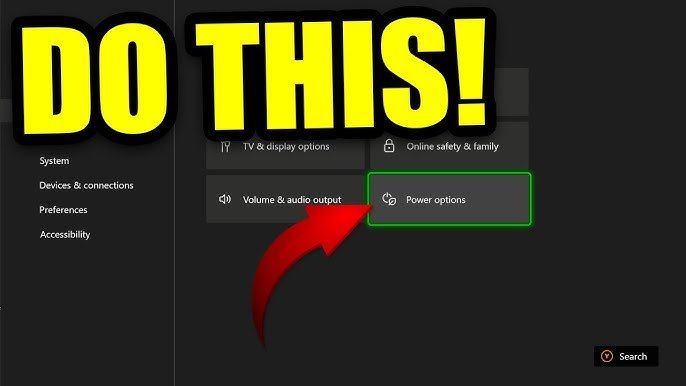
Download Games While Xbox Turned Off? Do THIS! How To Download & Install Games When Xbox Is Off!
Final Thoughts
No, you cannot turn off your Xbox during game installation. Doing so will interrupt the process and may cause corruption. The console needs to stay powered on to complete the installation of the game files.
Therefore, patiently wait until the installation finishes before turning it off. The progress bar will guide you. Remember, can i turn off my xbox while installing a game is a common question, but the answer is always a strict no.

