
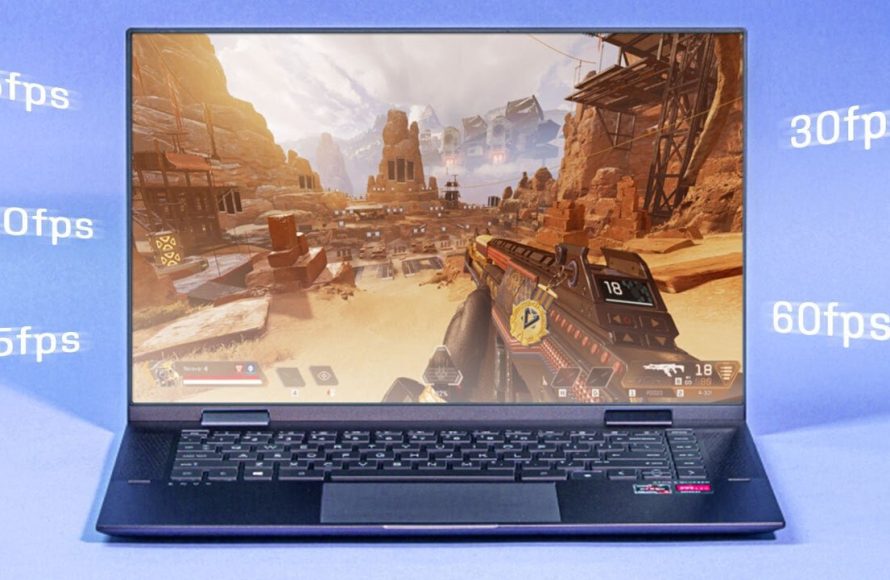
Integrated graphics can run some games, particularly older titles or less demanding indie games, but they often struggle with modern, graphically intensive games.
Ever wondered if your laptop’s built-in graphics are good enough for gaming? It’s a common question for many, and the answer isn’t always a simple yes or no. The reality is that some games will run well while others become a slideshow experience, all depending on what you’re trying to play.
This brings us to a core question: can integrated graphics run games? The answer is complex. You need to consider what kind of experience you are looking for. Modern AAA titles, known for their visual fidelity, will push these integrated chips to their limits.

Can Integrated Graphics Run Games?
Let’s dive into the world of computer graphics! You know how your computer shows you pictures, videos, and, most importantly, games? Well, there are two main ways computers handle this: dedicated graphics cards and integrated graphics. Today, we’re going to zoom in on integrated graphics and answer a big question: Can they actually run games?
Understanding Integrated Graphics
First, what exactly are integrated graphics? Imagine your computer has a brain, the CPU (Central Processing Unit). Integrated graphics is like a small part of that brain that also helps with the pictures and videos. It’s built right into the CPU itself. This means you don’t need a separate, chunky graphics card. It’s convenient and saves space, and is found more commonly in laptops and smaller desktop computers. Because it is using the resources of the CPU, it tends to be more efficient in power usage than a dedicated graphics card. But there’s a trade-off. It’s like having a smaller engine in a car – it can do the job, but it might not be as powerful as a larger engine.
How Integrated Graphics Work
Unlike dedicated graphics cards which have their own memory (VRAM) and processing power, integrated graphics shares the computer’s main memory (RAM) and CPU power. When you are playing games or doing graphic-intensive work, the integrated graphics asks the CPU and RAM to lend some resources. It’s a shared resource model. This is why a more powerful CPU and enough RAM can improve how well games perform on integrated graphics, as you are giving more resources to it to work with. However, even with this shared approach, it does have its limits.
Integrated Graphics vs. Dedicated Graphics: The Key Differences
It’s important to understand how integrated graphics differ from their dedicated counterparts. Think of it like this: dedicated graphics are like having a supercharged engine built specifically for gaming, while integrated graphics is like having a reliable but smaller engine that’s good for daily driving and light tasks. Here’s a breakdown:
- Processing Power: Dedicated graphics cards have a separate graphics processing unit (GPU) that is much more powerful than the graphics capability inside a CPU. This means they can handle more complex graphics calculations much faster. Integrated graphics relies on the CPU and shared resources, which are not as optimized for graphics calculations.
- Memory (VRAM): Dedicated graphics cards have their own dedicated memory (VRAM) to store textures and graphic-related data, this allows them to work quickly and efficiently when working on graphics. Integrated graphics, because it uses shared memory (RAM), it’s bandwidth and speed are limited to the speed of RAM.
- Cost: Dedicated graphics cards cost extra money, as they are a separate part. Integrated graphics are included in the CPU, so you are getting it as part of the CPU purchase which means its budget-friendly.
- Power Consumption: Dedicated cards use more power which results in more heat production and reduced battery life on a laptop. Integrated graphics consumes less power making it perfect for battery-powered devices.
- Size and Space: Dedicated cards are large and take space in the computer. Whereas, integrated graphics are already part of the CPU.
In short, for heavy gaming, a dedicated card is the better option, while integrated graphics is more suited for everyday use and playing lighter games. Knowing this difference will help in understanding what type of games will work with your machine.
What Kind of Games Can Integrated Graphics Handle?
Now, the real question: what can you actually play on integrated graphics? The answer isn’t a simple yes or no. It depends on a few important factors.
Factors Affecting Game Performance
- Game Requirements: Some games demand powerful graphics cards while others are made to run smoothly on less demanding hardware. Check the system requirements of a game to make sure it matches what your computer has.
- CPU Power: A faster CPU can help integrated graphics run games slightly better as the graphic processor will have more to work with. This will give you some increase in gaming performance, so keep it in mind while purchasing.
- RAM: Having enough RAM is important since the integrated graphics will be borrowing from it. Games can become very slow if there is not enough RAM. Also, the speed of your RAM can affect performance, with faster RAM improving overall gameplay.
- Game Settings: By decreasing settings, such as shadows, quality, and resolution can make many games run much better with integrated graphics. You can also try turning off visual effects and lower the resolution of the game to have better performance.
- Driver: Make sure that you have the most recent driver updates for your integrated graphics. The newer updates can bring enhancements that can give you much better gaming performance in some games.
Categories of Games That Work Well
Generally, here are some types of games that tend to run okay on integrated graphics:
- Older Titles: Games that came out a few years ago are often less demanding and will work well with integrated graphics. Think of those games from 2015 and before.
- Indie Games: Many indie developers make their games to be played on any computer, so they are not heavy on the system and run great with integrated graphics. This includes games with simple visuals.
- 2D Games: Games that use two dimensions generally need less processing power than 3D games. Most 2D games will work well on integrated graphics.
- Casual Games: These games are often simple and meant for anyone to enjoy, and they usually aren’t very demanding on a computer. This includes card games, puzzle games, and light strategy games.
- Esports Titles: Some popular esports games are surprisingly optimized and can work great on integrated graphics. Think of them as being light enough that you don’t need a powerful graphics card to play them. Some games like this include League of Legends, Counter-Strike: Global Offensive, and Rocket League.
These games often don’t have the newest high-fidelity visuals, but you will be able to play them just fine without needing a dedicated graphics card.
Specific Game Examples
Let’s get into some examples. Some games run much better on integrated graphics than others. Remember that you may have to tune the settings of the game, so they can be played smoothly.
- Minecraft: It’s a very popular game, and it is not that demanding, so many machines can run it with ease. If you get low performance in the game, you can try lowering the render distance and visual settings.
- Stardew Valley: This is a pixel-art game with simple gameplay. You will have no problem running it on integrated graphics.
- Among Us: This simple game doesn’t demand a lot of graphics and should work well on nearly every device with an integrated graphics card.
- League of Legends: This popular MOBA (Multiplayer Online Battle Arena) game is optimized very well and can run very smoothly even on lower-end systems.
- Fortnite: This famous Battle Royale game can run decently on integrated graphics if you set the graphics settings to low. You might not get a very high frame rate, but it should be playable.
Settings Adjustments for Better Performance
If you are going to play games on integrated graphics, you will need to adjust your settings for smooth gameplay. Here are some tips to consider.
Lowering Graphic Settings
The most crucial step to do to make games run better is by decreasing the graphical settings of the game. This will help reduce the load on your graphics processing unit, as you are requesting less effort from it. Here are some settings you should look at:
- Resolution: Lowering the resolution means the game will display fewer pixels, requiring less power to render graphics. If the game is running slow, this should be the first setting to adjust. For example, changing your resolution from 1920×1080 to 1280×720 can give a huge increase in performance.
- Texture Quality: Textures in a game can be a very demanding element of graphics. By decreasing the quality of the texture, you can see an increase in performance. There are often several levels of quality, from high to medium to low. Try lowering it one step at a time, until you see an improvement.
- Shadows: Shadows are an often overlooked setting which demand a lot of work from a graphics processor. If you are experiencing low performance, turn off shadows completely or put them at the lowest setting.
- Anti-aliasing: This setting smooths out the edges of objects in a game, but it is demanding. Turning it off will increase performance, especially with integrated graphics cards.
- Effects: Many games have settings for visual effects, like bloom, blur, and reflection. If your game is running slowly, turn down or turn off the visual effect settings of the game.
Additional Performance Tips
Beyond in-game settings, there are other things that you can do to improve your computer’s performance when gaming on integrated graphics.
- Close Background Apps: Having too many programs and applications running in the background can take up your computer’s resources. Close these before playing games for better performance.
- Update Graphics Drivers: Always ensure that you have the newest drivers for your integrated graphics. The latest drivers bring optimizations which can improve performance. You can often download these from the websites of the companies which manufacture these chips such as Intel and AMD.
- Increase RAM: As integrated graphics use the system RAM, an increase in the total amount of RAM can improve performance in games. Check how much RAM you have and consider buying additional RAM if you often have performance issues.
- Optimize System Settings: Some operating systems have a gaming mode, or allow you to change settings to improve performance for applications. Take a look at these and turn off unnecessary visual effects in your operating system.
- Use a Lower Resolution: Lowering your display resolution can give an increase in performance, as the amount of work for the graphics chip decreases.
When Integrated Graphics Isn’t Enough
While integrated graphics have come a long way, there are some games that they just can’t handle well. These are generally modern AAA games with highly advanced visual quality and complex game designs. These include games such as the recent releases of Cyberpunk, Starfield, and other visually demanding games. If you want to play this level of games with good performance, you will have to use a separate dedicated graphics card.
Signs You Need a Dedicated Graphics Card
If you are having any of these issues, then it might be time to consider getting a dedicated graphics card:
- Very low frame rates: If a game constantly stutters and plays at a very low frame rate (under 30 frames per second) then the system is not running efficiently.
- Game crashes: If the game often crashes and is unstable then this indicates that the graphics unit is being pushed to its limits.
- Unplayable lag: High levels of lag which prevents the game from being played smoothly is a key issue that may indicate that a dedicated graphics card is needed.
- Constant stuttering: This occurs when there is a mismatch of processing speed and load on the system. It creates a choppy and inconsistent playing experience.
- Graphical Glitches: If there are visual bugs and glitches when playing a game, then it is highly likely that the graphics unit can’t handle the requirements of the game.
If you are experiencing any of the problems above, or would like to play modern AAA games at their full potential, then getting a dedicated graphics card is essential. This will provide the gaming performance you need for a great gaming experience. Dedicated graphics card will have their own VRAM, which increases the performance for gaming.
The Future of Integrated Graphics
The world of integrated graphics is always evolving. Every year, manufacturers are making advancements in performance, leading to integrated graphics that can do more and more. As the technology keeps improving, we will likely see more games that will be playable on integrated graphics cards. We will probably reach a point that some games we currently need dedicated graphic cards for will be playable with integrated graphics.
Integrated graphics have made considerable progress over time. In the past, they were mainly for basic computer tasks, but they can now handle some modern games with smooth gameplay. It’s an option that gives many people an opportunity to play video games without the large investment required for dedicated graphic cards. If you plan to play games that are not that demanding, integrated graphics will work well for you. Remember to adjust the in-game settings and close any unwanted applications that are running in the background for an optimal experience.
Should Gamers Still Buy Integrated Graphics?
Final Thoughts
Integrated graphics can run games, but with limitations. Performance depends heavily on the game’s demands and the specific integrated GPU. Many older or less graphically intensive titles work reasonably well.
Modern integrated solutions are improving, enabling some newer games to run at lower settings. However, high-end, graphically demanding AAA games may not be playable. Therefore, the answer to ‘can integrated graphics run games’ is a qualified yes, depending on the game.

