
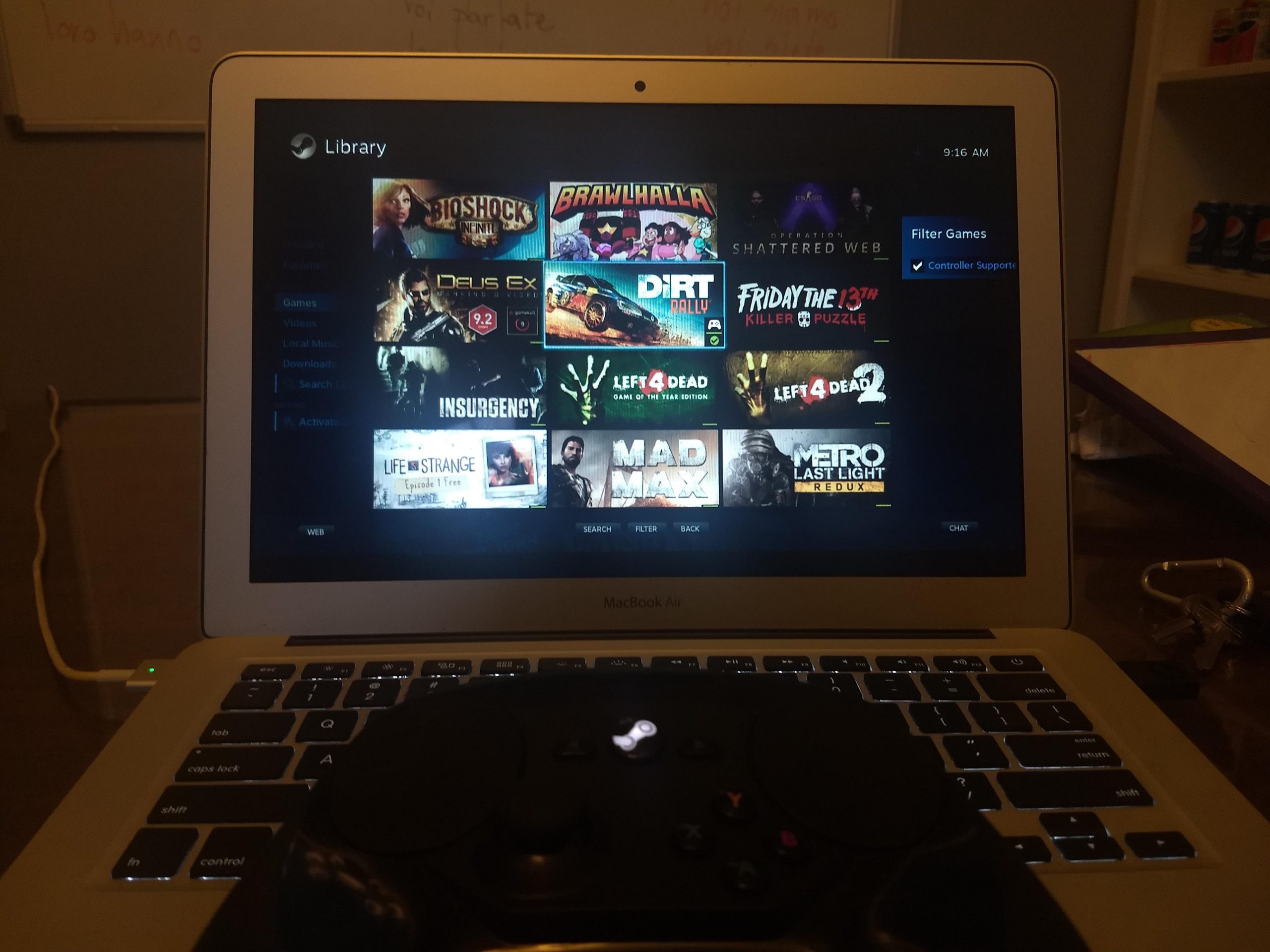
Yes, a MacBook Air can run some Steam games, but performance varies significantly depending on the game’s requirements and the specific MacBook Air model.
The question of whether a MacBook Air can run Steam games is common, considering their sleek design and portability. Many people wonder if these thin laptops can handle the demands of modern gaming. A simple answer is yes, the can macbook air run steam games, but with some important considerations.
The experience really depends on what game you’re trying to play. Some titles run quite well, others struggle. Ultimately, you will need to research if specific games are compatible for your model.

Can Macbook Air Run Steam Games?
Okay, let’s dive right into the big question: can your sleek and super-portable MacBook Air handle the world of Steam games? The short answer is: it’s a bit complicated, but generally, yes, it can, but with some important things to keep in mind. It’s not going to be the same experience as using a powerful gaming PC, but it’s definitely possible to have fun with games on your MacBook Air.
Understanding the MacBook Air’s Capabilities
The MacBook Air is designed for portability, everyday tasks like browsing the web, writing documents, and watching videos. It’s not built to be a gaming beast. The key things that affect gaming on a MacBook Air are:
- Processor (CPU): The brain of the computer. MacBook Airs use Apple’s own silicon chips, usually an M1, M2, or M3 chip, which are great for speed and power efficiency but might not always be the best for demanding games.
- Graphics Processing Unit (GPU): This handles the images you see on your screen. MacBook Airs have integrated graphics, meaning the GPU is part of the main chip, rather than a separate card. This can limit how well they can handle complicated graphics in games.
- Memory (RAM): This is where the computer stores things it needs to use quickly. Less RAM can make games run slowly or even crash. MacBook Airs come with different RAM options, and the more you have, the better.
- Storage: This is where you keep your games and other files. Make sure you have enough space!
What Kind of Games Can a MacBook Air Handle?
Now for the fun part – what can you actually play? You won’t be able to run every game on Steam, especially the newest and most graphically demanding ones. Think of it like this: your MacBook Air is a great little car, but it’s not a monster truck. It can do a lot, but it has its limits.
Games That Usually Run Well
Here are some types of games that generally work well on a MacBook Air:
- Indie Games: Many indie games are simple, beautiful, and run well on a variety of hardware. Examples include Stardew Valley, Hades, and Terraria.
- Older Games: Games from a few years back often have lower requirements. Think of classics that don’t require cutting edge graphics like Portal 2 or older Tomb Raider titles.
- Less Demanding Strategy Games: Some strategy games can work well because they rely more on planning than crazy graphics. Examples include Civilization series (look for specific compatibility), or certain turn based tactics titles.
- Casual Games: These are perfect for quick and easy fun. Games like Among Us or Minecraft (especially older versions) often run very smoothly.
- Apple Arcade Games: If you are thinking of gaming on a MacBook Air, consider the native Apple Arcade selection. These games are specifically developed for Apple’s ecosystem, so they run perfectly on a MacBook Air.
Games That Might Struggle
These are the kinds of games where you might run into problems:
- AAA Games: These are the big-budget, newest, and most graphically intensive games. These often require dedicated graphics cards that are not present in a MacBook Air. Cyberpunk 2077, Red Dead Redemption 2 or The Witcher 3 are going to be very difficult to run at any decent frame rate.
- First-Person Shooters (FPS): Many popular FPS titles, such as Call of Duty and Battlefield, need dedicated graphics power. While some older ones might work at low settings, the newest ones will likely struggle.
- High-Requirement Simulation Games: Some very complex simulation games, might not run as well because they need to calculate a lot of data and graphics.
Factors Affecting Game Performance
Even if a game is generally considered “playable” on a MacBook Air, certain things can still affect how well it runs. Let’s look into this:
Specific MacBook Air Models
Not all MacBook Airs are created equal when it comes to gaming. The newer models with Apple Silicon (M1, M2, M3 chips) generally perform better than older Intel-based models. Generally, the newer M3 chip performs better than the M2, which performs better than the M1, for gaming.
- M1 Chip: The first Apple Silicon chip for MacBook Airs, it is a solid step up from Intel chips for performance and power. Can run quite a number of games at low to medium settings.
- M2 Chip: The successor to the M1. It provides better performance and efficiency than the M1 and can handle games slightly better with improved graphical capabilities.
- M3 Chip: The latest and greatest Apple Silicon chip, it provides the best performance yet for a MacBook Air. It can handle more demanding games than the M1 and M2, but still has limits.
RAM and Storage
The amount of RAM you have affects how well your computer can multitask, and also impacts gaming. More RAM is always better. Similarly, make sure you have enough storage for the game you want to play.
- 8GB RAM: The base RAM amount on many MacBook Airs. Suitable for lighter games and tasks, but you may experience some slowdowns when playing more demanding games.
- 16GB RAM: Provides significantly better performance. This is preferred if you are hoping to play a variety of games, without many slowdowns.
- 24GB RAM: Found in higher end models. A great choice if you plan to use your computer for heavier use cases.
- Storage: Games can take up a lot of space, so a larger storage capacity is essential. If you have multiple games, consider 512GB or higher.
Game Settings
Even if a game is compatible with your MacBook Air, adjusting the graphics settings can have a big impact. If a game is running poorly, try these:
- Lower the graphics settings: Set graphics options to “low” or “medium” to see if that helps. Turning off shadows and texture settings can help in most cases.
- Reduce resolution: Playing at a lower resolution can significantly improve performance.
- Turn off extra effects: Things like anti-aliasing and motion blur can put extra strain on the system. Try turning them off.
Tips for Gaming on a MacBook Air
Here are some helpful tips to get the best possible gaming experience on your MacBook Air:
Check System Requirements
Before buying a game, always check the minimum and recommended system requirements listed on the Steam page. Pay close attention to the CPU, GPU, RAM, and operating system requirements.
If your MacBook Air is below the minimum requirement for a particular game, it may not run smoothly or even at all. If your computer falls in the minimum range, it can be played at very low settings with some luck.
Update Your Software
Keep your macOS up to date. Software updates often include performance improvements and bug fixes.
Close Background Apps
Before starting a game, close any unnecessary apps that are running in the background. This will free up system resources that can be used for the game.
Use a Cooling Pad
MacBook Airs can get warm when gaming. Using a cooling pad can help keep the system cool and potentially improve performance, especially during longer sessions.
Consider an External Controller
Gaming with a mouse and keyboard can be okay, but for certain types of games an external controller (like a PlayStation or Xbox controller) can improve your gaming experience.
Use the Steam Library
Steam has a large library of games, with different types, styles, and requirements. Explore the vast catalogue, and you may be able to find some hidden gems. Some newer games may also be playable on lower settings.
Consider Cloud Gaming
If your internet is fast enough, cloud gaming services like GeForce Now can allow you to play demanding games even on a lower-powered computer. You can access high-end games that your MacBook Air would not normally be able to run.
Compatibility with Steam Games
It’s essential to understand how Steam games work on macOS, as not all Windows games work seamlessly. Here’s the breakdown:
Native macOS Games
Some Steam games are specifically made to run on macOS. These tend to have the best performance and compatibility.
Games with Rosetta Support
Rosetta 2 is a technology that allows MacBook Airs with Apple Silicon to run some games that were originally designed for Intel-based Macs. However, there can be a performance drop as it’s translating the game code, so may not be optimal.
Windows Games via CrossOver or Parallels
Programs like CrossOver or Parallels can let you run Windows games on your MacBook Air, but they often come with additional performance overhead and complexity. It may not be an ideal experience for all games.
Game Availability on macOS
Not every game is available for macOS. Check the Steam page of each game to see if it lists macOS as a compatible platform. Be mindful that some games may be exclusive to Windows, therefore will not be playable directly on your MacBook Air.
In conclusion, while the MacBook Air is not designed as a hardcore gaming machine, it’s certainly capable of running a variety of Steam games. You just need to be realistic about the kinds of games you can play and be prepared to adjust settings for better performance. With the right choices and a bit of tweaking, you can still have a lot of fun gaming on your portable MacBook Air.
Gaming on a Mac, FINALLY! 🙌
Final Thoughts
Ultimately, the MacBook Air can run some Steam games, especially less demanding titles. However, don’t expect to play graphically intensive games smoothly. Performance varies significantly based on the specific game.
If you primarily play indie games or older releases, the MacBook Air will likely handle them fine. Still, for resource-heavy games, you might encounter lag or low frame rates. Therefore, ‘can macbook air run steam games’ depends on the game itself.

