
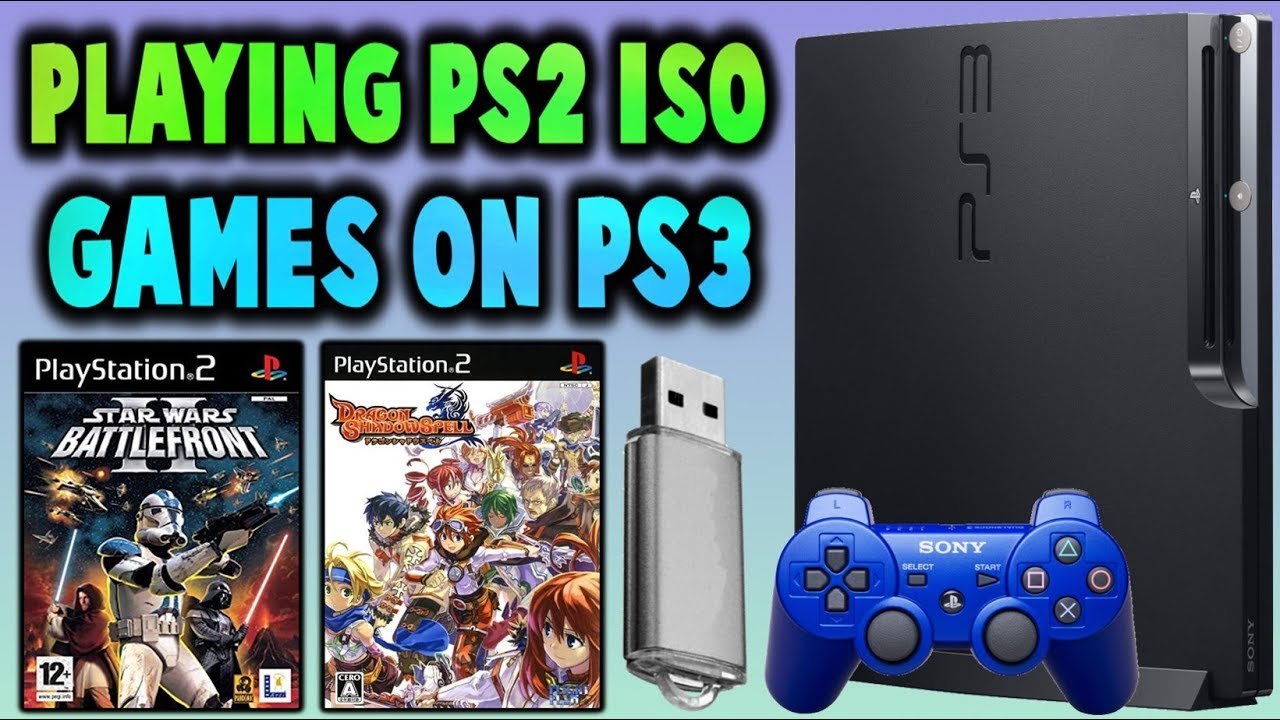
No, MultiMAN cannot directly play PS2 games. It is a PlayStation 3 homebrew application, and PS2 games require a different console architecture.
Ever wondered if your trusty PS3, with its MultiMAN magic, could also handle your old PS2 library? The question, “can multiman play ps2 games,” is a common one amongst gamers. Many people wish they could use one console to play all their classics. It would certainly make gaming simpler.
Unfortunately, the answer isn’t what many hope for. MultiMAN primarily manages PS3 games and media. PS2 emulation is complex. They require dedicated software to perform properly.

Can Multiman Play PS2 Games? The Full Story
Let’s dive into the world of Multiman and PlayStation 2 games. It’s a question many gamers have: can Multiman, that popular homebrew application for PlayStation 3, play PlayStation 2 games? The answer is a bit more involved than a simple yes or no. We need to explore what Multiman is, how it works with the PS3, and then see what the situation is with PS2 games. It’s a fun journey, so buckle up!
Understanding Multiman and Its Core Functions
First, let’s get familiar with Multiman. Think of it as a super-powered file manager for your PlayStation 3. It allows you to access and manage the files on your PS3’s hard drive. This includes game files, save data, and even system files (with caution, of course!). But it’s more than just a file manager. Multiman also has the ability to launch backups of your games, which is a key feature for many users.
Multiman primarily works with PS3 games. It allows you to load and play games from your internal hard drive or an external USB drive. The PS3 system normally plays games from physical discs. Multiman provides an alternative method. This is particularly helpful if you want to keep your game discs safe or if your PS3 disc drive is not working correctly.
How Multiman Handles PS3 Games
The magic behind Multiman is that it tricks the PS3 into thinking that a game on the hard drive is actually a disc in the drive. It uses a method called “spoofing” to achieve this. This allows your PS3 to launch the game normally, like you were using a physical game disc. It’s quite clever!
- Multiman reads game data from a hard drive (internal or external).
- It presents this data to the PS3 as if it were a real game disc.
- The PS3’s operating system is fooled, and it launches the game.
So, with PS3 games, Multiman makes it simple to play digital copies of games you own. But, what about the Playstation 2 games? Can Multiman play them in the same way?
The Complicated Reality of PS2 Games on PS3
Here’s where things get interesting. The ability for your PS3 to play PS2 games is not as straightforward. It mainly depends on the specific PS3 model you own.
PS3 Models and PS2 Compatibility
The PS3 line of consoles has three main generations: the fat models, the slim models, and the super slim models. It’s crucial to know what type of model you have. This is where it gets a bit technical. Sony only included the full hardware components for playing PS2 games in the earliest “fat” models. They used a chip from the PS2 console inside these initial PS3 systems. They literally had the hardware of the PS2 present within them. These particular PS3 models are often called “backwards compatible”. These models were: CECHAxx, CECHBxx, CECHCxx, CECHExx.
However, Sony removed this dedicated hardware from later “fat” PS3 models (CECHGxx, CECHHxx, CECHJxx, CECHKxx, CECHLxx, CECHMxx, CECHPxx, CECHQxx) . and the entire PS3 slim and super slim lines. This change was made to reduce costs. Because of this, these later PS3s do not have the same hardware capability to play PS2 games like the older models. Instead, they might be able to play some specific PS2 titles using software emulation, which is a completely different approach.
Full Hardware Backwards Compatibility (CECHAxx, CECHBxx, CECHCxx, CECHExx)
These original “fat” models are the champions for PS2 game playback. They have the actual hardware from the PS2 built inside them. This means they can play almost all PS2 games flawlessly, just like a regular PS2 console would. They have a dedicated chip to do that job very well. There are a few exceptions in few titles, but those games have other ways to play on this console.
Software Emulation on Later PS3 Models
The later models, both “fat,” “slim,” and “super slim” types, use software emulation if they are able to play PS2 games. Software emulation means that the PS3 attempts to imitate a PS2 using its own processing power. This approach, though, is not as reliable as using the full PS2 hardware. It often comes with compatibility issues and can experience slower speeds or graphical glitches, but it does allow some of the more popular PS2 games to be played on these models. Only certain select PS2 game titles are compatible with the software emulator that Sony released for PS3 models that don’t have the PS2 hardware.
- PS3 Models CECHAxx, CECHBxx, CECHCxx, CECHExx: Full hardware backwards compatibility with most PS2 games.
- Later PS3 Models: Software emulation of some PS2 games, can have compatibility issues.
Multiman’s Role with PS2 Games: Not Direct Play
Now, let’s focus back on Multiman. Multiman, in itself, cannot directly play PS2 games. Multiman is primarily designed to deal with PS3 games. It doesn’t have the necessary tools to run PS2 games by itself. Remember, it’s about tricking the PS3 into thinking it has a disc. This trick only applies to PS3 games and it doesn’t work with PS2 games.
Multiman can, however, be helpful for PS2 games in certain ways:
- If your PS3 is one of the backwards compatible models, Multiman can be used to launch the disc images of your PS2 games. You need to extract the image from your PS2 game disc and save it in an appropriate format on your hard drive. Multiman can then launch these images. This bypasses the need to use the PS2 game disc.
So, while Multiman isn’t launching PS2 games the same way it does for PS3 games, it can still facilitate the playback on compatible consoles, but this is still using the PS3’s original hardware or software emulation to process the PS2 games, not Multiman itself.
How to Use Multiman to Launch PS2 Games on Compatible PS3 Consoles
Let’s talk about the practical steps you need to follow if you have a backwards compatible PS3 model, like CECHAxx, CECHBxx, CECHCxx, or CECHExx, to play PS2 games with the help of Multiman.
Preparing Your PS2 Game Images
First, you’ll need to create a disc image of your PS2 game. This is a digital copy of your physical game disc. There are various tools and guides available online to help you do this. Usually, this process requires connecting your PS2 to a computer and using a specific software. The output of this is a file, typically in ISO format or BIN/CUE format. Once your image has been created, copy the file to a USB drive or copy directly to your PS3’s internal hard drive via an ftp server, or directly using the multiman file manager.
Steps for Preparing PS2 ISOs
- Use a computer to create a disc image (ISO or BIN/CUE) of your PS2 game disc.
- Copy the created disc image file onto an external USB drive or directly to the internal hard drive of your PS3.
- Make sure the file is located in a directory that Multiman can find. Generally, Multiman will be able to find it within the “PS2ISO” folder on your USB or PS3’s HDD. If the folder is not present you may need to create the folder in your root directory of the hard drive of usb device.
Using Multiman to Launch the PS2 Game
Once you’ve done the preparatory work, it’s time to use Multiman to launch the game. With your USB drive connected or if the game image was directly transferred to the PS3 hard drive, you can proceed like this:
- Launch Multiman from the XMB menu on your PS3.
- Navigate to the PS2 games section in Multiman. It typically appears as a folder named “PS2ISO” on your selected drive.
- You should see the file names of the PS2 games that you have transferred on this screen.
- Select the PS2 game you want to play. Multiman will take care of the rest and launch the PS2 game on your compatible console, using the built-in hardware.
Important Notes on PS2 Games on PS3
Keep these points in mind when playing PS2 games using a backwards compatible PS3:
- Not all PS2 games will work perfectly, there may be a few titles that don’t load or have certain issues.
- Make sure your PS2 game images are in the correct format and are placed in the right folders, usually within the “PS2ISO” folder.
- Multiman acts as a means of launching the game image. The actual processing of the game is done by the PS3’s built-in hardware or software emulation, based on the model of the console.
PS2 Software Emulation on Non-Compatible Models
As mentioned previously, later PS3 models, that do not have the dedicated hardware chip can also play some select PS2 games using the PS3’s own software emulation method. However, this is not done via Multiman. This is something that Sony has built into the system’s operating system. It is limited to a small number of specific titles and the performance can vary greatly compared to the full hardware of the original fat PS3s.
How Does PS2 Software Emulation Work
When Sony created software emulation for PS2 games, they specifically configured how the PS3 would interpret the code of a specific PS2 game, and run it using the PS3’s own processors. This was done on a game-by-game basis. This means that the performance of this method varies across the board.
- The PS3’s software attempts to recreate the PS2 environment without the dedicated hardware.
- This emulation is less accurate than using the original hardware and can lead to visual or audio glitches.
- Only a small list of PS2 titles were made compatible using this method.
The Limits of Software Emulation
Software emulation for PS2 games on the PS3 has certain limitations that should be mentioned.
- Not every PS2 game is compatible, only a small number of titles will function.
- The games are run using emulation and can have issues and slowdowns, the performance is not the same as the original hardware.
- It may not be as smooth or accurate as playing on a true backwards compatible model.
- Updates for the emulated titles on a PS3 system are not always available.
Multiman and PS2 Games: A Summary
To sum it up, Multiman can launch PS2 games, but it isn’t the sole player in this scenario. It works as a helper on PS3 models that have built-in hardware backwards compatibility. Multiman doesn’t emulate PS2 games itself; it simply helps launch the game image. The actual processing is done by the PS3 hardware or the PS3’s software emulation.
For the best experience with PS2 games, the original backwards compatible PS3 models (CECHAxx, CECHBxx, CECHCxx, and CECHExx) are still the kings. They offer the smoothest and most compatible experience. If you don’t have those specific models, it is possible to use software emulation on later PS3 models, but with limitations.
Multiman remains a fantastic tool for game management on the PS3, especially when handling PS3 game backups, and with the proper PS3 model, it can help with launching PS2 game images as well.
How to Backup & Play PS2 Games on PS3HEN! – No PKG Conversion Required
Final Thoughts
Multiman primarily manages PS3 games. It cannot directly play PS2 games. You will need specific PS2 emulators or converted game files to run them on a PS3.
Therefore, the question ‘can multiman play ps2 games’ is answered negatively. Multiman is a tool for PS3 functionality; it requires other methods to play PS2 games. Remember this key distinction.

