
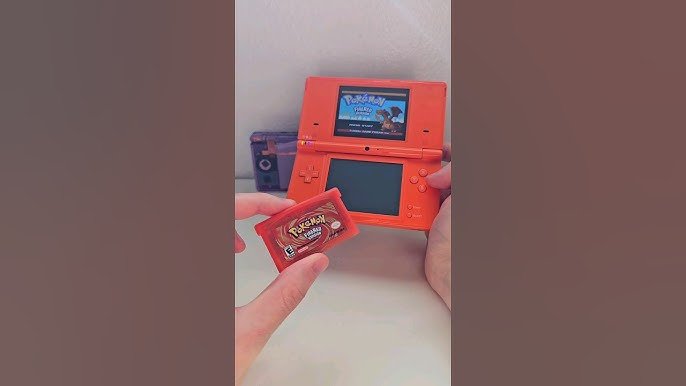
Yes, the original Nintendo DS and DS Lite can play Game Boy Advance (GBA) games through a dedicated slot.
Do you have a collection of classic Game Boy Advance cartridges gathering dust? You might be wondering, can nintendo ds play gba games? The answer is yes, but with a little clarification! The original Nintendo DS and the slimmer DS Lite both feature a dedicated slot specifically for GBA cartridges.
This backwards compatibility allows you to enjoy your old favorites on a newer handheld. It’s a fantastic feature, adding value to both consoles.

Can Nintendo DS Play GBA Games?
Yes, the original Nintendo DS and Nintendo DS Lite can play Game Boy Advance (GBA) games! This was a really cool feature that allowed players to enjoy their old GBA games on a new handheld system. However, it’s important to know that not all Nintendo DS models have this feature. We’ll delve into which models support GBA games, how it works, and everything else you need to know about playing your favorite old GBA titles on a DS.
The Nintendo DS Family and GBA Compatibility
To fully understand this, let’s take a look at the different versions of the Nintendo DS and their capabilities:
Nintendo DS (Original): This is the very first version of the Nintendo DS. It has a unique clamshell design, two screens, and, importantly, a slot at the bottom for GBA game cartridges.
Nintendo DS Lite: This is a sleeker, smaller, and lighter version of the original DS. It also features the GBA cartridge slot. So, you can play GBA games on it as well.
Nintendo DSi and DSi XL: These models are different! The DSi and DSi XL do not have a GBA slot. This means you cannot play GBA games directly on them. Nintendo removed the slot to make room for other features.
Nintendo 3DS Family (3DS, 3DS XL, 2DS, 2DS XL): This whole family of handhelds, including the newer 2DS and 2DS XL models, also cannot play original GBA cartridges. They don’t have the required hardware connection.
So, to recap, if you’re wondering “can my Nintendo DS play GBA games,” look at your device! If you have a Nintendo DS or a DS Lite, you’re in luck! If you have a DSi or any 3DS model, you’ll need to use other ways to play GBA games. We will talk about that more later.
How GBA Playback Works on Nintendo DS and DS Lite
The magic behind playing GBA games on the original DS and DS Lite isn’t just software emulation. Instead, these consoles possess a special GBA processor and a physical slot made to read GBA cartridges. This method ensures that the games play as they were originally designed to, without any significant differences in performance.
Here’s how it works:
1. Physical GBA Cartridge Slot: At the bottom of the DS or DS Lite, there’s a dedicated slot, different from the main slot where the Nintendo DS games go. This is designed perfectly for the rectangular shape of the GBA cartridges.
2. Hardware Connection: When you insert a GBA cartridge, the DS’s GBA processor directly reads data from the cartridge. It doesn’t try to simulate or recreate the GBA game like an emulator does on a computer. This direct connection is why you don’t need a special emulator program to run the games.
3. Direct Processing: The console switches over to the GBA chip, and the games run on the GBA’s hardware, just like they would on a regular Game Boy Advance. This ensures high compatibility and avoids performance issues such as slowdown.
4. Screen Layout: When you play a GBA game, the game uses only the top screen of the DS. The bottom screen remains blank during gameplay. It is just how it is intended, because the GBA had only one screen.
This seamless integration made it easy for players to switch between DS games and GBA games without needing a different console. It’s like having two consoles in one, which was a major perk for early DS adopters.
Advantages of Playing GBA Games on Nintendo DS
Playing GBA games on your DS or DS Lite has multiple benefits:
Two-in-One Console: You don’t need a separate Game Boy Advance anymore! This saves space and money, because you have a DS, and you can play a large catalog of GBA games on that same device.
Larger Screen: The top screen of the DS is bigger than the original GBA screen. This makes the games look a bit better and more comfortable to play for extended periods.
Backlit Screen: Both the DS and the DS Lite have backlit screens, unlike the original GBA. This means you can see the games much better, especially in low-light conditions. The DS Lite’s screen is particularly bright and clear.
Portability: Having all your games in one console makes it easy to carry your gaming collection wherever you go. You can switch between DS and GBA games without having to carry multiple devices.
Accessibility: If you are a fan of older GBA titles and you don’t have the old hardware, the DS system can be a perfect choice to play all those classic GBA games.
These advantages make playing GBA games on your DS a very nice and fun experience.
Considerations and Potential Drawbacks
Even though playing GBA games on the DS is great, there are a few things to consider:
Only on DS and DS Lite: Remember that only the original Nintendo DS and the DS Lite can play GBA cartridges. If you have a DSi or any 3DS model, you’re out of luck.
No GBA Multiplayer: Unfortunately, the DS and DS Lite do not support the GBA multiplayer functionality using a link cable. You can’t use the normal link cables like you would with GBA hardware to play with your friends.
Single Player Experience: You are always limited to playing the single-player part of GBA titles on DS system. This can be a drawback for games that had a heavy focus on multiplayer gameplay.
Battery Drain: Playing GBA games, especially on older DS models, can use up the battery a little faster. Be sure to have a charger handy if you plan to play for a long time.
Top Screen Only: As mentioned before, GBA games only use the top screen on the DS system. The bottom touch screen remains unused. This isn’t necessarily a bad thing, but it’s important to keep in mind if you are thinking that you could use the touch screen while playing GBA games.
While these things aren’t major drawbacks, they’re good to know. Overall, the positives of playing GBA games on the DS system generally outweigh these small issues.
Exploring Alternatives for DSi and 3DS Users
If you own a DSi or any model in the 3DS family, you can’t use the physical cartridges. So, how do you play GBA games then? The main way is using emulators, there are many ways and tools, that enable you to play any of your favourite classic GBA titles on your systems that are not directly compatible with cartridges. Let’s explore the alternatives.
#### Emulation on DSi
Since DSi does not have a GBA cartridge slot, the only option is to use emulation software through homebrew applications. This is possible if your DSi is modified to run custom firmware. Here’s what you need to know:
Custom Firmware (CFW): You’ll need to install a custom firmware on your DSi. This involves running special software on your device. Be very careful when you install CFW, because if not done correctly, it may brick your console.
Homebrew Applications: Once you have a custom firmware, you can install homebrew apps, including GBA emulators. These emulators simulate the GBA hardware and let you play GBA games from ROM files.
ROM Files: You will need to obtain ROM files of your games. These are digital copies of the game cartridges. Make sure you only use the files from the games you own for legal and ethical reasons.
Compatibility Issues: Emulators sometimes have issues with certain games, so it might not be a perfect 100% experience all the time. Performance of games may also vary.
While this method gives DSi users a way to play GBA games, it’s important to remember that it involves modifying your device, so proceed carefully and at your own risk.
#### Emulation on 3DS Family
Emulation on the 3DS family works very similarly to emulation on DSi, with some differences. Let’s go through the basics:
Custom Firmware (CFW) on 3DS: Just like DSi, you’ll need to install custom firmware on your 3DS to run homebrew applications. The process is a bit different, but the result is similar: the ability to install custom programs.
GBA Emulators: With CFW, you can use various GBA emulators that are available for the 3DS. These emulators provide a way to play GBA games using ROM files.
Virtual Console: Nintendo has released some GBA titles on the 3DS eShop as part of the Virtual Console service. You can purchase and download these legally, if the eShop is still available on your region.
ROM Files: Again, you’ll need to get ROM files for your games. Only use ROMs of games that you own legally.
Better Performance: Generally, the 3DS system has more processing power than the DSi, so emulation runs more smoothly on 3DS than on DSi.
Screen Issues: Sometimes, GBA games will have issues with how they are displayed on the 3DS screens, this is because the screens are of different aspect ratios.
The 3DS family offers better performance for emulation and legal download options (where available), but the base concept is the same as DSi, you need to use custom firmware and emulators for running those great GBA games.
Purchasing Physical GBA Games for your DS
If you’re one of the lucky owners of an original DS or a DS Lite, you might be wondering where you can get GBA games to play on your system. Here are some ways to find physical GBA cartridges:
Online Marketplaces: Websites like eBay, Amazon, and Facebook Marketplace have listings for GBA games. You can find many old games here, both individually and in bundles. Be sure to check seller reviews and pictures to make sure that you are getting a real game, and not a fake copy.
Local Game Stores: Some local video game stores that specialize in retro games often have a selection of GBA games. It is always fun to browse through the selection to see if you can find a hidden treasure.
Pawn Shops: Check out your local pawn shops as sometimes they have old video game cartridges. You can get lucky and find some GBA classics at a very affordable price.
Friends or Family: Ask your friends and family if they have any old GBA games that they are not playing. They may let you borrow them, or even give them to you.
Garage Sales: Keep an eye out for garage sales in your neighborhood, as sometimes you can get lucky and find old GBA games for bargain prices.
Retro Gaming Events: If there are retro gaming events near you, this is a great place to find a selection of GBA titles. These events are designed for retro gaming enthusiasts, so you will be among like-minded people.
When buying physical GBA games, always inspect the cartridges for damage. If the gold pins are dirty or damaged, the game may not work properly. Be careful about buying any unauthentic games or damaged carts.
GBA Games to Try on Your Nintendo DS
If you have a DS or DS Lite and want to experience some of the best GBA games, here are a few recommendations to get you started:
Pokémon Ruby, Sapphire, Emerald: These are classic Pokemon games that are very fun to explore. Collect all the Pokemon, battle gym leaders and have a fun adventure.
The Legend of Zelda: The Minish Cap: A wonderful Zelda adventure that has you exploring a world where you can change your size and go through various dungeons.
Metroid Fusion and Metroid Zero Mission: Great action-adventure games with awesome level design and very interesting story.
Advance Wars: Strategy games that require planning and tactic. They are very challenging and enjoyable, especially if you like turn-based games.
Mario & Luigi: Superstar Saga: Fun and interesting RPG games, with fun characters and an engaging storyline.
Castlevania: Aria of Sorrow: Excellent action-platformer that was very popular for the time. With good design and a dark atmosphere.
Fire Emblem: Good tactical role-playing games, where your decisions have weight and consequence.
Golden Sun: A great role-playing game, with magic, a unique story, and interesting locations.
Final Fantasy Tactics Advance: A deep and satisfying tactical role-playing game with a very unique story.
These are just a few great GBA games to get you started. There are many more fantastic GBA titles that you could spend hours playing!
In conclusion, the ability to play GBA games on the original Nintendo DS and the DS Lite added a fantastic value and convenience to these handhelds. While the DSi and 3DS families lack direct compatibility, emulation offers an alternative, though with some differences. The classic GBA library lives on, ensuring that all players have access to great games even today. Whether you choose to play using the original hardware or through emulation, the joy of experiencing these beloved games remains.
Wait? Nintendo DSi CAN PLAY Game Boy Advance Games?!
Final Thoughts
Yes, the original Nintendo DS and DS Lite can play Game Boy Advance games via a dedicated slot. This feature provides backwards compatibility for GBA titles. You insert the GBA cartridge into the lower slot on the console.
Therefore, the answer to ‘can nintendo ds play gba games’ is a definitive yes, specifically for those original DS models. The DSi and later models removed the GBA slot, thus losing this functionality. You should choose DS or DS Lite to enjoy your classic GBA games.

