
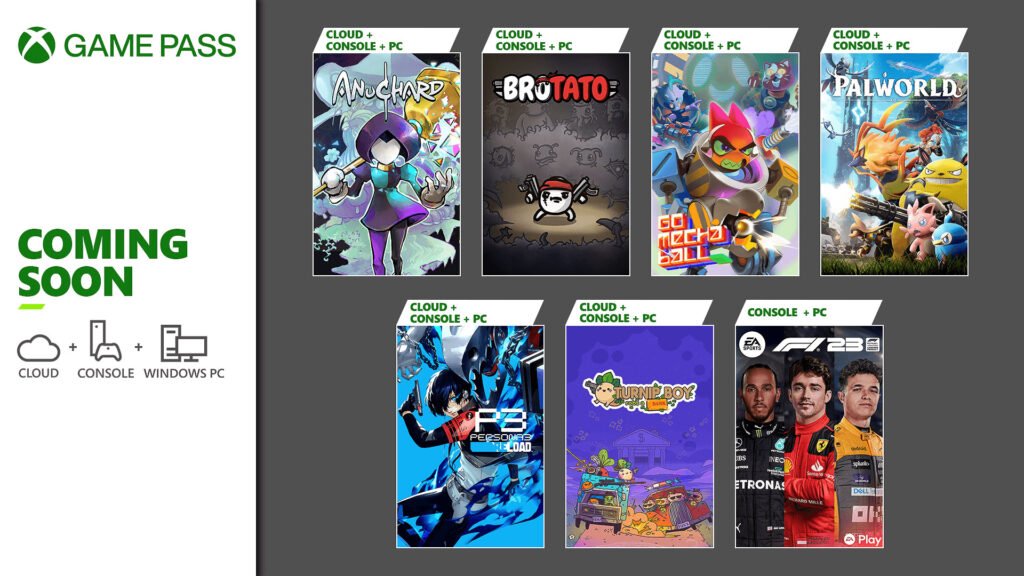
Yes, PC Game Pass players can play Palworld with Xbox players.
The burning question on everyone’s mind is: can pc game pass play with xbox palworld? It’s a natural thing to wonder if you can team up with friends who own different gaming platforms. Good news, folks, you absolutely can!
Cross-play functionality exists between these two ecosystems. You don’t have to worry about being restricted by what system you or your friends are using. Just load up the game, find your friends, and dive into the world.

Can PC Game Pass Play with Xbox Palworld?
Alright, let’s dive into the big question that’s probably buzzing in your head: Can players on PC Game Pass and Xbox team up in the amazing world of Palworld? It’s a really important question because who wants to explore, build, and capture Pals all alone? The good news is, the answer is a little bit complicated but we are going to explain it in easy way so you can understand every thing about it. Get ready to learn everything about playing Palworld across different platforms!
Understanding the Different Versions of Palworld
First off, it’s crucial to know that there isn’t just one single version of Palworld. The game is available in different forms on different platforms. Think of it like having different kinds of LEGO sets – they all let you build cool things, but some pieces and ways of playing might be different depending on which set you have. Here are the versions to be aware of:
- Xbox Version: This is the version you play on your Xbox console. You’ll find it through the Xbox store.
- PC Game Pass Version: This version is specifically for people who subscribe to Xbox Game Pass on their PC. You download and play this version via the Xbox app on your computer.
- Steam Version: If you bought Palworld directly from Steam, this is the version you’re using.
The Key Difference: Server Compatibility
Here’s where things get interesting. The different versions of Palworld do not always play nicely together. This all boils down to how the game’s servers work. Imagine servers as big playgrounds where people go to play games together. These playgrounds are specific to each version of Palworld, and they aren’t always connected. The PC Game Pass version and the Xbox version share the same playground, which is the most important point we are going to discuss.
This means that:
- PC Game Pass and Xbox: These players can join the same multiplayer worlds and explore together, as they use the same servers!
- Steam and Xbox/PC Game Pass: Unfortunately, players using the Steam version cannot currently play together with those on the Xbox or PC Game Pass versions. These versions are on different playgrounds, and the servers are not connected.
So, PC Game Pass and Xbox Can Play Together? That’s Great!
Yes! The good news is that if you have the PC Game Pass version of Palworld, you absolutely can play with your friends who are playing on Xbox! This is fantastic because it opens up lots of possibilities for cooperative adventures. You can build awesome bases, go on exciting quests, and capture those adorable (and sometimes terrifying) Pals with your friends, regardless of whether they are playing on their computers or their Xbox.
How to Join Each Other’s Worlds
So how can you actually play together? here’s how to do it:
- Make sure you’re both on the same version: This is easy if you are PC Game Pass and Xbox players, but ensure your friend is not using Steam version.
- One of you needs to start a multiplayer world: Go to the game’s menu and choose the “Multiplayer” option. Then choose either a private world, inviting only people you want, or a public world, for everyone to join, but remember, you only can play with other players on your same playground (PC Game Pass and Xbox).
- Get the invite or server details: If it’s a private world, the host (the one who created the world) will need to invite their friend through the game’s social system. For a public world, your friends need to search your server name.
- Join in and have fun: Once you’re both in the same world, you can explore Palworld together!
Keep in mind that one of you will need to be the host of the world. If the host goes offline, the server will be down and you need to start a new server when the host comes back online.
Things to Remember When Playing Together
Playing together is a great experience, but it’s important to keep some points in mind to have the best time possible:
- Internet Connection: Make sure you and your friends have a strong and stable internet connection. A weak connection can lead to lag, making the game choppy and annoying.
- Game Updates: Always ensure that you and your friend are playing on the same game version. If one of you is using an outdated version of the game, you may be unable to play together. Sometimes you may need to restart your Xbox App to update the game.
- Server Stability: Occasionally, servers may go down for maintenance or other issues. This can mean that you may get disconnected. Be patient and try again later or check for server updates or announcements.
- Choose a good server: if you are using a public server make sure that the server has low ping, so you don’t have bad experience.
- Communication is key: Whether you’re using in-game chat or another way to talk with your friends, communicating will make your adventures much better. Coordinate on building plans, exploration routes, and your Pals’ roles.
Why the Difference in Server Compatibility?
You might be asking yourself, “Why can’t everyone just play together?” This is a common question. The reason has to do with how the game is set up on each platform, and how developers make their game available to the different platforms like Xbox and PC. The crossplay between platforms requires a lot of effort from developers.
Platform-Specific Infrastructure
Different platforms have different ways of handling game servers and player connections. This includes things like:
- Matchmaking Systems: Each platform has its own system for finding and connecting players.
- Server Hosting: The way servers are hosted and managed might vary between Xbox, PC Game Pass, and Steam.
- Updates and Patches: Sometimes, updates and fixes are rolled out at different times on different platforms, leading to compatibility issues if the same version isn’t used across all of them.
The Technical Side of Crossplay
Making games that can be played together across platforms (known as crossplay) is not always easy or straightforward. Developers have to do a lot of work to make it happen. It also needs a lot of testing. In many cases, it involves creating special servers that can communicate across different systems. Sometimes, it also means that the way the game runs needs to be adapted differently for different systems.
Future Possibilities: Will More Crossplay Options Be Added?
While it’s a bit disappointing for Steam users that they can’t play with their Xbox and PC Game Pass friends right now, it’s not necessarily a permanent situation. Game developers often listen to what players want. If there is a lot of demand for crossplay between all versions of Palworld, there is a good chance the developers will try to find a way to make it happen in the future. Always keep an eye on updates and official announcements.
Exploring Palworld Together: Tips and Tricks
Since you can team up with your friends on PC Game Pass and Xbox, here are some tips and tricks to make the most of your co-op experience:
Plan Your Base Together
Decide where to build your base and what resources you’ll need. Assign roles such as who will mine, gather, craft, and other duties. Having a plan helps you divide the workload and achieve your goals faster.
Explore as a Team
Don’t travel alone! Go exploring as a team. Different regions in Palworld have different types of Pals. Explore together and discover new things, collect all the materials and resources, and defeat the tough boss Pals, for which having a team is highly recommended.
Capture Pals Strategically
Discuss which Pals each of you will try to capture. Pals are all unique, with different skills and abilities. Having a variety of Pals will make your team much more effective.
Communicate Often
Make sure to always communicate when you are playing together. Use voice or text chat to keep each other updated on plans, resource locations, and any dangers that you encounter. Always communicate and be collaborative.
Help Each Other
Be willing to help each other out. If a friend needs resources or help fighting a tough boss, jump in and offer a hand. Teamwork makes the dream work!
Have Fun!
Most importantly, remember that games are meant to be fun. Don’t take things too seriously, work together, and enjoy the world of Palworld with your friends!
Important Note on Dedicated Servers
While you can create a multiplayer world for you and your friends directly through the game, you might want to explore using a dedicated server. Dedicated servers are hosted on a separate machine or online. They stay running even when the host player isn’t online, allowing you and your friends to play together any time you want. Dedicated servers for Xbox and PC Game Pass are not available. Steam users can explore and use dedicated servers. However, as we have discussed above, Steam players can’t play together with Xbox or PC Game Pass players. Maybe the developers will release a dedicated server in the future, for Xbox and PC Game Pass users to play with a dedicated server.
In conclusion, the answer to whether PC Game Pass and Xbox players can team up in Palworld is a resounding yes! This cross-platform functionality allows for an exciting cooperative experience where you and your friends can explore, build, and capture Pals together. However, it is important to remember that Steam players are not yet able to join in on the fun with Xbox and PC Game Pass players, but keep an eye on updates. By understanding these differences, preparing together, and following some useful tips, you’re sure to create awesome memories with your friends in the wonderful world of Palworld.
Palworld Early Access Review – Xbox/PC Game Pass Version
Final Thoughts
Cross-platform play for Palworld remains a key question. Currently, PC Game Pass users cannot directly join Xbox players in a shared Palworld world.
This lack of compatibility affects many players wanting to play together. The inability to play cross platform disappoints.
Therefore, the answer to ‘can pc game pass play with xbox palworld’ is unfortunately no. We hope the developers address this feature in the future, to allow easier game play for all.

