
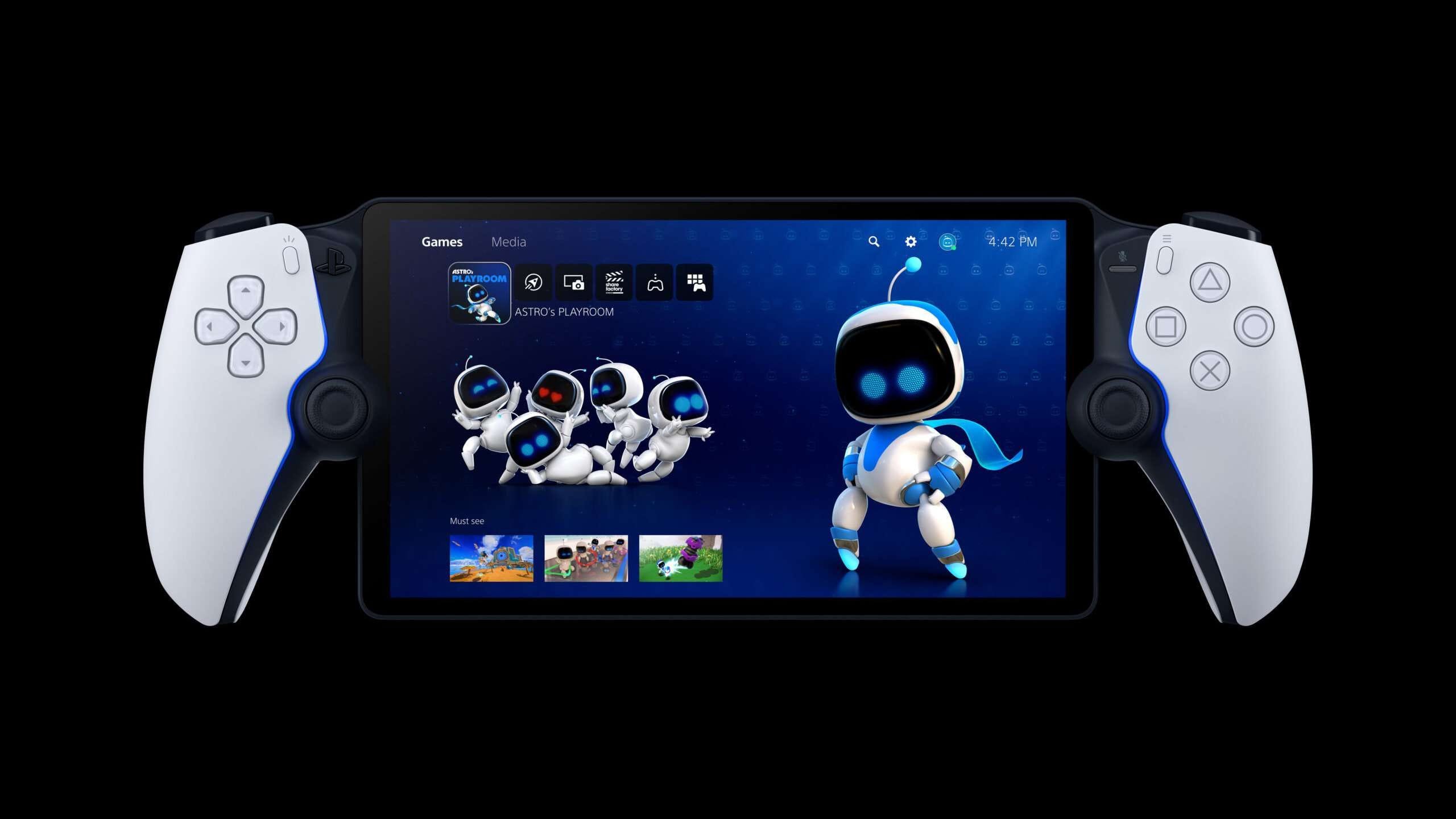
No, the PlayStation Portal cannot play disc games.
The new PlayStation Portal is a cool device, but it works differently than a typical console. Many gamers are asking, can PlayStation Portal play disc games? It’s a valid question given its handheld form factor.
This device requires you to have a PlayStation 5 and a strong internet connection. The PlayStation Portal is designed to remote play games from your PS5, not play them directly from a disc.
It acts as a portal to your console, displaying what’s happening on your television, but on its screen. So, remember the game itself must be running on your PS5.

Can PlayStation Portal Play Disc Games?
Let’s dive right into the heart of the matter: can the PlayStation Portal, that cool-looking handheld device, play your favorite games stored on physical discs? The short and sweet answer is, unfortunately, no, it cannot. The PlayStation Portal is not designed to play games directly from discs. This might be a bit of a bummer if you have a big collection of PlayStation 5 discs you were hoping to enjoy on the go.
Understanding How the PlayStation Portal Works
To truly understand why the PlayStation Portal can’t handle disc games, we need to understand what it actually does. Think of the Portal less like a standalone gaming console and more like a remote control for your PlayStation 5. It uses a technology called Remote Play to connect to your console over your home Wi-Fi network. This connection allows it to mirror the game that is running on your PlayStation 5 to the Portal’s screen.
Imagine it like this: your PlayStation 5 is the engine of a car, and the PlayStation Portal is the dashboard. The dashboard lets you see the car’s speed and control the direction, but the engine is actually doing all the work. The Portal doesn’t have its own processor capable of running games. Instead, it relies on the PlayStation 5 to do all the heavy lifting and then sends a video feed to the Portal.
The Absence of a Disc Drive
The most obvious reason why the PlayStation Portal can’t play disc games is its complete absence of a disc drive. There’s no slot to insert a game disc because that was never part of its design. It’s purely designed to connect wirelessly to your PlayStation 5, and only to your PlayStation 5, to mirror gameplay. This focus on streaming over Wi-Fi is the core of the Portal’s functionality.
The Reliance on Remote Play
The PlayStation Portal’s main purpose is to give you a way to play your PS5 games from another room, or even another location, as long as you have a good internet connection. This means the game is actually running on your PlayStation 5 and being streamed to your handheld device. It’s crucial to remember that the Portal itself is just a screen, controller, and a network interface – it doesn’t contain the processing power to read and run games independently.
Why No Disc Support? Design Choices Explained
Now that we know the “how,” let’s think about the “why.” Why did Sony design the Portal without disc game support? There are some understandable reasons for this design decision:
- Focus on Portability: By removing the disc drive, the PlayStation Portal could be designed to be lighter, thinner, and easier to carry around. It prioritizes being a comfortable handheld gaming device.
- Cost Efficiency: Adding a disc drive would have increased the cost of the device. By skipping it, the overall cost of the Portal could be kept lower.
- Emphasis on Digital Games: The gaming industry is shifting more and more towards digital game downloads. The PlayStation Portal fits well with this trend. It encourages users to purchase and play digital versions of their games.
- Streamlined User Experience: The focus on Remote Play means that there’s no need to carry physical game discs around. It’s all about wireless and easy access to your PlayStation 5 game library.
- Technical Constraints: Adding a fully functional disc drive, processor and the internal hardware required to run the game directly would’ve made the device more bulky, more expensive and would’ve required a bigger battery.
What Can You Play on the PlayStation Portal?
Okay, so the PlayStation Portal can’t play disc games. What can you play then? Here’s the good news: you can play pretty much any PlayStation 5 game that’s installed on your console. This includes:
- Digital Games: Any game you’ve downloaded from the PlayStation Store can be played on the Portal.
- Games from PlayStation Plus: If you subscribe to PlayStation Plus and have games downloaded as part of your subscription, you can play them through the Portal.
- Games you’ve installed from disc: Here’s an important point: even if you own a game on disc, you can play it via the PlayStation Portal, as long as the disc is currently inserted in your PlayStation 5 console, and it is installed on your console’s hard drive. You can’t use the Portal to insert the disc or to play directly off the disc itself.
In simple words, if the game is installed and ready to play on your PlayStation 5, you can likely enjoy it on the PlayStation Portal.
What about PlayStation 4 Games?
Since the PlayStation Portal is designed to connect to the PlayStation 5 console, it can not play any PlayStation 4 games directly. You can, however, play your PlayStation 4 games on your PlayStation 5 through backwards compatibility. If you are able to play PlayStation 4 games on your PlayStation 5 then the PlayStation portal can mirror those games as long as they are installed on the PlayStation 5 console. The PlayStation portal is a remote device for your PlayStation 5 and not a fully functional standalone console.
The Importance of a Strong Wi-Fi Connection
Since the PlayStation Portal relies on a continuous stream from your PlayStation 5, a strong and stable Wi-Fi connection is crucial for smooth gameplay. Here’s what you should consider:
- Home Network: The PlayStation 5 and the PlayStation Portal must be connected to the same Wi-Fi network for Remote Play to function.
- Wi-Fi Speed: A fast and reliable connection is essential. A slow or unstable connection will cause lag, stuttering, and overall poor gameplay experience. The minimum speeds that are recommended are around 15 Mbps download and upload, but the faster your connection is the better the experience will be.
- Network Congestion: Too many devices using your home Wi-Fi can cause interference. When using the PlayStation Portal, try to limit other devices that might be using the bandwidth of your network.
Tips for Better Remote Play
If you’re experiencing issues with your connection, here are some tips to help:
- Use a wired connection: If possible, connect your PlayStation 5 to your router with an Ethernet cable. This connection will provide a more stable and faster connection than Wi-Fi.
- Move closer to your Router: If your Playstation 5 and Playstation portal are too far away from the router, it could result in a less stable connection. Try moving them closer to the router.
- Upgrade your router: Consider upgrading to a more modern Wi-Fi router that has better speed and range. It will be beneficial for both your PlayStation Portal and other wireless devices in your home.
- Close unnecessary applications: Make sure that there are no other apps running in the background on both your Playstation 5 console or Playstation Portal. Close any unnecessary applications to free up system resources for gaming.
- Restart your devices: Sometimes, simply restarting your PlayStation 5, router, and PlayStation Portal can fix the connection issues.
Alternatives for Playing PlayStation Games on the Go
If you are looking for a way to play your games on the go without requiring a connection to your home console, there are alternative ways to do so:
PlayStation App on Mobile Devices
The PlayStation app on your mobile phone, if you have a good internet connection, gives you the ability to stream your console games to your mobile device. This is the same Remote Play functionality, but it is on a much smaller screen, and it is often a less comfortable option for gaming. You can use a third-party controller that you can connect to your phone through Bluetooth, or use the on-screen controls to play.
Cloud Gaming Services
Another option you can explore is cloud gaming through services such as PlayStation Plus Premium. With these services, you don’t require a physical console, as the game runs on remote servers and is streamed to your device. It also includes many classic PlayStation games, from PS1, PS2, PS3 and PSP. However, it does require a good internet connection and you can only play games that are a part of the catalog. It is available on both mobile devices and on the Playstation 5 console itself, but you would not be able to play games directly from your own physical discs, and would have to use the catalog of games provided by the cloud service.
The Future of Gaming and the PlayStation Portal
The PlayStation Portal, despite not supporting disc games, represents an interesting step in the direction of more versatile and convenient gaming. It shows that Sony is thinking about different ways people play games. It offers a new way to play games that are tied to your PlayStation 5 console but can be experienced in a different way. While disc support would be a nice feature to some, the focus on digital games and streaming technology seems to be the future direction for PlayStation.
Although you can’t use your physical game discs directly with the PlayStation Portal, it still provides a unique and convenient way to experience your PlayStation 5 game library. It might not suit every gamer out there, but if you’re already invested in the PlayStation ecosystem and you’re seeking that handheld experience with games you already own, it’s worth looking into. If you’re looking to play on a truly portable device without needing a PlayStation 5, then other options like cloud gaming or a dedicated handheld gaming device might be a more suitable fit.
Can play a PS5 disc game on the PlayStation Portal?
Final Thoughts
PlayStation Portal does not play disc games. It exclusively uses Remote Play, connecting to your PS5 to play games. You must have a PS5 to use PlayStation Portal.
The device only accesses games installed on the console. Therefore, the answer to the question ‘can playstation portal play disc games’ is definitively no.

