
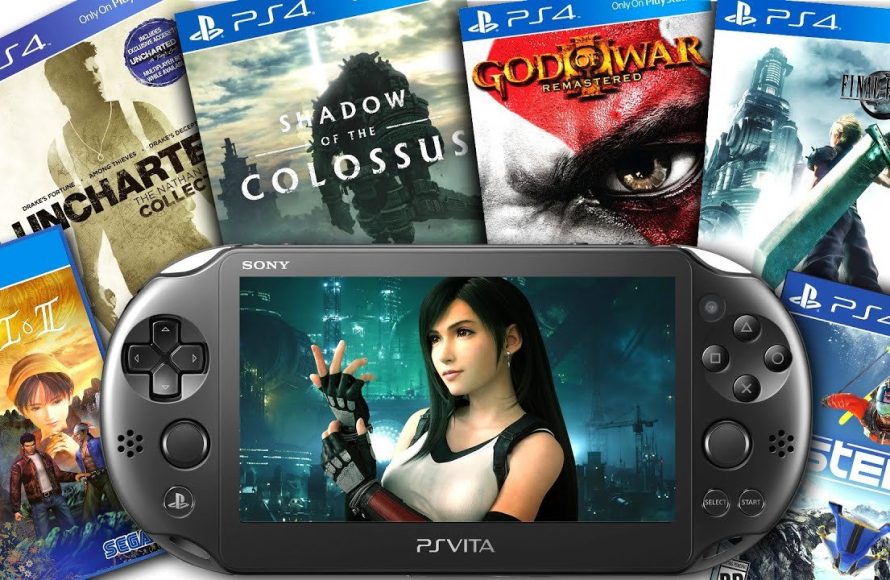
PlayStation Vita can play some PS4 games through Remote Play, but it does not natively play all PS4 titles.
Ever wondered if your trusty PlayStation Vita could handle the powerful games of its bigger brother, the PS4? The question, “can playstation vita play ps4 games,” pops up frequently, and for good reason. Many owners love the portability of the Vita.
Having the option to play PS4 games on the go seems like a great feature, right? The answer isn’t a simple yes or no, it involves a bit of tech magic. Let’s explore what the Vita can actually do.

Can Playstation Vita Play PS4 Games? Exploring Remote Play
Let’s dive right into the heart of the matter: Can your trusty PlayStation Vita, that handheld wonder, play games from your powerful PlayStation 4? The short answer is: Yes, kind of! But it’s not quite as simple as popping a disc into your Vita. The magic happens through a feature called Remote Play. So, instead of the Vita running the PS4 game directly, it streams the game from your PS4 over a network. This means your PS4 is doing all the heavy lifting, and your Vita is acting like a fancy wireless controller and screen.
What is PlayStation Remote Play?
Imagine your PS4 is a powerful computer tucked away in your living room. Now, imagine your Vita is a small, portable screen and controller that lets you control that computer from another room. That’s essentially what Remote Play does. It’s a clever technology that lets you play your PS4 games on your Vita (or other compatible devices) over a Wi-Fi connection. You’re not actually playing the game on your Vita’s hardware; instead, you are viewing and controlling the gameplay being rendered on your PS4. Think of it like watching a movie streamed to your phone, but instead of just watching, you’re controlling the action.
How Does Remote Play Actually Work?
Here’s a breakdown of how the system works:
- Your PS4 Does the Work: The game runs on your PlayStation 4 console. Your PS4 processes the game’s graphics, sound, and controls.
- Sending the Data: Your PS4 then sends this information over your home network (usually via Wi-Fi) to your Vita. This information is basically a video and audio feed of the game.
- Your Vita Receives the Data: Your Vita displays the video and plays the sound. It also sends the inputs from your button presses and stick movements back to the PS4.
- The Cycle Repeats: This cycle happens constantly, allowing you to play your PS4 games on your Vita as if they were running directly on the handheld.
This is why a stable and good Wi-Fi connection is very important for a smooth Remote Play experience. If your connection is weak, you might see lag, stuttering, or pixelation in the video feed. This makes the game difficult to play and really not fun.
Setting up Remote Play on your PS Vita
Before you can start playing your favorite PS4 titles on your Vita, you will need to set up Remote Play. Let’s walk through that process:
- Make Sure Both Devices are Updated: First, make sure that both your PlayStation 4 and your PlayStation Vita have the latest system software updates. This will allow the two devices to communicate best and will avoid any problems.
- Link Your PS4 and PS Vita: Go to the PS4’s settings menu and select “Remote Play Connection Settings”. Here you can add your PS Vita. On the PS Vita, you can find the “PS4 Link” app which should allow you to register your console, or search manually for your PS4 console.
- Ensure Both Devices are on the Same Network: Both your PS4 and your Vita should be connected to the same Wi-Fi network for optimal performance. If they are not connected to the same network, Remote Play might not work correctly, or not at all.
- Get Ready to Play: Once your devices are paired, you should be able to launch Remote Play on the PS Vita and start playing your PS4 games.
The Importance of a Good Network Connection
As we touched on before, the quality of your Wi-Fi network can make or break your Remote Play experience. Here’s why:
- Latency (Lag): A slow or unstable connection can cause delays between your actions on the Vita and what you see happening on screen. This can really mess you up if you’re playing something that needs fast reflexes like a shooter or fighting game.
- Video Quality: A weak signal can cause the video feed to become blurry or pixelated. This ruins the look of the game and makes it less enjoyable.
- Disconnections: If your connection is not very good, you could experience frequent disconnects which means the game will stop suddenly and your gameplay will be interrupted.
Tips for Improving Your Network:
- Use a Router That Supports 5GHz: 5GHz networks tend to have less interference compared to 2.4GHz networks, so they are usually the better option for Remote Play.
- Position Your Devices Closer to the Router: The closer your PS4 and PS Vita are to your router, the stronger the Wi-Fi signal.
- Reduce Network Traffic: If other devices on your network are using a lot of bandwidth (like someone downloading a big file), it can impact your Remote Play. Try to minimize this.
What Games Can You Play via Remote Play?
The great thing about Remote Play is that you can play almost any PS4 game on your Vita. There are only some games with specific hardware needs that might not work. Here are some examples of the kinds of games that work well with remote play:
- Single-player Adventures: Games like God of War, The Last of Us, or Uncharted are great candidates for Remote Play. Their pacing and control schemes often translate well to the Vita’s smaller screen.
- Role-Playing Games (RPGs): Many RPGs, with their slower-paced gameplay, work nicely on the Vita. Think of games like Final Fantasy XV or Persona 5.
- Indie Games: Many indie titles, with their less-intensive graphics, are very well-suited to Remote Play. You can enjoy many creative, indie experiences this way.
However, keep in mind that some games may not feel as comfortable on the Vita. For example:
- Fast-Paced Action Games: Games that require very quick reflexes might be a bit difficult to play on a small screen, especially if there is any network lag.
- Games That Use Specific PS4 Peripherals: If a game requires PlayStation VR or other specialized peripherals, these wouldn’t work correctly through Remote Play on your PS Vita.
The Vita’s Controls and Remote Play
One challenge of Remote Play is that the Vita has fewer buttons and inputs than the DualShock 4 controller. Here’s how Sony addresses this issue:
- Touchscreen for L3 and R3: The Vita uses the touchscreen to simulate the L3 and R3 buttons on the PS4 controller. This can be a little awkward at first.
- Rear Touchpad for Touchpad Input: The rear touchpad on the Vita is used to simulate the touchpad of the DualShock 4. This is another thing that takes some getting used to.
These things take some getting used to, but once you get familiar, they can work well.
Beyond the Vita: Remote Play on Other Devices
While this article is mainly focused on the PS Vita, it’s good to know that Remote Play is available on other devices as well. Here is a list:
- PlayStation App on Smartphones and Tablets: You can also use the PlayStation app on your iOS or Android devices to enjoy Remote Play. You need a compatible controller to have the best experience.
- PC and Mac: There’s an official app that allows you to play your PS4 games on your computer. This can be good for when you want a larger screen.
This gives you some options if you want a bigger screen than the PS Vita.
The Pros and Cons of Remote Play on the PS Vita
Let’s sum up the good and bad things about using Remote Play on your PS Vita:
Pros:
- Play PS4 Games Anywhere: The best thing is that you can play your PS4 games anywhere within the range of your Wi-Fi network or if you configure remote play to work outside of your network.
- Portability: The Vita is small and light, making it very easy to carry around.
- Utilize Existing PS4 Library: You can use a large library of games that you already own without buying a new copy.
Cons:
- Network Dependency: The biggest con is the reliance on a good network connection. A bad network can make playing very difficult and frustrating.
- Control Limitations: The Vita’s controls are not as intuitive for some games and can take some getting used to.
- Battery Life: The Vita’s battery can drain quickly when using Remote Play, so you might need to have it plugged in if you are doing a long gaming session.
Alternatives to Remote Play
If Remote Play doesn’t quite do it for you, here are some alternatives for gaming on the go:
- PlayStation Portable (PSP): The PSP was Sony’s original handheld gaming system, which offered a lot of games.
- Nintendo Switch: The Switch offers a truly portable way to play games, without the need to have a console in your house running the games.
These consoles offer more native portable experiences than the Remote Play feature on the Vita.
Is Remote Play on the PS Vita Still Worth It Today?
Even though the PlayStation Vita is no longer a main focus for Sony, Remote Play is still a very good feature. If you own a Vita and have a PS4, it’s a fantastic way to play your favorite games in a different way. If you value having your PlayStation gaming library available to you anywhere in the house, then it’s still a worthwhile thing to use.
Remote Play is a very powerful tool that is available for many people who want to play their PS4 games on the go or in other places in their home. Even with some of its quirks and possible problems with weak network connections, Remote Play can offer a valuable way to play your favourite titles, and enjoy some of the best games that PlayStation has to offer.
How to Setup Remote Play on PS Vita! (PLAY PS4 GAMES ON PS VITA) (EASY METHOD)
Final Thoughts
The PlayStation Vita can, through Remote Play, access and play many PS4 titles. This feature uses your home network to send the PS4 game to your Vita, letting you play away from the TV. However, it needs a strong, stable connection.
Consequently, limitations exist like potential lag and reliance on a good internet setup. So while ‘can playstation vita play ps4 games’, it is not a direct, native experience. The experience depends heavily on external factors.

