
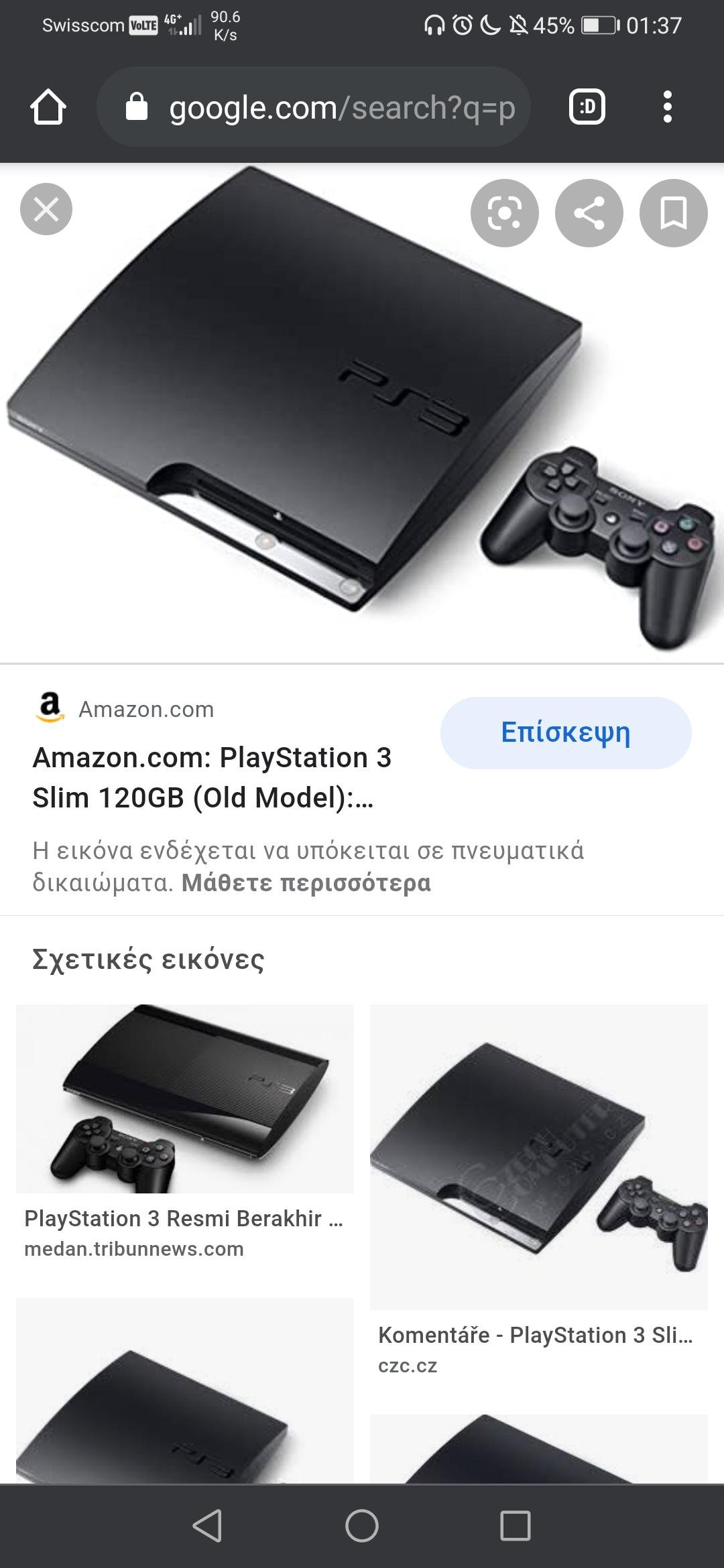
Yes, the PS3 Slim can play most PS1 games.
Wondering if you can revisit some classic PlayStation titles on your PS3 Slim? It’s a common question for retro gamers. Many people are curious if their older PS3 model has backward compatibility features to play ps1 games.
The good news is, most PS3 Slim consoles do indeed support PlayStation 1 game discs. This means you can dust off those old favorites and enjoy them on your sleek, slimmer console. Enjoy some classic gaming!

Can PS3 Slim Play PS1 Games?
Let’s dive right into the exciting world of PlayStation gaming! You might be wondering, “Can my PS3 Slim play those awesome PlayStation 1 games?” The short answer is: Yes, absolutely! The PS3 Slim, unlike some of its older and newer relatives, has the ability to play classic PS1 games, which is a big win for retro gamers. This compatibility means you can enjoy many of the beloved titles from the original PlayStation era right on your PS3 Slim.
Understanding PS3 Slim’s Backward Compatibility
The PS3 family is interesting because not all models can play PS1 games. The very first PS3 models (often referred to as the “fat” models) could play both PS2 and PS1 games. However, Sony changed things up over time. When the PS3 Slim came out, it lost the ability to play PS2 games. But the good news is, it kept its PS1 game playback functionality. This is because the PS3 Slim still has the necessary software and hardware capabilities, even though it doesn’t have the special chip needed for PS2 games.
How the PS3 Slim Reads PS1 Discs
The PS3 Slim reads PS1 game discs using its Blu-ray disc drive. Even though PS1 games are on CDs, the PS3 Slim can read them just fine. The system uses software to understand the CD format and run the PS1 game code correctly. It’s like a translator, taking the information on the CD and making it understandable for the PS3 Slim. This is a standard feature across all PS3 models, except for the later “Super Slim” versions.
Digital PS1 Games on PS3 Slim
Besides playing physical PS1 game discs, the PS3 Slim also allows you to play digital PS1 games. These games can be purchased from the PlayStation Store, the same place you would get other PS3 digital games. Buying digital PS1 games can be a convenient option, as you won’t need to find old discs. Plus, you can keep a collection of classic games ready to play on your PS3 Slim at any time. These digital games work the same way as any other game you purchase on the PS3, showing up on your game list for easy access.
Setting Up Your PS3 Slim to Play PS1 Games
Playing PS1 games on your PS3 Slim is pretty straightforward. Here’s what you need to do:
- Physical Discs: Insert the PS1 game disc into the PS3 Slim’s disc drive just like you would with any other game. The PS3 Slim will read the disc and start the game.
- Digital Games: Download the game from the PlayStation Store. Once downloaded, the game will appear on the game list in your PS3’s XMB (XrossMediaBar) and you can just select it to start playing.
One important thing to remember: make sure you have a genuine copy of the game. The PS3 might not be able to play burned or copied discs. It is designed to work with the original discs. Also, ensure the PS1 game disc is clean. Scratches might prevent the PS3 Slim from reading the disc correctly and you might face errors.
Tips for Playing PS1 Games on Your PS3 Slim
To make your retro gaming experience even better, here are some helpful tips:
Managing Display Settings
PS1 games were made for older TVs, which have a different resolution compared to modern televisions. Because of this, you may notice that the image quality isn’t as sharp or that the game doesn’t fill the whole screen. Here are some tricks you can use:
- Adjust Display Settings: Check the display settings of your PS3 Slim. You might be able to adjust the screen size so the game fills the screen better, even if it stretches or distorts the picture a little. Experimenting with the scaling options might lead to a more visually appealing gaming session.
- Use a Screen Ratio: PS1 games were designed for a 4:3 aspect ratio. Try to maintain that ratio on your TV, if possible. Some televisions have an option that will allow you to choose this ratio, even when the game is being displayed on an HD screen.
Using Controllers
You can use the PS3’s DualShock 3 controller to play PS1 games, which is very convenient, you don’t need to buy an older controller. The DualShock 3 controller feels comfortable and allows you to play PS1 titles without issues. The buttons and layout are very much like the original PS1 controller.
Saving Your Progress
You can save your progress in PS1 games just like you did on the original PlayStation using the in-game memory card function, in the same way that you did on the old console. The PS3 Slim creates a virtual memory card for PS1 games. This feature allows you to continue your game where you left off, so you don’t have to start from the beginning each time you play.
Benefits of Playing PS1 Games on PS3 Slim
Why choose the PS3 Slim for playing PS1 games? Here are several great reasons:
Convenience and Cost
Instead of finding an old PS1 console and dealing with old connections and cables, you can use your existing PS3 Slim. This can save you space and money. The PS3 Slim acts as a 2-in-1 console for both PS3 and PS1 games, which is awesome for retro gamers. You get to play games without additional hassle.
Improved Video Output
Even though the original graphics were not in HD, the PS3 Slim can improve their video output slightly through its scaling capabilities. This means that the graphics might look a little cleaner and smoother on modern HD TVs compared to the way they look on older televisions. You will be able to enjoy your favorite PS1 games on a large screen TV.
Digital Access
The PlayStation Store on the PS3 Slim gives you digital access to many PS1 classics. This means you don’t have to go looking for old game discs. It’s a great way to revisit old games or discover new titles you might have missed when they came out. The digital versions of these games are the same, so you’ll get the same experience you would have on a physical disc.
Are There Any Issues?
While the PS3 Slim does a great job of playing PS1 games, there might be some small issues:
- Not All Games Are Supported: While most of the PS1 games work perfectly fine on the PS3 Slim, there might be a few titles that have some compatibility problems. This can be because of different game coding or specific features that the emulator has trouble with. This is a bit rare though.
- Occasional Glitches: Some games might have very minor graphical glitches or audio problems. These are usually not very big and don’t stop you from playing but it’s worth keeping in mind that it could happen.
- Upscaling Limitations: While the PS3 Slim attempts to make PS1 games look better on HD TVs, it can’t make them as clear as modern games, as it’s a limit of the hardware. It’s good but it is still based on the older lower resolution of the PS1 games.
Despite these small issues, playing PS1 games on the PS3 Slim is a very enjoyable experience that is definitely worth trying.
Exploring the PlayStation Store for PS1 Classics
The PlayStation Store, accessible through your PS3 Slim, is a goldmine for PS1 game lovers. There are many classic games available for purchase, all ready to download and play instantly. The store regularly updates the list, so you can always find something new to explore. It’s an easy way to build a digital collection of your favorite PS1 games without the hassle of physical discs.
Finding Hidden Gems
Sometimes, the PlayStation Store has some hidden gems. These are the PS1 games that might not be as well-known as the big hits, but they are still lots of fun. You may find unique and interesting games that you might not have played before, expanding your gaming horizon and giving you fresh experiences.
Checking Game Ratings and Reviews
Before buying any game on the PlayStation Store, take some time to look at the reviews and ratings. Other players who have played the same games can offer valuable insights and information about the gameplay and quality. This can help you choose games that you’ll really enjoy, saving you both time and money.
So, there you have it. The PS3 Slim is a great way to experience classic PS1 games. Its backward compatibility allows you to enjoy your old favorites on a modern console, and it gives you access to new titles through the PlayStation Store. Playing PS1 games on the PS3 Slim is a wonderful way to revisit your childhood or dive into the history of gaming. You will be enjoying a wide variety of games, from the classics to the obscure, on your PS3 Slim.
How to Play PS1 Games on PS3 – ALL Playstation 3 Consoles Play PS1 Games!! – PlayerJuan
Final Thoughts
Yes, a PS3 Slim can play most PS1 games directly from disc or downloaded through the PlayStation Store. This backward compatibility feature allows you to enjoy classic titles. It makes the console a very appealing option for retro gamers.
Therefore, ‘can ps3 slim play ps1 games’ is an affirmative question. The PS3 Slim model successfully supports PlayStation One games. This adds great value to the console’s overall game library.

