
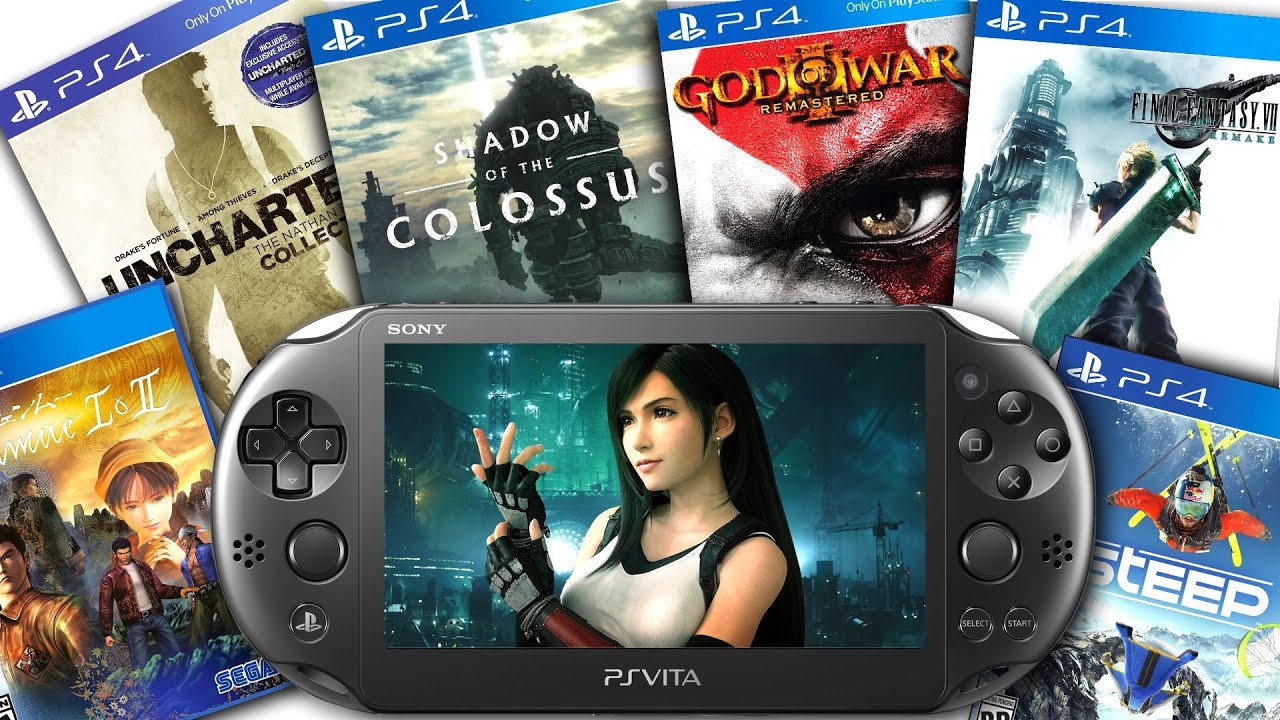
Only a limited number of PS4 games can be played on PS Vita through Remote Play, not directly.
The dream of taking your PlayStation 4 adventures on the go with your trusty PS Vita is a common one. Can PS4 games be played on PS Vita? Many gamers wonder about this very possibility.
Remote Play enables playing some, but not all, PS4 titles. This feature requires both devices to be connected to the same network or a reliable internet connection. It’s not direct gameplay but a form of streaming.

Can PS4 Games Be Played on PS Vita?
Have you ever wondered if you could take your awesome PlayStation 4 games on the go using your PlayStation Vita? It’s a question many gamers have, and the answer is a bit more interesting than a simple yes or no. Let’s dive into how this works, what you need, and what to expect.
The Magic of Remote Play
The key to playing PS4 games on your PS Vita is something called Remote Play. Think of it like a magical window that connects your two devices. It lets you stream games from your PlayStation 4 to your PS Vita over a Wi-Fi connection. Your PS4 does all the hard work of running the game, and the Vita acts as a display and controller. It’s pretty cool, right?
How Does Remote Play Actually Work?
Imagine you’re playing a really exciting racing game on your big TV at home with your PS4. Now, imagine you want to play that same game in your bedroom or maybe even outside on your porch. Remote Play lets you do that! Here’s a simplified look at what’s happening behind the scenes:
- Your PS4 is the main player, running the game like normal.
- It sends all the video and audio information over your home Wi-Fi network.
- Your PS Vita receives this information and displays the game on its screen.
- When you press buttons on your Vita, that information is sent back to your PS4, and your game character moves or takes action.
Essentially, your PS Vita becomes a remote control and screen for your PS4. It’s not actually running the game itself. It’s more like watching a live video stream and controlling it from a distance. It’s not perfect, but it works pretty well.
It’s important to note that you are using your home network when you are using the remote play. Meaning, the game you are playing on PS Vita, is actually running on your PS4, that’s in your home, and the live game is getting stream on your Vita screen.
Setting Up Remote Play: Getting Started
Okay, so now you know how it works, let’s get down to how to set it up. It’s not too tricky, but you’ll need a few things:
- A PlayStation 4 console.
- A PlayStation Vita handheld console.
- A stable Wi-Fi network connected to both consoles.
- A Sony Entertainment Network account (the same one on both PS4 and Vita)
- The latest system software on both your PS4 and Vita.
Step-by-Step Guide to Connection
Ready to get connected? Follow these steps:
- Turn On Your PS4 and Vita: Make sure both are powered on and connected to the same Wi-Fi network.
- Prepare your PS4: Go to your PS4 Settings. Find the “Remote Play Connection Settings” and click on that. Now make sure your “Enable Remote Play” is ticked. After that select “Add Device”, this will now show a code on the screen.
- Prepare Your Vita: On your Vita go to the ‘PS4 Link’ application (usually on the main screen). Click the ‘Start’ button. Click on ‘Next’ button. Now select the ‘private connection’ and then enter the code shown on your PS4 screen and click on “Register”.
- Wait for Connection: Your PS Vita should connect to your PS4. Sometimes this might take some time, so be patient.
That’s it! Once connected, you should see your PS4’s screen on your Vita. You can now start playing your PS4 games.
Which PS4 Games Work Well on PS Vita?
While the general idea of playing PS4 games on Vita sounds fantastic, not all games work equally well with Remote Play. Some are just better suited to this experience than others. Here’s a general idea:
- Turn-Based Games: Games like tactical RPGs or strategy games that don’t require fast reflexes are excellent for Remote Play.
- Slower-Paced Adventures: If you enjoy action-adventure games that focus on exploration or puzzle-solving, they will work great on Vita because they do not require fast controls and responses.
- Indie Games: Many indie titles are often perfect for Remote Play because of their simpler graphics and gameplay style.
Games to Avoid When Using Remote Play
Some types of games might not be that fun to play through Remote Play:
- Fast-Paced Action Games: If a game demands lightning-fast reactions, such as first-person shooters or fighting games, Remote Play’s potential lag or latency can create problems.
- Games with Complex Controls: Games that use all the buttons and maybe even touchpads on your PS4 controller might feel awkward on the Vita, as it lacks all those options.
It’s also worth noting that some games require the use of the L2, R2, L3, and R3 buttons, which the Vita does not have. The Vita uses the touch screen in different part of it, to make these function available. Which is also something to consider while choosing a game.
Wi-Fi is Key: Network Quality and Remote Play
A strong Wi-Fi signal is absolutely crucial for a great Remote Play experience. It’s the backbone of the whole process. Think of it like this: a poor Wi-Fi signal is like a bumpy road, making the video and audio choppy, while a good signal is like a smooth highway, allowing the information to flow freely. Here’s why this matters so much:
The Importance of a Fast and Stable Connection
- Lag and Latency: Poor Wi-Fi can cause a delay between pressing a button and the action happening on screen. This is known as “lag”. It can make timing your moves in the game very difficult.
- Video Quality: A weak signal can result in blurry or pixelated graphics, so your game won’t look as sharp.
- Disconnections: If your connection is not stable, you may experience disconnects in the middle of playing, losing the game progress.
Tips for Better Wi-Fi: Making Your Setup Shine
To ensure a smooth Remote Play experience, here are a few tips to try:
- Position Your Router: Make sure your Wi-Fi router is placed in a central location within your home and not tucked away in a corner or behind other equipment.
- Minimize Interference: Keep your router away from other devices that might create interference, such as microwaves or cordless phones.
- Reduce Distance: Try to stay relatively close to your router while using Remote Play. The further away you are, the weaker the signal usually gets.
- Consider Wired Connection: If possible, connect your PS4 to your router with an ethernet cable instead of Wi-Fi. This will give you a very stable connection, thus improving the streaming quality.
- Check Other Devices: If other devices in your home are using your Wi-Fi while you are playing, this can slow down your speed. Try to limit the usage on other devices while using remote play.
By improving your Wi-Fi, you will definitely see a big jump in your Remote Play performance.
PS Vita: A Controller with Limitations
While the PS Vita is a fantastic handheld console, it’s not exactly the same as the PS4’s DualShock 4 controller. This means a few things that can change your gameplay experience. Let’s have a look:
Button Mapping and Adaptations
Here’s a quick look at how some of the controls are mapped:
- The directional pad, the triangle, circle, square, cross and start button, are the same as on PS4 controller.
- The L1 and R1 buttons are on the top of the PS Vita.
- The L2 and R2 buttons are assigned to the rear touch pad of the Vita, which is located at the back side of the device. You have to touch the left and right top corner of the rear touch pad to make the L2, R2 button to work.
- The L3 and R3 buttons are assigned to the touch screen, you need to tap on the bottom left and right corner of the touch screen to make the L3, R3 buttons to work.
It might feel strange at first, but with a little practice, you’ll get used to it. Some games can feel a little awkward because of these changes. For example, aiming or precise movements can feel harder because you will be using a touchpad instead of physical buttons, but it is something you can get use to.
Ergonomics and Comfort
The PS Vita is a smaller device than the PS4 controller. Here are some things to consider:
- Hand Size: If you have bigger hands, the PS Vita might feel a little small to hold and operate for long periods of time, which can get tiring.
- Touchpad vs Buttons: Some players might find the touch screen controls for the L2, R2, L3 and R3 buttons less comfortable than physical buttons.
- Smaller Screen: The Vita screen is obviously smaller than your TV, which can cause eye strain or make it hard to see small details in the game.
Beyond the Home: Remote Play and Internet Connections
So, you can use Remote Play at home with your Wi-Fi, but what about when you’re away? Can you connect your PS Vita to your PS4 from a different Wi-Fi network?
The Possibility of Internet-Based Remote Play
The answer is yes, it is possible, but it requires some extra consideration. When you are not at home, your PS Vita and PS4 are not on the same network, so it requires that you connect over the internet.
Challenges of Internet-Based Remote Play
Here’s where things can get a little tricky:
- Internet Speed: Your home’s internet upload speed and the Wi-Fi speed of where you’re at will have a huge impact on how smoothly the games are working. Slow upload speed at home can cause huge lag.
- Network Setup: You might need to adjust the settings on your home network and possibly configure a port forwarding rule in your router. This could be a bit advanced.
- Connection Quality: If the Wi-Fi you are using when outside of home is very crowded or has unstable connection, then you will find the experience not as enjoyable as your own home connection.
So, it’s not always as easy as using it at home, but with a good internet connection, it is doable.
Benefits of Using Remote Play
Despite the challenges, there are many good things about using Remote Play. It’s not just about playing your PS4 games on a small screen, it’s much more than that. Let’s look at some benefits:
Playing on the Go
One of the biggest pros is mobility. If you have access to good Wi-Fi, you can play your favorite PS4 titles while on the go. You can play on a road trip, or when you are visiting family.
Alternative Display
Sometimes someone else might want to use the TV and you still want to play, so Remote Play lets you play on your Vita while they use the main TV.
Exploring a Different Way of Gaming
Remote play can change how you play your games. You might find that slower paced games feel more enjoyable, or you might use it as a chance to play a game you haven’t had the time to sit down and play.
It’s Free
The Remote Play option is available to everyone who owns a PS Vita and PS4, at no extra cost. This means that you don’t have to pay any extra to experience this function.
These benefits make Remote Play a very cool way to get even more playtime out of your consoles.
Alternatives to Remote Play
While Remote Play is fun, there are other ways you can play your games on the go. Let’s look at some alternatives:
Native PS Vita Games
The PS Vita has a library of its own games that work perfectly with the console. Many of these are fun and easy to play on the handheld device. They were made specifically for the Vita.
PlayStation Now Streaming Service
PS Now (now part of PlayStation Plus) let you stream a huge library of PlayStation games directly to your PS4 or PC without owning the game itself, but you can’t use this service on PS Vita.
New Handheld Consoles
Newer handheld consoles like the Nintendo Switch and Steam Deck offer more modern options that can play games on the go. These devices do not use a streaming method, and can play the game directly on the device, without needing a connection to your gaming console.
These options are important to consider, depending on what you are trying to achieve in terms of playing games on the go.
So, while you can play many PS4 games on the PS Vita through Remote Play, it’s important to understand both the good and the bad. It is not perfect, but it’s a very handy function to have if you are in a pinch. Remember that a good internet connection and understanding of the limitations will ensure the best experience.
How to Setup Remote Play on PS Vita! (PLAY PS4 GAMES ON PS VITA) (EASY METHOD)
Final Thoughts
Ultimately, the answer is complicated. You can’t directly play PS4 games on a PS Vita through physical media. Remote Play is the key feature. This functionality allows you to play some PS4 titles on your PS Vita via a Wi-Fi connection, effectively mirroring the game to the handheld.
However, this experience is not perfect, and it is dependent on your network connection. “can ps4 games be played on ps vita” is possible through Remote Play, offering convenience but with some constraints.

