
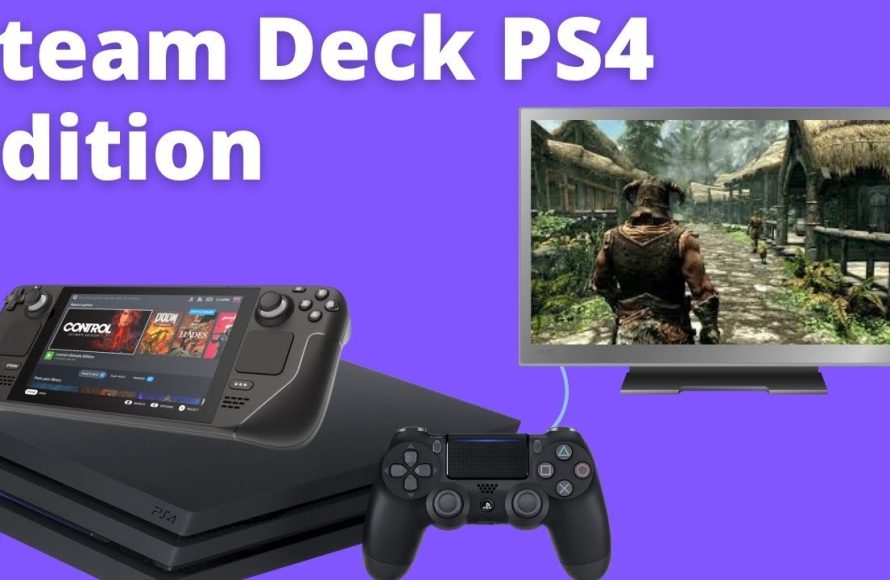
Unfortunately, the PS4 cannot directly play games purchased on Steam.
Many gamers wonder, can ps4 play steam games? It’s a common question given both platforms offer access to a massive library of titles. However, the core architecture of the two systems is vastly different.
Sony’s Playstation operates on its own ecosystem, distinct from Valve’s Steam platform. This prevents direct compatibility between the two. You’ll need to purchase games specifically for the PS4 to play them on the console.

Can PS4 Play Steam Games? The Truth Revealed
Let’s talk about something many gamers wonder: can you play those awesome games you see on Steam, the popular computer game store, on your PlayStation 4? It’s a question that pops up a lot, especially when you see a cool new game on a friend’s PC and you wish you could play it on your trusty PS4. The simple answer is, mostly, no, the PS4 cannot directly play Steam games. But why is that? And are there any sneaky ways around this? Let’s dive into the details!
Why PS4 Can’t Directly Play Steam Games
Imagine your PS4 and your computer are like two different types of playgrounds. The games on Steam are made for the computer playground, which uses things like Windows or macOS. These operating systems are like the rules of the playground, and the games are built to follow those rules. The PS4, on the other hand, has its own special playground with its own unique rules (its operating system), which are different from the rules that the Steam games know. This means the games can’t just jump from one playground to the other without some kind of translation or special effort. Let’s break this down even further.
The Differences in Operating Systems
The biggest reason Steam games don’t work on a PS4 comes down to differences in the operating systems. Let’s think of an operating system as the conductor of an orchestra. On computers, this conductor is often Windows, Linux, or macOS. Each of these knows how to manage all the different parts of the computer, like the screen, keyboard, mouse, and game files. Games built for computers are designed to work specifically with these conductors. The PS4 has its own conductor, called Orbis OS. This conductor is very different from the Windows or macOS conductor, and so it understands a different set of instructions.
This is why a video game made for Windows PC uses files and instructions that a PS4 just doesn’t understand. It’s like trying to read a book written in English when you only understand Spanish. The words might be there, but you can’t make sense of them without a translator.
The Role of Game Code and Architecture
Beyond the operating system, each platform uses a different computer language when creating games. Think of these different languages as different ways of building something. Games on Steam are typically built using computer languages and tools that are compatible with PCs, while PS4 games use languages and tools made for the PS4’s architecture. The computer chip architecture on a PC is different from the custom hardware and architecture inside the PS4. Because of this, they handle information and process games in different ways. For example, PC games often utilize technologies like DirectX on Windows, or Vulkan, while PS4 games use their own libraries for graphics and controls, specifically designed to interact with the PS4’s hardware. This makes it difficult for a game made for the Steam platform to be able to run on a PlayStation 4 without a lot of complicated steps.
It is not impossible to make a game work on multiple platforms, it just means the game developers need to go to extra effort to change the game to work on different “playgrounds” or operating systems. That is why a lot of games are available on multiple platforms, but each version is built separately for each console or platform to make sure they work smoothly. This process is also known as porting a game.
Are There Any Ways to “Play” Steam Games on PS4?
Okay, so direct play is out of the question. But what about other ways to get some of that Steam game magic onto your PS4? Well, there are a few things you might be able to do, but they might not be exactly what you are expecting. Let’s look at some of these alternative solutions.
Remote Play and In-Home Streaming
One method that allows you to kind of play Steam games on your PS4 is through streaming. You can do this in a few ways.
Using PlayStation Remote Play with a PC
If you have a Windows computer with Steam games on it, you might be able to use the PlayStation’s Remote Play feature. Here’s how this works:
- You need to have the PlayStation Remote Play app installed on your PC.
- Your PC and PS4 should be on the same network or have a very fast internet connection.
- You need to connect a PlayStation controller to the PC and use Remote Play.
Basically, you are sending the video and controls from your PC through your home network, to your PS4. This lets you see and interact with the game that is running on your PC, through your PS4’s screen. Think of it like looking at a painting of the game you want to play, but you are controlling what’s happening in that painting. However, the game is actually running on your computer, not the PS4, and the video and controls are being sent back and forth across the network.
The downside of this approach is that it relies heavily on network speed and also you must own the gaming PC and the game on PC, and the PS4 is just showing what is running on your PC.
Using Steam’s In-Home Streaming
Steam itself also has a system for doing this, but this works a little differently. Steam’s in-home streaming allows you to play PC games through another PC or device. Steam games can be streamed to your TV using another device connected to your TV such as a Steam Link or a laptop. However, the PS4 itself cannot act as a Steam client and does not support Steam’s in-home streaming function. So you cannot send the game stream to your PS4 using this method.
Cloud Gaming Services and Subscription Services
Another option that might look like playing Steam games on a PS4 is to use cloud gaming services. Cloud gaming is where a powerful computer in a faraway place (a data center) runs the game, and sends the video of the game to your device, while your device sends your inputs to the cloud computer. This system lets you play games on devices that normally couldn’t run these games.
PlayStation Plus and Cloud Streaming
PlayStation has its own cloud gaming service through PlayStation Plus. With a PlayStation Plus Premium subscription, you can access a library of games and stream them to your PS4. While this doesn’t directly allow you to play Steam games, it does offer access to many PC-based games, as well as PS4 and PS5 titles through streaming. It is a similar concept to streaming with Remote Play, but instead of using your own PC, you are using Sony’s servers to run the game. This means you don’t need a powerful PC yourself. The games that you can stream through PlayStation Plus are available on the catalog and not any other games from outside.
Other Cloud Gaming Services
There are also a variety of other cloud gaming services like GeForce Now and Xbox Cloud Gaming which are available on many platforms, including some TVs and mobile devices. These services are similar in concept to PlayStation Plus but come from different companies. They also don’t allow you to play your Steam games on the PS4. Instead, they let you stream games from their catalogs, which contain a variety of PC-based games.
Again, while these services allow you to play PC games, you are not directly playing Steam games on a PS4. You are streaming a video of the game from another computer. So, you are not using the hardware of your PS4 to run the game itself, but using it as a video display and input controller.
The Challenges of Bridging the Gap
You may be wondering why it isn’t just easier to make PS4 games and Steam games work together. Unfortunately, that is difficult. Here’s why.
Platform Lock-In and Exclusivity
The companies that make video game consoles, like PlayStation and Xbox, often like to keep their players inside their own ecosystem. This is done to try and encourage people to buy their consoles and games from them. If they could easily play games from other places like Steam, they might feel less interested in using PlayStation products. This exclusivity is a big part of the gaming industry and how it works.
Technical Difficulties
Even without the business and strategy side of things, there are large technical challenges that make it difficult to have one console play all games. As previously mentioned, the hardware, software, and architectures of the PC and PS4 are very different. Writing an emulator (a program that tries to make another system’s code run) that can efficiently run complex games across different platforms is an extremely complicated task. This is why it’s difficult for games made for Steam to magically work on a PS4 or vice-versa.
Looking to the Future
While the idea of playing Steam games directly on a PS4 might not be a reality currently, the gaming world is always changing and developing. Cloud gaming technology continues to improve, and new methods of gaming come up all the time, so maybe one day it will become much easier to play all your games wherever you want. For now, the best way to play Steam games is still on a PC or through streaming methods. However, future tech might bring solutions we cannot even imagine now. It’s a good time to be a gamer, and it will be even more exciting in the future!
How to Play Steam Games on PS4
Final Thoughts
The answer is quite clear: a PlayStation 4 cannot directly play games purchased from Steam. These platforms use different ecosystems. You cannot install Steam onto a PS4.
Therefore, the question of “can ps4 play steam games” is answered with a simple no. PlayStation consoles have their own exclusive game library. You must purchase games through the PlayStation Store.

