
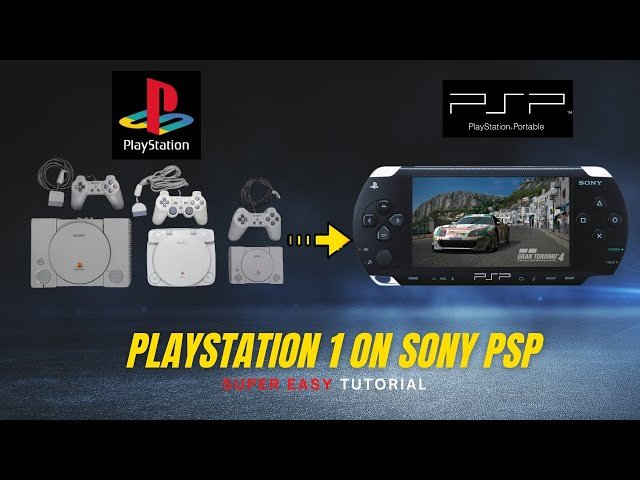
Yes, a PSP can play PS1 games.
Ever wondered if you could revisit those classic PlayStation 1 titles on your trusty PSP? The question, “can psp play ps1 games”, pops up frequently among retro gaming enthusiasts. The good news is, with the right approach, you can indeed enjoy a whole library of PS1 games on your portable PSP.
The functionality comes via software emulation, allowing the PSP to run the older titles. This provides a great way to experience those iconic gaming moments on a different device. Now you can relive the classic gaming era on the go.

Can PSP Play PS1 Games? The Retro Gaming Powerhouse
So, you’re curious about playing those awesome old PlayStation 1 games on your PSP? That’s a great question, and the answer is a little bit like a treasure hunt – there are some exciting paths you can take! The PSP, or PlayStation Portable, was a super cool handheld game console from Sony. While it didn’t come with a built-in way to play PS1 discs right out of the box, there are ways to dive back into those classic titles. Let’s explore the details and see how you can make your PSP a time machine for your favorite retro games.
The Official Way: PlayStation Network Downloads
The most straightforward way to play some PS1 games on your PSP is through the PlayStation Network (PSN). When the PSP was still very popular, Sony made certain PS1 titles available for purchase and download digitally. These games were specifically adapted to work on the PSP’s hardware. They run wonderfully, and it’s a super easy and safe way to get your retro fix.
How to Find and Download PS1 Games on PSN
Here is a quick guide on how to find and download the ps1 games on PSP:
- Connect to the Internet: First, you’ll need to make sure your PSP is connected to your Wi-Fi network. Go to the network settings on your PSP and follow the directions.
- Access PlayStation Store: On your PSP’s main menu (XMB), find the PlayStation Network icon. Select it and then go into the PlayStation Store.
- Search for PS1 Games: You can browse through different categories or search directly for the PS1 game you want. Not every PS1 game is available, but there’s still a nice selection.
- Purchase and Download: Once you’ve found the game you want, you can buy it with your PSN account (the same one you might use for your PlayStation consoles). After the purchase, the game will download onto your PSP’s memory stick.
Important thing to know: you need enough storage space on your Memory Stick to store the games. So, it is advisable that keep extra space to avoid the problem.
Advantages of Downloading from PSN
There are several good reasons to choose this method:
- Easy to Use: It’s designed to work perfectly with your PSP. You just download and play.
- Legal and Safe: You are purchasing the games through the official channels, so you won’t have any problems.
- Game Compatibility: Games are tested to work well on the PSP, so you can expect a good playing experience.
The Homebrew Scene and Custom Firmware: A Deeper Dive
Now, let’s get to the more exciting, but a little bit more complex, part of this journey. For those of you who are more adventurous and tech savvy, there is a way to play a much wider variety of PS1 games on your PSP using something called “homebrew” and “custom firmware.” These methods involve making modifications to your PSP’s software, so it is very important to proceed with caution and always do your research beforehand. Keep in mind that modifying your PSP’s software may void its warranty and could potentially damage your console if not done correctly.
What are Homebrew and Custom Firmware?
Think of homebrew as applications or programs created by people who are not officially associated with Sony. They create these to expand the functionalities of the device, kind of like adding new tools to a toolbox. Custom firmware, on the other hand, is a modified version of the PSP’s operating software. It lets you run homebrew applications and also often allows you to bypass some restrictions that are placed on the official firmware. This opens up lots of possibilities like playing PS1 games that are not available on the PSN Store. These tools are used for personal educational and experimental purposes.
Emulation: The Key to Playing More PS1 Games
At the heart of this, is emulation. Emulation means that your PSP is using special software (an “emulator”) to act like a PlayStation 1. This tricks the games into thinking they are running on their original system. There are many PSP emulators that can run Playstation 1 games.
Using emulators allows you to play a lot more Playstation 1 games. But some games might not work perfectly or might run slower than they did on the original console.
Key Steps Involved (Simplified Overview)
Here’s a simplified idea of what’s involved when using homebrew and emulation. Please remember these are broad steps, and each of them require research and attention to detail:
- Research Your PSP Model: Make sure your PSP is one that is compatible with custom firmware. Some older versions are easier to work with than the later ones.
- Install Custom Firmware: This requires following a precise process of installing specific files onto your PSP via the Memory Stick. Follow a guide thoroughly, and never deviate from the instructions.
- Install a PS1 Emulator: A PS1 emulator is a special application that lets your PSP act like a PS1. Put this on your Memory Stick.
- Obtain Game Files: You need the game files in an appropriate format (like ISO, BIN). It’s important to only do this with games that you own legally.
- Run the Emulator: Start the emulator app on your PSP, load your game, and then play.
Important Considerations Before Proceeding
Before taking this path, it’s important to be aware of a few things:
- Risk of “Bricking” Your PSP: If not followed correctly, these processes may damage your PSP, making it unusable (“bricking”).
- Technical Skills Required: This isn’t a simple point-and-click process; you might need to learn about files, folders, and copying data.
- Game Compatibility Issues: Some games might not work perfectly. There may be slowdowns, glitches or even not work.
- Legality Concerns: Make sure you own the games you are trying to play with the emulator. Playing games you don’t own may violate copyright laws.
- Community Support: When you do your research, you will see a big community of homebrew users, so you can find plenty of resources online when you get stuck.
The Game Files: What You Need to Know
Whether you are downloading from the PlayStation Store or using emulators, you need to know how to get your game files on to your PSP. Here’s a breakdown:
PlayStation Network Downloads
When you purchase a PS1 game from the PlayStation Store, the game downloads directly to your PSP. You don’t need to worry about any extra steps. You just need a good internet connection and space on your memory card to install.
Using Emulators and ISOs
If you are using an emulator to play Playstation 1 games on your PSP, you need to get the game files in a specific format, often as ISO or BIN files. These are like digital copies of the original PS1 game discs.
Creating Game Backups: If you have an original PS1 game disc, you can make a digital copy from it. There are programs available on computers which can convert your game disc into a .iso or .bin file, making it playable on an emulator on your PSP. Keep in mind, that it is important to only create these digital copies from games that you own.
Transferring Games to Your PSP
Whether you download from the store, or get game files from other methods, you need to get those onto your PSP. Here are the steps to transfer games to your PSP’s memory stick:
- Connect Your PSP: Use a USB cable to connect your PSP to your computer.
- Enable USB Mode: On your PSP, navigate to Settings and enable USB connection mode. This makes your Memory Stick appear like a regular storage drive on your computer.
- Transfer Files: Copy the game files (either the downloaded PSN file, or an ISO or BIN) to the right folder on your Memory Stick.
- Disconnect: Safely disconnect your PSP from your computer. You are now ready to use the games on your PSP.
Optimal Game Settings for PSP
After you have your games ready to play, you may need to use a few game settings. Sometimes, these tweaks are essential for the games to run smoothly.
Screen Settings
The PSP’s screen has a different aspect ratio than the PS1. Emulators often let you adjust settings like screen size and aspect ratio. You can choose a setting that fills the PSP’s screen, or use the original 4:3 ratio to avoid any distortion of the picture.
Control Mapping
Sometimes, the controls are a bit different on the PSP than on the PS1 controller. Most emulators let you customize how the PSP buttons work in the game. You can set up each button according to your preference. If you are having trouble reaching certain buttons, you can also change your button layouts.
Performance Tweaks
Some older PS1 games may need a little performance boost to run well on the PSP. Emulators can have settings that change graphic levels, and speed settings. Testing these options can improve the overall gaming experience. However, it’s also important to note that increasing performance in emulators sometimes causes instability, so you need to find the best option for your game.
Troubleshooting Common Issues
Even if you have followed all the steps correctly, you may still encounter a problem, so here are some common problems that people experience when playing PS1 games on PSPs:
Game Not Loading
- Incorrect File Format: Ensure your game files are in the proper format, such as ISO or BIN.
- Corrupted Game Files: Try to redownload or create a new backup of the game file.
- Emulator Issues: Make sure that you have the latest version of your chosen emulator, because sometimes they can have bugs that have been fixed in the newer versions.
Slow Performance
- Lower Emulator Settings: Try using the lowest possible graphic settings.
- Too Many Background Apps: Make sure that there are not too many other apps running in the background, because they will take up your PSP’s memory.
- PSP Hardware Limits: The PSP has a limited amount of power, so some games simply may not run as fast as you’d like them to run.
Control Problems
- Check Control Settings: Check your control settings within the emulator. You may have to change the default button configurations to better suit your preferences.
- Conflicting Control Settings: Make sure that you are not using any other application which might interfere with your controller settings.
Game Crashes
- Compatibility Issues: Some games are simply not fully compatible with the emulator. Try playing on a different emulator.
- File Corruptions: Make sure that your game file is not corrupted.
- PSP System Problems: Sometimes, an older version of the firmware may cause some instability, so make sure you have the most recent version.
Remember that a lot of issues can be resolved by doing research and asking other users in online communities. There are many forum users with experience on these topics.
Playing PS1 games on your PSP can be a fantastic way to enjoy retro games on a portable console. You have official methods and unofficial methods, and each one has different complexities and perks. If you choose to go down the path of using custom firmware and emulators, you’ll have access to many more games, but you should only do so if you are comfortable with the technical aspects and risks. Always remember to respect copyright laws and only play games you legally own, so have fun and enjoy the classics on your PSP!
How to Play PS1 Games on PSP CFW or PS Vita Adrenaline with PSX2PSP | PS1 EBOOT Conversion
Final Thoughts
Yes, the PSP can play PS1 games. You achieve this through the PlayStation Store where you buy and download compatible PS1 titles. These games then run natively on the PSP.
Therefore, if you want to enjoy classic PlayStation games on the go, the PSP offers a convenient solution. The ability to enjoy beloved classics directly answers the question ‘can psp play ps1 games’ with a resounding yes.

