
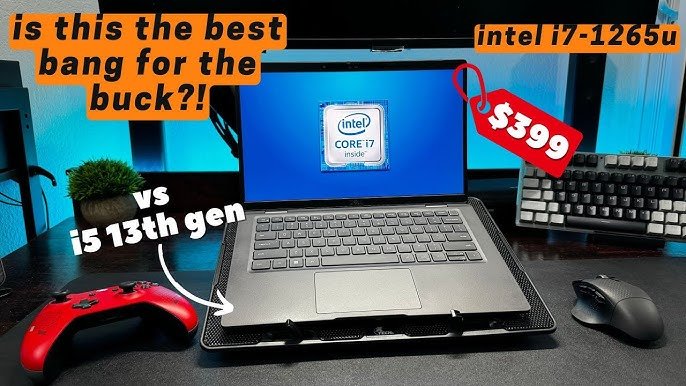
Yes, the i7-1265u can game, but it’s best suited for less demanding titles at lower settings.
So, you’re wondering can the i7-1265u game? It’s a valid question given this processor’s focus on efficiency for laptops. This specific Intel chip is often found in thin and light machines not built for high-end gaming.
Therefore, expect to play some games, but don’t expect the same performance as a dedicated gaming system. Games need processing power and the i7-1265u might need adjustments in graphics for acceptable framerates.

Can the i7-1265U Game? Exploring Its Gaming Prowess
The Intel Core i7-1265U is a popular processor found in many laptops, especially those geared towards work and everyday use. But when it comes to gaming, can this CPU handle the pressure? That’s the big question we’re tackling today. We’ll delve deep into the capabilities of the i7-1265U, look at its strengths and limitations, and see what kind of gaming experiences you can expect.
Understanding the i7-1265U: A Closer Look
Before we jump into gaming, let’s understand what the i7-1265U is all about. It’s part of Intel’s 12th generation of processors, also known as Alder Lake. This family of CPUs uses a hybrid architecture. This means it has two types of cores working together: Performance cores (P-cores) and Efficient cores (E-cores).
Performance and Efficiency Cores
The P-cores are designed for heavy tasks, like running games or video editing software. They are the powerhouses. The E-cores, on the other hand, are better at handling background tasks and saving battery. This helps laptops stay cool and last longer on a single charge. The i7-1265U has 10 cores in total, which include 2 P-cores and 8 E-cores. Along with these cores, it also has 12 threads.
- P-cores: Handle demanding tasks, great for gaming.
- E-cores: Manage background tasks, save battery life.
Integrated Graphics: Intel Iris Xe Graphics
The i7-1265U comes with integrated Intel Iris Xe graphics. This is important because it means the processor doesn’t have a dedicated graphics card. Instead, the graphics processing happens directly on the CPU. This integrated graphics is good for everyday tasks and some less demanding games, but it isn’t as powerful as a dedicated graphics card that you’d find in a gaming laptop.
Key Specifications of the i7-1265U
Let’s take a look at the key specifications that affect gaming performance.
| Feature | Specification |
|---|---|
| Cores | 10 (2 P-cores, 8 E-cores) |
| Threads | 12 |
| Base Clock Speed | 1.8 GHz |
| Turbo Boost Speed | 4.8 GHz |
| Integrated Graphics | Intel Iris Xe Graphics |
Gaming Expectations with the i7-1265U
So, can the i7-1265U game? The simple answer is yes, but with some important caveats. It’s not a gaming powerhouse like a processor paired with a high-end dedicated graphics card. The i7-1265U is good enough for casual gaming and running less demanding games.
Types of Games You Can Play
You’ll find that the i7-1265U performs best with games that aren’t too graphically intensive. Think of older titles, indie games, and eSports games. Here’s a closer look:
Casual Games
Games like Minecraft, Stardew Valley, Among Us, and other similar titles should run smoothly on the i7-1265U. These games often prioritize gameplay over cutting-edge graphics.
eSports Titles
Many eSports titles are also playable on the i7-1265U, especially if you lower the graphics settings. Games like League of Legends, Dota 2, Counter-Strike: Global Offensive, and Rocket League should all run well with playable frame rates.
Older Games
Older games from the 2000s and early 2010s should generally run very well. Many classic titles will easily perform at high frame rates on the i7-1265U. This gives you the chance to enjoy a lot of great games from the past.
Games to Avoid
On the other hand, you may struggle with the newest, most graphically advanced games. These games require powerful dedicated graphics cards to run smoothly. Some examples of games to avoid on the i7-1265U include:
- Cyberpunk 2077
- Red Dead Redemption 2
- Assassin’s Creed Valhalla
- The Witcher 3: Wild Hunt (at high settings)
- New AAA titles
The Importance of Settings
If you are going to game on a laptop with an i7-1265U, getting familiar with your game’s settings is important. You will probably not be able to play at the highest settings. Here’s what you should adjust:
- Resolution: Lowering the resolution can increase the frame rate, making the game run smoother. Try 1280×720 or 1600×900 rather than 1920×1080.
- Texture Quality: Lowering texture quality reduces the graphics load. Set textures to medium or low.
- Shadows and Lighting: These settings can impact performance a lot. Set shadows and lighting to low or turn them off.
- Anti-Aliasing: Turning off anti-aliasing can improve frame rates. If you can, use FXAA or another less demanding option.
Experimenting with settings will help you find the right balance between how the game looks and how smoothly it plays. Don’t be afraid to try different settings to find what works best.
Factors Affecting Gaming Performance
There are other factors besides the processor that affect how well a game runs. You should keep these in mind when considering the i7-1265U for gaming:
RAM (Memory)
Having enough RAM is essential for smooth gaming. 8GB of RAM is the minimum for many modern games, but 16GB is recommended for better performance. If the RAM is running slow, it can cause lag and stuttering. Make sure your computer uses fast RAM.
Storage
The type of storage drive also matters. An SSD (Solid State Drive) will load games much faster than a traditional HDD (Hard Disk Drive). This is because SSDs are much faster at reading data. An NVMe SSD is the best option, and will help games load even faster.
Cooling
Laptops with the i7-1265U often prioritize battery life and portability over cooling. Therefore, under heavy loads, such as gaming, laptops can get hot. The CPU may slow down to prevent overheating. This is called thermal throttling and can reduce performance. Using a laptop cooling pad can help with this.
Operating System and Drivers
Make sure that you’re running the latest version of your operating system and that your graphics drivers are up to date. New updates can sometimes increase performance. Keeping drivers up to date also makes games run more smoothly.
The Role of Integrated Graphics
The Intel Iris Xe graphics integrated with the i7-1265U is a good step up from older integrated graphics. However, it is not meant to compete with dedicated graphics cards. Here’s the main thing to know about integrated graphics:
- Shared Memory: Integrated graphics uses your system’s RAM for graphics processing. This can impact performance if you don’t have enough RAM.
- Limited Power: Integrated graphics don’t have their own dedicated power supply. This limits their performance compared to dedicated graphics cards.
- Lower Performance: Compared to dedicated graphics cards, integrated graphics produce less performance. Therefore, they are not as good for gaming.
Alternatives for Serious Gamers
If you’re a serious gamer, a laptop with the i7-1265U and integrated graphics won’t cut it. You would need a laptop with a dedicated graphics card. Here are some options to consider:
Laptops with Dedicated Graphics Cards
Laptops with dedicated graphics cards (like NVIDIA GeForce RTX or AMD Radeon RX series) are the best option for gaming. These cards have their own memory and power. This means they can handle demanding games at high settings.
Desktop Gaming PCs
Desktop PCs are often more powerful than laptops and they have better cooling. If you want the best gaming experience, a desktop PC is usually the better choice. Desktops also offer more flexibility for upgrading components in the future.
External Graphics Cards
Another option is using an external graphics card (eGPU). This lets you add dedicated graphics power to a laptop that doesn’t have one. However, eGPUs can be expensive, and they may not always offer the same performance as a dedicated graphics card built into a laptop.
Real-World Gaming Examples
Let’s see how the i7-1265U performs with some specific games.
League of Legends
In League of Legends, the i7-1265U should handle the game very well. You can expect 60+ FPS at medium to high settings. If you lower the settings, it’s very possible to get 100+ FPS on an i7-1265U.
Minecraft
Minecraft is another game where the i7-1265U will do well. Without shaders and at lower settings, you can get very high frame rates. However, if you use complex shaders or run the game at a higher resolution, performance will be worse.
Fortnite
Fortnite is playable on the i7-1265U, but you’ll need to lower the settings. You can get a playable 30-60 FPS at 720p with low settings. This is enough to play casually, but it won’t be the best experience.
Grand Theft Auto V
Grand Theft Auto V is playable, but you need to keep the graphics at low. It is possible to get a playable frame rate, but it won’t be a perfect gaming experience.
Elden Ring
Playing Elden Ring on the i7-1265U will be difficult. It may be possible to run at low settings, but the frame rate will likely be low, too. Expect a very challenging experience at best, but it’s generally not recommended.
The i7-1265U as a General-Use CPU
Even though we have discussed gaming, it’s important to remember that the i7-1265U is excellent for general productivity. It’s a great option for students, remote workers, and people who do a lot of office work. The hybrid architecture is great for getting work done while also having good battery life.
- Productivity: The i7-1265U works great for things like word processing, spreadsheets, and presentations.
- Web Browsing: Web browsing and streaming videos will not be a problem. The i7-1265U has more than enough power for general web use.
- Multitasking: The i7-1265U can handle multitasking very well. It’s fine to have several apps running at the same time.
Making the Most of Your i7-1265U for Gaming
So, if you’re stuck with an i7-1265U, here are some things you can do to get the best performance.
Keep Your System Clean
Make sure your laptop is free from dust, which can prevent overheating. Close any applications you are not using. This will help with overall performance.
Adjust Power Settings
Set the power settings to ‘Best Performance’ when gaming. This will make sure that the processor does not limit its power.
Use a Cooling Pad
When you play games, use a laptop cooling pad. This will help your laptop stay cool and perform better. It will help prevent thermal throttling.
Optimize Game Settings
Learn the graphics settings in your games and lower them as needed. Lowering settings like resolution and shadows can increase your frame rates.
Monitor Performance
Use software that can monitor your system’s temperature and frame rates. This will let you know when your system is running at its maximum. You can also adjust settings if needed.
The Intel Core i7-1265U can indeed handle gaming, though it’s not designed for hardcore gamers. It works well with casual and eSports titles, as long as you’re willing to adjust your settings. Remember, it’s a great general-use processor, perfect for everyday tasks and productivity, while also offering a taste of gaming on the side. If you know its limits, you can have fun with it. For demanding games, you would likely need a laptop with dedicated graphics.
INTEL Core i7 1165G7 vs INTEL Core i7 1265U Technical Comparison
Final Thoughts
The i7-1265u handles some lighter games adequately, particularly at lower resolutions and settings. It’s not designed for demanding titles though, and will struggle with newer AAA games. Users may find playable framerates in older games.
Ultimately, the answer to “can the i7-1265u game” is a qualified yes. It can game, but it is not a gaming powerhouse. Its integrated graphics limits performance. Consider this when choosing a laptop.

