
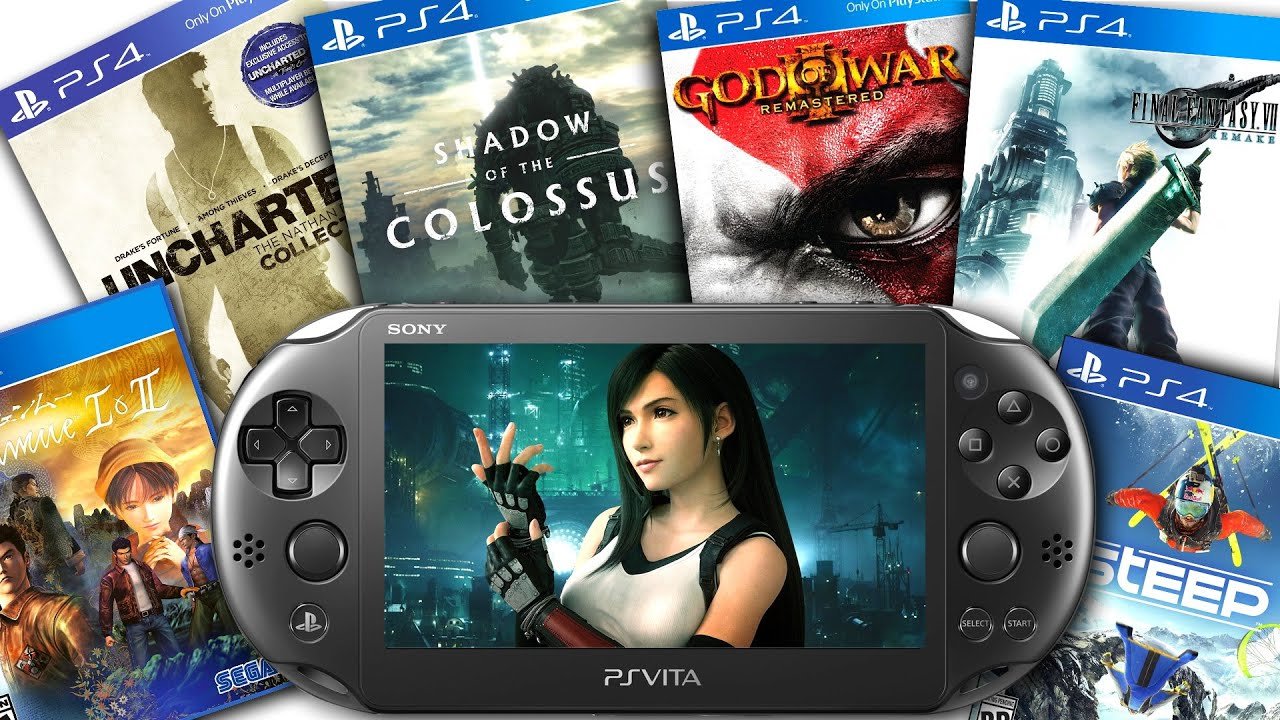
Unfortunately, the PS Vita cannot directly play PS4 games natively.
The question “can the ps vita play ps4 games” pops up frequently among gamers. You might be picturing playing God of War on your handheld, but that is not possible with the Vita’s hardware. The Vita, while a great portable console, does not have the processing power to run PS4 games natively.
However, there are ways to play some PS4 titles on the Vita through Remote Play functionality, which requires a PS4 console and a strong internet connection. This method does not involve the Vita directly running the game, it allows you to play your PS4 titles remotely.

Can the PS Vita Play PS4 Games?
The idea of playing your favorite PlayStation 4 games on the go with your trusty PS Vita is definitely appealing. Imagine taking those big console adventures with you to school, on vacation, or just relaxing in bed. The good news is, it’s not just a dream! The PS Vita has a special ability called Remote Play that allows you to play many PS4 games, but it isn’t quite as straightforward as putting a PS4 disc in your Vita. Let’s dive deep into how this works and what you need to know.
Understanding PlayStation Remote Play
Remote Play is the magic that connects your PS4 and PS Vita. Think of it like having a live video stream of your PS4 game sent to your PS Vita. You’re not actually playing the game on the Vita itself; instead, you’re controlling the game happening on your PS4, and your PS Vita acts as the controller and screen. It’s like having a portable window into your console.
How Does Remote Play Work?
Here’s a simplified breakdown of the process:
- Your PS4 is connected to your home network (usually through Wi-Fi).
- Your PS Vita is also connected to the same network (or another network that can connect to your PS4).
- You use your PS Vita to tell your PS4 to start streaming a game.
- The PS4 sends video and audio signals of the game to your Vita.
- When you press a button on your Vita, the Vita sends that signal back to the PS4 to make the action happen on the game.
- This all happens in real-time, so it feels like you’re playing directly on the Vita.
What You Need for Remote Play
To get Remote Play working, you’ll need a few key things:
- A PlayStation 4 console.
- A PlayStation Vita handheld.
- A stable and reliable Wi-Fi network for both devices.
- A PlayStation Network (PSN) account connected on both your PS4 and PS Vita.
- The latest system software updates on both your PS4 and PS Vita are important, as these ensure that the Remote Play feature works without any problem.
Setting Up Remote Play
Getting Remote Play up and running for the first time can seem a little complicated, but if you follow these steps, it should be easy peasy:
Step-by-Step Setup Guide
- Turn on Your PS4 and PS Vita: Make sure both devices are powered on and ready to go.
- Connect Both Devices to the Same Network: Both the PS4 and the PS Vita need to be connected to the same Wi-Fi network. This can be your home network or any network where the two can communicate. The better your connection, the better your experience will be.
- Sign in to PSN: Make sure that both your PS4 and your PS Vita are logged into the same PlayStation Network account.
- Enable Remote Play on PS4: On your PS4, go to Settings, then Remote Play Connection Settings, and make sure ‘Enable Remote Play’ is checked.
- Link PS Vita to PS4: On your PS Vita, open the PS4 Link app. You’ll see an option to search for your PS4. Once found, you’ll be asked to enter a code displayed on your PS4, if you’re connecting for the first time. This links your Vita to your PS4.
- Start Playing: Once linked, you can choose which game you want to play from your PS4’s game library, and it will appear on your PS Vita screen.
Initial Setup Tips
- First Time Pairing: The first time you connect your Vita to your PS4, you might need to enter a pairing code, this code is shown on your PS4 screen when you initiate the remote play setting.
- Network Speed Matters: A stable and fast internet connection is key for smooth Remote Play. Both your Wi-Fi signal strength and your internet speed will impact your game-play, so try to ensure your network is performing well.
- Troubleshooting: If you run into issues, try restarting both your PS4 and Vita, and ensure both devices are using the most recent software versions available.
Which PS4 Games Work with Remote Play?
Most PS4 games are compatible with Remote Play, but not every game works perfectly. Here’s what you need to consider:
Game Compatibility
- Most Games Work: The majority of PS4 games are compatible with Remote Play, including single-player adventures, action games, and many sports games.
- Games That Require PlayStation Camera: Games that require the use of the PlayStation Camera, like certain virtual reality titles or motion-controlled games, might not work well with Remote Play, as the PS Vita doesn’t have these features.
- Testing is Best: The best way to know for sure if a particular game works well with Remote Play is to try it. Some games may have control schemes that are less suited for the Vita’s layout.
Control Considerations
The PS Vita has fewer buttons than the PS4 DualShock controller. This means some games may require adjustments to how the controls are mapped.
- Touchscreen Controls: The PS Vita’s touchscreen is used to make up for the missing L2/R2 and L3/R3 buttons. You’ll use the front and rear touchpads for some of these functions.
- Custom Control Mapping: Some games will let you customize your controls to better suit the Vita’s layout.
- Learning Curve: Getting used to using the touchscreen for certain commands can take a little while, but you’ll get the hang of it with practice.
The Remote Play Experience
Playing PS4 games through Remote Play on the PS Vita can be a really great way to experience your game library. However, it’s not exactly the same as playing directly on the console.
Image Quality and Resolution
- Resolution: The PS Vita’s screen is smaller and has a lower resolution compared to most TVs you would use to play on a PS4. The games will be downscaled to fit the Vita’s screen, so you might not experience them in the same level of visual detail.
- Sharpness and Clarity: While the game still looks good on the Vita’s screen, it might not be as sharp or as clear as it would on a large, high-definition TV.
- Screen Size: The smaller screen can be a limiting factor for some games, especially those that have lots of details or tiny text.
Lag and Latency
- Potential Lag: Sometimes, there might be a slight delay between pressing a button on your Vita and seeing the action happen on screen. This is known as lag, and it is caused by the time it takes the data to transfer between the PS4 and your Vita.
- Network Stability: A stable network connection is crucial to reduce lag. Any drops in signal can cause interruptions to the game flow.
- Impact on Game Play: Lag can be more noticeable in fast-paced or timing-based games, which can make your experience less enjoyable.
Battery Life and Device Comfort
- Battery Drain: Using Remote Play will consume the PS Vita’s battery more quickly than other tasks, so make sure your Vita is charged before you start, or have a charger nearby.
- Play Time: A single charge on the Vita might only last a few hours when using Remote Play.
- Holding Comfort: While the Vita is lightweight and comfortable to hold, extended play sessions can get a bit tiring, so make sure to take breaks from time to time.
Tips for a Better Remote Play Experience
Here are some things you can do to make your Remote Play experience smoother and more fun:
Improving Performance
- Wired Connection: If possible, connecting your PS4 directly to your router using an Ethernet cable can improve the stability of your network and reduce latency.
- 5 GHz Wi-Fi: Use a 5 GHz Wi-Fi network connection if your router and devices support it. This can lead to a less congested and faster network connection than the 2.4 GHz signal.
- Limit Network Use: When using Remote Play, avoid downloading large files or using other devices that could consume a lot of bandwidth on your network.
- Close other Apps: On both the PS4 and Vita, close down any apps that aren’t needed for Remote Play. This prevents these background apps from taking system resources that could otherwise be used for Remote Play.
Controller Comfort
- Vita Grip: Using a Vita grip attachment can make holding the Vita for long periods more comfortable and improve your gaming experience.
- Practice Makes Perfect: It might take some time to become familiar with using the touchscreen controls on the PS Vita, so don’t give up after just one try, just keep practicing.
Beyond Home Networks
While it’s easiest to set up Remote Play on your home Wi-Fi, it’s possible to use Remote Play over the internet. This allows you to play your games even when you’re not at home.
Remote Play Away From Home
- Network Requirements: Playing over the internet requires a fast and stable connection for both your home network (where your PS4 is) and the network where you are using your Vita.
- Router Configuration: You might need to adjust your router’s settings to allow Remote Play connections from the outside. This is known as port forwarding and may need some technical skills to set up.
- Public Wi-Fi: Using public Wi-Fi for Remote Play can be tricky because these connections are often unstable, insecure, and have slow speeds.
- Mobile Hotspot: You can also use your smartphone’s mobile hotspot to connect your Vita to the internet, but the performance may vary depending on the mobile service and the signal strength.
Security Concerns
- Use Strong Passwords: Make sure your PSN account and Wi-Fi network are protected with strong passwords.
- Be Careful with Public Networks: Be cautious when using public networks for Remote Play, as they might not be secure and can expose your data to potential threats.
The Future of Remote Play
Remote Play continues to be an appealing and popular feature. While the PS Vita might be retired, Sony continues to improve Remote Play via other devices.
Remote Play on PS5 and Mobile
- PS5: Remote Play is still available on the PS5. You can now play PS5 games on your compatible mobile devices, as well as on your PC and other consoles.
- Mobile Devices: You can use your mobile device with a Dualshock controller or a specialized controller to play many of the PlayStation titles.
- Continued Updates: Sony is consistently improving Remote Play to make it more reliable and more user-friendly.
In summary, the PS Vita can play many PS4 games through the Remote Play feature. While there are some limitations and setup requirements, it’s a fantastic way to continue your game playing adventures on the go. A great network is required and some adjustments to the controls may be needed, but with these, it’s possible to enjoy an great gaming experience. Remote Play brings the console experience to a portable format.
How to Setup Remote Play on PS Vita! (PLAY PS4 GAMES ON PS VITA) (EASY METHOD)
Final Thoughts
The PlayStation Vita cannot directly play PS4 games. Sony’s Remote Play feature allows you to play some PS4 titles on the Vita via Wi-Fi. However, it is not the same as running the games natively.
Remote Play acts as a screen mirroring service. Your PS4 does the actual processing, not the Vita. Therefore, the answer to the core question, ‘can the ps vita play ps4 games’, is no, not without a working PS4 and a stable connection.

