
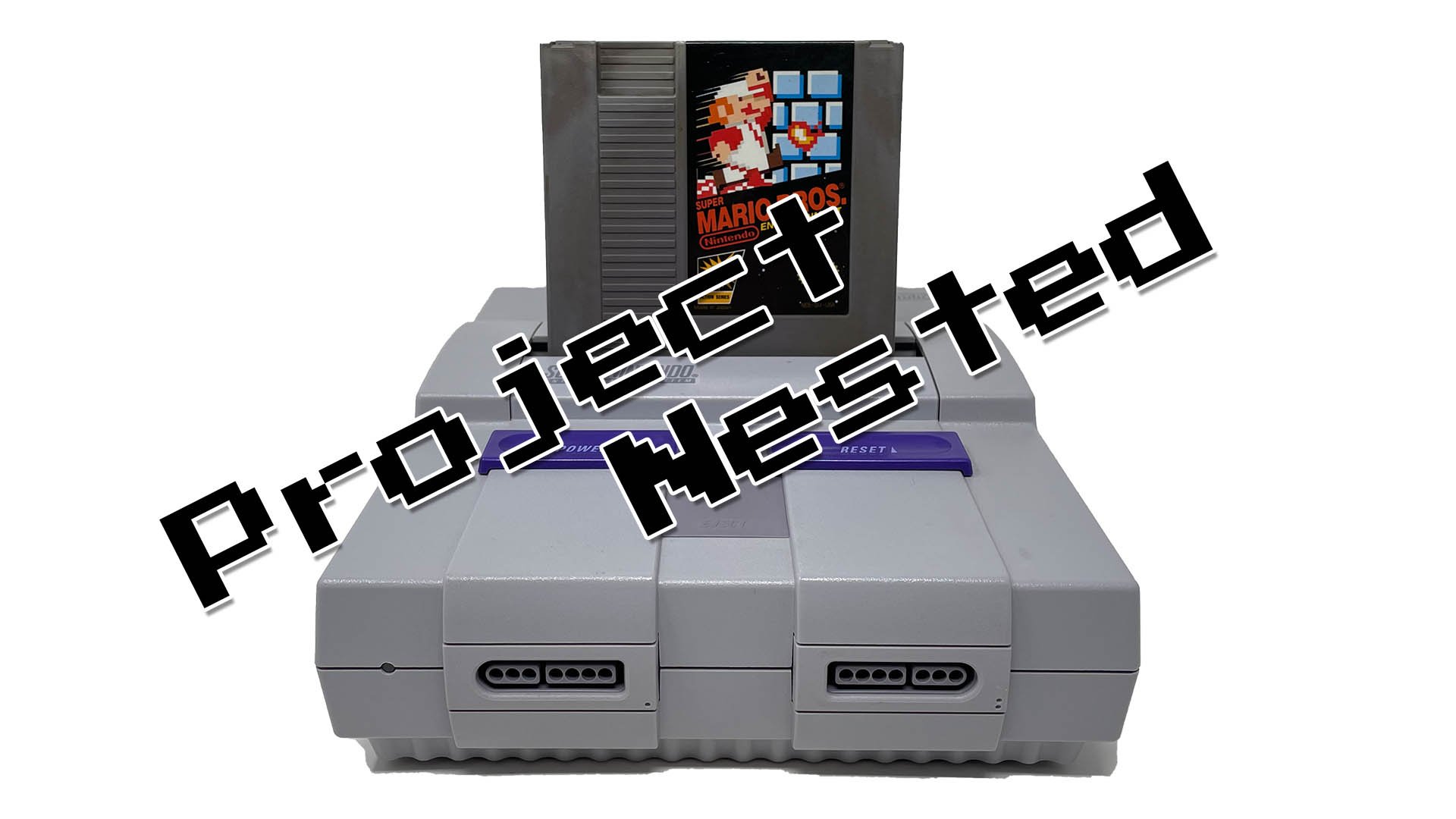
No, the SNES cannot play NES games directly.
The question lingers for many retro gamers: can the snes play nes games? It’s a common thought, given that they are both Nintendo consoles from similar eras. You might imagine that the more powerful SNES could handle its predecessor’s library.
Unfortunately, the internal architecture of the SNES is quite different from the NES. This prevents the SNES from running NES cartridges. While it’s tempting to combine collections, you will need an actual NES to play those classic 8-bit games.

Can the SNES Play NES Games? The Real Story
Okay, so you’ve got your awesome Super Nintendo, maybe even a classic one still in its box. You’re looking at those old NES games you have, the ones with Mario and Link looking all blocky, and you wonder, “Can my SNES play these games?” It’s a great question, and the answer is a little more complicated than a simple yes or no. Let’s dive into the world of retro gaming and find out what’s really going on!
Understanding the Hardware Differences
To figure out why the SNES and NES don’t play each other’s games directly, we need to peek under the hood a bit. Think of them like different types of toy cars. They might both be cars, but they use different parts and run on different tracks. The NES, or Nintendo Entertainment System, is the older system. It’s like the classic car, the one that started it all. The SNES, or Super Nintendo Entertainment System, came later and is like the souped-up model with more features. Here’s a breakdown of some key differences:
The CPU: The Brain of the System
- NES CPU: The NES used an 8-bit processor called the Ricoh 2A03. This is like an engine that’s good, but not very powerful. It can only handle a certain amount of information at a time.
- SNES CPU: The SNES used a 16-bit processor called the Ricoh 5A22. This is like a more powerful engine that can process more data faster, allowing for more complex games and graphics.
The Graphics: What You See on the Screen
- NES Graphics: The NES used simpler graphics, often referred to as “8-bit graphics.” They were blockier and had fewer colors on the screen at once. Think of them as simple Lego bricks.
- SNES Graphics: The SNES, on the other hand, used “16-bit graphics.” These were much more detailed, had more colors, and could show more stuff happening on the screen. Think of them as more complex Lego models with extra details.
The Cartridges: Where the Games Live
Even the cartridges themselves are different! The NES cartridges were bigger and had a different shape than SNES cartridges. They have different connection pins and internal circuitry so they just cannot be plugged into the other console.
Because of these hardware differences, the SNES just isn’t designed to read or understand the code used by NES games. It’s like trying to play a VHS tape in a DVD player—they’re just not compatible.
Why No Built-in NES Compatibility?
You might wonder, if the SNES was more powerful, why didn’t Nintendo make it so it could play NES games too? It’s a very good question! Here are a few reasons why:
Cost
Adding the hardware needed to be fully compatible with another system would have made the SNES more expensive to make. At the time, companies had to keep an eye on the manufacturing cost. Nintendo wanted to get as many people to use the SNES as possible, so keeping it more affordable was an important goal.
Complexity
It wasn’t just a matter of adding a few extra wires. To properly play NES games on the SNES, the console would essentially need a whole other NES system inside of it. This would be a very challenging thing to make, as well as being really expensive.
Focus on New Games
Nintendo was also focused on developing new, amazing games for the SNES. They wanted people to be excited about the new system and its unique games. Thinking back at the time, they didn’t have to worry about the SNES playing the games from their last console, the NES, because of how well the NES was at the time.
The SNES and “Virtual Console” – A Workaround
Even though the SNES couldn’t play NES cartridges, there’s a different way you could play some classic NES games on the SNES, with the help of Nintendo’s “Virtual Console”. This is not a built in feature of the original SNES, but a feature of the more modern systems that are created to emulate older consoles.
What is the “Virtual Console”?
The “Virtual Console” was a service created by Nintendo that allowed players to buy and download retro games to the Nintendo Wii, Wii U, and Nintendo 3DS. These games weren’t exactly being played by the system itself, instead the system is running an emulator program which allows the modern console to mimic the hardware of the older one. Think of it like having a digital recreation of an older system on your modern console.
How It Worked for NES Games
On the systems with the virtual console, the “Virtual Console” used emulation to let people play NES games on those newer systems. The SNES game library was also available on the “Virtual Console” for purchase. This meant that, if you owned one of the newer consoles, you could play some of your favorite NES games on a system other than your original NES console. Some of the games that were available in the virtual console included: Super Mario Bros., Legend of Zelda, Metroid, and many others.
Limitations of Virtual Console
While it was great to be able to play these games on a newer system, there were limitations to the virtual console service. First, if a game was not available for purchase on the virtual console, you would not be able to play it, and secondly the service shut down on the Wii and Wii U, and was eventually replaced by Nintendo’s newer service, “Nintendo Switch Online”.
Nintendo Switch Online: The New Way to Play Retro Games
If you have a Nintendo Switch, you can play a selection of NES games through “Nintendo Switch Online.” This is a subscription service where you get access to a library of classic games that you can play. It’s a bit like having a library card for old video games. Here are some key things about it:
How it Works
When you subscribe to “Nintendo Switch Online”, you get access to a large catalog of retro games. This includes a selection of NES games that are available to play on the Switch, as well as SNES games and games from other consoles from the past. This is the best way to play older games if you want to use modern hardware.
NES Games Available
The selection of NES games available on Nintendo Switch Online is pretty good. You can play classic titles like:
- Super Mario Bros. 1,2 and 3
- The Legend of Zelda
- Metroid
- Ninja Gaiden
- Double Dragon
- And many others
Nintendo continues to add new titles to the service, so the library keeps growing. This gives you the opportunity to play some of the games you may have always wanted to try from the NES.
Benefits of Nintendo Switch Online
Besides just being able to play some retro games, the “Nintendo Switch Online” also gives you other benefits such as:
- Online multiplayer for many games.
- Access to save states, which lets you quickly save and restore your game state in any moment.
- The ability to play different retro games from other consoles too.
Emulators: Playing NES Games on Other Devices
If you’re a computer user and you’re interested in playing NES games, but don’t have access to the “Nintendo Switch Online” service, or are looking for a more modern solution, you could explore the world of emulators. Emulators are software programs that make your computer or phone pretend to be an older game console.
How Emulators Work
An emulator program will read the game ROM and translate it so that your computer can understand it, then it recreates the original hardware of the console it is emulating, allowing you to play the games from that system. There are many different emulators for different systems, with some specializing in just one system.
Finding NES Emulators
If you want to play an NES game on a computer, phone, or another platform that is not an original Nintendo system, you will need to find and download an NES emulator that suits your needs. A good emulator will be able to run almost all the games and will have all the necessary features such as: controller support, save states, different filters and screen options, and more. After downloading the emulator, you will need to find a ROM of the game you want to play. A ROM is a copy of the original game cartridge.
Things to Keep in Mind
It’s important to remember that downloading emulators and game ROMs can sometimes be a legal gray area. Make sure to research the laws in your region, and only download games you already own to be on the safe side. You should also be careful about the websites where you download such things as these sites may contain malicious programs and viruses.
The Allure of Retro Gaming
Even though the SNES can’t play NES games directly, the world of retro gaming is still very exciting. The games from the NES and SNES eras have their own charm and unique feeling that is hard to find in more modern games. There are many reasons why people like playing older games:
Nostalgia
Many older gamers want to revisit the games they played as kids. Those old 8 and 16-bit worlds bring back great memories and feelings from simpler times.
Simpler Gameplay
Many older games, especially from the NES era, had more simple and straightforward gameplay. They didn’t have complicated stories or overly difficult controls. They were easy to pick up and play and offered many hours of fun with a simpler core gameplay.
Unique Charm
Retro games have their own unique visual style. Many gamers appreciate the pixelated art style and the chiptune music found in these games. There’s a great sense of history and art in those classic titles that makes them feel special.
A Window into Gaming History
Playing old video games can also be a way to experience the history of gaming. You can see how game design has changed over time and how the early days of video games have impacted the gaming world that we experience today. It’s a great way to see how far technology has come.
So, while you can’t just pop an NES cartridge into your SNES and play, there are still plenty of ways to enjoy those classic games. Whether it’s through Nintendo Switch Online, emulation, or even playing the original NES system, the charm of retro gaming is still very much alive.
Yes You Can Play NES Games on the SNES! (But Not All of Them Yet…)
Final Thoughts
No, the SNES cannot directly play NES game cartridges. The hardware is entirely different between the two consoles. You must use other methods for playing NES games on a SNES.
Emulation offers one solution. Some modified SNES consoles or devices can utilize software to run NES titles. These methods, however, require more technical understanding.
So, ‘can the snes play nes games’? The simple answer is no, not through direct cartridge insertion. You must use other workarounds.

