
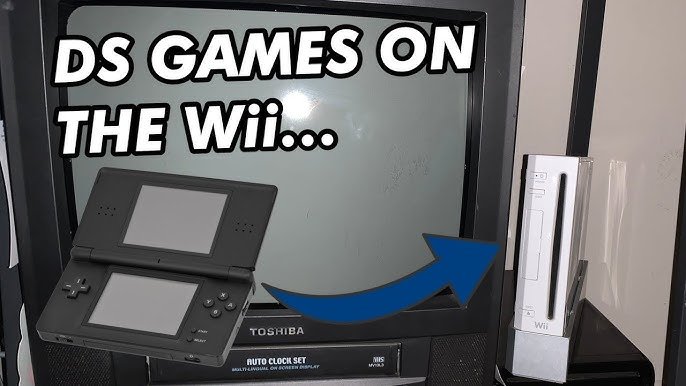
No, the Wii cannot directly play Nintendo DS games.
Ever wondered if you could dust off your old DS game cartridges and enjoy them on the big screen with your Wii? Many gamers have asked this question: can wii play ds games? It’s a reasonable thought, considering the two consoles come from the same company.
Unfortunately, the Wii and DS use completely different hardware and software architectures. This incompatibility means the Wii cannot read or process DS game cards. There are no official methods provided by Nintendo for playing DS titles on the Wii.

Can Wii Play DS Games? Exploring the Compatibility Question
So, you’ve got a Wii collecting dust and a pile of fun Nintendo DS games you’d love to play. You’re probably wondering, “Can my Wii play these DS games?” It’s a great question, and the answer isn’t a simple yes or no. It’s more like a “sort of, but not directly” situation. Let’s dive deep into why that is and what options you might have.
Understanding the Hardware Differences
To understand why the Wii can’t just pop in a DS game and play, we first have to look at the hardware. The Nintendo Wii and the Nintendo DS are different machines, with different needs and design. Think of it like trying to play a DVD in a Blu-ray player – it won’t work because they are designed for different types of discs and technology.
Wii’s Capabilities
The Wii, remember, is designed to play games on your TV. It uses discs for its games. It has a big processor to handle 3D graphics and motion controls. The main focus is on the big screen experience and motion-based gameplay.
Nintendo DS’s Unique Design
The Nintendo DS, on the other hand, is a handheld device. It plays games from small cartridges, and it has two screens, one of which is a touch screen. The processor is designed for the smaller, portable experience, and the gameplay is very different from that of the Wii, often relying heavily on the touch screen and the unique dual-screen setup.
The Cartridge Conundrum
One of the biggest reasons the Wii can’t play DS games is that it doesn’t have the right place to put the cartridges. The Wii uses a disc drive, while the DS uses a cartridge slot. They’re completely different formats. There’s no way for the Wii to read a DS cartridge because it simply isn’t equipped to do so.
The Role of Emulation
Now, some people have tried to get around this using something called emulation. Emulation is like having a program that makes your computer or, in this case, your Wii act like another machine. It’s like pretending to be a Nintendo DS. While it’s technically possible for a Wii to run DS emulation software, this is not official or supported by Nintendo. It also requires some technical skills and isn’t as easy as inserting a cartridge.
Homebrew and Emulators
To use emulators on the Wii, you would usually need to install something called “homebrew,” which is software not created by Nintendo that opens up the system to do more than originally designed. While this does allow the use of emulators, which theoretically might include a Nintendo DS emulator, the process involves modifying your Wii, and it is important to be aware that it could void your warranty and potentially affect the console’s functionality. The performance of these emulators isn’t always perfect, meaning some DS games may not run smoothly or at all. This is often due to the extra amount of work your Wii has to do to pretend to be a DS and run those games.
The Wii U: A Slight Change in the Game
The Nintendo Wii U, which came after the Wii, is a bit different. It still does not directly play DS games like you would play Wii games, but its design allows for a more official integration. It has the ability to play games from its own digital store through the Nintendo eShop. This is where some Nintendo DS titles are offered in a downloadable format. It doesn’t play your physical cartridges, but it offers a way to still play the games you love.
Virtual Console and DS Games
The Wii U has what’s called the “Virtual Console,” where you can download classic games from previous Nintendo consoles. Certain DS games have been made available on the Virtual Console, meaning you can play them on your Wii U but not your old Wii. It is important to understand that these versions are specifically adapted to work on the Wii U’s screen. You use the Wii U gamepad to control them, which acts as the DS’s dual screen, and is made to fit that interface. The experience is close to the original DS, but it requires a Wii U system and the correct downloadable version of the game.
Why Not Just Add a DS Cartridge Slot?
You might be thinking, “Why didn’t Nintendo just add a DS cartridge slot to the Wii?” It’s a fair question. The main reason comes down to the original purpose of these consoles. The Wii was created as a home console, focused on using discs and playing on the TV, with motion controls, whereas the DS was designed as a mobile, handheld experience. Combining the two would require a very different and more expensive console. The two systems were designed for different purposes, and adding the features of another into the other would mean designing a totally new console with added costs.
Cost and Design Considerations
Creating a single console that plays both Wii discs and DS cartridges would have added a lot to the cost and the size of the console. It would have been a lot more complicated to manufacture. Nintendo made the decision to keep them separate consoles with different games and focus instead on each console doing what it was created to do, which was playing games for a separate target audience.
The DS, being a portable device, also had very different requirements for its design. Portability, smallness, the dual screens – all this required a completely different design that would not have been able to blend into the design of the console. As a result, Nintendo decided that both consoles would be designed and operated independently of each other.
Are There Any “Workarounds”?
So, if you can’t play DS games on your Wii, are there any options at all? There are very limited ways to try and play DS games on the Wii, but they aren’t very straightforward and they aren’t officially supported, which may include:
-
Homebrew and Emulation: As we mentioned before, this involves modifying your Wii and using emulators. It’s a technical solution and it doesn’t always work perfectly, and it’s not the easiest for most users.
-
Wii U Virtual Console: If you have a Wii U, you can download some DS games through the Virtual Console, and they are very good playable versions of those. However, this requires a Wii U system, and not all DS games are available.
-
Using the Original DS or 3DS: The most obvious solution is playing your DS games on the original handheld hardware, the DS or 3DS, which was made to play these games, and is the most reliable way to do it.
Alternatives to Playing DS Games on the Wii
Since the Wii can’t natively play DS games, it’s useful to consider other options, so you can still play those fun games you have.
The Original Nintendo DS
If you still have your old DS, then that is the easiest and best option to play your DS games. It’s the original way they were meant to be played. It is the original experience for DS games and it would be the best to enjoy your favorite DS titles.
Nintendo 3DS
The Nintendo 3DS is a later handheld console from Nintendo and is compatible with Nintendo DS games. The 3DS is also great because it can play both your DS games and also the 3DS games on a single system. It is great way to enjoy all the library of games of those two console families.
Nintendo Switch
The Nintendo Switch, while not directly compatible with DS cartridges, offers an online service where some of the classic games from old consoles are available for download. However, there is no official way to play DS games on the Switch right now, so if you want a more reliable solution, then the DS or 3DS are still the best.
Emulation on a PC
You also have the option of using an emulator on your PC. This will allow you to play DS games on your computer, using an emulator. Be careful with this though, as finding a working emulator may not be easy and you need to make sure the source is safe to download anything from it.
These are the alternatives you have to play your favorite DS games, and while most of them don’t include your Wii system, they are still valid ways to play the fun games you have collected.
Key Takeaways About Wii and DS Compatibility
Let’s quickly recap what we’ve learned:
-
The Nintendo Wii cannot play DS game cartridges because it doesn’t have a slot for them.
-
The hardware of the Wii is different from the DS and isn’t designed to read or play DS games.
-
Emulation is a workaround but is not official and can be complex.
-
The Wii U has a Virtual Console that offers downloadable versions of some DS titles.
-
The best way to play DS games is to use the original DS or 3DS handheld devices.
-
Alternative options are emulation on a PC or potentially the future possibility of games on the Switch.
In conclusion, while your Wii won’t be able to play your DS cartridges, there are still several other ways you can enjoy those games. From the original systems they were designed for to more modern consoles, you have a number of choices.
DS Games on the Wii?! #shorts #nintendo #videogames #gaming #facts #fake #viral #retro #wii #ds
Final Thoughts
The Wii cannot directly play DS game cartridges. The systems use different physical media and internal architecture. Wii’s hardware isn’t built to process DS software.
You can use the Nintendo Wii U for this, which has Virtual Console access to some DS games. Therefore, “can wii play ds games” the answer is generally no. There is also no backward compatibility between the systems.
However, a must note is that, certain homebrew solutions might allow for emulation, but these are unofficial and not supported by Nintendo.

