
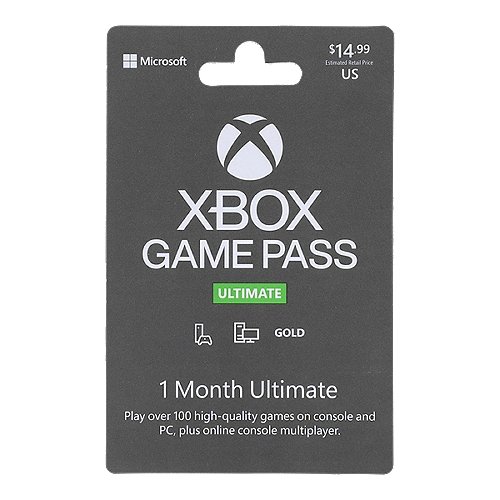
Yes, you can use Xbox gift cards to purchase Xbox Game Pass.
Do you have an Xbox gift card burning a hole in your pocket? Wondering if you can use it for something other than buying games? It’s a common question: can xbox gift cards be used for game pass? Many gamers are curious if these digital credits can go towards Microsoft’s subscription service. It would be convenient to use those funds for Game Pass access and get playing. Let’s address this.

Can Xbox Gift Cards Be Used for Game Pass?
Let’s dive into the question everyone’s asking: can you use those handy Xbox gift cards to get your hands on the amazing Xbox Game Pass? The short answer is a resounding yes! But, like most things, there are a few important details you should know to make sure you’re using your gift card correctly.
How Xbox Gift Cards Work
Before we get into the nitty-gritty, let’s understand what an Xbox gift card actually is. Think of it like a digital coupon with a specific amount of money on it. You can use this money in the Microsoft Store (the place where you buy Xbox games and other digital goodies) to purchase various things. It’s not just for games; you can also get add-ons, movies, TV shows, and yes, even Xbox Game Pass subscriptions. These cards come in different amounts, from smaller to bigger values, giving you the flexibility to choose what you want.
Physical vs. Digital Gift Cards
You’ll find Xbox gift cards in two forms: physical cards that you can buy at stores, and digital codes that you receive online. Both types work the same way – they add funds to your Microsoft account, allowing you to make purchases. Physical cards often have a scratch-off area that reveals the code, while digital codes are usually delivered by email.
- Physical Gift Cards: These are great if you like having something tangible or if you’re giving it as a gift.
- Digital Gift Cards: These are convenient for immediate use and easy to purchase from online retailers.
Using Your Gift Card to Get Game Pass
Now, for the main event! Yes, you can absolutely use your Xbox gift card to pay for an Xbox Game Pass subscription. Here’s how it works:
- Redeem the Gift Card: First, you’ll need to redeem your gift card code. On your Xbox console, you can do this in the Microsoft Store. On a computer or mobile device, you can redeem it through the Microsoft website or the Xbox app. The code adds the value of the card to your Microsoft account balance.
- Go to Xbox Game Pass: Once your account has the money, head over to the Xbox Game Pass section. You’ll find it in the Microsoft Store on your console or on the Xbox website.
- Choose Your Subscription: Select the Game Pass plan you want. There’s the standard Game Pass for consoles, Game Pass for PC, and Xbox Game Pass Ultimate which includes both plus Xbox Live Gold.
- Pay with Your Account Balance: When it’s time to pay, choose your Microsoft account balance as your payment method. The cost of the subscription will be deducted from the funds you added using your gift card. If you don’t have enough funds on the account, you may need to add more.
Different Game Pass Options
Xbox Game Pass has different options that you can consider:
- Xbox Game Pass for Console: This gives you access to a library of games you can play on your Xbox console.
- Xbox Game Pass for PC: This option allows you to enjoy a catalog of games on your Windows PC.
- Xbox Game Pass Ultimate: This is the top tier option which includes both console and PC libraries, along with Xbox Live Gold benefits and cloud gaming on supported devices.
Things to Keep in Mind
While using your gift card for Game Pass is straightforward, there are a few things to note.
Gift Card Balance
Ensure you have enough money on your gift card to cover the entire cost of the Game Pass subscription you’re after, including any applicable taxes. If you don’t, you may need to add additional funds through another payment method. If your balance is short, you could use a second gift card to top it up. The system will allow you to use multiple gift cards and combine them for a single purchase.
Subscription Duration
Game Pass subscriptions often have recurring billing. When you pay with a gift card, the subscription may use funds from your card to start, but your account may automatically renew and charge your primary payment method once the period expires. To avoid unwanted charges, you might need to manage your subscription settings on your Microsoft account. This includes setting it to expire after the period covered by the gift card. You can turn off the automatic renewal setting for your account if you do not want to be billed.
Regional Compatibility
Xbox gift cards are often region-locked, meaning they can only be redeemed in the country or region they were intended for. Make sure the gift card is for the same region as your Microsoft account. If the regions don’t match, you’ll encounter an error when redeeming the code. Verify the region stated on the gift card before purchasing.
Promotional Offers
Sometimes, you might see special promotional offers that bundle Game Pass with gift cards. Keep an eye out for these deals, as they can be a great way to get more value for your money. However, when you are purchasing a gift card, make sure that it clearly states that it is an Xbox gift card and not just a gift card to a specific store. Always read the terms and conditions before purchasing.
Using Multiple Gift Cards
Do you have multiple Xbox gift cards? Great news! You can use more than one gift card to add to your Microsoft account balance. This is a handy feature for using leftover credit or combining cards with smaller amounts to afford a Game Pass subscription.
Troubleshooting Common Issues
Sometimes, things might not go as planned. Here are a few common problems you might encounter and how to solve them:
Code Not Working
If your gift card code isn’t working, double check that you entered the code correctly. A common mistake is to mix up similar-looking letters or numbers. You should also verify that the code hasn’t already been redeemed. You should also check if your gift card has expired. Most of the Xbox gift cards do not expire, but if you have purchased it from an unauthorized retailer, this could be a possibility.
Region Mismatch
If you encounter a “region mismatch” error, it means the gift card you’re trying to redeem isn’t compatible with the region on your Microsoft account. You’ll need to ensure that both the gift card and your account are for the same region. You might need to purchase another gift card from the correct region if you have moved to a different place recently.
Not Enough Funds
If your gift card doesn’t cover the total cost of the Game Pass subscription, you’ll need to add more funds. You can either redeem another gift card or use an alternative payment method like a credit card or debit card. Make sure to redeem the card first, and then use the credit on your account.
Automatic Renewal Issues
If your subscription keeps renewing automatically, check your account settings on the Microsoft website or your Xbox console. There, you’ll be able to manage your subscriptions and turn off the automatic renewal. You can also use an alternative payment method for recurring charges and set up alerts to be notified before renewal dates.
Gift Cards as a Great Gift Idea
Xbox gift cards make excellent presents for gamers of all ages. Whether it’s for a birthday, holiday, or just a surprise, a gift card allows your friends or family to choose the games or services they want, including the Xbox Game Pass. This makes the recipient very happy, as they are getting the benefit of their own choice.
Perfect for Any Occasion
- Birthdays: A great way for gamers to get new games and content on their special day.
- Holidays: An ideal gift that lets people choose from a vast digital library.
- Just Because: A thoughtful and fun way to surprise a friend or loved one with digital fun.
Giving a Gift Card
When gifting a gift card, make sure you buy one for the correct region. You could include a note with the gift card to tell the recipient about Xbox Game Pass. You can also consider the type of games that the person plays and choose a gift card of suitable value. If the person is a multi-platform gamer, you can consider gift cards for other platforms, too.
In conclusion, Xbox gift cards offer a fantastic way to pay for Xbox Game Pass, giving you access to a treasure trove of games. By understanding how they work, you can fully enjoy your gaming experience without any hiccups. Remember to redeem them in the correct region, keep an eye on your subscription settings, and have fun exploring the amazing games that Game Pass has to offer!
How to Redeem a Game Pass Ultimate Gift Card Code on an Xbox Series X or S or Xbox One Console Menu
Final Thoughts
Yes, Xbox gift cards can absolutely be used towards purchasing Xbox Game Pass subscriptions. You can redeem the gift card balance and apply it during the checkout process when subscribing.
This is a convenient way to pay for your Game Pass access, making it a versatile gift option for any gamer. Therefore, can xbox gift cards be used for game pass is a definite yes.

