
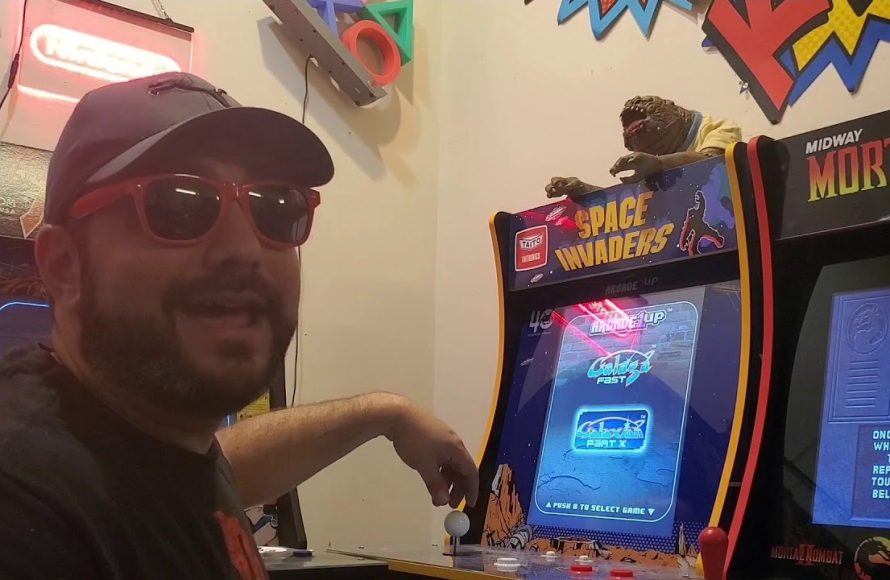
It is often possible to add games to Arcade 1Up machines, though it usually requires modifications and is not officially supported by the manufacturer.
So, you’ve got an Arcade 1Up and are wondering, can you add games to arcade 1up? That’s a common question for those wanting more variety than the original lineup. Many enthusiasts explore ways to expand their gaming options on these retro cabinets.
Modifying your Arcade 1Up to include new games does involve some technical work. This process might involve replacing internal parts or software to get more titles on your favorite system. Remember, proceed with modifications carefully, as this can affect your warranty.

Can You Add Games to Arcade 1Up? Exploring the Possibilities
So, you’ve got an Arcade 1Up machine, and you’re having a blast playing your favorite retro games. But, maybe you’re starting to wonder, “Can I add more games to this thing?” It’s a great question, and the answer is a bit more complex than a simple yes or no. While Arcade 1Up cabinets don’t officially allow for easy game additions like some modern gaming consoles, there are definitely ways to expand your gaming library. Let’s dive deep into the different methods, from the easier options to the more advanced ones. We’ll talk about what’s involved, the pros and cons, and help you decide which path might be right for you. The key thing to remember here is that altering your Arcade 1Up may void your warranty, so proceed with caution.
Understanding the Arcade 1Up System
Before we get into adding games, it’s essential to understand how Arcade 1Up machines work. They’re not like your computer or a modern gaming console. They operate using a custom circuit board with pre-loaded games. These games are stored on a memory chip, and the system is designed to run these specific games. The company provides new machines with different game packs, but they don’t offer a built-in way to directly download new titles. This built-in restriction is what makes adding games a more involved process.
The Original Design
Arcade 1Up machines are designed with simplicity in mind. They aim to recreate the classic arcade experience in a convenient at-home form. This means the components are chosen for their reliability and cost-effectiveness, not necessarily their expandability. The focus is on providing a nostalgic, out-of-the-box gaming experience. When you buy an Arcade 1Up, the games you get are the games you have for that system’s life, unless you make changes.
Why Can’t You Just Download More Games?
Unlike PC, Xbox or PlayStation, Arcade 1Up systems don’t have the ability to download new games via internet connection or storage. This is because of the custom circuit board and operating system. The system is not built to support downloading extra software, or have any online capability. However, this doesn’t mean that adding games is impossible; it just means you’ll need to explore alternative methods that go beyond normal console-like operations.
Official Game Expansion Options
While directly adding games to your existing cabinet isn’t a simple button press, Arcade 1Up has started to offer some official options to experience more games. It’s important to keep in mind that these ‘official’ options typically involve purchasing new hardware.
New Cabinet Purchases
The most straightforward way to get more games is to buy a new Arcade 1Up machine. New cabinets are often released featuring different classic game collections. This is the easiest and safest way to get new games as you are not making any alterations to the system. It is, however, also the most expensive as you will need to buy an entirely new machine.
Replacements of Circuit Boards (Not Common)
In very rare instances, Arcade 1Up might offer replacements of the circuit boards or the main processor unit, but generally this is not a common practice. Sometimes it may be part of a special release to offer a specific game collection on a specific cabinet. However, if you are wanting to add games, this is not a viable approach.
Unofficial Methods of Adding Games: Modding Your Arcade 1Up
For those wanting to go further than what Arcade 1Up officially provides, there are ways to mod your cabinet and add more games. These methods require some technical knowledge and can void your warranty, but they offer a much wider selection of gaming options. These modifications can range from simple replacements to full system overhauls.
The Basics of Modding
Modding an Arcade 1Up involves making changes to its hardware and/or software. The goal of these modifications is to bypass the original limitations of the system. Modding can include adding new circuit boards, installing custom software, and reconfiguring existing parts. It’s essential to proceed with caution, as incorrect modifications can damage your system. You also need to understand that this kind of modification means you might lose some of the authenticity or ‘look’ of your machine.
Raspberry Pi Modding
One of the most popular methods for adding games to an Arcade 1Up is by using a Raspberry Pi. A Raspberry Pi is a small, affordable computer that can run a variety of operating systems, including those suitable for emulating classic games. Here’s how it works:
What You’ll Need for a Raspberry Pi Mod:
- A Raspberry Pi (usually a model 3B+ or 4).
- MicroSD card for operating system storage.
- USB controllers if you’re replacing the controls.
- An HDMI cable to connect to the Arcade 1Up’s monitor.
- Power supply for the Raspberry Pi.
- A ROM collection of classic games (we can’t tell you how or where to get these).
- Optional: A USB encoder to connect the original buttons and joystick.
Step-by-Step Raspberry Pi Installation:
- Install a Retro Gaming Operating System: Download and install a retro gaming OS like RetroPie, Recalbox, or Batocera onto your microSD card.
- Connect the Raspberry Pi: Hook up the Raspberry Pi to the monitor within the Arcade 1Up cabinet using the HDMI cable.
- Connect Power: Power the Raspberry Pi with its own power supply.
- Add ROMs: Transfer your game ROMs to the microSD card via USB or a network connection.
- Configure Controls: If keeping the original controls, you will need to connect them to your Raspberry Pi using an encoder. If you use USB controllers, connect them directly to the Raspberry Pi.
- Boot Up and Play: Turn on the Raspberry Pi, and the retro gaming system should start up. Then, you can start playing your favorite retro games.
Pros of Using a Raspberry Pi:
- Access to a Vast Library: Enjoy a huge library of retro games from multiple platforms.
- Customization: Personalize your gaming experience with different emulators, themes, and settings.
- Cost-Effective: The Raspberry Pi is relatively inexpensive compared to other modding options.
Cons of Using a Raspberry Pi:
- Technical Challenges: Requires some technical knowledge and a bit of trial and error to set up.
- Warranty Voiding: Will void the warranty of your Arcade 1Up cabinet.
- Potential Performance Issues: Older or more intensive games might not run perfectly.
Replacing the Original Circuit Board
Another approach involves replacing the original Arcade 1Up circuit board with another gaming board or even an old PC. This process is a bit more involved than a Raspberry Pi setup and often requires more modification to the cabinet. These options, while more flexible, are also more costly and involved.
Options for Replacement Circuit Boards:
- Dedicated PC: Install a mini PC to run a full operating system and any PC-based game emulators.
- Pre-made Arcade Boards: You can buy pre-configured arcade boards, often with pre-installed games and systems. These are more like a ‘ready to play’ solution.
Considerations When Replacing the Board:
- Power Requirements: Make sure the power supply is sufficient for the new board or PC.
- Size and Space: Ensure the new board will fit inside the Arcade 1Up cabinet.
- Connecting Controls: Usually requires custom wiring or an encoder to connect the original controls.
- Operating System: You might need to install the OS yourself if using a PC.
Pros of Replacing the Board:
- Potentially better performance: PC-based solutions may provide smoother game performance.
- Greater flexibility: More options for games, including some newer PC-based titles.
Cons of Replacing the Board:
- More complex installation: This can be quite difficult and involved, even for those with some technical knowledge.
- Higher cost: Replacing the main board is significantly more expensive.
- Higher Risk: This can be the riskiest method, requiring cutting and rewiring.
Using a Custom PCB
This is the most challenging and also least common way to add games. It involves using a custom PCB (Printed Circuit Board) designed specifically for the Arcade 1Up. This method requires a very high level of electronics knowledge, design and fabrication. Unless you are a skilled electronics engineer, this is not recommended.
The Custom PCB Process:
- Design: The process begins with designing the custom circuit board with specific electronic components and functionality.
- Fabrication: The board is then produced based on the design.
- Software Development: You will need to write code for the PCB that supports the necessary emulators and software.
- Installation: Lastly, you need to install and connect the PCB to the Arcade 1Up cabinet and controllers.
Pros of a Custom PCB:
- Ultimate Control: Have absolute control over every aspect of the system and design.
- Potential performance: You can theoretically optimise the performance and create a very efficient system.
Cons of a Custom PCB:
- High Difficulty: Requires advanced electronic engineering knowledge.
- High Cost: Designing and fabricating a PCB can be very expensive.
- Time-Consuming: The development and implementation can take a very long time.
Things to Consider Before Modding
Modding your Arcade 1Up can be exciting, but it’s important to consider the potential downsides before diving in. Here are a few key points to keep in mind:
Warranty Implications
Modifying your Arcade 1Up will almost certainly void the warranty. If something goes wrong after making changes, you won’t be able to rely on Arcade 1Up for support or repair services. If you are concerned about this, it might be worth waiting until your warranty is over.
Technical Skill Level
Assess your own technical abilities. Modding can range from relatively simple to very complex. Make sure that you have the skills to complete the changes you are planning. If you feel that this is too advanced, you might want to get some help from somebody with more technical experience.
Cost of Materials
Modding can incur significant costs for various components, such as Raspberry Pis, circuit boards, power supplies, and new controllers. Make a budget and know all of the costs involved before you begin.
Risk of Damage
Incorrect modding procedures can damage your Arcade 1Up machine, so always proceed with caution and be prepared for the possibility of things not going quite right.
Software and ROMs
Always make sure you are only using ROMs that you own the rights to. We are not able to help with the specific location of ROMs but suggest always staying within the legal and moral guidelines.
Choosing the Right Path for You
Deciding whether or not to modify your Arcade 1Up is a personal choice. If you are comfortable with some level of technical complexity and are looking for a wider selection of games, then modding is an option to consider. If you prefer a straightforward experience and want to maintain your warranty, buying a new cabinet or staying with the original games might be the better choice. In short, there is no ‘right’ or ‘wrong’ way to approach the situation, it depends what is important to you as a gamer and whether you are comfortable with making the alterations required.
Modding an Arcade 1Up offers the potential for a huge range of games, and it can be a fun project for people with the interest and time to complete it. But, it is not without its complications and risks. The official options are simpler and will give you an ‘out of the box’ experience, but are limited to the officially provided options.
How to add 33,000 games to your Arcade1up #subscribe #arcade1up #how
Final Thoughts
Modifying Arcade1Up cabinets involves some risk. Adding new games isn’t officially supported, requiring technical skills and specific software. Doing so can void your warranty, so proceed with caution.
Essentially, can you add games to arcade 1up? Yes, it’s possible, but the process presents challenges. This isn’t a simple operation; you must understand the modification. There is definitely a risk you take when doing this.

