
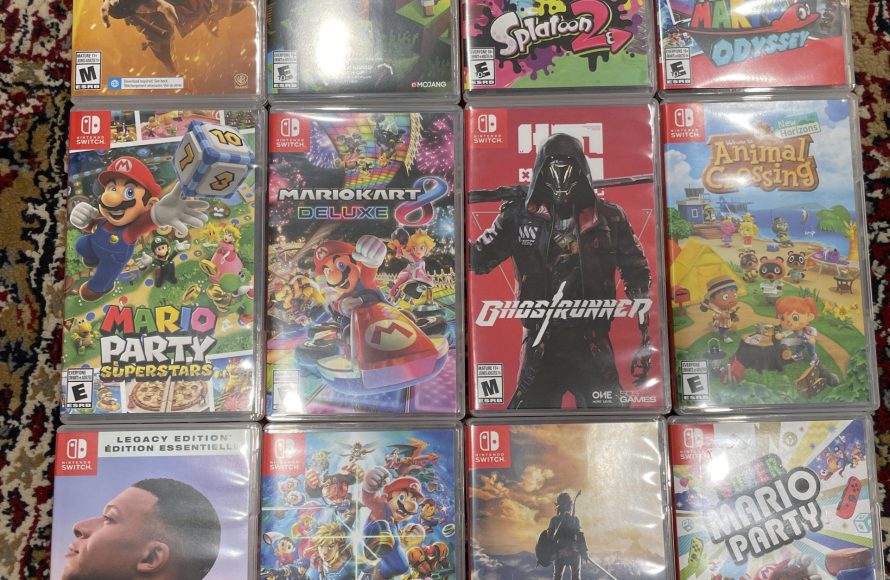
Yes, you can buy digital games on Switch through the Nintendo eShop.
Thinking about getting a new game for your Nintendo Switch? It’s a common question; can you buy digital games on switch? The answer is yes, and it’s quite simple. You don’t need to visit a physical store anymore.
The Nintendo eShop provides an easy way to purchase and download titles directly to your console. It offers a vast library of games. Start browsing and finding your next favorite.

Can You Buy Digital Games on Switch? Absolutely! Here’s How
You’re probably wondering if you can ditch those game cartridges and go completely digital with your Nintendo Switch. The great news is, yes, you absolutely can! The Nintendo Switch is designed to let you buy and download games straight to the console. Let’s dive into the world of digital gaming on the Switch and explore everything you need to know.
Understanding Digital Game Purchases on Nintendo Switch
Buying digital games on the Switch is like having a virtual game store right inside your console. Instead of going to a physical store, you can browse, choose, and download games from the Nintendo eShop. It’s a quick and convenient way to get your hands on new titles. Think of it as your own personal library of games that you can access anytime, anywhere, as long as your Switch is with you.
Accessing the Nintendo eShop
The heart of digital game purchases is the Nintendo eShop. You’ll find it on your Switch’s home screen. It looks like a little shopping bag icon with the Nintendo logo on it. This is where all the magic happens! When you tap on the eShop icon, you enter a digital marketplace filled with games, demos, and downloadable content (DLC).
Navigating the eShop
The eShop is designed to be easy to use, even for kids. You can browse different sections like “New Releases,” “Coming Soon,” “Great Deals,” and “Downloadable Content.” You can also search for specific games using the search bar at the top of the screen. The eShop also features curated lists and recommendations, which helps you find games that you might like. It’s like having a helpful game expert built right into the console!
Methods to Pay for Games
So, how do you pay for these digital goodies? The Nintendo eShop provides several options, so you can choose what works best for you. Here are some of the most common payment methods:
- Credit or Debit Cards: You can directly use your credit or debit card to make purchases. The eShop accepts major card brands.
- Nintendo eShop Cards: These are physical or digital cards that come with a specific amount of money on them. You can buy them at many stores and online. Just enter the code on the card into the eShop to add money to your account.
- PayPal: If you have a PayPal account, you can use it to make purchases on the Nintendo eShop. It’s an easy way to pay if you prefer not to use a credit or debit card directly.
- Nintendo Account Balance: You can add funds to your Nintendo Account balance through a variety of ways, including eShop cards and credit cards. This balance can then be used to purchase games or other content.
Downloading Your Digital Games
Once you’ve bought a game, the download process is very simple. It automatically starts downloading after your purchase is complete. You’ll see a progress bar on your home screen, and you can even keep using your Switch while the game is downloading in the background. Just be sure to have enough space for your game.
Managing Your Downloads
Sometimes, you might want to see the status of your download. This is very easy. Just navigate to your home screen of the switch and you will find the download status of the game with the progress bar and percentage of the download complete. If a game is taking longer to download, you can temporarily stop the download, to play some other game and resume it again later.
Game Sizes and Storage on the Switch
Digital games take up space on your Nintendo Switch. It’s important to keep an eye on how much storage you have left, especially when buying bigger games. Here’s a breakdown of storage and how to manage it.
Understanding Internal Storage
The Nintendo Switch comes with a built-in storage. The original Switch has 32GB, while the Switch OLED model provides 64GB of internal storage. However, some of this storage is used by the system software, so the actual amount available for games is a bit less. The Nintendo Switch Lite also comes with a 32GB of internal storage. You should know that the system software uses a portion of that space. For example, on a Switch model with 32 GB of storage, after the operating system takes its share, you are left with around 25.9 GB of free storage space.
Using microSD Cards
To increase the storage capacity of your Switch, you can use a microSD card. These are small memory cards that you insert into a slot on the back of your Switch. This is important because many games are larger than the Switch’s internal storage. A good microSD card will give you plenty of space to download a good amount of digital games. You can buy various sizes of microSD cards, and bigger cards allow you to save more games.
- Types of microSD cards: Look for microSDHC or microSDXC cards, since the Switch is compatible with both.
- Recommended Size: A 128GB or 256GB microSD card is a good choice for most people, since the games come in different sizes.
Managing Your Storage Space
It’s good to regularly check your available storage space on your Switch. You can do this through System Settings. If you need more space, you have a few options. You can archive games you are not playing to free up space, which saves your game data while removing the game files, or you can delete games. You can always redownload archived or deleted games from the eShop if you change your mind. Always remember, keep track of which games you have purchased to manage the space effectively.
Advantages of Buying Digital Games
Buying digital games on the Switch comes with several advantages. Here are a few reasons why many players prefer this method:
- Convenience: You can purchase and download games anytime, anywhere, as long as you have an internet connection. No more trips to the store!
- No Cartridges: You don’t have to worry about losing or damaging physical game cartridges. Your games are safe on your console and microSD card.
- Game Always Available: As long as you own the game, it will always be available to play at any time, even if you’re away from home.
- Pre-Loading Games: With some popular games, you can pre-load them before they officially release. This means you can play them right at launch time.
- Sales and Deals: The Nintendo eShop frequently offers digital sales and discounts, meaning you can save money on games.
Disadvantages of Digital Games
While digital game purchases come with great advantages, there are a few things to consider before completely ditching physical cartridges.
- Storage Space: As mentioned earlier, digital games take up space. If you plan on buying many games, you will need to invest in a microSD card.
- Cannot be Resold: Once you buy a digital game, you cannot sell it or trade it with friends. If you are someone that likes to trade games with friends, then this is a big drawback.
- Dependence on Internet: You will need a reliable internet connection to download games. The initial download is required for all the digital games and also the game updates.
- Less physical ownership: Some players prefer having physical copies of games. The feeling of having the cartridge and the box. Digital games do not have that same feeling of ownership.
Digital Game vs Physical Game
The choice between digital and physical games is really a matter of preference. Some players prefer the convenience and instant access of digital downloads, while others like collecting physical cartridges. If you like physical games and want to trade them with your friends, then physical games will suit you best. The price is not a big factor, as both games usually have similar costs.
| Feature | Digital Games | Physical Games |
|---|---|---|
| Convenience | Easy and fast to buy & download, available anywhere with wifi | Require travel to a store or ordering online |
| Storage | Takes up storage space, can be supplemented with microSD card | No storage taken up on the switch, but you have to manage physical storage |
| Reselling | Cannot be resold | Can be resold or traded |
| Physical Ownership | No physical copy | Physical copy and game case |
| Accessibility | Accessible anywhere if you own the game | You have to have physical cartridge with you to play |
The Nintendo Switch Online Service
Nintendo Switch Online is a paid membership service that offers a variety of benefits, including access to classic NES and SNES games, online play, and cloud saves. It is a helpful addition for anyone that likes online multiplayer gaming and the old Nintendo games. While it’s not directly related to buying digital games, it enhances the overall digital experience on the Switch.
How the Service Enhances Digital Gaming
- Cloud Saves: This is especially helpful if you are playing digital games, as you can back up your save data. This ensures that you don’t lose your progress if something happens to your console.
- Classic Game Libraries: The Nintendo Switch Online gives you access to a selection of classic NES and SNES games. These games can be downloaded and played without having to purchase them individually.
- Online Play: The online play allows you to play a wide variety of games online with your friends. If you are planning on getting online games, then this is a must-have.
Tips for Buying Digital Games
Here are some tips to help you navigate the digital game market on the Switch:
- Check for Sales: The Nintendo eShop has frequent sales, especially during holiday seasons and events. It’s a good idea to check these sales if you want to buy games for cheap.
- Research Games: Before buying a game, read reviews or watch gameplay videos. Make sure the game is something you’ll enjoy before spending your money on it.
- Use Wishlists: The eShop allows you to create a wishlist of games you are interested in. This can be helpful for keeping track of games and being notified when they go on sale.
- Manage Your Storage: Keep an eye on your storage space and remember to archive or delete games you no longer play if you are not using a microSD card.
In short, buying digital games on the Nintendo Switch is a fantastic way to enjoy the world of gaming. It’s easy, convenient, and gives you access to a wide variety of titles at any time. Whether you prefer the physical games or the digital downloads, Nintendo has provided multiple options to enjoy their gaming experience. So next time you want a new game, just remember that you can simply buy it right from your Switch, without having to worry about physical cartridges!
Nintendo Switch Physical Vs Digital Full Guide!
Final Thoughts
Yes, you can absolutely buy digital games on Switch. Nintendo offers a dedicated eShop where you can purchase and download titles directly to your console. This method provides convenience and instant access to your games.
The eShop contains many options including new releases and older favorites. You also find sales and deals frequently, making digital purchases very attractive. “can you buy digital games on switch” is a common question, and the answer is a clear yes with the many ways to acquire digital games through their console’s eShop.

