
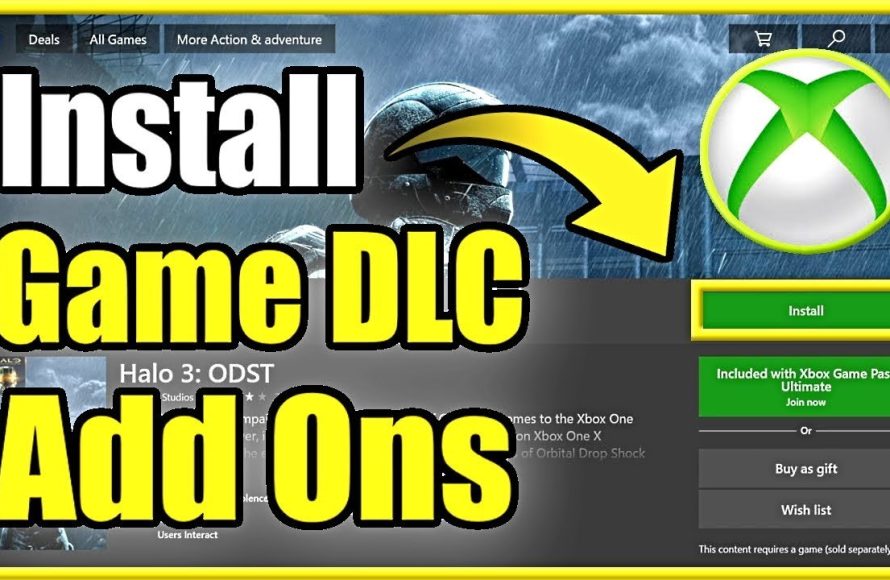
Yes, you can buy DLC for Game Pass games.
Ever found yourself deep in a Game Pass title and craving more? Perhaps a new storyline or additional challenges? Many players wonder, can you buy DLC for Game Pass games? It’s a valid question, given the subscription model.
The good news is that most often, the answer is yes. Developers frequently offer downloadable content for games available through Game Pass. If a game has DLC, you can usually purchase it through the same platform where you access the base game.

Can You Buy DLC for Game Pass Games?
Okay, let’s dive deep into the world of Xbox Game Pass and downloadable content, also known as DLC. It’s a question many gamers ponder: “If I’m playing a game through Game Pass, can I actually buy and use extra content for it?” The short answer is a resounding YES, but there are some interesting things to know, and we’re here to explain them all clearly. Think of Game Pass like a huge video game library where you can play many games. DLC, on the other hand, are add-ons that can make your games more fun with new stories, characters, items, or levels. Now, let’s break down how these two work together.
Understanding Game Pass and DLC
First, let’s make sure we’re all on the same page about what Game Pass and DLC are. Game Pass is a subscription service from Xbox. For a monthly fee, you can play a wide variety of games on your Xbox console, PC, or even on your phone through the cloud. It’s like a Netflix, but for video games! Games come and go from the service.
DLC, or downloadable content, refers to additional content for a video game that you can purchase separately. It’s extra stuff that the game’s makers add to make the game bigger or more exciting. Imagine a game about a detective, and they release a DLC that gives you a new case to solve. That’s DLC in action. It’s a way to keep enjoying games long after they are released.
Why Buy DLC for Game Pass Games?
You might be wondering, “If I can play the base game through Game Pass, why should I buy any DLC?” It’s a fair question. Here are some common reasons why players buy DLC even when they have the main game via Game Pass:
More Story: DLC often adds new story chapters or even entire new storylines. If you really enjoyed the core game, DLC can let you continue your adventure. Imagine finishing a great book, and then finding out there are a few more chapters waiting for you! That’s what story DLC feels like.
New Characters: Sometimes, DLC introduces new characters that you can play as. This can significantly change how you experience the game and can add new depth to the story. A new character can offer new abilities and challenges that are not present in the base game.
Extra Items and Gear: DLC can give you cool new weapons, tools, outfits, or other items that can make your game even more engaging. These items can give you advantages or simply let you change how you look and play in the game.
New Areas to Explore: Some DLC adds completely new maps or areas to the game. These can offer a fresh landscape, new challenges, and new secrets to uncover. Exploring new areas keeps your interest and makes the game feel fresh, even if you’ve played the original game many times.
Supporting Developers: When you buy DLC, you are helping the game developers. You are saying “I like your game” with your wallet and support that encourages developers to keep making new and awesome content.
How to Buy DLC for Game Pass Games
Buying DLC for Game Pass games is pretty straightforward. You buy DLC for games on Game Pass in the same way you’d buy it for any game you own digitally. It’s all done through the Xbox or Microsoft store. Here’s a step-by-step guide:
1. Find Your Game: First, open the Xbox or Microsoft Store and go to the page for the game you’re playing through Game Pass. You can search for the game title using the search bar.
2. Look for Add-ons: On the game’s page, you’ll see options to buy the game outright, or you’ll see options for Add-ons. You will see the section for ‘Add-ons’ or ‘DLC’ usually below the game description and details. Click that section.
3. Choose Your DLC: Browse through the available DLC. You can read descriptions of each DLC and see the price before you make a purchase. Look at screenshots and read reviews, if available, to make sure you are getting content that you would like.
4. Purchase the DLC: Once you’ve chosen the DLC you want, click the “Buy” button. It will be added to your cart. Complete the purchase process using your credit or debit card, gift card, or other payment method.
5. Download the DLC: Once purchased, the DLC will usually begin downloading automatically. If it doesn’t, you can find it in your library or under the game’s add-ons section and start the download.
Important Things to Remember When Buying DLC for Game Pass Games
It’s great that you can enhance your Game Pass games with DLC, but here are some points you absolutely need to remember:
Game Pass Removal: If the game leaves Game Pass, you will not be able to play the game or the DLC, even if you purchased the DLC. This is something that catches many players out.
DLC Ownership: When you buy DLC, it is yours to keep, but it will only be used when you have the base game or you own the base game. If you buy DLC for a game on Game Pass and it leaves, your DLC won’t be playable until you own a copy of the base game or the game returns to Game Pass again.
DLC is Game Specific: DLC is specifically made for particular games. You can’t use a DLC from one game on a different game, even if they are similar.
Check for Bundles: Sometimes, the game makers offer bundles that include the base game and all of the DLC in one purchase. If you are sure you like the game and you think you will want the DLC, buying the whole bundle can often save you money versus buying the game and DLC separately.
Confirm Compatibility: Before buying DLC, always make sure it is compatible with the version of the game you have. Sometimes DLC is not compatible with older or newer versions of the game. DLC usually works with the newest version of the game, but if you’re playing a very old version, check this beforehand.
What Happens When a Game Leaves Game Pass?
This is a key point and can impact your decision to buy DLC. As mentioned earlier, games on Game Pass do not stay there forever. They rotate. If you’re playing a game through Game Pass and it leaves the service, you will no longer have access to the game or the DLC you purchased, even if you bought the DLC.
However, don’t worry. This does not mean your DLC is gone forever! It just means that you can’t use it until you have the base game. There are several ways to regain access:
Buy the Game: The easiest way is to buy the game. If the game is no longer on Game Pass and you want to keep playing the game and the DLC, you would need to purchase the digital game from the store. Your DLC would be available when you own the base game.
Wait for the game to return to Game Pass: Games may return to Game Pass at a later time. If you are patient, you might see the game come back to the service, which means your DLC will be available to you again. Check the Xbox announcements for information about returning games.
Think of it like this: imagine you borrowed a book from a library (Game Pass). You bought some bookmarks (DLC) to help you keep track of your progress. When you return the book to the library, you can no longer use those bookmarks until you get the book back from the library or buy your own copy of the book.
Game Pass Perks and DLC
Sometimes, Game Pass offers what are known as “Perks.” These perks can include discounts on specific DLC or even free DLC for certain games. It’s a good idea to keep an eye on these perks as they can allow you to save money on content for the games you are playing via the service.
Here’s how to check for Game Pass Perks:
1. Go to Game Pass: On your console, PC, or mobile app, find the Game Pass section.
2. Find Perks: Look for the section that mentions Perks. It’s usually located in the main menu or somewhere easy to see.
3. Browse Available Perks: Scroll through the list of available perks. You may see free DLC, in-game items, or other special content for Game Pass games.
4. Claim Your Perks: If you see something you like, click on it to redeem and add it to your account. Sometimes, the perk will give you a code or link to claim on the store.
DLC Purchase Strategies for Game Pass Players
So, how do you decide when to buy DLC for a Game Pass game? Here are some useful tips and questions you should consider:
Do you really like the game? Don’t buy DLC just because it’s there. Make sure you actually enjoy the game first. Wait a week or two and see if you still are into the game. If you’re not very excited about the game, it may not make sense to invest in extra content for it.
How long is the game expected to stay on Game Pass? Check news sites and forums and see if others are discussing this. If the game is likely to leave the service soon, it might be wiser to wait to purchase the game and DLC at a later time, or think about getting them as a bundle.
Is the DLC worth the money? Read reviews and watch videos of the DLC before you buy. This will help you decide if the new content is good, or if it just is not that much additional content or if the DLC is not very good. Don’t waste your money on DLC you won’t enjoy.
Are there any discounts? If the DLC is on sale or you have a Game Pass Perk for it, that can be a good time to buy. You could save a fair bit of money.
Consider bundles: If you really like the game, look out for the game bundle when it goes on sale. This can save you money long term if you decide you want all the DLC and the game, and you know you will play it a lot.
By considering these strategies, you’ll make better decisions about buying DLC for Game Pass games and make your gaming experience better.
Using your DLC
Once you buy and download the DLC, usually it will be accessible when you launch the game. There are times when you may need to start a new game or start a new game mode to see the new content you bought. Most of the time, if you were playing the game, all you need to do is restart it and you will have the new content that you bought for the game.
When buying DLC, always make sure you have enough hard drive space on your console or PC. Downloading DLC takes up space, and if you don’t have enough space, you won’t be able to use the content.
It’s always a good idea to double check the DLC information before you buy it and make sure it is suitable for the game you are playing and the correct DLC for your game. If you are not sure, there are many gamer communities where you can ask, or you can look at the reviews of the content you are thinking of buying.
Buying DLC for a Game Pass game can add many hours of fun to your video game experience. By understanding the rules and thinking about what you want to play, you can make smart purchase decisions and get the very most from your gaming.
How Microsoft feeds gamepass
Final Thoughts
Yes, you can buy DLC for games you access through Xbox Game Pass. These purchases work the same way as buying DLC for any other game. You own that extra content even if the base game leaves Game Pass.
You should consider this; your DLC remains tied to your account. This means, if you decide to buy a game later, your purchased DLC will be there. Thus, the answer is definitively yes, can you buy dlc for game pass games.

