
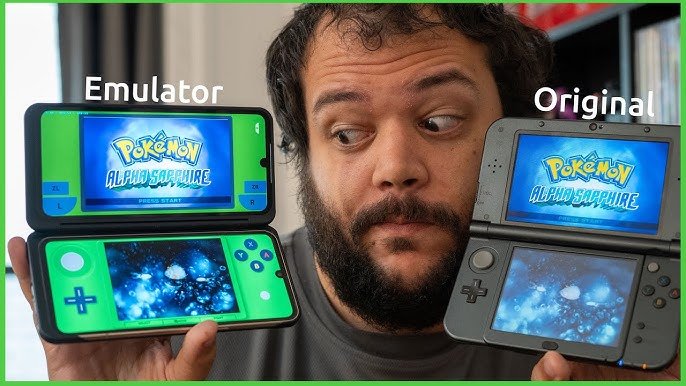
Yes, you can emulate 3DS games using specialized software on your computer or compatible devices.
The allure of playing classic Nintendo 3DS titles remains strong, even as newer systems emerge. Many gamers wonder, can you emulate 3DS games? It’s a frequent question asked within the gaming community. People want to enjoy these experiences without relying solely on original hardware.
Luckily, the process of emulation has advanced significantly. Now, you can play a variety of 3DS titles through specific emulators. These tools provide a way to revisit beloved games on your preferred platforms.

Can You Emulate 3DS Games? A Deep Dive
The Nintendo 3DS, with its dual screens and unique 3D capabilities, holds a special place in the hearts of many gamers. But what if you could play those amazing 3DS games on your computer, phone, or even a different console? That’s where emulation comes in. Let’s explore the world of 3DS emulation, break down how it works, and what you need to know to get started.
What is 3DS Emulation?
Emulation, in simple terms, is like teaching one computer to pretend to be another. In this case, we’re trying to make your computer, or other device, act like a Nintendo 3DS. A 3DS emulator is a special piece of software that does this tricky job. It translates the instructions and data of 3DS games into something your device can understand and run. This allows you to play your favorite 3DS titles without needing the original console.
How Does 3DS Emulation Work?
It might seem like magic, but there’s a lot of complicated computer science involved. Here’s a simplified breakdown of how emulation works:
- Game ROMs: First, you need a copy of the game, often called a ROM. This is a digital file containing all the data of the 3DS game. Think of it like a digital cartridge.
- Emulator Software: This is the main program that pretends to be a 3DS. It has special instructions that it can understand and run.
- Translation: The emulator reads the game ROM and translates the 3DS’s game instructions into something your computer’s processor can understand.
- Graphics and Sound: The emulator also manages the visuals and audio, mimicking the 3DS’s display and speakers. This is where a lot of the heavy processing happens.
- Input: The emulator takes inputs from your keyboard, mouse, or gamepad and pretends they are coming from the 3DS’s buttons and touch screen.
The emulator needs to be very accurate in its translations so that the game functions correctly. A good emulator will produce gameplay that closely mirrors the original 3DS experience. It’s very complicated work, and requires a team of very intelligent coders to build.
Why Would You Want to Emulate 3DS Games?
There are several reasons why someone might want to emulate 3DS games:
- Play on Larger Screens: Enjoy your games on a bigger display. This can greatly enhance the visual experience, especially with games that have beautiful graphics.
- Convenience: Have all your games in one place. No need to carry around multiple cartridges or the 3DS console itself.
- Experimentation: It can be fun to try out different mods, texture packs and tweaks available in the emulation community.
- Preservation: Help preserve older games and make them available for future generations. When old game consoles and cartridges stop working, the digital copies can still be played thanks to emulation.
- Accessibility: Emulation might provide some accessibility options not available on original hardware, such as remapping controls, or adjustable screen sizes.
Popular 3DS Emulators
Several emulators are available for playing 3DS games, each with its own strengths and weaknesses. Here are some of the most popular ones:
Citra
Citra is arguably the most well-known and widely used 3DS emulator. It’s an open-source project, meaning its code is free for anyone to view and improve. Citra runs on Windows, macOS, Linux, and even Android devices. It’s known for its good compatibility and accuracy, and it gets regular updates to make it even better.
- Pros: High compatibility, active development, available on multiple platforms, good performance on many devices.
- Cons: May require more powerful hardware for some games.
Lemuroid
Lemuroid is a multi-system emulator for Android devices. While not exclusively a 3DS emulator, it supports Citra core, allowing you to run 3DS games using its app. Lemuroid is known for its easy-to-use interface and support for many other systems.
- Pros: User-friendly, supports many systems, good Android option.
- Cons: Relies on Citra core, performance may depend on device.
RetroArch
RetroArch is a frontend for emulators, meaning it acts like a hub to launch different emulators (called “cores”). It’s very versatile and supports many platforms. Citra is available as a core, making RetroArch an option for 3DS emulation. It’s a slightly more complex option that’s favored by those who want more customizability.
- Pros: Supports many systems, highly customizable, available on multiple platforms.
- Cons: Can be complex to set up for new users.
Setting Up a 3DS Emulator
Setting up an emulator might seem daunting at first, but don’t worry, it’s not too complicated. Here’s a general overview of the steps:
- Download the Emulator: Choose the emulator that suits your needs, Citra is often a good starting point. Download the correct version for your operating system. Make sure you download the emulator from a safe and official source.
- Obtain Game ROMs: You will need digital copies (ROMs) of the games you want to play. Getting game ROMs is a tricky area and you need to understand that you should only download games you have legally purchased, and be aware that downloading ROMs of games you don’t own can lead to legal problems.
- Install the Emulator: Follow the instructions to install the emulator on your computer. Installation usually involves running the installer and following the on-screen instructions.
- Configure the Emulator: Open the emulator and set up basic settings like graphics, controls, and sound. You can experiment with these settings to achieve the best performance.
- Load the ROM: Load the game ROM into the emulator. Usually, you will just need to select the ROM file you downloaded.
- Start Playing: Start playing and enjoy your 3DS game. You might have to tweak your settings and experiment a bit with the emulator to get everything working just right.
Every emulator has slight variations in the installation process, so it’s often helpful to read the documentation that comes with the emulator, or look for guides online.
Things to Consider When Emulating 3DS Games
Emulating 3DS games comes with a few important points to keep in mind:
Hardware Requirements
Emulating a 3DS requires some processing power. If your computer is old or doesn’t have a dedicated graphics card, you may experience performance issues like slow frame rates or lag. Here are some general guidelines:
- Processor: A modern multi-core processor (like an Intel Core i5 or AMD Ryzen 5) is recommended. The more powerful, the better the emulation.
- Graphics Card: A dedicated graphics card is highly recommended for smooth gameplay. It can handle the graphics processing of the emulator much better than integrated graphics.
- RAM: At least 8 GB of RAM is usually a good idea. You need to have enough memory to run the emulator and the game without performance loss.
Game Compatibility
While most 3DS games are playable on emulators like Citra, some games may have issues or may not work perfectly. This can be due to errors in the game code translation by the emulator. These issues can sometimes be fixed by updating the emulator, or you may have to wait until the developers of the emulator have made fixes for the problems.
Performance Issues
Even with good hardware, you might experience stuttering, slowdowns, or visual glitches. This can depend on the specific game or emulator you are using. You might need to adjust the graphics settings of the emulator to find a balance between performance and visual quality.
- Try reducing resolution.
- Turn off features like Anti-aliasing.
- Experiment with different graphics APIs.
Legality
The legality of emulating games is a complex topic. It is legal to emulate games you already own. However, downloading and playing ROMs of games you don’t own is often considered piracy, and it’s very important that you only download games you already own, and don’t download games you do not own.
The legal situation can vary depending on where you live, so it’s important to be aware of the laws in your own country or region. In most places, downloading copyrighted games without owning them is illegal.
Tips for a Better Emulation Experience
Here are some tips for making your emulation experience smoother and more enjoyable:
- Update your emulator: Keep your emulator up to date to get the latest fixes and improvements.
- Experiment with graphics settings: Adjust the graphics settings in the emulator to find what works best for your system. Sometimes, lowering the resolution or turning off certain features can improve performance.
- Use a gamepad: Playing with a gamepad or controller can greatly enhance the experience, especially for games designed for the 3DS console.
- Join the community: Online communities and forums can be great resources for finding solutions to problems and learning from others.
- Backup your saves: Always make a backup of your saved games from time to time. This way you will not lose your progress, and will be able to restore them if something goes wrong.
Beyond the Basics: Advanced Features
As you become more comfortable with 3DS emulation, you might want to explore some of the advanced features offered by emulators like Citra:
Texture Packs
Texture packs are community-made mods that replace the original textures in a game with higher resolution or modified ones. This can improve the visual quality of a game. This is a great way to breathe new life into old games.
Mods
Some emulators allow you to use mods that change gameplay mechanics or add new features. This is another area where the community can really add a lot of fun and variation to existing games. Mods can be anything from changing the character costumes, to adding completely new areas and new stories.
Multiplayer
Emulators like Citra have options for playing online with other people. This means you can join up with other players and enjoy co-op or versus games online, just like you would on a real 3DS.
Custom Controls
Emulators allow you to customize the controls. You can set up buttons and sticks to perfectly suit your gameplaying style. This can be very useful for players who find that the standard controls are not intuitive.
The Future of 3DS Emulation
The world of 3DS emulation is continuously evolving, with developers making constant improvements to emulators. This means that even more games should become playable in the future, and the existing emulators will continue to become even more reliable and easier to use. As technology advances, we can look forward to emulation becoming even more accessible and accurate.
Emulation is a great way to experience the magic of 3DS games on other devices. While it may require some setup and technical understanding, the end result can provide hours of enjoyment, with the potential to breathe new life into these wonderful classics.
3DS Emulator: This is Nuts!
Final Thoughts
Emulation of 3DS games is certainly possible with software like Citra. You can play many titles at a reasonable quality, often with enhanced graphics.
However, performance may vary depending on your hardware. Some games might not run flawlessly, or even at all. The experience is always improving, with constant updates being made to the emulator software.
So, can you emulate 3ds games? Yes, the technology exists, but the success is not guaranteed for every game. It requires capable hardware and proper configuration.

