
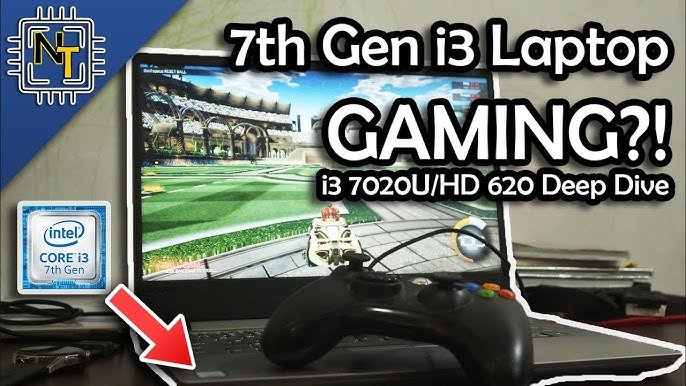
Yes, you can game on a 7th gen i3, but expect it to be limited to older titles or games with low graphical demands at lower settings.
So, you’re wondering, can you game on a 7th gen i3? It’s a fair question. This generation of Intel processors is quite old now, and gaming technology has moved on quite a bit. Let’s explore the performance you might expect.
While the 7th gen i3 processor is capable of running many things, its gaming capabilities are not as good compared to newer CPUs. You’ll likely need to tweak settings down, and may experience performance issues in newer games.

Can You Game on a 7th Gen i3? Exploring the Limits
So, you’ve got a computer with a 7th generation Intel Core i3 processor and you’re wondering if it can handle games? That’s a great question! Many people are in the same boat, and it’s definitely worth looking into. The short answer is: it depends. Let’s take a deep dive into what a 7th gen i3 is capable of, and what you can realistically expect from it for gaming. We’ll explore the types of games you might be able to play, how to get the best performance, and when it might be time for an upgrade. We’ll also talk about other things that impact gaming besides the processor, such as graphics cards and RAM. Let’s begin!
Understanding the 7th Gen i3
Before we jump into gaming, let’s understand what a 7th generation Intel Core i3 processor is all about. These processors were released back in 2017 and they were designed for everyday tasks like browsing the internet, doing schoolwork, and watching videos. They are budget-friendly CPUs, meaning they’re not the most powerful option out there, but they get the job done for basic computing. Usually, they come with two cores and four threads, which means they can do a few things at once, but not as much as processors with more cores and threads.
Here’s a quick look at some key features you might see in a 7th gen i3:
- Core Count: Typically 2 cores
- Thread Count: Typically 4 threads
- Base Clock Speed: Varies depending on the specific model, but usually around 3.0-4.0 GHz.
- Integrated Graphics: Usually Intel HD Graphics 610, 620, or 630 (the exact model depends on the specific i3 processor).
Keep in mind that the integrated graphics on the 7th Gen i3 aren’t built for serious gaming. They are more for basic display output and light graphical tasks. This means that you’ll likely need a separate, dedicated graphics card for good gaming performance. But what kind of games might work?
Game Types That Might Work
Okay, so you have a 7th gen i3. What games can it actually handle? The reality is that it won’t run the latest AAA titles at high settings, but there are a lot of great games that will work well. Think of older games, games with simpler graphics, and less demanding esports titles. Here are some examples of game types:
Older Titles
Games that came out before 2015, or even earlier, can often run pretty smoothly on a 7th gen i3. These games are designed to run on older hardware, and they won’t push your processor too hard. Think of games like:
- Minecraft
- Portal 2
- The Elder Scrolls: Oblivion and Skyrim (with lower settings)
- Half-Life 2
- Older Call of Duty titles
Indie Games
Many indie games often focus on gameplay rather than extremely high-end graphics. This makes them good options for a computer with a 7th gen i3. Examples include:
- Stardew Valley
- Hollow Knight
- Terraria
- Celeste
- Among Us
Esports Titles
Many popular esports games don’t require top-of-the-line hardware to run well. These games focus on strategy and skill, so they’re often optimized to run on a variety of systems. Good choices include:
- League of Legends
- Dota 2
- Counter-Strike: Global Offensive (CS:GO)
- Rocket League
- Valorant (with some adjustments)
Light Games and Browser Games
Simple online games and browser-based games are usually not very demanding at all. These games are usually fine for a system with a 7th gen i3.
- Flash games
- Online card games
- Simple puzzle games
The Importance of a Dedicated Graphics Card
One of the most important things to remember is that your 7th Gen i3’s integrated graphics isn’t built for gaming. If you try to run more complex games on it alone, you’ll likely experience lag and poor frame rates, that means the game will not be smooth, and it will likely not be enjoyable. A dedicated graphics card (GPU) is very important for gaming. It takes care of rendering the visuals of the game, which takes a lot of pressure off the processor. A GPU will significantly increase your system’s ability to play games. There are GPUs for different budgets and power needs, so choose one that fits your system and the type of games you want to play.
Here are some good budget and mid-range GPUs that pair well with a 7th gen i3:
- NVIDIA GeForce GTX 1050 Ti: A good entry level option that can handle 1080p gaming at lower settings.
- NVIDIA GeForce GTX 1650: An improvement over the 1050 Ti, offering better performance for newer games.
- AMD Radeon RX 570 or RX 580: These are excellent cards for mid-range gaming and can often be found at good prices.
Always make sure your power supply and case can support your chosen graphics card. A stronger GPU allows your system to manage more complex games, with better graphics, smoother frame rates, and it reduces the demand on your CPU. If you do decide to get a GPU, your gaming experience will improve significantly.
RAM: Another Key Factor
Besides your processor and graphics card, RAM (Random Access Memory) is another very important component that affects gaming performance. RAM is like short-term memory for your computer. It stores the data that your processor needs to access quickly. If you don’t have enough RAM, your games will not run smoothly, and you will experience freezing, lagging, and stutters. 8GB of RAM is generally the minimum to aim for these days. 16GB is even better, as it will allow you to multitask better, and it will help ensure your games run more smoothly.
Here is a table that summarizes how much RAM you will need:
| RAM | Use |
|---|---|
| 4GB | Basic tasks, very light gaming (not recommended for gaming). |
| 8GB | Basic gaming, some multitasking. |
| 16GB | Good gaming performance, smooth multitasking. |
| 32GB+ | High-end gaming, heavy multitasking, professional work. |
If you are considering upgrading your RAM, make sure your motherboard supports the speed and type of RAM that you want to use. Check your system’s specifications or motherboard manual. Always try to aim for the maximum RAM that your motherboard supports, as more RAM will almost always be beneficial for performance.
Optimizing Your Gaming Experience with a 7th Gen i3
Even if you have a capable graphics card and sufficient RAM, there are a few extra things you can do to get the best possible gaming experience out of your 7th gen i3 system. Here are some tips:
Lowering Game Settings
Often the first thing that people do to improve game performance is to lower the game’s graphics settings. This means turning down the details, the resolution, and other graphics effects. Lower settings reduce the workload on the processor and graphics card, and this will help your games run much smoother. Start with the lowest settings and gradually increase them until you find a good balance between performance and visual quality.
Closing Background Applications
Too many programs running in the background can use up your processor power and RAM, which can make gaming much slower. Before you start gaming, close any unnecessary applications such as web browsers, music players, and other software that is not needed. This will help you dedicate your resources to the game that you are playing.
Keeping Your Drivers Updated
Outdated drivers for your graphics card, sound card, or other hardware can lead to performance problems and game crashes. Make sure you are always running the latest drivers for all of your hardware. Visit the manufacturer’s website for your specific components and download the newest drivers that are appropriate for your system.
Optimizing Windows
Windows has features that can help with gaming. You can adjust the power settings to prioritize performance, you can disable unnecessary startup programs, and you can clean your system of unused files. This will often improve your overall system performance and gaming experience.
Here are some ways you can optimize Windows:
- Use the “Performance” Power Plan: This plan prioritizes performance over power saving, which can help with gaming.
- Disable Startup Programs: Some programs run automatically when you turn on your computer and they slow things down. You can disable these programs in the task manager.
- Run Disk Cleanup: This program removes temporary files and other unnecessary files that can slow down your system.
Overclocking Your CPU (Carefully!)
Overclocking involves making your processor run faster than its default speed. It can provide an extra boost in performance. However, overclocking is a risky thing, and it can cause damage to your processor if you don’t do it correctly. It also requires a good cooling solution, so always proceed with caution. It is not recommended if you are not very familiar with this process. If you choose to overclock, always start with small adjustments and always monitor your CPU temperatures. There are many guides online that you can follow if you choose to overclock.
When It’s Time to Upgrade
Even with all of these optimizations, you might still find that your 7th gen i3 is holding you back. If you’re trying to play the newest games, or you want to play your current games at higher settings and with better frame rates, it may be time to consider a system upgrade. Some signs that it might be time to upgrade include:
- Constant stuttering or lagging: If you are constantly experiencing lag and performance issues, even with lower settings, it may be time to upgrade your processor.
- Difficulty running newer games: If newer games just will not work on your system, or they are unplayable, it is most likely time for an upgrade.
- Frequent system crashes: If your system crashes frequently while gaming, this is often a sign that your hardware is not able to keep up with the demands of the game.
- Very low frame rates: If you are getting very low frame rates in games, even with low settings, upgrading your processor may be beneficial.
Upgrading your processor can be expensive, but it is often the best way to get the most out of your gaming experience. There are other ways to upgrade your system, like upgrading to a new graphics card, or getting more ram, but when your CPU is the bottleneck, upgrading it will be the most beneficial.
Alternatives to a Full Upgrade
If a full system upgrade isn’t in your budget, there might be some less expensive alternatives that you can explore. These include:
Secondhand Parts
Buying secondhand parts can be a way to upgrade your computer on a budget. Sites like eBay and local marketplaces often have people selling used processors, RAM, or graphics cards. Always be careful when buying secondhand parts, and do your research before you buy anything. Be sure to check the reviews of the seller and their products, and only buy from trustworthy sources.
Cloud Gaming Services
Another way to play games, especially newer, more demanding games on an older computer, is through cloud gaming services. These services allow you to stream the games from powerful servers to your computer, without actually using your hardware. Services such as Nvidia GeForce Now, Xbox Cloud Gaming, and Google Stadia (Stadia is discontinued now) offer a large library of games, and it can be an alternative to upgrading your computer if your internet connection is good. However, these services usually require a subscription fee.
Focusing on Optimized Games
Instead of playing demanding games, try to focus on games that are better optimized for lower end systems. There are many great titles that can run well on older hardware, so you do not need to upgrade to have fun gaming. Try games that focus more on gameplay, and less on high-end graphics.
So, can you game on a 7th gen i3? Absolutely! While you may not be playing the newest AAA titles at high settings, there are still plenty of great games you can enjoy. With a dedicated graphics card, enough RAM, and some optimizations, you can get a good gaming experience. However, if you find yourself constantly struggling with performance issues, it might be time to consider a system upgrade. Always remember to look into the games that you want to play, and see what their minimum and recommended requirements are, to ensure that you will have a smooth gaming experience. With some planning, and the right adjustments, you will be able to have a good gaming experience on your computer.
Intel i3 boot test | intel i3 Speed test with window 10 vs window 7
Final Thoughts
Ultimately, gaming on a 7th gen i3 is possible, but manage expectations. You can certainly play less demanding or older titles. However, don’t expect to handle modern AAA games smoothly.
For graphic-intensive games, you will likely face significant limitations. Many newer releases demand more processing power. Therefore, ‘can you game on a 7th gen i3’ reasonably? Yes, on simpler games.

