
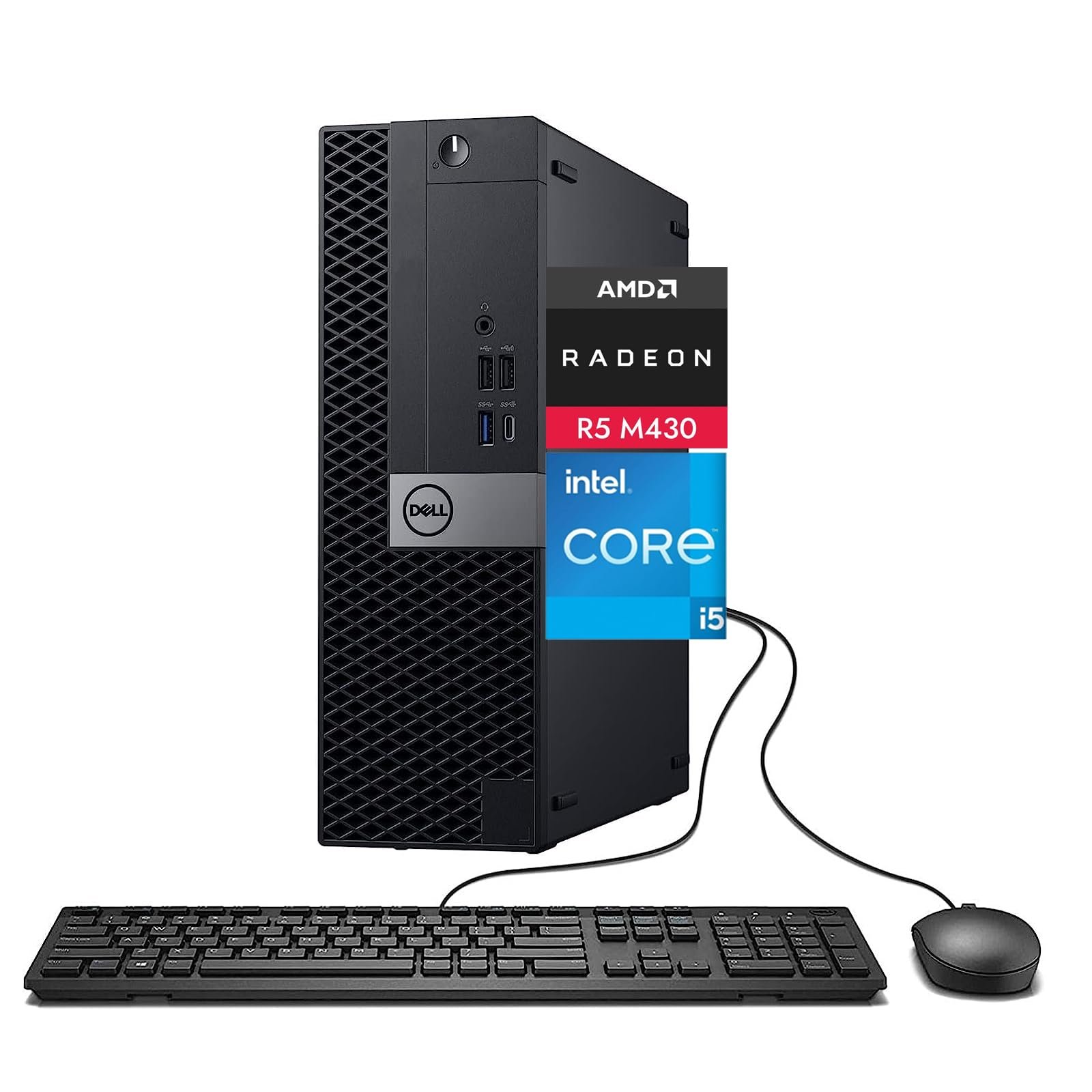
Yes, you can game on a Dell Optiplex 7050 desktop, but with significant limitations due to its integrated graphics. You’ll likely need to stick to older or less demanding games.
Curious if that office PC can handle more than spreadsheets? Many wonder, can you game on a dell optiplex 7050 desktop? It’s a common question since these machines are so prevalent. The reality is, these desktops weren’t designed with gaming in mind.
They usually come with basic integrated graphics, limiting performance on modern titles. However, don’t count it out completely; some games are still playable.

Can You Game on a Dell OptiPlex 7050 Desktop?
So, you’ve got a Dell OptiPlex 7050. Maybe it’s your work computer, or maybe you picked one up used. Now you’re wondering, “Can I actually play games on this thing?” That’s a great question, and the answer is… it’s complicated! Let’s break it all down and see what this machine can really do when it comes to gaming.
Understanding the Dell OptiPlex 7050
First, let’s look at what the Dell OptiPlex 7050 is designed for. It’s a business-class desktop. That means it’s made for work, not necessarily for play. These computers are built to be reliable, stable, and efficient for office tasks. Think spreadsheets, word processing, and web browsing. However, that doesn’t mean it’s completely hopeless for gaming. It just means we have to be smart about it.
Key Specifications to Consider
The OptiPlex 7050 comes in different configurations, so the exact parts inside will vary. But here are the most important parts that affect gaming:
- Processor (CPU): Usually an Intel Core i5 or i7 of the 6th or 7th generation. The CPU is like the brain of your computer. It handles all the calculations needed to run games. A faster CPU means smoother gameplay. The core i5 is okay for some lighter gaming, but the core i7 will perform better if you have it.
- Graphics Card (GPU): This is where things get tricky. Most OptiPlex 7050s come with integrated graphics, usually Intel HD Graphics. This type of graphics is built into the processor and is not ideal for playing games. For gaming, you need a dedicated graphics card (something separate from the CPU). It can do the work for the gaming visuals, making the games faster and look better.
- Memory (RAM): The amount of memory helps your computer to run smoothly, this is where the game data get stored when you play the game. You’ll usually find 8GB, 16GB, or sometimes even 32GB of DDR4 RAM in these desktops. 8 GB RAM is a decent start for a few games but higher is always better.
- Storage: Your games are stored in your hard drive or SSD. You might find a traditional hard drive (HDD) or a faster solid-state drive (SSD). SSDs are better for loading your games faster. You need space to install your game as well.
- Power Supply: The power supply unit (PSU) provides electricity to all the parts in your computer. The PSU in OptiPlex 7050 is usually not that powerful. When you try to add new parts, it may need an upgrade.
The Gaming Reality on Integrated Graphics
Okay, so most OptiPlex 7050s have integrated graphics, like Intel HD Graphics. What does that mean for gaming? Well, it means you’re limited to playing less demanding games. Think of games that aren’t graphically intense, such as:
- Older titles (games released many years ago)
- Indie games with simpler graphics
- 2D platformers
- Puzzle games
- Some casual games
Here’s the thing: if you try to play a brand new, graphically demanding game with integrated graphics, it likely won’t work very well. It could be very slow, the graphics might look bad, and the game might crash a lot.
Some examples of games you might be able to play (with settings turned way down) on the Intel HD graphics are:
- Minecraft
- Older games like Half Life 2
- Many 2D games available on Steam or other sites
- League of Legends
- Counter Strike Global Offensive
This is not a list where you can expect high framerates and perfect graphics but you can get by.
Adding a Dedicated Graphics Card: The Game Changer
The good news is, the OptiPlex 7050 can be upgraded to handle more demanding games! The key is adding a dedicated graphics card. This is a separate card that plugs into your motherboard and does all the heavy lifting when it comes to game graphics.
Choosing the Right Graphics Card
Picking the correct card requires some planning and considerations.
- Size and Compatibility: The OptiPlex 7050 has a few different sizes, such as SFF (Small Form Factor) and MT (Mini-Tower). It is important to buy the size of card that will fit inside the particular size of OptiPlex you have. SFF models will usually need a low-profile card. Full size cards will fit into a Mini-Tower. Always double check the measurements before ordering anything.
- Power Requirements: The power supply unit (PSU) in the OptiPlex 7050 might not be strong enough for a high-end graphics card. You might need to upgrade the PSU when getting a new card. Most cards need an extra power connector from the PSU. The standard PSU in the OptiPlex 7050 does not have these so always take note of power requirements.
- Budget: Graphics cards can be expensive. Set a budget before you start looking. You can find good mid-range cards that can handle many games at a decent price.
Here are a few examples of graphics cards that can work well with the OptiPlex 7050, depending on your configuration (always double check compatibility with the specific model of the 7050 you have):
- Low-Profile Cards (for SFF models):
- NVIDIA GeForce GTX 1650 Low Profile
- AMD Radeon RX 6400 Low Profile
- Standard Size Cards (for MT models):
- NVIDIA GeForce RTX 3050
- AMD Radeon RX 6600
- NVIDIA GeForce GTX 1660 Super
Installation and Other Considerations
Installing a new graphics card is a relatively easy job but you may find that some modifications are necessary. If you have a PSU that has sufficient power connections, it is normally only a matter of plugging the card into the correct slot. You should also be sure to have the right software for your new card. This is normally supplied on a disk, but it can also be downloaded from the internet.
- Power Supply Upgrade: As stated before, many gaming cards need more power than the stock PSU has. You might have to buy and install a new one. Do some research on the power consumption of your new card and the PSU you are planning to purchase.
- Driver Installation: After installing the new graphics card, you will need to install the drivers. These are pieces of software that allow the operating system to talk to the card. You can usually download the latest drivers from the graphics card manufacturer’s website (NVIDIA or AMD).
- Space: You need enough space inside your PC case to fit the new card. Make sure to measure the card and your case before buying anything.
Memory (RAM) Matters
Having enough RAM is also a must for gaming. While 8GB is okay for basic tasks and some low-end games, many modern games need 16GB or even more to perform at their best. If you find your game stuttering or running slowly, consider upgrading your RAM.
Here is a general guide:
- 8GB: Suitable for very light gaming or older titles.
- 16GB: Recommended for most modern games at 1080p resolution.
- 32GB: Great for higher resolutions, more demanding games and if you are streaming your game.
The OptiPlex 7050 uses DDR4 RAM. You can usually add more RAM by buying more modules and plugging them into empty slots on your motherboard. The PC motherboard manual will normally have information about this.
Storage: SSD vs HDD
The OptiPlex 7050 might come with a traditional hard drive (HDD) or a faster solid-state drive (SSD). If you want to make your game experience a lot faster, upgrading to an SSD will help a lot.
- HDDs: They have a lot of storage, but games take a long time to load.
- SSDs: They make the games load faster and your whole computer will be faster. SSDs are better for gaming.
If you’re serious about gaming, an SSD is a good investment. They are not very expensive. You can even use both at the same time: put the operating system and games on an SSD and use an HDD for storage.
Which Games Can You Play?
So, after upgrading your OptiPlex 7050 with a dedicated graphics card, what can you expect to play? The answer depends on your budget and how good of a card you bought. But, here’s a general idea:
Games You Can Probably Play:
- Most popular esports games (League of Legends, CS:GO, etc.)
- Many new indie games
- Older AAA titles (games released a few years ago)
- Some newer AAA games at medium to low settings
You’ll likely be able to play these games at 1080p resolution with reasonable frame rates. The quality depends on the card you installed.
Games that Might be Harder to Play:
- The newest, most graphically intensive AAA titles at higher resolutions and settings
- Games that need a lot of power (especially ray-tracing games).
These games may be playable but you might need to turn down the graphics settings to low or medium, and some games may still struggle.
Performance Expectations and Settings
When gaming on an OptiPlex 7050 with a new graphics card, keep your expectations realistic. You won’t get top-of-the-line, max settings performance that you would from a dedicated gaming PC. However, you should get a very decent gaming experience at a reasonable cost. Don’t expect to run games at maximum graphics settings. You may need to adjust in-game settings like:
- Resolution: Use 1080p (1920×1080) instead of 1440p or 4K. This will make the game work better and smoother.
- Graphics Quality: Set textures, shadows, and other details to medium or low. These settings can reduce the workload on your GPU, and improve framerates.
- Frame Rate Caps: Some games let you set a limit on frame rates. Setting the frame rate cap can stop the game using all the resources.
By tweaking these settings, you can find the best balance between graphics and performance.
The Cooling Factor
One important point to consider, particularly after adding a graphics card is cooling. The OptiPlex 7050 case isn’t really made for gaming-grade hardware. This means you may need to pay attention to the temperatures inside the case. Make sure you always have the case closed while using the machine, so that the air flows correctly.
- Case Fans: If the computer is getting too hot you could add extra case fans to improve air flow.
- CPU Cooler: You may even consider upgrading the cooler on the CPU, particularly if it is getting too hot during gameplay.
Keeping things cool will make sure your machine works well and does not overheat.
Other Potential Upgrades
While the graphics card is the biggest upgrade for gaming, there are a few other things you could change for better performance:
- Processor Upgrade: If you’ve got an older generation CPU (like a 6th gen i5), you could get an upgrade to a 7th gen i7 if your motherboard supports it. This will give you a small boost in gaming performance.
- Peripheral Upgrades: A good gaming keyboard and mouse can improve game play.
These changes are not as crucial as a graphics card or RAM upgrade, but they are something to consider if you want to optimize your setup even more.
In summary, while the Dell OptiPlex 7050 isn’t a gaming beast out of the box, it has great potential to be a capable gaming machine with the right upgrades. The key is to add a dedicated graphics card, plenty of RAM, and fast storage. With the right changes, you can play many popular games without breaking the bank. So, don’t throw away that old office PC just yet, it may still have some life in it!
Dell Optiplex 7050 Upgrade Gaming Video Card RAM SSD
Final Thoughts
The Dell Optiplex 7050 desktop, while not a gaming powerhouse, can manage some less demanding games. Its integrated graphics limit performance, so expect low settings on modern titles. Upgrading the graphics card is necessary for better gaming.
Ultimately, can you game on a dell optiplex 7050 desktop? Yes, but with serious limitations in terms of graphics and gaming quality. It’s better suited for office tasks and light gaming.

