
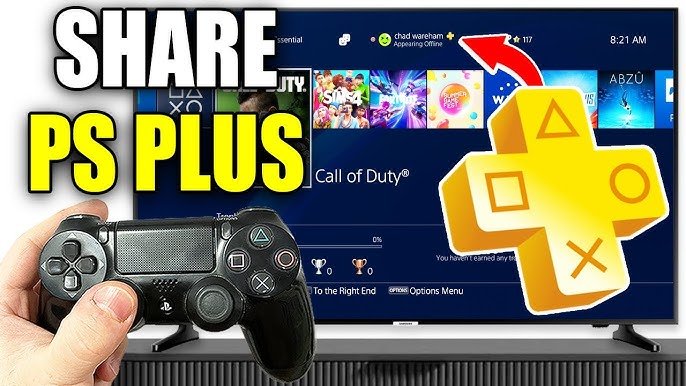
Yes, you can game share some benefits of PS Plus, allowing other players on your console to access online multiplayer and a few other features. However, the primary PS Plus benefits like the monthly games and cloud saves are tied to the purchasing account.
Want to play online with friends without everyone needing their own PS Plus subscription? It’s a common question, and it revolves around the idea: can you game share ps plus? The good news is, there’s some functionality that lets you share part of your PS Plus membership.
This means that on the console where the PS Plus account is set as primary, other users can jump into online multiplayer games. It also includes access to some other perks. However, not everything gets shared, such as game downloads which remain personal to the purchasing account.

Can You Game Share PS Plus? Unpacking the PlayStation Plus Sharing Rules
So, you’ve got a PlayStation and a friend or family member who also loves gaming? You’re probably wondering about PlayStation Plus (PS Plus) and if you can share all those awesome games and benefits. It’s a great question because sharing games and subscriptions can save everyone some money and make gaming more fun. Let’s dive into how game sharing with PS Plus works, the limitations you might run into, and some helpful tips along the way.
Understanding the Basics of PlayStation Plus
Before we get into sharing, let’s quickly recap what PlayStation Plus actually is. It’s a subscription service from Sony that gives you a bunch of cool perks. Think of it like a special club for PlayStation gamers. Here’s what you typically get:
- Monthly Games: Each month, you get access to a selection of games that you can download and play as long as you’re a PS Plus subscriber.
- Online Multiplayer: Want to play online games with your friends? You’ll need PS Plus for that on most games.
- Exclusive Discounts: Get special discounts on games and add-ons in the PlayStation Store.
- Cloud Saves: Store your game saves online, which is super handy if you switch PlayStations or need to re-download a game.
- Access to the PlayStation Plus Collection (PS5 Only – for PS Plus members): If you have a PlayStation 5 and a PS Plus subscription, you can enjoy a great selection of games.
- Game Help: You can use this feature if you get stuck in a game.
There are different tiers of PS Plus: Essential, Extra, and Premium, each with different benefits and game catalogs. The core benefits like online multiplayer and monthly games are included in all tiers, but the game libraries and additional perks are enhanced in higher tiers.
The “Primary Console” Key to Game Sharing
Okay, so here’s the important part for game sharing: your PlayStation has something called a “Primary Console” setting. Think of it like setting your home base. This is the key to understanding if and how you can share PS Plus benefits and games.
What is a Primary Console?
When you have a PlayStation account (which you need to use your PS Plus subscription), you can set one of your PlayStation consoles as your Primary Console. This means that anyone who plays on that console will have access to all the games and subscriptions connected to that primary account, even if they are using different user accounts on the same PlayStation. This feature allows you to share your digital games and PS Plus benefits.
How to Designate a Primary Console:
Here’s how you can set up your primary console:
- Turn on your PlayStation console.
- Go to Settings.
- Find “Account Management”.
- Click on “Activate as Your Primary PS4” (if you are using PS4) or “Console Sharing and Offline Play” (if using a PS5).
- Choose “Activate” on your primary console or enable console sharing.
You can only have one PlayStation as your Primary Console at a time. If you try to set another console as primary, the old one will automatically become deactivated.
How PS Plus Game Sharing Works
Now, let’s get into the specific ways you can share your PS Plus and games.
Sharing Within the Same Console
This is the easiest way to share. If you have set your PlayStation as your Primary Console and others in your household also use that same console, then they can play all games that you have downloaded from your account with PlayStation Plus, and can also play games you purchased digitally using any of their accounts on the console. Even if they don’t have their own PS Plus subscription, they will be able to play online with the games. This happens because your PS Plus subscription is shared through your activated primary console.
So, if you have a PS Plus subscription and a household member plays on the same PlayStation and console as you, everyone gets the benefits of the subscriptions you have paid for on that primary console, and access to downloaded games.
Sharing Across Multiple Consoles: The Two-Console Rule
This is where things get a little more complicated. The primary console system is made for a household setup with multiple users on the same device. Now, what happens if you want to share with a friend who has their own console, or if you have more than one PlayStation in your own home?
Sharing with a Friend
If you want to share games and PS Plus with someone on a different console, you’ll need to understand how the primary console system operates across two different PlayStations. It works using your primary account on the different PlayStation.
Here’s how it works:
- You will need to log into your PlayStation Network account on your friend’s PlayStation and designate their console as your primary console.
- Your friend can then play all games and use all PS Plus benefits linked to your account on their primary console, using any of the accounts on their system.
- Meanwhile, on your console, you are now using your account as the user who is NOT the primary account, which can only access games and subscription on the account that is logged in, instead of all users on the console.
- This also means that, if you want to play your digital games and games provided by PS Plus, you have to remain signed into your primary account on your system while your friend is playing your games.
- If you log out of your PSN account, all games and subscriptions are lost on your console, unless logged back in.
Important Considerations:
- Only One Primary: Remember, only one PlayStation can be your Primary Console at a time. So, while your friend is using their console as your primary, you have to play using your account on your console, as the secondary user.
- Access Control: On your console, only your account can play the games. Other accounts on your console will not be able to play the games that you got with PS Plus.
- Security: Sharing your account details with someone means that they have access to all your account details and associated payment information. Choose someone you trust.
- Account Lockouts: In case you encounter problems like logging out while playing games on the primary console, this may result in errors or locks which will require you to wait a while before you can log in again to your PlayStation Network Account.
Keep in mind that this approach is a bit tricky, and you’ll always need to be online while playing your digital games on your console. If you have an unstable internet connection, you will experience interruption in your gaming experience.
A Simple Table to Help Visualize
Here’s a table to make the concept a bit clearer:
| Your Console | Your Friend’s Console | |
|---|---|---|
| Primary Console | No (Secondary) | Yes (For Your Account) |
| Game Access For All Accounts on Console | No, only the account that is signed in | Yes, all accounts on the console have access |
| PS Plus Benefits | Only for the primary account that is signed in | All accounts on the console will have the benefits of your PS Plus subscription |
What You Can’t Share
While the game sharing feature is useful, it doesn’t let you share everything. Here are some specific things you cannot share:
- PS Plus benefits across multiple consoles simultaneously: While someone can access the benefits of PS Plus while playing on your primary console, you cannot access them on two different consoles at the same time.
- Games bought on physical disks: The primary console feature only works for digital games that you have purchased or downloaded, not for games bought on disk.
- Game add-ons, in some cases: Game add-ons or DLC can sometimes only be accessible on the account that purchased them, even when game sharing is being used.
Navigating Different PS Plus Tiers When Sharing
It’s also worth noting that the same sharing rules apply across different PS Plus tiers (Essential, Extra, and Premium). If you have the top-tier PlayStation Plus Premium account and are sharing via Primary Console, your friend gets all the top tier games you are accessing, too. This makes the highest tier of PS Plus subscription more appealing, when you decide to share with another player.
Practical Tips for Effective Game Sharing
To get the most out of game sharing, here are a few tips to help you along the way:
Communication is Key
Always talk to the person you’re sharing with. Make sure you understand each other’s gaming habits to avoid conflicts over access to games and online play. This is super important when multiple people are sharing, especially if you and the other person on the primary console like to play at the same time. Coordinating playtime can help avoid disruptions.
Be Mindful of Your Primary Console
Always remember that your primary console status is vital. If you are trying to access games and subscription benefits on a different console than your primary, then you have to remain signed into your account on the console you want to play on. The primary console can access your subscription benefits without you needing to be logged in.
Choose Your Sharing Partners Wisely
Because sharing involves giving someone access to your account, choose someone you trust. Sharing your account with strangers is risky. Stick with close friends or family.
Regularly Deactivate and Re-activate
If you are sharing with more than one person, you might want to deactivate your PlayStation console and then re-activate again with someone else. Remember that this needs a little forward planning and organization, so that no one is suddenly cut off from their game session.
Keep an Eye on Account Settings
Make sure your account settings are set up properly for sharing. You should also have strong passwords to keep your account safe. Regularly change your password for added security.
Stay Updated
Sony sometimes makes changes to how game sharing works. It’s always best to keep updated with the latest information from official sources.
Game sharing with PlayStation Plus can be a great way to get more from your subscription, but it needs some planning. By understanding the primary console rule and following the tips provided above, you can share games and subscription benefits while ensuring everything runs smoothly.
How to Share Playstation Plus on PS5! PS5 Share PS Plus Games & More with All Users (Easy Guide!)
Final Thoughts
Game sharing PlayStation Plus depends on your console’s primary setting. Only one console can have an account’s primary designation. This setup determines where your benefits are usable by other accounts.
If your friend plays on your primary console, they can enjoy your PS Plus benefits. This method allows multiple players access using one subscription.
Therefore, the answer is, yes, you can game share ps plus, but with limitations. The primary console setting must be correctly configured.

