
No, you cannot directly gift digital PS5 games through the PlayStation Store.
Ever wondered, can you gift digital PS5 games to your friends? It’s a common question for gamers wanting to share their favorite titles. The current system doesn’t offer a straightforward gifting option like sending a game directly to another PlayStation account.
Unfortunately, the PlayStation Store lacks a built-in feature for this process. While frustrating for many, there are still some alternative ways to share the gaming joy. Keep reading for some workarounds!

Can You Gift Digital PS5 Games? Exploring Your Options
So, you want to give a friend or family member a PlayStation 5 game, but you’re thinking digital? That’s a great idea! Digital games are super convenient, no discs to lose or scratch. But, can you actually gift digital PS5 games? The answer is a bit more nuanced than a simple yes or no. Let’s dive into the details and find out how you can share the joy of gaming on the PlayStation 5.
Understanding the PlayStation Network and Digital Purchases
Before we get into the specifics of gifting, it’s important to understand how the PlayStation Network (PSN) works with digital purchases. When you buy a game on the PlayStation Store, it’s tied to your PlayStation Network account. This means that the game is downloaded and can be played on your specific console, as well as any other console where you log in with your account. This system helps protect against piracy and also lets you carry your games between consoles. However, this also introduces some limitations when it comes to gifting a game directly.
Why Direct Gifting Isn’t Always an Option
Unlike buying a physical copy of a game where you hand the disc over, digital purchases on the PlayStation Store are directly connected to the buyer’s account. There’s no straightforward “gift” button within the PlayStation Store where you can simply select a friend and send them a digital copy of a game. This lack of a direct gifting option is a common question among PlayStation gamers. The reason mostly revolves around the licensing of the games and making sure that only the person who purchased the game can play it under the rules set by game developers and publishers.
The Main Method: Buying Digital PlayStation Store Gift Cards
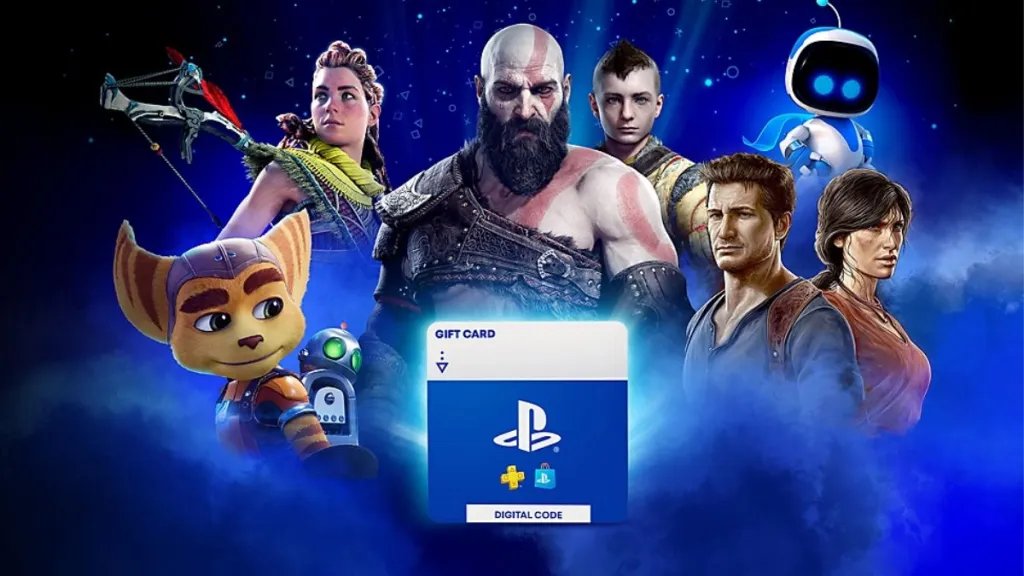
While you can’t directly gift a digital game in the traditional sense, there’s a fantastic workaround – PlayStation Store gift cards! This is probably the most common and simplest way to gift digital games to anyone you like. These gift cards come in various denominations and can be used to purchase anything from the PlayStation Store, including games, add-ons, and subscriptions like PlayStation Plus. This method offers a flexible approach to gifting and gives the recipient the freedom to pick the game they want, or even use it for something else on the store, which may be more suitable for that individual.
How PlayStation Store Gift Cards Work
PlayStation Store gift cards are essentially prepaid cards that add a certain amount of money to the recipient’s PlayStation Network wallet. When you buy a gift card, you usually get a digital code on the receipt (if you bought it online) or on the card itself, if you bought it physically in the store. The recipient then redeems that code on their PSN account, and the funds are added to their wallet. They can then use that money to buy any digital content on the PlayStation Store, including PS5 games.
- Physical Gift Cards: You can find these at many retailers, like grocery stores or electronics stores. They come as a physical card with a code on the back that you scratch off to reveal the code.
- Digital Gift Cards: Many retailers also offer digital gift cards. You get these via email or online purchase. They have the code included on the confirmation page or in the mail you receive.
- Redemption: The receiver simply goes to the PlayStation Store on their console or via the Playstation website or app, and enters this code. The amount of the gift card will be credited in their PSN wallet immediately.
Where to Purchase Gift Cards
PlayStation Store gift cards can be easily found at a wide variety of places both online and offline. Here are some popular locations:
- Major Retailers: Stores like Best Buy, Walmart, Target, and Gamestop typically carry physical PlayStation Store gift cards.
- Online Marketplaces: Amazon, Newegg, and other online stores sell digital gift cards that can be delivered via email or directly to your account.
- PlayStation Direct: The official PlayStation website also offers digital gift cards directly through their online store.
Alternative Gifting Methods: Account Sharing and Game Sharing (Proceed with Caution)
While PlayStation Store gift cards are the recommended method, there are other ways people attempt to “gift” digital games. These methods, however, can carry risks and aren’t always recommended. It is important to understand these before you decide to use them:
Account Sharing
Account sharing involves sharing your PlayStation Network login details with another person. This way, they can access your game library and download games onto their PS5 console. This is not the best practice, and it’s crucial to understand that this is a breach of PlayStation’s terms of service. Account sharing can lead to account bans, security risks, and the loss of your account ownership. It’s also not the best idea to share your login details with someone as you may not know their password security practices and you might risk your account.
- Risks: Account suspension, account ban, compromised security, loss of access to your account
- Not Recommended: Generally, account sharing is not a safe or permissible method to “gift” games.
Game Sharing via “Console Sharing and Offline Play”
Another method, known as “Console Sharing and Offline Play,” allows you to designate your account’s main PS5 console and share your digital games with other accounts on that same console. This means if you set your account on your friend’s PS5 as the primary console, your friend would have access to all of your digital games. However, this has its limitations. It can become complex if the friend owns a game of their own, and you start to have licensing issues, especially when you want to play your game on your main console at the same time.
- How it works: One user has to log into the other user’s console, designate that console as the account’s main console, and share the digital games in that console.
- Limitations: This method only allows access to a specific console, and requires logging into another person’s console with your own account details. Additionally, the games cannot be shared or accessed when the original account is online using a different console.
- Not Recommended for Long Term Gifting: This process can cause a lot of complications. For gifting purposes, it’s best to avoid this method, especially long term, because this will mean that whenever the account is online playing in another device, the other console will lose access to all games from the same account. This will become very bothersome in the long term.
The Importance of Choosing the Right Gift
Gifting a video game is a thoughtful gesture, but choosing the right one can make the gift even better. Here are some ideas for ensuring that your chosen present is enjoyable for the recipient:
Consider the Recipient’s Taste
Think about the recipient’s favorite genres or type of games. Do they enjoy action games, RPGs, sports games, puzzle games, or strategy games? Are they more into single-player adventures or multiplayer experiences? This can greatly help you narrow down your options.
- Favorite Genres: Do some digging and find out their favorite video game genre, from action-adventure to puzzle games, understanding their preferences is key.
- Specific Games: Has your friend recently mentioned any specific game they wanted? If they have, then that’s the perfect game to gift them.
Consider Multiplayer or Single-Player
Is the person more interested in playing with others online, or do they prefer solo experiences? If the latter is true, then you need to consider gifting them a well-written single player game with good story, if it is the former, then a good multiplayer game is the way to go.
- Multiplayer games: Games that involve teamwork or competition with friends and other players
- Single-player games: Games where a user can play alone, usually a game with a single story that can be explored alone.
Check for Reviews and Ratings
Before you make a purchase, always check the game’s reviews, ratings, and age appropriateness. This ensures that you are gifting them a well-received game that’s suitable for them. Check out websites like Metacritic or IGN, and see what other players and gaming journalists have to say.
- Read Reviews: Find different review sites and try to get a general idea about the game quality
- Check Age Rating: Ensure you are gifting a game that’s suitable for the recipient.
Consider Game Size and Storage
Large games can take up a lot of storage space on the PlayStation 5. While the PlayStation 5 has a big storage, it can quickly fill up. Considering the size of the game before gifting will be considerate.
- File Size: Some games are way larger than others, you may consider buying smaller games if you know that the recipient has low storage space.
When Is the Best Time to Gift?
The right timing can make a gift even more special. Here are some great occasions when gifting a digital PS5 game or gift card can be an excellent idea:
Birthdays and Holidays
Birthdays and holidays like Christmas, Thanksgiving or Hanukkah are always great times to surprise someone with a game they have been wanting or just because you are feeling generous. Gifting on special occasions always feels thoughtful and shows care.
Special Achievements or Milestones
Did your friend achieve something great recently? Maybe they finished an important project, completed a college degree, or got a promotion? Gifting them a game can be an excellent way of celebrating their success and to congratulate them.
Just Because
You don’t need a special reason to gift a game. Sometimes, showing someone you care “just because” can be a really thoughtful gesture and brighten their day. Gifting something to your friends or family is always appreciated, regardless of the occasion.
Game Releases and Sales
If there is a game your friend has been waiting to be released, that is a perfect time for gifting. It will show that you care for them. You can also gift games during sales event for the PlayStation store. Usually there are some discount or promotions, which make it perfect time to buy a game or to gift someone.
Keeping Track of Your Gift Cards
If you purchase digital gift cards, it’s a good idea to keep track of the codes and redemption instructions to make sure your gift doesn’t go unredeemed. It’s also helpful to give clear instructions to the recipient on how they can redeem the code. Make it simple and easy for them so that they don’t struggle with it.
- Digital codes: Keep a record of the code in a safe place and resend the email to the recipient in case they lose it.
- Clear instructions: Guide the recipient with a small description on how to use the code, this can be super helpful for people who aren’t used to using the PlayStation Store.
Additional Tips for the Best Gifting Experience
To make your gift-giving experience even more successful, here are some additional tips to consider:
- Personalize the Gift: If you are gifting a gift card, consider including a personalized card or message with it. This makes it more special. You may write why you are gifting them the game or how you chose the game based on their preferences. This can be a nice touch.
- Consider Bundles: Sometimes, the PlayStation Store offers game bundles which can be cheaper than buying separate games, consider those as options.
- Stay Updated: Keep up with the latest games and sales on the PlayStation Store to make the best purchase.
Ultimately, while you can’t directly transfer a digital PS5 game from your account to another, using PlayStation Store gift cards is the best and safest way to give a digital game. This method provides flexibility and lets the receiver choose exactly what they want, making it a great option for gifting.
How To Buy a Game on Playstation Store as a Gift?
Final Thoughts
The answer to can you gift digital ps5 games is, unfortunately, not directly through the PlayStation Store. You can’t simply send a digital game as a present to another player. This remains a feature many gamers hope Sony will implement.
However, you have some workarounds. Purchasing a PlayStation Store gift card lets someone buy games themselves. This is the current best option.

