
Yes, you can gift Nintendo eShop games through the use of digital download codes purchased from retailers or through the Nintendo website.
Wanting to share the joy of gaming with friends and family is something many of us feel. But when it comes to Nintendo, a common question arises: can you gift Nintendo eShop games? The process isn’t always obvious, and it differs a bit from physical gift-giving.
It’s understandable to be a little unsure about this. We’ll go through exactly how you can share those digital adventures.

Can You Gift Nintendo eShop Games?
Let’s talk about gifting games on your Nintendo Switch! You’ve probably wondered if you can buy a game from the Nintendo eShop and send it to a friend. It’s a great way to celebrate a birthday, say thanks, or just share the fun of a new adventure. The short answer is: yes, you can! But it’s not quite as simple as just clicking a “gift” button. So, let’s break down exactly how you can gift Nintendo eShop games and what you need to know.
Understanding Nintendo eShop Gift Options
The Nintendo eShop itself doesn’t have a direct “gift” option like some other online stores. You can’t buy a digital game and directly send it to someone else’s account. Instead, Nintendo provides a workaround, using digital download codes. These codes are like a special key that unlocks the game on someone else’s Switch.
Digital Download Codes: Your Key to Gifting
Think of a digital download code as a special coupon. When you purchase a game from many retailers – both online and physical stores – you often receive this code either printed on a receipt, included in an email, or printed on a card inside the game case. This code can then be entered in the Nintendo eShop to redeem the game. This is how you gift Nintendo eShop games.
Here’s the basic process:
- You buy a Nintendo eShop game or a Nintendo eShop gift card from a participating retailer.
- You receive a 16-digit download code.
- You share that code with the person you want to give the game to.
- They enter the code in the Nintendo eShop on their Switch, and poof, the game is theirs!
It is important to note that, You can’t send digital games directly through the eShop interface. The gifting process involves purchasing a digital code from a retailer and sharing that code with the recipient. This process involves an extra step compared to other platforms, but it remains a straightforward method for giving digital gifts.
Where to Buy Nintendo eShop Download Codes
You can find these digital download codes in many places, both online and in physical stores. Here are some of the most popular options:
Online Retailers
Several online retailers sell Nintendo eShop download codes. This is often a convenient way to buy a game, especially if you prefer online shopping.
- Amazon: Amazon is a popular choice. Look for the digital version of the game you want to gift. You will receive a code via email usually very quickly.
- Best Buy: Best Buy also sells digital codes. You often get a code emailed to you.
- GameStop: Gamestop is another good option. You can find lots of games for the Switch available there, and they will provide a digital code.
- Walmart: Walmart online also provides digital codes for games, similar to Amazon and Best Buy.
- Target: Target’s website also sells digital download codes.
Physical Stores
Many brick-and-mortar stores also sell these download codes. If you like to shop in person, this is an option for you.
- Best Buy: In addition to online, Best Buy often sells cards with download codes in their physical stores.
- GameStop: Same as Best Buy, GameStop also sells these cards in their physical stores.
- Walmart: You can also find cards containing download codes at Walmart stores.
- Target: Target sells the cards in their physical stores.
- Other Retailers: Many other stores that sell video games may also have these codes available.
Nintendo eShop Gift Cards
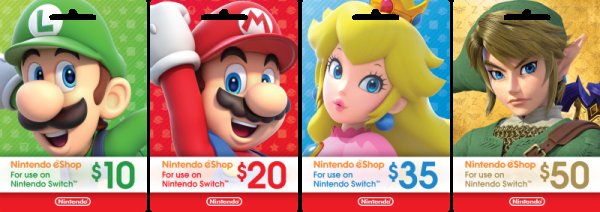
Another option is to purchase a Nintendo eShop gift card. These come in different denominations and allow the recipient to choose which game they want to download. It’s a good idea if you’re not sure exactly which game your friend or family member would like.
- Flexibility: Gift cards give the recipient the freedom to pick any game they want.
- Various Denominations: They come in various denominations, like $10, $20, $50, and so on, which allows you to control your budget.
- Purchasing Locations: Like digital codes, you can buy gift cards online and in physical stores.
How to Redeem a Nintendo eShop Download Code
Now that you have your download code, let’s look at how to actually redeem it on a Nintendo Switch.
Here’s the step-by-step process:
- Turn on your Nintendo Switch: Make sure your console is powered on.
- Go to the eShop: Select the “Nintendo eShop” icon from the HOME Menu.
- Select your account: Choose the user account where you want to redeem the game.
- Select “Enter Code”: On the left side of the screen, you will see “Enter Code”, click on it.
- Enter the code: Carefully enter the 16-digit code that you received. Be sure to double-check to make sure you’re typing it correctly.
- Select “Redeem Download Code”: After you’ve entered the code, click on “Redeem Download Code.”
- Confirm the game: The game you’re redeeming should be displayed, confirming that the code is correct. Select “Redeem”.
- Download the Game: After redeeming the code, the game will start downloading onto your Switch.
After the download is complete, the game will appear on the HOME Menu ready to play.
Things to Keep in Mind
- Correct Region: Make sure that the download code is for the same region as the recipient’s Nintendo account. For example, a code from the United States will not work on a European Nintendo account.
- Code Validity: Some download codes might expire. Double-check the code’s terms and conditions when purchasing.
- One-Time Use: A download code can only be used once. Once redeemed, it is no longer valid.
Gifting a Game When You Don’t Know What to Choose
Sometimes, you might want to gift someone a game, but you’re not sure what they’d like. This is where Nintendo eShop gift cards really shine. A gift card allows the recipient to choose a game they are interested in, or even buy downloadable content for a game they already have.
The Benefits of Gift Cards
- Flexibility: Allows the recipient to pick any game within the card’s value.
- No Guesswork: You don’t have to worry about buying a game they already have or don’t want.
- Perfect for All Gamers: Suitable for anyone who plays on the Nintendo Switch, regardless of their taste in games.
How to Gift a Gift Card
The process is similar to gifting a digital download code:
- Purchase the gift card: Buy a Nintendo eShop gift card from any of the retailers mentioned before.
- Send the code to the recipient: Provide the recipient with the code printed on the card.
- Recipient redeems: The recipient then redeems the gift card on their Nintendo Switch using the same “Enter Code” method in the eShop.
- They Choose their game: Once the value of the gift card is loaded onto their account, they can use it to purchase any games or content in the eShop.
Gifting Games Across Regions
One important point to consider when gifting Nintendo Switch games is regional restrictions. Nintendo eShop codes and games are generally region-locked. This means that a code purchased in one region might not work in another region. This is often a common problem with gamers.
Understanding Region Locking
Nintendo, like other video game companies, uses regional locking to manage game distribution and pricing in different parts of the world.
- Matching Regions: A code purchased in the US will typically only work on a Nintendo account that is also set to the US region. Similarly, a code from the UK won’t work on a Japanese account, for example.
- Check the Region: Always make sure the code you buy matches the region of the recipient’s Nintendo account. If you’re not sure, it’s always best to ask them to avoid any hassle.
- Gift Cards for Different Regions: The same applies to gift cards, they are region-locked.
How to Avoid Issues with Region Locking
- Confirm Region: Before buying a download code, double check the region of the recipient’s Nintendo account.
- Buy from the correct store: Purchase the download code from a retailer in the same region as the Nintendo account.
- When in doubt: A gift card from the right region is usually the best solution if you’re unsure of the receiver’s region.
Why Can’t You Gift Directly Through the eShop?
This is a common question. Why doesn’t Nintendo just let you send a game directly to someone’s account? The simple answer is, it has to do with how Nintendo designed their eShop. Other online stores like Steam have integrated gifting options, but for Nintendo it’s different.
The Nintendo Way
Nintendo opted for a digital code system, which has a few advantages, but also makes gifting slightly less straightforward. It’s likely a combination of factors, including their approach to content management, security and the way their store is setup.
Hopefully in the future Nintendo may look into adding a more straightforward way of gifting games to your friends and family.
Gifting Games: A Summary
While gifting Nintendo eShop games may not be as straightforward as other platforms, it’s still possible with a little understanding. You cannot send the game directly to another account using the Nintendo eShop. Instead, you must purchase a digital code or a gift card from a retailer and then share this code with your recipient. Remember to pay attention to regional limitations and code validity. Now, you’re ready to spread some joy and gaming fun to your friends or family!
Remember, the world of Nintendo Switch games is constantly expanding. With each new game release, you will always have something exciting to give. So, whether it’s a big new release or a cozy indie title, there are lots of fun and engaging choices you can share.
How to get free money to spend on Nintendo games! #lifehack #freemoney #totk #zelda #Nintendo
Final Thoughts
You cannot directly gift Nintendo eShop games through the official store. The system lacks a gifting option, forcing workarounds. Players can purchase a digital code for a specific game or a prepaid eShop card.
These codes are then given as gifts. Therefore, the answer to “can you gift nintendo eshop games” is technically yes, with a slight detour.
This process, although indirect, accomplishes the main goal of giving games. It allows friends to enjoy new adventures on their consoles.

