
No, you cannot reliably install cheats for games on Gameloop due to its built-in security measures.
Have you ever wondered if you could gain an unfair advantage in your favorite mobile games played on PC? The question, “can you install cheats for games on gameloop,” often pops up in gaming communities. Gameloop, a popular Android emulator, has its own ways of preventing unauthorized software alterations.
Many gamers seek shortcuts, and the idea of using cheats is alluring. However, attempting to introduce cheats can lead to various issues. The most obvious is a ban from the game itself.

Can You Install Cheats for Games on Gameloop?
Alright, let’s talk about something a lot of gamers wonder about: using cheats on Gameloop. Gameloop is a program that lets you play mobile games on your computer. It’s awesome, right? But what about getting an edge? Can you use cheats like you might on a console or a regular PC game? The answer is a bit complicated, and we need to look at different angles. We’ll explore how cheats work, the risks involved, and what you should keep in mind if you’re thinking about using them. Let’s break it all down so you can make smart choices about your gaming experience on Gameloop.
Understanding Cheats and How They Work
First things first, let’s talk about what “cheats” actually are. In video games, cheats are special codes, programs, or modifications that give players an advantage. This advantage can include things like:
- Infinite health or lives: So your character can’t be defeated.
- Unlimited ammo: You never run out of bullets.
- Super speed or strength: Makes your character move faster and do more damage.
- Seeing through walls: Lets you see enemies even if they are hidden.
- Free items or money: You get all the cool things without working for them.
These cheats can come in different forms. Some are built into the game by developers as a fun secret, but many are created by outside sources, often referred to as “modders”. These modifications can change the game’s software, allowing players to do things the game was not originally meant to do. There are a number of methods these modders use to achieve these changes. Let’s look at the methods:
Methods Used to Create Cheats:
- Memory Editing: This involves using specialized software to find and change values within the game’s memory (RAM). For example, a modder can find where the game stores the player’s health and make that value never go down. This is a popular method due to its speed and versatility.
- Code Injection: This technique inserts new code into the running game’s process. This new code can add new features, alter existing ones, or modify how the game functions. Code injection is often used to create more complex modifications.
- Game Files Modification: Many games store their game assets (textures, sounds, etc) in files. These can be modified to change how the game looks and behaves. Modders can change game files to alter graphics, add new elements, or change some aspect of gameplay.
- Network Packet Manipulation: For multiplayer online games, modders can intercept and manipulate data packets sent between the game and the server. This can lead to things like speed hacks or unfair advantages in a multiplayer environment.
In many cases, cheats rely on exploiting vulnerabilities or loopholes in game software. These loopholes are often not intended by the developers and can be patched with updates.
Gameloop: How It Fits Into the Picture
Gameloop is different from a regular game console or a PC where you install games directly. It’s actually an emulator. This means it creates a virtual environment on your computer that imitates an Android phone or tablet. When you play a mobile game on Gameloop, you’re not directly running it on your computer; instead, Gameloop makes the game think it is running on a mobile device. This adds another layer of complexity when it comes to cheats.
Because Gameloop is essentially running a simulated Android system, there are specific ways cheats need to be designed to work with these specific simulated mobile environments. Cheats that might work on an actual phone will not necessarily work on a Gameloop environment. Let’s explore why that is:
Challenges in Implementing Cheats on Gameloop:
- Emulator Detection: Many game developers build in systems to detect when their game is running on an emulator like Gameloop. If the game detects an emulator, it may ban or restrict players. Some games also use a check that determines if you are using a modified version of the game.
- Android System Differences: The Android system on Gameloop is not the same as running the game on an actual phone. This is because it’s a virtual environment and that difference can make some cheat methods fail to work. These differences include the way files are saved, the way memory is managed, and the way the game interacts with the “hardware” that is emulated.
- Anti-Cheat Mechanisms: A lot of mobile games use anti-cheat software to stop players from using any type of modification. These are designed to look for changes in the game’s files, modifications to memory, and unusual actions by a player. If anti-cheat detects any suspicious activity, players are usually banned or restricted.
The Risks of Using Cheats on Gameloop
Using cheats might sound fun at first, but it’s really important to understand that there are risks involved. Here are some things that could happen if you use cheats on Gameloop:
Game Bans:
- Account Suspensions: Game companies have a zero-tolerance policy for cheating. If they catch you, they’ll often ban your account. This means you can’t play the game anymore, and you lose all the progress you’ve made.
- Device Bans: Some games can even ban the device ID or IP address. If this happens, you won’t be able to play the game on that computer or internet connection at all, even with a new account.
Security Concerns:
- Malware and Viruses: Cheats often come from unverified sources and can contain viruses, malware, or other harmful software. This can damage your computer and steal your personal information.
- Data Theft: When you are using cheat software, especially that from unofficial sources, you are providing that software access to your files and personal data. This can include credit card information, passwords, and other sensitive data.
- Unstable Software: Often cheat software is created by inexperienced individuals, who may introduce bugs and glitches that will make the game or Gameloop unstable or cause it to crash.
Ethical Issues:
- Unfair Play: Cheats give you an unfair advantage over other players who play the game fairly. This makes the game less enjoyable for everyone else.
- Ruining the Experience: Cheating makes the game too easy, and the game loses its purpose and fun. This can quickly make you bored with the game.
- Impact on Developers: Cheating can hurt developers, because it can reduce interest in the game and impact the sales of the game when users are not playing it fairly, especially in multiplayer.
Finding Safe and Ethical Ways to Play
Instead of using cheats, there are lots of ways to improve at games that are fair and ethical. Let’s explore some safer ways to get better:
Practice and Skill Development:
- Regular Play: Consistent practice helps you learn the game mechanics and improve your skills.
- Learning Strategies: Watching tutorials and guides can help you understand winning strategies for your favorite game.
- Analyze your gameplay: Watch replays of your games to see what mistakes you made and what you can do better.
Community Involvement:
- Joining Groups: Participate in online groups, forums, or Discord servers to learn from other players.
- Teamwork: Playing with other people can help you improve and gain tips from them, while learning how to play as a team
- Sharing tips and tricks: Helping and asking questions on forums can give you a perspective you didn’t see before
Using Built-In Game Features:
- Settings Adjustment: Take the time to explore the options of your game. Fine-tune your control sensitivity, graphics settings, and audio.
- Learning the Game Mechanics: Take the time to understand every game feature, which can provide an edge in competition, such as understanding hidden resources, hidden game stats, and other game mechanics.
The Gray Area of Mods and Custom Content
Sometimes, the line between cheats and modifications can get a little blurry. Some players enjoy using mods that change how the game looks or feels without giving them an unfair advantage. For example, texture packs can change the appearance of the game, and other modifications can change game menus and user interfaces.
It’s worth mentioning that not all mods are harmful, and a large number of the most popular titles in video gaming community have a large community of modders that provide changes and fixes that are welcomed by the players of the game. However, it’s very important to do your research before using any mods:
Important Considerations When Using Modifications:
- Source Reputation: Only get your mods from trusted websites, forums, or creators. There are many websites that are designed to harm you.
- Read Reviews: Always see what other users say about the mod. Look out for warnings or problems others have experienced.
- Be Careful of Promises: If a modification promises too much, like free in-game currency, be cautious. It might be a trap.
- Back Up Your Data: Before making big changes to your game, back up your game files. This will allow you to easily go back if something goes wrong.
The Bottom Line on Cheats in Gameloop
So, can you install cheats for games on Gameloop? Technically, it’s possible to try. However, it’s not as simple as downloading a program and hitting a button. It can be very difficult to do, and it often involves modifying the game files, memory, or even intercepting the network data between your computer and the game server. You should consider very carefully if you should even try.
Using cheats brings a high risk of getting your account banned, having your computer infected, and spoiling the experience for other players. It can also ruin the fun of the game itself by making it too easy and removing the challenges. If you are looking to have a better gaming experience, there are many safer ways to improve your skill, get more out of the game, and connect with the other players, without using cheats. Playing fairly makes the gaming experience better and more enjoyable for everyone.
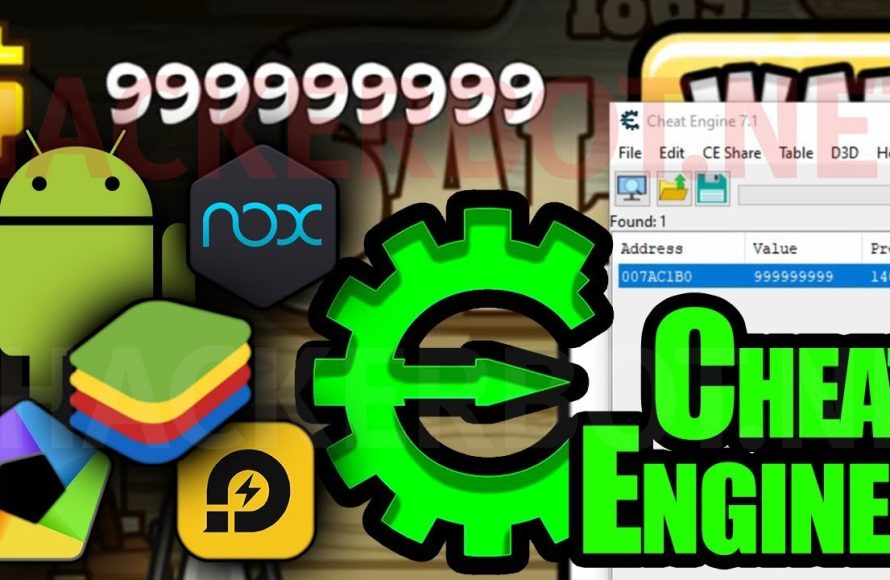
Using Cheat Engine For Android Emulators – Bluestacks & Memu
Final Thoughts
Modifying game files on Gameloop, or using external tools, might seem like a shortcut. However, these actions usually violate the game’s terms. Such behavior can lead to account bans.
Therefore, attempting to add modifications to change the game experience carries risk. The question, ‘can you install cheats for games on gameloop’ has a complex answer. It’s technically possible, but the repercussions are significant and not recommended. It is best to play fair.

