
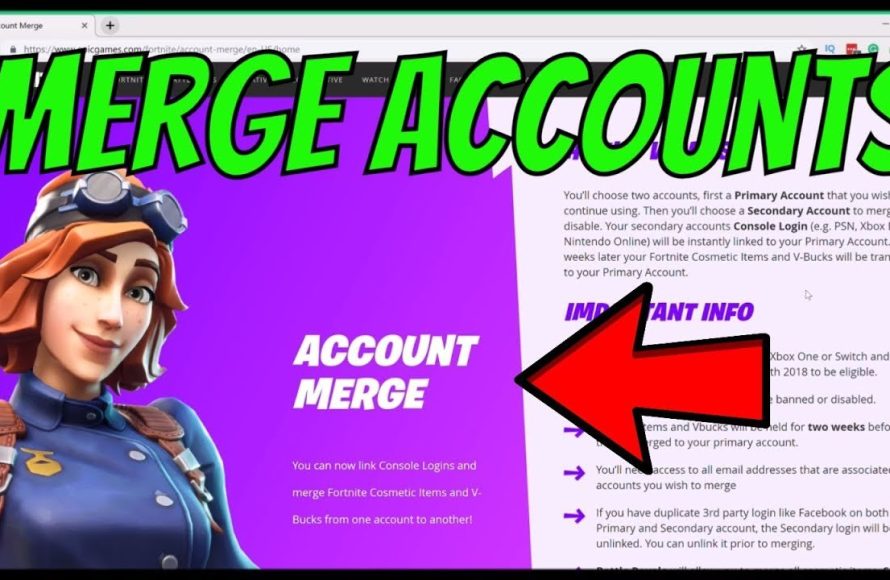
No, you cannot directly merge Epic Games accounts.
Want to consolidate your game libraries and progress? Many players ask, “can you merge Epic Games accounts?” Unfortunately, the simple answer is no, Epic Games does not currently offer a direct account merging feature. This means you can’t combine multiple accounts into one.
You will need to choose a single account to actively use. Consider keeping one and abandoning the others. This can be a bit of a hassle, but it’s the best option for now.

Can You Merge Epic Games Accounts? A Deep Dive
Okay, so you’ve got multiple Epic Games accounts, maybe one from when you were just starting out and another one you use now. Perhaps you’ve got an old account with some cool skins or games you’d like to bring over. It’s a pretty common situation, and the question on everyone’s mind is: can you combine these accounts? The answer, unfortunately, isn’t a simple “yes” or “no.” It’s more like a “sometimes, with caveats.” Let’s break down everything you need to know about merging Epic Games accounts and what your options truly are.
Why You Can’t Directly Merge Accounts
First things first, let’s understand why Epic Games doesn’t offer a straightforward, “click-this-button” merge feature. This is something that many gamers have requested. It all boils down to how the Epic Games ecosystem is designed and the potential problems it could cause if account merging were easy. Think about it – accounts contain a lot of sensitive information, like game progress, purchases, friend lists, and payment details. Merging this data can get incredibly complex very quickly and could cause issues with game saves and other data, causing major headaches for both players and Epic Games.
The Complexity of Data Transfer
Imagine you have two accounts, each with different games, progress, and virtual currency balances. Trying to automatically combine these things without mistakes is a giant puzzle. Which account’s settings should be used? What about duplicate items? What happens if one account has a game the other doesn’t? These are just some of the many challenges. Epic Games doesn’t want players to lose their stuff or face bugs that prevent them from playing their games. It’s much safer for them to not allow merging.
Security Concerns
Another big reason is security. If account merging was simple, it could potentially be used by bad actors who might want to steal or misuse accounts by easily combining multiple accounts together. Epic Games wants to keep your data and your accounts safe. Not having a merging feature adds an extra layer of protection. They need to make sure that merging doesn’t create loopholes for people with malicious intent to exploit the system. This involves careful data handling and verification to protect players. The current system, while not perfect in terms of account merging, is designed to minimize security risks.
What Can You Do Instead of Merging?
So, if merging isn’t in the cards, what are your options? Don’t worry, there are still some things you can do to manage multiple accounts effectively.
Linking Accounts to a Single Platform
While you can’t combine your Epic Games accounts themselves, you can link them to a single platform account (like PlayStation Network, Xbox Live, or Nintendo account). This is helpful if you primarily play on consoles. It makes it easier to access your Epic Games content, regardless of which console you’re using, by having all of the games and content accessible through a single linked login, not the original accounts themselves. Linking accounts does not combine game progress or purchases. Each game data still resides within the individual Epic Games accounts. It primarily serves as a way of convenience when accessing your gaming library across multiple devices.
How to Link Your Accounts
The process for linking accounts is pretty easy. Here’s a step-by-step guide:
- First, go to the Epic Games website and log in to your main Epic Games account you wish to use going forward.
- Next, go to your account settings and find the “Connections” or “Connected Accounts” section.
- You’ll see different platform logos, like PlayStation, Xbox, and Nintendo.
- Click on the platform you want to link and follow the prompts. You’ll likely need to log into your platform account to finish the process.
After that, whenever you start a game on that platform, you’ll be using the primary Epic account you chose to connect with.
Sharing Game Content Through Family Sharing
If you’re dealing with multiple accounts within your family, you might be interested in using Family Sharing features, if that feature is available. This feature varies based on platform but it’s usually associated with specific game launchers and console networks. This is helpful for sharing digital games, so each family member doesn’t have to purchase the same game multiple times. However, family sharing doesn’t combine account progress, purchases, or items on the individual Epic Games accounts, it just provides access to the game’s library through a sharing system that is allowed by certain gaming networks. It’s a way to share your gaming library with family members, not a way to combine accounts. It’s important to check the specific sharing policies on each platform.
Using One Main Account Moving Forward
Ultimately, the best option for many people is to pick one Epic Games account and focus on that one. Even if you have an old account with some valuable items, it’s likely easier in the long run to start using a primary account consistently. You could try to trade or gift items (where possible) from your old account to your new main account. For new games, use your new primary account to make purchases, play, and build your library. Though it won’t transfer all your data, this can greatly help with future game purchases and progress, helping to keep things nice and organized.
What to Consider Before Choosing an Account
If you’re deciding which account to keep and use as your main account, think about these things:
- Game Purchases: Which account has most of the games you want to keep? Focus on this account for your main account, to avoid losing your favorite titles.
- Game Progress: Which account has the highest progress or level in games you currently play? It might make sense to focus on the account with the most significant progress, saving you many hours of playtime.
- Special Items or Skins: Check your inventory and see which account has those skins or special items that you absolutely love.
- Friends List: Which account has the most friend connections you regularly play with? It’s easier to continue with an account that is already connected to your gaming friends.
- Account Age: If you have an older account, this account may contain special promotional content or be associated with special events that may be important to keep.
The Case of Fortnite Accounts
Fortnite is a popular game where many players have had the multiple account issue, often because they may have started playing on different platforms. The same rules apply: direct merging is not available. Your best option is to link your console or platform account to your primary Epic Games account. Unfortunately, this will not merge any progression, skins or any other content between the accounts, so you will have to choose an Epic Games account to use going forward. The items or skins won’t transfer between different Epic accounts, even if they are linked with the same platform account.
Why Linking Platforms Can Help with Fortnite
Though it doesn’t merge accounts, linking your platform account to your primary account makes it so you don’t have to go back and forth between separate Epic accounts. When you load Fortnite on that platform, it’ll link right to your primary Epic Games account, ensuring you have access to your skins, progress, and everything else that account contains. It makes playing across different devices much easier even if you still have multiple Epic Games accounts.
The Importance of Account Security
While dealing with multiple accounts can be frustrating, it’s really important to keep all of your accounts secure. Make sure to use strong, unique passwords for each of your Epic Games accounts, and enable two-factor authentication (2FA) for an extra layer of security. Don’t use the same passwords across all your platforms and services as this may make your account vulnerable if one of the services gets compromised. Strong security helps keep your account information private and your in-game items safe, regardless of if you have more than one account.
Tips for Secure Accounts
- Use Strong Passwords: Make passwords at least 12 characters long and a mix of upper and lower case letters, numbers, and symbols.
- Enable Two-Factor Authentication (2FA): This provides an extra layer of security by requiring a code from your phone or email in addition to your password.
- Never Share Your Password: Don’t give your password to anyone, even friends.
- Be Careful of Phishing: Watch out for emails or messages that ask for your password or account information.
Potential Future Changes?
The gaming world is constantly changing, and player requests can influence development. While there’s no official word from Epic Games about enabling account merging, they are known to be responsive to their community. It’s always possible that in the future Epic might find a way to implement a safe merging system, or at the very least improve their account linking process to allow for some form of content transfer. However, for now, it’s best to work with the system as it exists.
Alternatives to Merging: Thinking Creatively
If merging isn’t possible and you have a need to share items with a family member or a friend, here are a couple ideas, keeping in mind limitations on what Epic allows.
Trading and Gifting
Some games might have trading systems, or the ability to gift items between accounts. If your old account has an item that you really want on your current main account, see if it can be traded or gifted (If this is allowed in the game). This works on a case-by-case basis for the specific games you play. Always make sure the trade is secure, and don’t trade with any user you don’t trust.
Starting New
Sometimes, starting over with a new account can be a good experience. Especially if you like a new game and you want to have a fresh start without using an old account. This may not be ideal for everyone, but it does offer a clean slate and the joy of building up a library from scratch. And it helps to keep things simple if you focus your purchases on one account.
The Reality of Multiple Accounts
The reality is that many gamers have multiple accounts, whether it’s for different platforms, or because they created different accounts during different phases of their gaming journey. While there is currently no simple solution for combining these, knowing why this is the case and how to best manage them will make your experience as smooth as possible.
So, while you might not be able to merge your accounts in a simple way, understanding why and exploring your options will help you navigate the situation best. Choose your main account, link it to your preferred platform, and you’ll be good to go!
Merging two EPIC GAMES ACCOUNTS?? #videogames #fortnite
Final Thoughts
Unfortunately, you cannot directly merge Epic Games accounts. Epic Games doesn’t offer this feature, causing potential issues for players with multiple accounts.
The lack of merging capabilities means you must choose which account you want to keep. This situation can frustrate gamers who have purchases scattered across different profiles.
Therefore, the simple answer to the question, ‘can you merge epic games accounts,’ is no. You must manage your purchases separately for each account.

