
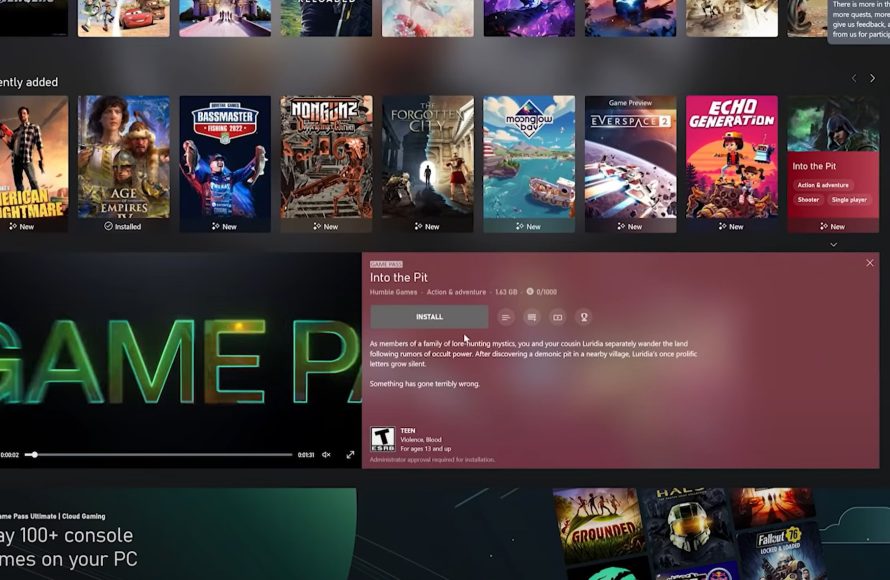
Yes, you can mod some games on PC Game Pass, but it depends on the specific game and its developer’s support for modding.
Ever wondered if you could tweak your favorite titles on the PC Game Pass? The question “can you mod games on pc game pass” pops up often. It’s a valid concern for players who enjoy customizing their gaming experience.
Some games easily allow modifications by their design and game files, while others are more restrictive. Always check if your game has built-in mod support or an active community for guides and tools. Remember, not all games enable alterations.

Can You Mod Games on PC Game Pass?
Alright, let’s dive into the exciting world of game modding and how it fits with PC Game Pass! If you’re a gamer, you’ve probably heard about mods. They’re like secret ingredients that can change how a game looks, feels, and even plays. You might be wondering if you can add these cool modifications to games you get through your PC Game Pass subscription. The short answer is: it’s complicated, but often, yes!
Understanding PC Game Pass and Game Files
First, let’s get a good grip on what PC Game Pass is. It’s a subscription service from Microsoft that gives you access to a bunch of games. You can download and play them as long as you have an active subscription. But, how does this work with the game files themselves? When you download a game from PC Game Pass, the files usually get stored in a special location on your computer. These files are like the building blocks of the game, containing everything from graphics to sound effects. Now, here’s where things get a bit tricky – these game files aren’t always as easy to access and change as they are with games you buy directly through other platforms.
The Challenge of Accessing Game Pass Files
The main reason modding can be a little more difficult with PC Game Pass is because of how Microsoft handles game files. They often place these game files in protected folders. This means the usual way people install mods, which is by directly tinkering with game folders, doesn’t always work. Microsoft does this to protect the games and prevent unauthorized changes. However, this also poses a barrier for modders trying to add their creative touches.
Think of it like this: you have a toy, but it’s kept inside a locked box. You know how to change the toy, but you first need to figure out how to get to it. That’s basically what it’s like modding PC Game Pass games. It’s not always impossible, but you might need to use special methods and tricks.
Types of Mods and Their Compatibility with PC Game Pass
Not all mods are the same! Some are simple, like texture packs that improve the graphics. Others are more complex, adding new quests, characters, or even changing the entire game mechanics. When it comes to PC Game Pass, some mods will be easier to use than others. Let’s explore a few types:
- Texture Mods: These mods mainly alter the appearance of objects or characters. They are often easier to install and usually don’t cause too many problems.
- Gameplay Mods: These mods change how the game is played, making the gameplay harder, easier, or completely different. These mods might be more difficult to implement with PC Game Pass.
- Content Mods: Content mods add entirely new elements like characters, levels, items and quests. Compatibility with these mods depends on how the game is designed and if it allows this kind of extension.
- Utilities and Tools: Some mods come in form of third party software to modify, tweak or enhance your game experience. The compatibility of these will also vary depending on the game itself.
The key is that how a game is made and how it’s files are structured are crucial factors in the ease of modding. Some games are designed to be mod-friendly, while others are not. With Game Pass titles, the structure sometimes makes it tricky.
Finding Mod-Friendly Games on PC Game Pass
So how do you know if a game on PC Game Pass is good for modding? Unfortunately, there is no simple list that says “these games are moddable!”. You usually have to look at the game itself. Here are some general guidelines to help you find games that are good for modding on PC Game Pass:
Checking Community Support
A great way to know about a game’s modding possibilities is to check out the gaming community around that game. Look for places like:
- Online Forums: Places like Reddit, Steam forums (even for games on Game Pass), and other dedicated gaming forums will often have discussions about mods for specific titles.
- Modding Websites: Websites such as Nexus Mods often contain libraries of mods for different games. If a game has a lot of mods on Nexus, it’s probably good to go with modding.
- YouTube and Twitch: Watch videos about the game. If people are using mods in the video, that’s a big sign that the game is mod-friendly.
If you see a lot of activity around mods for a game, that’s a good sign that it’s probably moddable even from Game Pass.
Looking for Specific Indicators
Sometimes, the game itself gives you hints about its modding capabilities. Here are some indicators to keep an eye out for:
- Built-in Mod Support: Some games come with their own tools for modding. If you see a “mods” option within the game menu, it’s a good sign! These games are often easier to modify, even through PC Game Pass.
- Active Developer Community: If the game has an active developer community, they are often more open to mods and might even provide some assistance to modders.
- File Access: Occasionally, despite being on Game Pass, certain games may store their files in a less restrictive manner. This makes file manipulation for modding much simpler.
Methods to Mod Games on PC Game Pass
Even if modding PC Game Pass games can be tricky, there are ways you can often do it. Let’s take a look at some of the most common methods:
Using Mod Managers
Mod managers are like helper programs that make installing and managing mods much easier. They do all the complex work for you. Mod managers can do the following things:
- Automated Installation: They install mods without requiring you to manually copy files.
- Mod Activation/Deactivation: They make it easy to turn mods on or off.
- Conflict Detection: They can detect if some mods might conflict with each other, so you don’t mess up your game.
- Organized Mod Lists: They keep all your mods organized in one place.
However, not all mod managers work with Game Pass games, so you might need to look for ones that specify support for them. Some well-known mod managers, like Vortex or Mod Organizer, may have limited support, or require extra configuration to operate with Game Pass titles.
Manual Mod Installation
This method is when you install mods by copying the files directly into the game folders. Here’s how it usually works:
- Locate Game Files: First, you need to find the folder where your game is installed. Sometimes, this can be tricky with PC Game Pass, as mentioned earlier.
- Download Mods: Then, you download the mod files from trusted sources, such as Nexus mods, or the game’s official modding community.
- Copy Files: Next you copy and paste mod files into the correct folder inside game directory.
- Test and Play: Finally, you run the game to see if the mod has been installed properly.
This method requires some technical skill and might not work for all games on PC Game Pass because the files are often in protected folders. Proceed carefully and back up game files if you are going to use this method.
Alternative Launchers and Modding Tools
Some game modders are creating their own tools and launchers that bypass the file access issues of the standard PC Game Pass installations. These may do the following:
- Provide easier access: By using custom launchers, you can more easily reach the necessary game files.
- Introduce Mod-specific configurations: Sometimes these launchers give you more control when setting up mods.
- May allow mod installation where not possible otherwise: These can help install mods for games that typically have limited mod support through other methods.
Keep an eye on modding communities for these tools. However, be cautious to only use tools from trusted sources, as downloading unknown programs can be dangerous.
Potential Issues with Modding PC Game Pass Games
Although modding can be amazing, be aware of the potential problems you might encounter when modding games on PC Game Pass:
Game Stability Issues
Mods are not always perfect. Sometimes, they can cause your game to crash, freeze, or have other bugs. If you install several mods, these problems can become more frequent. That’s why it’s good to install only one or two mods at a time, and test them out before adding more.
Compatibility Problems
Not all mods work well together. Two mods might be trying to change the same things in the game, and when that happens, things go wrong. It’s important to read the mod descriptions carefully and see if they have conflicts with other mods you want to install. Mod managers can help prevent this problem.
Save File Corruption
Sometimes, mods can make changes to your save files, which could cause it to become corrupted. This can lead to losing your game progress. To prevent this issue, make backups of your save files before you try out a bunch of new mods. Always keep a clean save file on your computer, so you don’t lose all your progress.
Inability to Play Online
Some mods might not work with the online features of a game. If a mod is considered “cheating,” then you may not be able to play online with others. Also, some game’s online functionality can prevent the usage of mods altogether. This is generally done to prevent online gameplay tampering.
Game Updates Breaking Mods
When a game gets an update, it can sometimes break the mods that you have installed. Game updates frequently change the game’s files, and when this happens, mods can stop working. You might have to wait for mod authors to update their mods so that they work with the new version of the game. You may even be required to reinstall the mod when there is a game update.
Tips for Safe and Successful Modding
Alright, so you’re ready to try modding some PC Game Pass games? Here are some tips for a safe and good experience:
- Back up your game files: Before you install any mods, make a copy of your original game files. This way, if something goes wrong, you can easily put the original files back, and avoid needing to reinstall the entire game.
- Read mod descriptions: Always read the mod’s description carefully. It might say if it has any conflicts with other mods, or if there are specific instructions to follow.
- Start with one mod: Don’t install many mods at once. Install one at a time, and then test the game to make sure that it’s working well.
- Use trusted sources: Download mods from reliable websites like Nexus Mods. Don’t download from unknown sites that could have dangerous programs or viruses.
- Be patient: Modding can be a little difficult at times. If you have problems, don’t worry; try again or ask the community for help. Modding can have errors, so patience is key.
Modding games on PC Game Pass can be a lot of fun and a great way to experience your games in new ways. With the right approach and precautions, you can often mod PC Game Pass games and make them even more enjoyable. Remember to always be careful and patient, and you’ll be modding like a pro in no time!
In conclusion, modding games on PC Game Pass is possible but comes with its own set of challenges. The level of ease depends heavily on the game itself, its file structure, and the modding tools available. Community support and careful research are important in finding games that are suitable for modding. While it may require extra steps and patience compared to games purchased elsewhere, the ability to alter and enhance the games through mods provides a great deal of fun.
Can you add mods to Xbox game pass games?
Final Thoughts
Modding possibilities on PC Game Pass vary greatly by game. Some titles fully support mods, while others have restrictions or no support at all. You should check game-specific forums for instructions.
Therefore, the answer to ‘can you mod games on pc game pass’ is a definite maybe. It depends entirely on individual game titles and their developers’ choices. Always research before attempting any modifications.

