
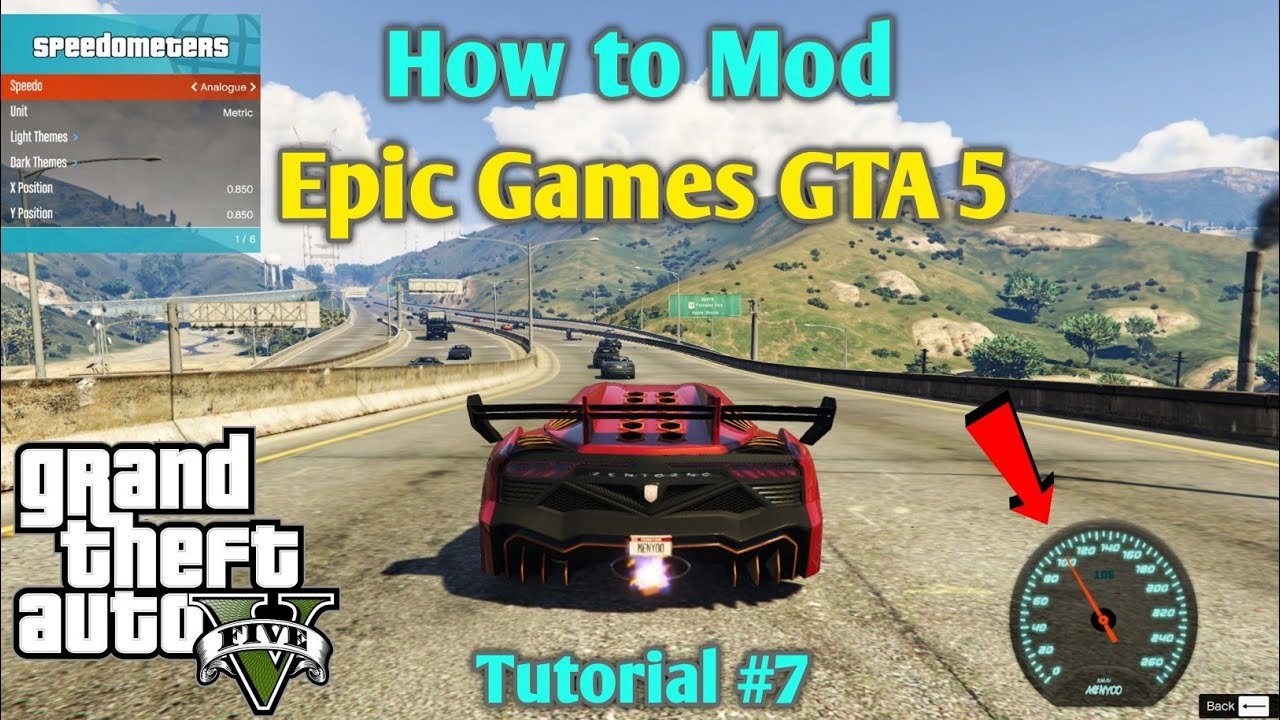
Yes, you can mod GTA 5 on Epic Games, though the process differs slightly from the Steam version.
Curious about expanding your Grand Theft Auto V experience? Many players wonder, “can you mod gta 5 on epic games?”. The good news is that yes, you can! Modifying the Epic Games version is possible, although it requires specific methods.
The process involves using modding tools and carefully placing files, similar to the Steam version but with minor variations. It is important to follow instructions carefully to avoid issues. Many resources exist online to guide you.

Can You Mod GTA 5 on Epic Games?
The question of modding Grand Theft Auto 5 on the Epic Games Store is a common one among players. Many people enjoy customizing their games with mods, adding new vehicles, characters, gameplay tweaks, and more. The short answer is: yes, you can absolutely mod GTA 5 if you got it from the Epic Games Store. However, it’s not as straightforward as installing a simple program, and there are some key things to understand first. Let’s jump into all the details about how you can start modding your GTA 5 game from Epic Games.
Understanding the Basics of GTA 5 Modding
Before diving into the specifics for the Epic Games version, it’s good to understand what modding GTA 5 generally entails. Modding means changing the game from how it was originally made by Rockstar Games. These changes can be small, like a new paint job for a car, or big, like completely new missions or gameplay mechanics. Mods are typically created by players and fans in the community, not by the game developers themselves.
Types of Mods You Might Encounter
There are many types of mods available for GTA 5, and they can really change your gaming experience. Here are some of the most popular categories:
- Visual Enhancements: These mods improve the graphics of the game, making it look even better. They might include things like better lighting, sharper textures, and more realistic effects.
- Vehicle Mods: You can add new cars, motorcycles, planes, and other vehicles to the game that aren’t in the original version. These could be real-world cars, vehicles from other games, or completely made-up designs.
- Character Mods: These mods let you play as different characters, whether that be popular characters from movies or shows or completely unique characters. They might change how your main character looks, or they might even add completely new characters to the game.
- Gameplay Mods: These can change the way the game actually works. This might include things like adding new weapons, new missions, new abilities, or even new ways to play the game, such as a zombie mode.
- Script Mods: These are mods that use code to change how the game works behind the scenes. They can be used for all sorts of things, from adding special menus to creating complex new gameplay systems.
Modding Tools: The Necessary Pieces
To install most of these types of mods, you will need certain tools or programs. Here are a few important tools you’ll often see mentioned:
- Script Hook V: This is a library that lets you run game code modifications. Many of the best script mods require this to work correctly. Think of it like a key that opens the door for the mod to function.
- OpenIV: This program allows you to edit and replace the game’s archive files. It’s a very powerful tool, which allows you to add new content such as vehicles, character models, or even custom weapons.
- Mod Manager: These are tools that help you manage all your mods, making it easier to install and uninstall them, and to avoid conflicts between them. They are like librarians for your mods, making it easy to keep track of what is in your collection and which mods are active.
Modding GTA 5 on Epic Games: The Specifics
So, how does modding the Epic Games version of GTA 5 differ from the Steam version? The core process is largely similar, but the folder structures are different and you will need to navigate some particular differences. Here’s how it breaks down:
Locating Your GTA 5 Game Folder
The first important step is to find the folder where your GTA 5 game is installed. For the Epic Games version, the game files won’t be located in the same place as they would be for Steam. Usually, you’ll find it in a location like this:
C:\Program Files\Epic Games\GTAVHowever, this may vary based on where you chose to install it. Here are a few tips to find it easily:
- Check the Epic Games Launcher: Open the Epic Games Launcher. Go to your Library, find GTA 5, click on the three dots, and select “Manage.” Look for the “Installation” area, this will show the folder path to your GTA 5 installation.
- Search on your computer: You can search your computer for “GTAV.exe” in Windows file explorer. This can help you pinpoint the location of the main game folder and will lead you to where your games are installed.
Once you know the location of your folder, you are ready to get started.
Using Script Hook V
To use script-based mods, you’ll need Script Hook V. This is the same tool used for the Steam version. You need to download the latest version of it, which is generally available on the web from the creators website. Here’s what you need to do:
- Download: Download the Script Hook V from a trusted source. Make sure to search for the latest version for GTA V.
- Extract: Open the zip file that you download and locate the “bin” folder.
- Copy Files: Copy the ScriptHookV.dll and dinput8.dll files from the “bin” folder directly into your GTA 5 game folder, where GTAV.exe resides.
Don’t copy the folder, just the files. These files allows your game to run scripts and open the gate for additional mods.
Working with OpenIV
OpenIV is a powerful tool used to edit and modify game archives. Here’s how you’d use it with your Epic Games version:
- Download and Install: Download and install OpenIV from its official website. This might be a separate download process and not part of a library.
- Select the Game: When you first open OpenIV, it will ask you to select the game. Make sure you select the PC version of Grand Theft Auto V and then navigate to the location of your GTA 5 game folder within your computer where the GTAV.exe is located.
- Edit the Files: You can then use OpenIV to find the files that the mod tells you to replace or add. Follow the instructions of the mod you want to install very carefully. Make sure to read the documentation for each mod for specific instruction as every mod has different install instructions, usually provided by the creator of the mod.
Always make sure to back up your files before making changes. This allows you to undo any mistake you make and return the game back to a working state.
Installing Mods: General Approach
The approach to installing mods is largely the same, whether you’re using Steam, Epic Games, or another platform. Here are the general steps:
- Research Mods: Find mods you want to use on popular GTA 5 mod websites.
- Read Instructions: Always read the mod installation instructions on the mod page carefully.
- Download Files: Download the mod files to your computer.
- Follow Instructions: Follow the instructions on the mod page, copying files to the right folders, replacing files, or editing archives.
Common Modding Issues and How to Solve Them
Modding GTA 5 can sometimes lead to issues. Here are some common problems you might face, and what you can do about them:
- Game Crashes: Sometimes, mods can cause your game to crash. This could be because a mod is outdated, broken, or conflicting with another mod. Try disabling or uninstalling recently added mods. If your game was working before a mod was installed, this is a good place to look.
- Mod Conflicts: Different mods can sometimes conflict with each other, causing the game to not work correctly. Try disabling a few mods at a time, until you find the conflict. Mod managers are very useful for avoiding this sort of issue.
- Game Won’t Start: If your game won’t start after adding a mod, it’s likely the mod is causing an issue with the starting up process. This can usually be solved by deleting recently added mods or by replacing all the edited files with the original backup files.
- Outdated Mods: Mods may not work if they are created for a previous version of the game. If a mod hasn’t been updated to work with a new version of GTA 5, it will usually cause the game to crash or it may not work at all. Make sure the mod is up-to-date.
- Incorrect Installation: Sometimes, you may have put the files in the wrong location, or you did not follow the mod instructions correctly. Double check the folder paths, names, and instructions to ensure that the mod was installed correctly.
Important Considerations When Modding
There are important things to think about before you start changing your game.
Backups are Crucial
Always, always back up your game files before making any changes. This way, if something goes wrong, you can put everything back how it was. Usually, the backup should be made before you add any mods, and before you make any file changes. You can back up the whole folder by copying it to a separate location or you can use a mod manager program to help you back up files.
Online Play and Modding
You should avoid using mods while playing GTA Online. Rockstar Games has rules against modding, and they can ban accounts that use mods in GTA Online. It’s generally better to only use mods when playing the story mode to avoid any issues with the online portion of the game.
Mod Safety
Only download mods from trusted sources to avoid any viruses or other malicious programs. Reputable sites have a higher standard and are often monitored by the community. If a site or mod doesn’t look legitimate, it’s better to avoid it.
Staying Updated
Make sure you keep both your game and your mods up to date. Check frequently for any updates that may come to GTA 5, as well as the mod creators. Updates may break or fix certain aspects of the mods and keeping the mods updated with the game is key to a smooth game experience.
Modding GTA 5 on Epic Games is a rewarding way to add a new layer of excitement to the game. By following the proper procedures and safety guidelines, you can customize your game and experience GTA V in a whole new way. Just remember to research the mods you want to use, back up your files, and always play it safe!
How To Install Mods In GTA 5 (Epic Games) In 3 Minutes
Final Thoughts
Modding GTA 5 on Epic Games is possible. Players can use various tools and methods to add modifications. The process might differ slightly compared to the Steam version.
You will likely need to employ the same open-source programs used by modders. These tools help integrate custom content into the game files. So, yes, can you mod gta 5 on epic games. Enjoy!

