
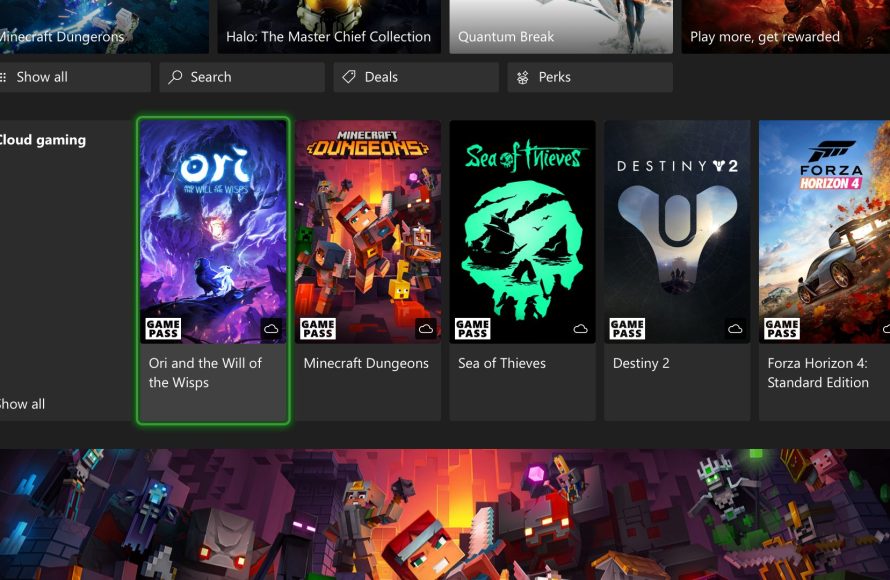
Yes, you can often mod Xbox Game Pass games on PC, though the process varies and some titles may not support modification.
Ever wondered if you can modify those Xbox Game Pass games on your PC? It’s a common question for those who enjoy tailoring their gaming experience. Many gamers find modding a fun way to add new content or improve existing gameplay.
The good news is that modding is indeed possible for some titles. However, it’s not as straightforward as modding games purchased through other platforms. The way Xbox Game Pass manages its game files can sometimes complicate this process, so exploring your options carefully is key.

Can You Mod Xbox Game Pass Games on PC?
Okay, so you’ve got Xbox Game Pass for PC, and you’re having a blast playing tons of different games. But maybe, just maybe, you’re thinking, “Wouldn’t it be cool if I could change things up a bit?” Like, maybe give my character a super cool new outfit, or add some extra awesome powers? That’s where modding comes in. Modding is like taking a game and adding your own special touch to it. But the big question is: can you actually do that with games you get through Xbox Game Pass on your computer? Let’s dive in and find out!
Understanding Game Modding
Before we get into the specifics of Xbox Game Pass, let’s make sure we’re all on the same page about what modding actually is. Think of a game like a Lego set. It comes with instructions and everything you need to build it a certain way. Modding is like taking those Lego pieces and building something new and different. Game modifications, or “mods,” are changes to a game made by players or community members. These changes can be anything from simple things like swapping out character skins to big things like adding new levels or changing how the game plays entirely. Mods can sometimes feel like a whole new game experience!
Why do people mod games?
- Customization: Sometimes, you just want to personalize things. Mods allow you to change the look of characters or the game’s environment.
- More Content: Mods often add new areas to explore, new quests, or new items to collect, extending the game’s playability.
- Gameplay Tweaks: Some mods change the gameplay mechanics, making the game easier, harder, or just plain different.
- Fixes: Sometimes, community members will make mods that fix bugs the game developers haven’t gotten to yet.
- Fun: Modding is a creative activity, and making or trying out mods can be a fun way to engage with the game.
Xbox Game Pass and Game Installation
Now, let’s talk about how Xbox Game Pass games work on PC. When you download a game through the Game Pass app, it’s installed in a special way, usually within a folder protected by the system to keep things secure. This is great for stability, so the games run well and keep your computer safe. However, this secure setup can make it a bit tricky to access the game files directly, which is often necessary for modding.
Where are Xbox Game Pass games installed?
By default, games are usually installed in a folder called ‘WindowsApps’. This folder is usually located deep within your Program Files directory. Accessing this folder is intentionally difficult, as it’s protected to prevent accidental changes to system files, and this also applies to the game files. Even if you know where it is, you might need special permissions to even view its contents. This level of protection is important for the health of your computer and to prevent tampering with games. However, that protection is what often blocks us from accessing the files needed to mod games.
The Modding Challenge with Xbox Game Pass Games
Here’s the core challenge: Modding often requires direct access to the game’s installation directory. This means having the ability to copy files, change textures, and alter game scripts. Because of the way that Xbox Game Pass installs games, directly changing files can be difficult, and sometimes, completely off-limits, but not impossible. Microsoft designed the system to prevent people from modifying files in a way that would cause issues, protect game data, and to prevent cheating in online games. But this has a side effect of restricting the ability to install mods.
Why can it be hard to mod Game Pass games?
- File Protection: The game files are often encrypted or protected in some way. This prevents users from accidentally messing up the game and allows the game to run smoothly.
- Restricted Access: The ‘WindowsApps’ folder, where Game Pass games are kept, has extra security permissions that make it difficult to get in and make changes.
- No official mod support: The game developers often don’t include an easy method for installing mods. They might not support modding, or not support it in a way that works easily within the WindowsApps structure.
Modding Methods for Xbox Game Pass Games: The Nuances
Even with those challenges, the modding community is very determined. People have found some ways to go about modding games. It is more difficult than modding a game you have purchased through Steam or other methods, but still possible. Some ways may work for some games but not for others. And it all depends on the kind of game and the kind of mod. There is also always a risk that mods may cause issues with the game, so it is important to be careful.
Specific Modding Approaches
Using Mod Managers
Some clever folks have built special programs called mod managers that help you install and manage mods for certain games. These managers often know how to get around some of the restrictions placed on Xbox Game Pass games by the ‘WindowsApps’ folder. Some will have tools built-in to find the files or use workarounds to access the files. Popular mod managers like Nexus Mods’ Vortex are usually one of the first places modders check. It is important to see if the mod manager supports Xbox Game Pass games. Even if the base game is supported, the mod manager might have issues with the game pass install version.
Manual Modding
For games with mod support, players can sometimes manually install them, but this usually involves getting special access to the protected folders. Modders have found ways to navigate the permissions settings of the Windows operating system and directly install mods, but this is risky and can be complicated. This usually involves changing file system permissions, but this can be problematic and is not recommended for casual gamers who aren’t familiar with these kinds of settings.
Game Specific Modding Tools
Some games may come with their own, official modding tools that make the process easier. Even if the game is on Game Pass, if the developers support modding, they will have hopefully made an easier process that is compatible with the special way Game Pass installs games. You will need to look into the game in specific to find the tools or the methods to install mods for them.
Script Extenders
Some games use scripting, and modders make their own “script extenders” that let them get into the game’s inner workings and make deeper changes. This is done by expanding the game engine and its functionality. The script extenders are the gateway to allow mods to inject into the game. Like the mod managers, these sometimes have compatibility issues with Game Pass installed games, even if the mod is supported for regular versions of the game.
What Type of Mods Are Usually Possible?
The type of mod you can install usually depends on the game itself. Here’s a general guide on what’s more achievable vs what’s difficult to do:
Easy to Mod (Relatively):
- Simple Texture Changes: Swapping out textures for different colors or designs can be fairly easy.
- Character Skins: Changing the appearance of characters by swapping out existing model textures is often straightforward.
- Gameplay Tweaks: Small changes to stats, like how much damage you do, might be possible, but may require more advanced tools.
Harder to Mod (Or Not Possible):
- Adding new levels: These are usually very complicated to make, and even harder to add into games without proper tools.
- Significant gameplay changes: Changes that change core game mechanics can be more difficult or impossible, like adding entirely new game modes.
- Adding new characters: Often, adding new character models requires access to game files that are usually restricted.
- Modding protected multiplayer components: Anything that would affect online gameplay is often harder to mod and could break the game.
Games Where Modding Is More Likely
Some games are known to be more mod-friendly than others. These are usually games that already have large modding communities. Here’s a small list of those games:
Titles with Larger Mod Communities
- Minecraft (PC Version): The PC version of Minecraft is well known for its modding support, so it has a lot of readily available mods, and a large community, even if it is installed through Xbox Game Pass.
- The Elder Scrolls and Fallout Series: These titles, like Skyrim and Fallout 4, are classics in the modding community. However, even though the modding tools exist, this doesn’t guarantee they work well with Game Pass versions.
- Other Indie Games: Some indie games come with more open file structures which can make modding easier.
Important Things to Keep in Mind
Before you jump into modding your Xbox Game Pass games on PC, here are a few things you need to consider:
Risks
- Game Instability: Mods can cause your game to crash or not work correctly. Make sure to backup game files before modding.
- Corrupted Save Data: Sometimes mods can cause issues with save data, which might force you to start over.
- Breaking game rules: Certain multiplayer games will not allow modded versions, which can get your account banned.
- Security Risks: Downloading mods from untrustworthy sources can be dangerous for your computer. Stick to trusted sources.
Safety Tips
- Always Back Up Your Game: Before installing any mods, create a backup of your game files so that you can revert to a working version.
- Research Mods: Only download mods from trusted websites. Read reviews to ensure they’re safe.
- Start Small: Begin by adding just a few mods at a time. This makes it easier to find if one mod is causing issues.
- Be Patient: Modding takes some time to learn. It’s better to go slow and be cautious, rather than breaking your game.
The Future of Modding Game Pass Games
The good news is that modding Xbox Game Pass games is not entirely off the table. As game developers and communities find more workarounds to add mods, it may become easier. Microsoft is aware that modding is something people want to do and might start to make it a little easier in the future.
So, while modding Xbox Game Pass games on PC can be a bit of a challenge right now, it’s not impossible. With a little patience and careful research, you can get into the world of game modding. Remember to always download mods from trusted sources and back up your game files. As technology continues to grow, who knows what the future holds for modding Game Pass titles!
Keep an eye on the modding communities for your favorite games, and be sure to check out forums for help or to contribute to making more mods for everyone!
Can you add mods to Xbox game pass games?
Final Thoughts
Modding Xbox Game Pass titles on PC presents a challenge. Accessing game files directly is often restricted. Microsoft implements security measures that make modification difficult.
Therefore, while some games might allow it, the answer to ‘can you mod xbox game pass games on pc’ is often a firm no. This limitation affects the overall game modding experience, making it more restrictive compared to other PC platforms.

