
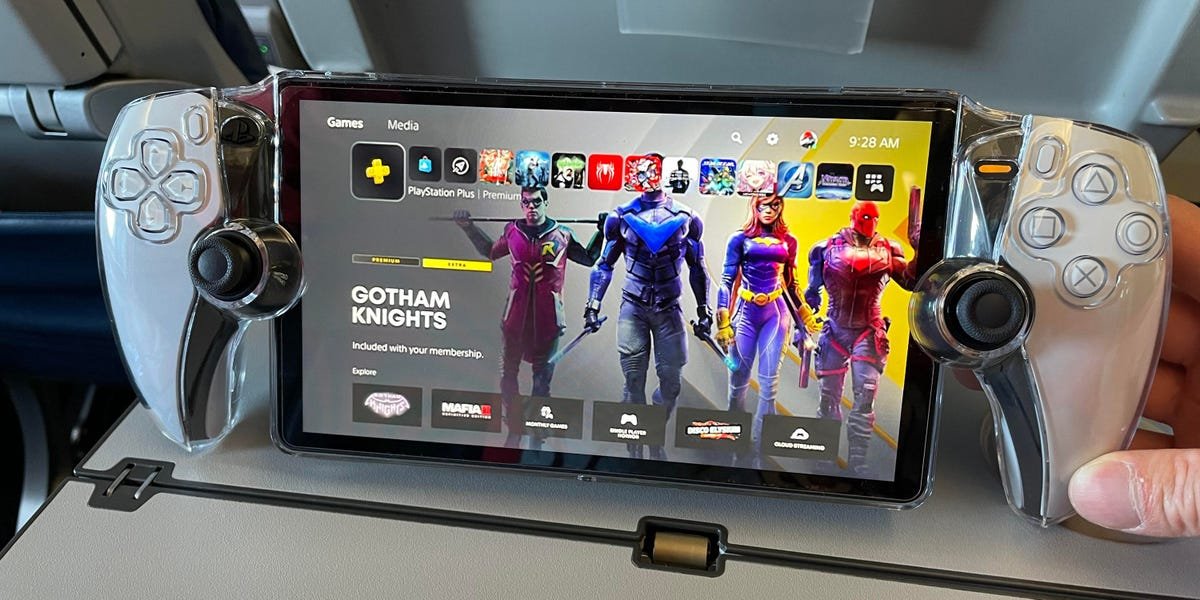
No, you cannot directly play disc games on the PlayStation Portal.
Have you ever wondered, can you play disc games on PlayStation Portal? It’s a common question for those curious about Sony’s latest handheld device. The PlayStation Portal is designed for remote play, it relies on a stable Wi-Fi connection.
This means it streams games from your PlayStation 5. Therefore, any disc-based titles will have to be installed and running on your console first.

Can You Play Disc Games on PlayStation Portal?
The PlayStation Portal is a really cool device that lets you play your PlayStation 5 games on a screen that you can hold in your hands. It’s kind of like having a super-powered video game remote control that also has its own screen. But, if you have a bunch of game discs, you might be wondering: “Can I play these disc games on my PlayStation Portal?”. That’s a super important question for anyone who loves to collect physical games. Let’s dive in and see what the deal is with disc games and the Portal.
Understanding How PlayStation Portal Works
Before we can answer the disc question, we first need to understand how the PlayStation Portal actually works. It doesn’t play games like a regular PlayStation or even a Nintendo Switch does. It’s a bit different. The Portal is basically a really advanced remote play device that streams games from your PlayStation 5 console. Think of it like watching a video on your phone – the video is actually playing somewhere else, on a server, but you see it on your phone. The Portal does the same thing with your PS5 games. Your PS5 does all the work, and the Portal shows you what’s happening.
This is important because it means the Portal doesn’t have the ability to read game discs itself, it doesn’t have any place to insert a physical disc.
- Remote Play: The PlayStation Portal utilizes remote play technology.
- PS5 Required: A PlayStation 5 console is essential for the Portal to function.
- Streaming: Games are streamed from your PS5 to the Portal.
- No Local Processing: The Portal doesn’t process or run games on its own.
So, with this knowledge, we can already start to understand why disc-based games have a bit of an issue on the Portal.
The Disc Game Dilemma
Now, let’s tackle the big question about playing disc games. Since the PlayStation Portal is just a screen and controller that streams games from your PS5, it can’t directly read or use the disc. The Portal is a screen that takes a picture of what is happening on your PlayStation 5. You need the disc to be in your PlayStation 5 so that the game can be played there. The portal then allows you to see the game playing on the screen that’s connected to the controller.
Why Discs Don’t Work Directly on the Portal
The main reason why you can’t put a game disc into the Portal is because the portal does not have a disc drive. It doesn’t have any slots or mechanisms to read discs. That’s because it’s designed to be a remote screen, not a complete gaming console by itself. It’s much thinner and lighter because it doesn’t have any of the heavy internal components, like a disc drive, that you find inside a normal video game console.
- No Disc Drive: The Portal lacks a disc drive for physical media.
- Remote Play Focus: Its primary purpose is remote play, not local playback.
- Lightweight Design: The absence of a disc drive keeps it portable.
How to Play Disc Games with the Portal
So, does this mean you’re totally out of luck if you like buying physical copies of games? The answer is no, not at all. You can totally play disc games using the Portal, but you’ll need to make sure you understand how it works first. The trick to playing disc-based games on your Portal is to make sure the disc is inside your PlayStation 5. That PlayStation 5 is the machine doing the work, and then the Portal is showing you the video.
- Insert the disc: Put the game disc into your PlayStation 5 console.
- Start the Game on PS5: Start the game on your PS5 and leave it running.
- Connect with Portal: Make sure the Portal is connected to the same network as your PS5.
- Launch Remote Play: Start remote play on your PlayStation Portal.
- Play the Game: Choose the game you started on your PS5 on the Portal screen and start playing.
You’re basically using your PS5 to start the game, and then using the Portal to see and control it. It’s all happening through your home Wi-Fi. This is why it is very important that you have a fast and stable internet connection to make the gameplay smooth and uninterrupted.
Factors Affecting Disc Game Play on the Portal
Playing disc games using the PlayStation Portal is generally fun and convenient. But, like any type of game streaming, there are some factors that can influence your experience. Let’s take a look at a few things that might impact the gameplay:
Internet Connection Quality
A great internet connection is really important when using the Portal for disc games. Since the game is streaming over your network, how well it works directly depends on the speed and stability of your internet. If your internet is slow or inconsistent, you might see lag, which is when the game slows down or freezes. Sometimes your picture might become blurry, and sometimes the controls don’t respond right away. This can make your gameplay frustrating and not as fun. The better your internet connection is, the smoother your game will run.
- Speed: A fast internet connection is required to prevent lag.
- Stability: Consistent internet avoids interruptions during gameplay.
- Home Network: Good home Wi-Fi is needed for smooth streaming from PS5.
- Router Placement: A well-placed router can improve the connection.
PlayStation 5 Condition
The game disc is still used to start the game on your PlayStation 5. Because the Portal is just streaming the game, it’s important that your PS5 is in good condition. Your PS5 needs to be on, and connected to the internet. This is how the Portal can connect to it. If your PS5 isn’t working properly, your game will not work correctly on the Portal. For a smoother gaming experience on the Portal, it’s important to keep your PlayStation 5 updated with the latest software and in good working order.
- PS5 Turned On: Your PS5 must be turned on to stream to the Portal.
- Software Updates: Keep your PS5 software updated for best performance.
- Proper Function: Ensure your PS5 is working correctly.
Distance Between Portal and PS5
The range between your PlayStation Portal and your PlayStation 5 matters, because your gameplay has to go through the internet connection. Generally, the closer the Portal is to your PS5 and the router, the better the connection you’ll get, and the smoother the game is going to play. If you are very far away from your router, you may have a weak signal. If the Wi-Fi signal is weak, then your video might not be smooth and your game might stutter or lag. Think of it as trying to talk to your friend when there is a lot of background noise. The closer you are to your friend, the easier it is to understand each other, and the closer your portal is to your PS5, the better the signal, and the more smoothly your game plays.
- Closer Is Better: Closer proximity generally means better connection.
- Obstacles: Avoid placing the Portal too far from the PS5 or router or behind things like walls and furniture that might weaken your internet signal.
- Signal Strength: Check Wi-Fi strength on the Portal and move if required to be closer to the router.
The Advantages of Using a PlayStation Portal With Disc Games
Even though the Portal doesn’t directly read discs, using it with your disc games can provide some great benefits. Here’s a breakdown of the advantages:
Play Anywhere in the House
The biggest benefit is that you aren’t stuck sitting in front of your television. You can bring your games to your bedroom, to the kitchen, or even outside in the backyard. As long as you have a good Wi-Fi signal, you can enjoy playing your PS5 disc games from all around the house. This makes it really easy to play when someone else wants to use the TV.
- Flexibility: Play games away from the TV.
- Convenience: Enjoy gaming in any room with Wi-Fi.
- No TV Needed: You don’t have to tie up the television to play games.
Continuation of Physical Game Collections
If you enjoy collecting physical game discs and you don’t want to switch to the digital versions of the games, the Portal allows you to enjoy your games. You don’t have to change your habits or spend extra money buying digital games that you already have on disc. The Portal allows you to play physical disc games, but through a really handy, handheld device.
- No need to buy games twice: Avoid rebuying games digitally if you own them on disc.
- Keeps disc collections alive: Continue using your physical game collection.
- Physical Media Access: Enjoy the benefits of physical media with portable gaming.
Playstation 5 Controller
The PlayStation Portal has all the buttons and options you find on the regular PlayStation 5 controller. It gives you all the control you are used to. This means that you are playing a game on the Portal with the same comfort and feel as if you were playing with a standard PS5 controller. For game players, this is a big benefit because it does not require players to learn a new controller configuration.
- Familiar Layout: The Portal has a PS5 controller layout for a smooth transition.
- Full Functionality: Get all the usual controller functions.
- Comfortable Grip: Designed to feel like a regular PS5 controller.
What About PlayStation Plus Games and the Portal?
Another question people often have is how PlayStation Plus games work with the PlayStation Portal. If you have a PlayStation Plus subscription, you might get free games each month, and you also get access to a catalog of games that you can download and play. The way the portal works is the same, whether you are playing a game that you got from disc, or a game you got from PlayStation Plus.
How PlayStation Plus Games Work
As long as the game is downloaded and installed on your PS5, you can play it on the Portal. The PlayStation Portal is used to play games over streaming, so all of your digital games, including the games that you have access to through PlayStation Plus, will work just fine on the Portal. The process of playing these games is the same as when playing physical games: start the game on your PS5, then start streaming it to your Portal.
- Same Streaming Rules: PlayStation Plus games stream on the Portal just like disc games.
- Downloaded Games Only: They must be downloaded and installed on the PS5 first.
- Subscription Required: You need an active PlayStation Plus subscription.
Can you play games outside your home?
The Portal is designed to work mostly inside your home when it’s connected to your Wi-Fi. The PlayStation Portal can work outside the house if you have a strong and fast enough internet connection in both locations, where your PS5 is, and where your Portal is. If the internet connection is slow or unreliable, then it won’t work very well. It’s recommended to have a very fast and stable internet connection for this feature to work properly. Playing games in other places using the portal is great, but it needs a solid connection.
Tips for a Better Portal Experience With Disc Games
Here are some tips to help make your PlayStation Portal experience smoother and more enjoyable when you play disc games:
Optimize Your Home Network
The quality of your home internet network will determine the quality of your game when using the PlayStation Portal. Make sure that your home network is running smoothly, and consider some easy fixes if it isn’t:
- Fast Router: Use a modern, dual-band Wi-Fi router that is set up correctly to give the best speed and reliability for your internet.
- Router Placement: Put the router in the center of your house, or as close as possible to your PS5 and where you use the Portal. This is because devices connected closer to the router will get a better signal.
- Limit Devices: When playing, try to reduce the number of other devices on your Wi-Fi network. This means turning off tablets, phones, or other devices that may be using Wi-Fi. This will leave more bandwidth for your game.
Keep Everything Updated
Keeping your PlayStation 5 and the PlayStation Portal updated with the latest software will make sure they are both working at their best. The developers are always making little changes and fixes to improve performance, so having the latest versions can make your gameplay much better. Be sure to check for updates regularly.
- PS5 Updates: Keep your PS5 system software up to date.
- Portal Updates: Update the PlayStation Portal software regularly.
- Benefits: Get bug fixes and performance updates for better gameplay.
Plan Your Play Sessions
Because your PlayStation 5 needs to be on while you use the PlayStation Portal, it is good to plan when you will use it. If you know that you are going to be away from home for an extended period of time, it is probably not the best time to leave the PS5 running if you plan to use the portal outside the house. It’s important to plan for when your PlayStation 5 will be needed for other reasons and when you can use the Portal the most.
- Schedule: Plan your gaming sessions to avoid leaving the PS5 on for too long.
- Power Saving: If possible, plan play sessions around other time constraints to save power.
- Remote Awareness: Remember that the PS5 has to be on for the Portal to work.
The Future of Remote Gaming With PlayStation
The PlayStation Portal represents an important step in how people enjoy playing games. The idea of using the Portal to play games away from the television is a way for families to use the TV for other purposes without having to stop playing the latest games. As internet technology continues to grow and become even better, you can expect to see an even smoother and more convenient remote gaming experience. The Portal gives you a sneak peek at what is possible in the future.
Ultimately, the PlayStation Portal offers a fantastic way to play your PS5 games, including your cherished disc games, anywhere in your home. While it requires your PS5 to do the heavy lifting, the portability and convenience it provides are very hard to pass up. As long as you know how it works, you can enjoy all your favorite games in a way that’s more flexible than ever before.
Don't Buy A PlayStation Portal Until You See This
Final Thoughts
No, you cannot play disc games directly on the PlayStation Portal. This device only supports games installed on your PlayStation 5 console. It acts as a remote play accessory.
You need a PS5 with digital versions of games to play on it. ‘can you play disc games on playstation portal’ is a common question, but the answer is clearly no. This is due to the device’s function that it remote plays, and doesn’t have an optical drive.

