
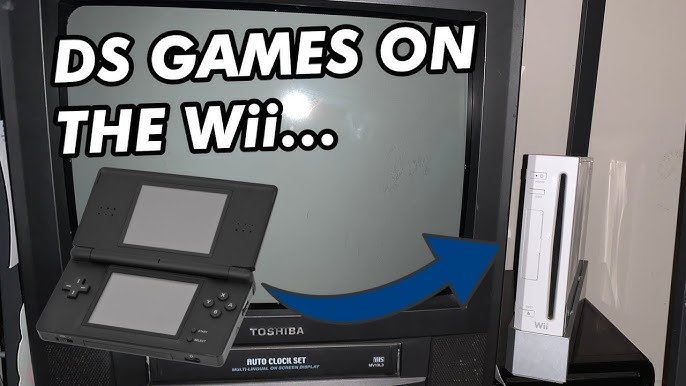
No, you cannot directly play DS games on a Wii console.
Ever pondered if you could enjoy your favorite Nintendo DS titles on your larger TV screen using a Wii? Many gamers have considered this very question: can you play ds games on a wii? It’s a common curiosity, given both consoles are from Nintendo and share some similarities.
The Wii, while fantastic for its own library of games, lacks the hardware necessary to read DS game cartridges. The DS utilizes a different screen and control setup. Therefore, a direct playing of ds games on a wii is not an option.

Can You Play DS Games on a Wii?
Alright, let’s dive right into the big question: Can you play those awesome Nintendo DS games on your Wii? The short answer, and probably not the one you were hoping for, is: not directly, no. The Wii and the Nintendo DS are built differently, using different kinds of cartridges and screens, making it impossible to just pop a DS game into your Wii and start playing. However, don’t lose all hope! There are some clever workarounds and things you should know about which we’re going to explore in this article.
Understanding the Differences: Wii vs. DS
To understand why you can’t just play DS games on your Wii, it helps to see how these two gaming consoles are different. They are designed for completely different experiences.
Hardware and Cartridge Differences
The Nintendo Wii uses discs to store its games, similar to a DVD or CD. These discs are read by a laser inside the Wii console. On the flip side, the Nintendo DS uses small game cards or cartridges. These cartridges are read through electrical contacts, not a laser. These cards are physically much smaller, designed to fit into the DS console slot, which is smaller than disc drive on the Wii, that’s why it is impossible to insert directly a DS game card into a Wii console.
Here’s a quick comparison table:
| Feature | Nintendo Wii | Nintendo DS |
|---|---|---|
| Game Format | Discs | Game Cards/Cartridges |
| Game Reading | Laser | Electrical Contacts |
| Display | Television or Monitor | Dual Screens |
| Main Input | Wii Remote, Nunchuck | Stylus, Buttons |
Screen and Control Differences
The Wii is designed to be played on a television. It uses a larger screen for game play, typically with motion controls using the Wii remote and nunchuck. The DS, on the other hand, uses two small screens built directly into the console. The bottom screen is a touchscreen that you control with a stylus. The games are made for these different types of screens and different types of input, that’s why they are not interchangeable.
The Virtual Console: A Limited Option
Now, while you can’t play physical DS cartridges on a Wii, there is a glimmer of hope through the Wii’s Virtual Console. The Virtual Console was a service on the Wii that allowed you to download and play older games from various consoles of the past. This included classics from the NES, SNES, and even the Nintendo 64. However, here is the main point, the Virtual Console did not offer original Nintendo DS titles.
While the Virtual Console offered a wide variety of games, it never included titles for the Nintendo DS itself, so this option is unfortunately not the way you’re going to be able to play your favorite DS games.
Homebrew and Emulators: The Unofficial Path
Okay, so we know the official way to play DS games on the Wii isn’t a thing, let’s talk about an alternate path – homebrew. Homebrew refers to software and modifications made by the user community, not by the official game companies. This usually involves modifying your Wii console, which is not officially supported or endorsed by Nintendo, and doing so may void your warranty and carries some risks. Be very careful before proceeding with this option.
What are Emulators?
Emulators are programs that act like another console on your device, in this case, your Wii. They are designed to mimic the hardware of the other console (in this case, the Nintendo DS) and allow you to play ROMs (digital copies of games) on your Wii. Think of it as putting the ‘brain’ of a DS inside your Wii.
How Does Homebrew Enable DS Emulation?
By using homebrew software on your Wii, you can install emulators. Once an emulator is installed, you would need to obtain ROM files of your desired Nintendo DS games. The installation and process to setup an emulator are sometimes technical. You’ll need to be comfortable following directions on websites, because the emulator, homebrew software, and the required game files are not provided or distributed by Nintendo. It is extremely important to understand that downloading ROMs of games you do not own is considered to be piracy and should be avoided. Please be sure to only play backups of games you own to remain within legal and ethical boundaries.
Here’s a simplified breakdown of the process:
- First, you would need to install the Homebrew Channel on your Wii
- Then, you’d obtain a DS emulator that is designed to run on the Wii.
- Finally, you would obtain ROM files, only those which you legally own.
- Load the emulator on your Wii and load the ROM.
Risks and Considerations with Homebrew
Before you jump into the world of homebrew, here are some things to consider:
- Warranty Voidance: Modifying your Wii in this way may void your warranty with Nintendo.
- Potential Damage: Incorrectly installing homebrew software or modifying your console can sometimes cause it to malfunction.
- Piracy Concerns: Downloading and using ROMs of games you do not own is illegal and considered piracy.
- Technical Difficulties: The process can be complex, especially if you are not familiar with how these things work.
- Emulator Quality: DS emulators on the Wii may not perform as smoothly as they do on other systems. They can sometimes be slow or have glitches.
What About the Wii U?
Now you might be thinking, “Okay, but what about the Wii U, did things improve there?” Sadly, the situation for the Wii U is very similar to the original Wii. While the Wii U was a more powerful system, it still didn’t offer native support for playing Nintendo DS game cartridges. The Wii U also had its own Virtual Console but again, the service didn’t include any DS titles. So, unfortunately, even if you have a Wii U, you can’t play your DS games directly on that console either.
Other Ways to Play DS Games
So, if you can’t play DS games on a Wii or a Wii U, what are your other options? Well, you might already have some of these at your disposal:
Original Nintendo DS Consoles
The simplest way to enjoy your DS games is by using a Nintendo DS or Nintendo 3DS system. These consoles are designed to play those games perfectly, and you won’t have to do any complicated setup. Here’s a list of all of the Nintendo DS family consoles:
- Nintendo DS (Original)
- Nintendo DS Lite
- Nintendo DSi
- Nintendo DSi XL
- Nintendo 3DS (can play DS games as well)
- Nintendo 3DS XL (can play DS games as well)
- Nintendo 2DS (can play DS games as well)
- New Nintendo 3DS (can play DS games as well)
- New Nintendo 3DS XL (can play DS games as well)
- New Nintendo 2DS XL (can play DS games as well)
Mobile Emulators
Another option, is to use mobile emulators. You can find DS emulators for many smartphones or tablets. This allows you to play DS games on your mobile device, which can be very convenient for playing on the go. Note: again, be sure to only play backups of games which you legally own.
Computer Emulators
There are also many DS emulators available for Windows, Mac and Linux computers. These emulators often provide a good experience, with a larger screen and the ability to use your keyboard, mouse, or gamepad for controls. Again, please make sure you only play backups of games you legally own.
Here’s a comparison of these methods:
| Method | Pros | Cons |
|---|---|---|
| Original DS Consoles | Native hardware, best compatibility, simple to use | Requires having or finding an original DS |
| Mobile Emulators | Portable, Convenient | Can sometimes be laggy, controls can be a bit awkward on a touch screen |
| Computer Emulators | Good performance, larger screen, flexible controls | Requires a computer |
So, while you can’t play DS games on your Wii directly, there are still plenty of options to get your fill of your favorite DS games. Whether you use a DS system, try an emulator on your computer or phone, the key is to make sure you are staying within legal and ethical boundaries by only playing games you legally own.
So to sum it up, while the idea of playing DS games on your Wii might sound amazing, it isn’t officially supported. The hardware differences between these consoles are what makes this so. While homebrew software and emulators can provide a way, it is not something that’s recommended for the average person because it has the potential to cause problems with your console. Ultimately, using a DS or a 3DS system, or using an emulator on your computer or phone are the best options for experiencing your favorite DS titles.
DS Games on the Wii?! #shorts #nintendo #videogames #gaming #facts #fake #viral #retro #wii #ds
Final Thoughts
So, can you play ds games on a wii? The straightforward answer is no, you cannot. The Wii console hardware and software lack the required functionality to play Nintendo DS cartridges directly.
The Wii was not designed with DS compatibility in mind. It uses a different game format and processing architecture. Therefore, playing DS games is not possible on the Wii without using specific, third party emulation methods, which are different.

