
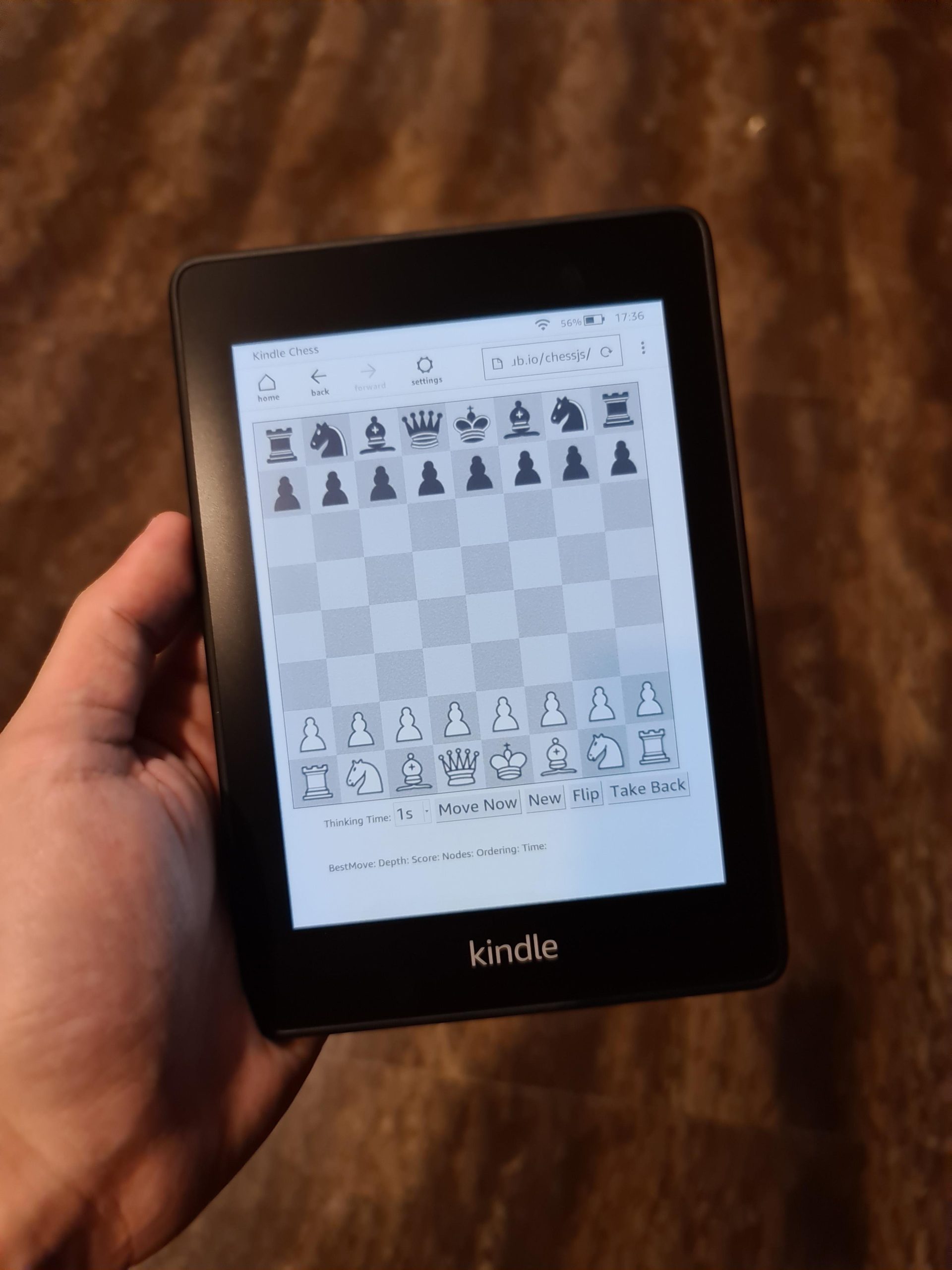
Yes, you can play a few very basic, text-based and simple puzzle games on a Kindle Paperwhite, though it’s not designed for graphic-intensive gaming.
You’re probably wondering, can you play games on kindle paperwhite? The short answer is yes, but it’s not the gaming experience you might expect from a dedicated console or even a smartphone. Don’t imagine anything like Fortnite or even Candy Crush.
The Kindle Paperwhite primarily serves as an e-reader, focusing on providing a pleasant reading experience. However, a few simple games are included, mostly focused on text and puzzles. These can be a nice distraction, but they aren’t the main feature.

Can You Play Games on Kindle Paperwhite?
The Kindle Paperwhite is famous for being a great e-reader, perfect for carrying tons of books without weighing you down. But what about fun and games? Can you really play games on your Kindle Paperwhite, or is it strictly for reading? That’s a question many people ask, and the answer isn’t as simple as a straight yes or no. Let’s dive into the details and explore what kind of gaming experience, if any, you can expect.
The Kindle Paperwhite’s Primary Function: E-reading
First things first, it’s essential to remember that the Kindle Paperwhite was designed with a primary goal: reading ebooks. It’s not built to be a gaming console or a tablet. Its core features like the E Ink display, long battery life, and lightweight design all cater to an optimal reading experience. This means its hardware isn’t designed for complex, high-speed gaming like you’d find on smartphones or dedicated gaming devices.
Understanding the E Ink Display
The Kindle Paperwhite uses an E Ink display. This technology mimics the look of real ink on paper and is easy on the eyes, especially for long reading sessions. However, E Ink displays are known for their slow refresh rates. In other words, the screen doesn’t change rapidly, which makes fast-paced action games impossible. Think about turning the pages of a book; that’s about the speed you’re working with here. Imagine trying to play a racing game with that type of refresh rate – it just wouldn’t work well! This is the biggest hurdle when trying to enjoy games on a Kindle Paperwhite.
What Kind of Games Can You (Technically) Play?
Okay, so the Kindle Paperwhite isn’t a gaming beast, but it does have some basic gaming capabilities. The types of games available are limited to simple, mostly text-based, or puzzle games. These games don’t require fast screen updates or complex graphics.
- Word Games: Games like Hangman or simple word puzzles work well.
- Simple Puzzles: Sudoku, Minesweeper, and other logic puzzles are often available.
- Text-Based Adventures: These are games where you read a story and make choices that affect the outcome.
These types of games suit the Kindle Paperwhite’s screen capabilities because they don’t rely on fast animations or color changes.
Where Do You Find These Games?
Unlike smartphones, there isn’t an app store where you download many new games for your Kindle Paperwhite. Instead, some games are bundled within the experimental features. These experimental features are a hidden part of the Kindle Paperwhite and not intended for regular usage, but it’s where most of these games are hiding. Keep in mind that this feature is not guaranteed to be present in all Kindle Paperwhite models or software versions, and availability may change with updates.
Accessing Experimental Features and Games
To find the games, you’ll need to navigate to the experimental features section. Here’s generally how you can access it, though the exact steps might vary slightly depending on your device model and software version:
- Go to Settings: From your Kindle Paperwhite’s home screen, tap the three dots (or the menu icon) in the top-right corner. Then, tap “Settings.”
- Tap Menu again Click again the three dots in the settings page.
- Open Experimental Browser Tap the Experimental Browser.
- Type about:settings. Enter this into the experimental browser address bar.
- Find Games Go down to the line “Enable Games” and click on on.
- Return to the Home page Now go back to the home page and you should see the games!
Once enabled, you can now enjoy some simple games, usually found in your library under the ‘experimental features’. Remember, since these are considered experimental features, they might not be the most polished gaming experience. Don’t expect high-end game play!
Limitations of Gaming on the Kindle Paperwhite
It’s important to be realistic about what to expect from gaming on the Kindle Paperwhite. Here are some major limitations to keep in mind:
Slow Screen Refresh Rate
As we discussed before, the E Ink display’s slow refresh rate is a huge limiting factor. Fast action or games that require quick reactions are not playable. This means forget playing any game that needs quick responses. Imagine how frustrating it would be to play a game where images blur and move slowly when you try to move your game piece. This is what the slow refresh rate of the E Ink screen causes.
Limited Game Selection
The library of games is very limited. You won’t find any modern or popular mobile games, because the device was not built for those. You’re generally limited to basic puzzle games or word games. Don’t expect the latest game releases from well known developers on your Kindle Paperwhite. The available games are considered very basic.
No Color Graphics
Kindle Paperwhite screens only show black, white and gray. They do not display color. Games that rely on colors to play will not work on Kindle Paperwhite. This can make games less engaging because it doesn’t have color to attract the eyes.
Control Issues
The Kindle Paperwhite uses a touch screen which is okay for navigating menus but not always ideal for gaming. Some games are difficult to control using only a touch screen, especially when accuracy is needed for gaming. This can frustrate players trying to make precise movements in a game.
No Dedicated Game Controls
There are no special buttons or controls for gaming on Kindle Paperwhite. The device is primarily intended for reading ebooks, not gaming, so it doesn’t have the physical buttons or analog controls you’d see on a gaming device.
Battery Concerns
Although the Kindle Paperwhite has great battery life for reading, heavy use of games, particularly the web browser to download more games, can drain the battery faster. If you are only reading the battery will last for a long period of time. However, if you play games for hours, you should expect that your battery will not last as long as it would for reading purposes.
The Browser and its Gaming Potential
The Kindle Paperwhite comes with an Experimental Browser which allows you to access websites. There is some potential to play very simple games by navigating to web browser versions of simple games. However, it is not advisable to use the Experimental browser as it is, as it is not optimized for gaming. Expect very slow and clunky results. The browser also may cause problems with your device if it’s not used carefully. It is recommended to only use it when you need it. You should not use the Experimental browser for any important tasks as this could cause issues with your device. Keep in mind that the Experimental browser is a very basic browser with limited capabilities, and will not offer a gaming experience similar to a phone or computer.
Alternatives for Mobile Gaming
If you enjoy playing games, the Kindle Paperwhite may not be the best choice. If you are looking for serious gaming, consider the following options:
Smartphones and Tablets
Smartphones and tablets have fast processors, vibrant color screens, and access to thousands of games. They are designed for gaming as well as other uses and are the best bet for a quality experience. They provide smooth gameplay, good graphics, and large game selections.
Dedicated Gaming Consoles
Portable gaming consoles such as the Nintendo Switch are designed for playing video games. They have optimized controls and a wide variety of complex games. These consoles are created for gaming, ensuring a very good gaming experience with a large library of games.
Is it Worth Gaming on the Kindle Paperwhite?
So, should you try to play games on your Kindle Paperwhite? The answer depends on what you expect. If you want to enjoy simple, casual games, like word games or Sudoku, then it can be a decent way to pass the time. However, if you are looking for serious gaming or an immersive experience, the Kindle Paperwhite is not the right device. If gaming is something you enjoy a lot, consider a dedicated device.
Ultimately, the Kindle Paperwhite is great for what it was designed for – reading books. Its limitations on games should be kept in mind. So before starting any games, try to be realistic about what you can get from your Paperwhite, and don’t expect high end or modern game play.
How to Use a Kindle (Complete Beginner’s Guide)
Final Thoughts
Kindle Paperwhite primarily focuses on reading. It includes some basic, text-based games. These aren’t graphically intense experiences like you’d find on a phone or dedicated gaming device.
So, can you play games on kindle paperwhite? Yes, but the selection is limited to very simple titles. These are mostly puzzle and word-based experiences that provide a small distraction. It is not a gaming device.

