
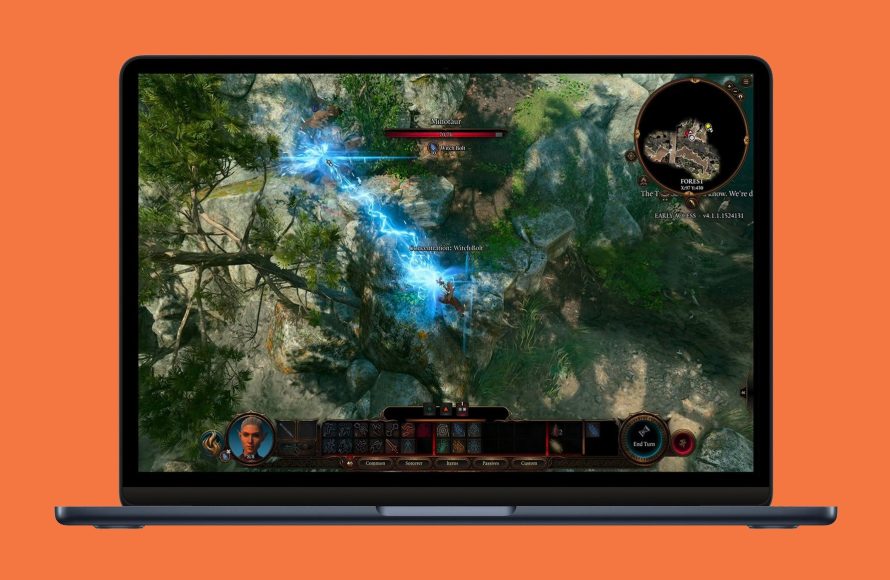
Yes, you can play games on MacBook Air, though performance varies depending on the game’s demands.
Wondering if that sleek MacBook Air can handle your gaming urges? You’re not alone! The question of “can you play games on macbook air” often pops up. Many consider its slim design perfect for work but less suited for gaming.
The truth is, you absolutely can enjoy games on your MacBook Air. However, its integrated graphics mean you will likely need to adjust your expectations and settings for demanding titles. Don’t expect the highest fidelity experience with cutting-edge graphics.

Can You Play Games on MacBook Air?
The big question everyone asks: can you actually play games on a MacBook Air? The short answer is yes, but it’s not quite as simple as that. The MacBook Air isn’t built to be a gaming powerhouse like some other computers. It’s designed to be thin, light, and great for everyday tasks like schoolwork, browsing the internet, and watching videos. So, while you can play games, you need to understand what kind of games it can handle.
Understanding the MacBook Air’s Capabilities
Before we jump into specific games, let’s talk about what makes a computer good for gaming. Most important is its processor (the brain of the computer) and its graphics card (which helps create the pictures you see on the screen). The MacBook Air uses an Apple silicon chip, either an M1, M2 or M3. This chip is really good at doing many things at once, but it’s not the same as a dedicated graphics card you might find in a gaming laptop or desktop.
Integrated Graphics vs. Dedicated Graphics
Most gaming computers have a separate graphics card. This card has its own memory and is built just for making games look and run well. The MacBook Air doesn’t have one of these. Instead, it uses what is called ‘integrated graphics’. This means the graphics processor is part of the main chip itself and shares memory with other tasks. This is very efficient for regular computer use, but not always the best for demanding games.
Think of it like this: a dedicated graphics card is like having a special art studio just for painting. An integrated graphics card is like having to do your painting at your normal desk, with all your other homework. Both can get the job done, but the studio is likely to produce better results.
What Kind of Games Can You Expect to Play?
So, if the MacBook Air isn’t a gaming computer, what can you play on it? You’ll have the best time with games that aren’t very demanding when it comes to graphics and processing power. These include:
- Indie Games: These games are often made by smaller teams and have simpler graphics. Games like Stardew Valley, Among Us, and Hades run very well on a MacBook Air.
- Casual Games: Think of games like Candy Crush or puzzle games. These games are usually lightweight and work without any issue on almost any computer.
- Older Games: Many older games were not designed to require very strong hardware and will perform well on a MacBook Air. Examples include games that came out in the early 2010s or before.
- Apple Arcade Games: Apple’s game subscription service is made to work well on Apple devices. Many of these games run smoothly on a MacBook Air.
Examples of Playable Games
To give you a clearer idea, here’s a small list of games that often work well on a MacBook Air:
- Stardew Valley
- Minecraft (Java Edition may need some tweaking)
- Among Us
- Hades
- Terraria
- League of Legends (runs okay but not the best)
- Fortnite (can be played, but may not be the best experience)
- Rocket League (performance may vary)
Games to Avoid on a MacBook Air
There are also some kinds of games that you will probably find really hard to enjoy on a MacBook Air. These include:
- AAA Games: These are big-budget games with really advanced graphics, like Cyberpunk 2077 or the latest Call of Duty titles. These games are meant to be played on high-end gaming computers.
- Very Graphics-Intensive Games: Games with extremely detailed graphics, realistic lighting, and lots of special effects will usually struggle on a MacBook Air.
Factors Affecting Gaming Performance
Even within the games that should run okay, there are things that can affect how well they play. It’s not a simple “this game works” or “this game doesn’t”. Here are some important factors:
The MacBook Air Model
The newer M1, M2 and M3 chips in MacBooks Air are much more powerful than the older Intel-based MacBooks. So, a newer MacBook Air will handle games better than an older one. Also, MacBook Airs with more RAM (memory) often handle games better. Aim for 16GB of RAM if you plan to do a fair bit of gaming, but 8GB will still work for many games.
Game Settings
Most games allow you to change the graphic settings. This lets you choose how detailed the game looks. If you have a MacBook Air, you’ll likely want to lower the settings to make the game run more smoothly. This means the game might not look as pretty as it does on a powerful gaming PC, but it will be more enjoyable to play. Things like resolution (the size of the game on the screen), texture quality, and shadows all play a role. Experiment with the settings to find the best balance of performance and image quality.
External Factors
Running other programs at the same time as you’re playing a game can slow things down. Close extra internet tabs, any programs you’re not using and let the MacBook Air dedicate its power to the game. Also, try to keep your MacBook Air cool during playing a game. Heat can make it perform worse. Try to play in a cooler room or using an external cooler, if it overheats.
Ways to Improve Gaming Performance on MacBook Air
If you’re trying to get the best possible game playing experience on your MacBook Air, you can take some steps to optimize things:
- Lower Graphics Settings: As we discussed, lower the detail settings for games.
- Close Unnecessary Programs: Don’t have anything extra running when playing.
- Update MacOS: Keep your MacBook up-to-date with the latest software. Updates can include performance improvements.
- Use Game Mode: MacOS has ‘Game Mode’. It automatically gives the game more system resources when you play.
- Play on an External Display: An external display can be helpful, but make sure it runs at the same refresh rate as your MacBook Air for the best performance.
- Use a Cooling Pad: To prevent the computer from overheating, you may want to purchase a cooling pad.
Cloud Gaming: Another Option
If you really want to play games on your MacBook Air that it wouldn’t normally handle well, you can use cloud gaming services. These services let you play games on powerful servers over the internet. Your computer just shows you the image, so it doesn’t need a lot of power. Some good cloud gaming services are:
- NVIDIA GeForce Now
- Xbox Cloud Gaming
- PlayStation Plus Premium
These require a good internet connection and will have monthly fees, but they do mean you can play more demanding games without needing a high-powered computer. Think of it like renting a game-playing computer for a short period, instead of buying one yourself.
MacBook Air: Great for Some Gaming, But Not All
The MacBook Air is a fantastic laptop for many tasks. It’s great for school, work, and browsing the internet. It is also capable of playing a good selection of less intensive games. While it won’t be a match for a dedicated gaming computer, its versatility and portability make it a good choice for some casual or older game titles. Remember to adjust the game settings, check the system requirements before buying a game, use the methods described above to optimize the performance and you will be able to have some fun. Also consider the other options such as Cloud gaming if you want to explore playing more demanding games.
Can You Game On A New M2 MacBook Air?
Final Thoughts
Ultimately, you can play games on MacBook Air, but manage expectations. Demanding titles might struggle. Performance depends heavily on the specific game and settings.
The MacBook Air focuses on portability and everyday tasks, not intense gaming. Casual games or older titles work fine. “can you play games on macbook air?” Yes, with some limitations.

