
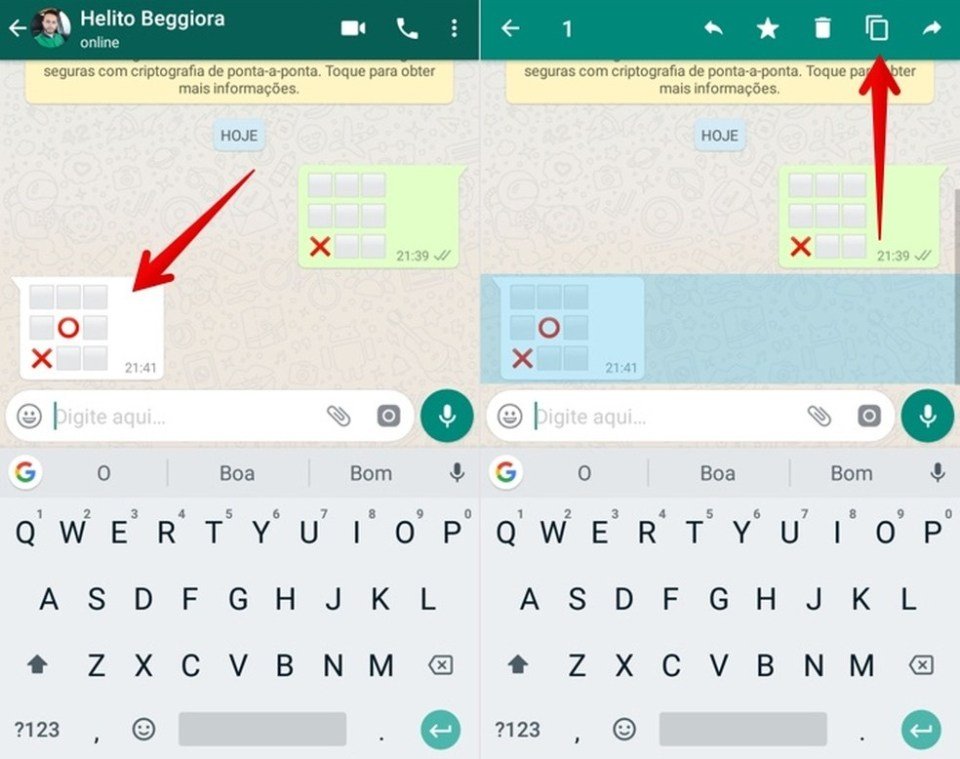
Yes, you can play games on WhatsApp, though they are not built-in. You typically use third-party apps or links to access playable games.
Ever wondered if you could sneak in a quick game while chatting with friends? The question “can you play games on WhatsApp” pops up often. It seems natural to expect gaming functionality within such a popular messaging platform.
While WhatsApp itself does not provide a dedicated gaming section, there are ways to get your game on. This involves using other apps or sharing links to external game experiences.

Can You Play Games on WhatsApp? Exploring the Fun Within Your Chats
We all use WhatsApp to chat with friends and family, right? But did you know that there’s a whole world of simple fun hidden inside? It’s true! While WhatsApp isn’t exactly like your PlayStation or Xbox, you can definitely play games, and they can be a blast! Let’s dive in and see how you can bring some gaming excitement to your chats.
Simple Games You Can Play Directly in WhatsApp
You might not find big action games on WhatsApp, but there are plenty of ways to have a good time with games you can play right in your chats. These games usually involve using words, emojis, and a little bit of imagination.
Word Games
Word games are super popular because they’re easy to start and don’t need anything extra. Here are a few ideas:
- The Word Chain: One person starts with a word. The next person has to say a word that starts with the last letter of the previous word. For example, if someone says “cat,” the next person could say “train.” Keep going as long as you can!
- Categories: Pick a category, like “animals” or “foods.” Then, take turns naming things in that category. It’s a simple way to see who can think fast.
- I Spy: One person says, “I spy with my little eye something that is…” and then they give a clue about a word. Everyone else has to guess the word. You can adjust the difficulty depending on the age of players.
- Story Time: Each person adds one sentence to create a collaborative story. You’ll be amazed at the goofy stories you create together.
- 20 Questions: One person thinks of an object, place, or person. The other people ask yes/no questions to figure it out. This tests their detective skills!
Emoji Games
Emojis aren’t just for showing feelings; they’re also great for playing games!
- Emoji Pictionary: One person sends a string of emojis that represent a word or phrase. The others have to guess what it means. For instance, a 🍔 🍟 might mean “burger and fries”.
- Story in Emojis: Similar to the word story, but everyone adds an emoji to create a story. It’s a fun way to see how creative you can be with symbols.
- Guess the Movie: Use emojis to depict a movie title, and let your friends guess. This one can be pretty challenging, and it’s hilarious!
Number Games
Get those thinking caps on! Number games are simple and fun:
- Math Challenge: One person writes a simple math problem, and others race to solve it. You can keep track of the points, making it more competitive.
- Counting Game: Start with the number one, and go around in the chat, each person saying the next number. You can make it more challenging by skipping a certain number, like every number that contains 3.
- Number Guess: One person picks a number within a range, and others guess. You can give hints like “higher” or “lower.”
Other Fun Chat Games
Here are some games that are simple and easy to adapt to the WhatsApp chat format:
- Never Have I Ever: A classic party game that can be played via text! Take turns saying “Never have I ever…” and then say something you’ve never done. Those who have done it should acknowledge it in the group!
- Would You Rather: Present your friends with two tricky “would you rather” options and watch them debate their choices! It’s a hilarious and sometimes insightful game to play.
- Truth or Dare (Text Version): Modify the game to suit a chat. Ask a “truth” question or give a “dare” that’s easy to complete on text. Make sure they’re age-appropriate!
Using Third-Party Apps for More Interactive Games
While WhatsApp itself doesn’t have built-in games like you see on apps specifically for gaming, you can use some clever workarounds to bring more game action to your chats. This involves third-party apps that work with or alongside WhatsApp.
Game Bots and Extensions
Some apps or websites offer bots or extensions you can integrate with WhatsApp. These bots respond to commands and let you play games within your chat. They’re usually pretty simple but can be a good source of variety.
Here’s how they usually work:
- Find a Bot or Extension: Search for bots compatible with WhatsApp. Some websites and developers provide these. Be sure to pick trusted sources.
- Add to Your Chat: You’ll usually get a link or instructions to add the bot to your WhatsApp chat group.
- Use Commands: The bot will have specific commands you use to play games. These commands are usually typed messages.
For example, you might see a bot that lets you play a quiz game. You would send a message like “/startquiz” and the bot would ask questions that you can answer in the chat.
Mobile Games with Share Features
Another option is to use games outside of WhatsApp that have share features. You can play a game on your phone and then share your score or an invite with your friends on WhatsApp. This doesn’t let you play the game directly in WhatsApp, but it makes it easy to compete and play together.
This is how it usually goes:
- Download a Game: Find a fun mobile game with share features in app stores. There are plenty of options, from puzzle games to racing games.
- Play the Game: Complete levels or tasks in the game.
- Share with Friends: Look for the share button, which will give you an option to share a link or an image to your WhatsApp chats.
For instance, you might play a puzzle game, then share a picture of your completed puzzle with your friends so they can try to beat your time or score. Or you might share your winning score from a racing game so your friends can join in the challenge.
Important Safety Tips When Using Third-Party Apps
Remember, when using external apps, prioritize your safety:
- Check the App’s Permissions: Be very careful about giving apps access to your contacts, photos, or camera. Granting permissions should only be for trustworthy sources.
- Look at Reviews and Ratings: Before downloading a game or extension, read what other people have to say. Negative reviews are a red flag.
- Be wary of suspicious links: Never click on links from people you don’t know or if they look fishy. These links may lead to phishing or malware.
- Don’t share personal information: Avoid sharing sensitive details with bots or on third-party apps.
Making Your Own WhatsApp Games
Why not try creating your own games? It can be a fun way to entertain your friends and challenge their brains.
Creating a Scavenger Hunt
A scavenger hunt is a game where players look for items based on clues. You can create a mini-scavenger hunt using WhatsApp.
Here’s how:
- Plan the Clues: Come up with a list of clues that lead to certain items in the player’s home or somewhere that’s easy to access. Try to make the clues challenging but not too hard.
- Send Clues One by One: You can send clues one at a time to make it more exciting. Wait for the players to find the item and send you a picture, or tell you in a message before giving the next clue.
- Reward the Winner: You can create your own little reward for the first person who finishes!
Designing a Quiz Game
You can create a personalized quiz game for your friends with questions about things they like or know.
Here’s how to set it up:
- Pick a Theme: Make it a theme that would interest all the players like pop music, school knowledge, etc.
- Create Questions: Make a list of questions with multiple-choice answers or simple fill-in-the-blanks.
- Keep Score: Award points to those who answer correctly. The player with the highest score wins.
Using Pictures and Videos
Photos and videos can also add an interesting spin to games.
Ideas include:
- “What’s Missing” Game: Take a picture of some random objects, then remove one, and send the picture again. The players have to guess what’s missing.
- Video Challenge: Send a short clip of yourself doing a funny action, and ask your friends to re-create it.
- Picture Puzzles: Take a photo of something unique then zoom in on a tiny part of it, and ask your friends to guess what it is.
Why Play Games on WhatsApp?
Even though WhatsApp isn’t specifically designed for gaming, playing games on it can have a lot of great benefits:
- Easy and Accessible: Most people already have WhatsApp, so there’s no need to download extra apps.
- Good for Brain Workouts: Word and puzzle games can help keep your mind sharp.
- Boost Social Connection: Games are a fun way to connect with your friends and family, no matter how far apart you may be.
- Breaks the Monotony: Games offer a change of pace from everyday chats.
- Fun and Entertainment: At the end of the day, playing games in chat are enjoyable and can bring a smile to everyone’s faces.
Playing games on WhatsApp can turn your regular chats into fun and engaging experiences. From quick word games to creating your own quizzes, there’s something for everyone. Just remember to have fun and keep it safe when exploring third-party options.
5 SECRET Whatsapp Commands
Final Thoughts
The short answer: yes and no. You cannot play dedicated games within the WhatsApp app itself. However, you can use third-party apps that share scores via chat.
These games often involve simple puzzles or word challenges. This method lets you have a gaming experience. So, the question is, can you play games on whatsapp? Technically not directly, but indirectly, yes.

