
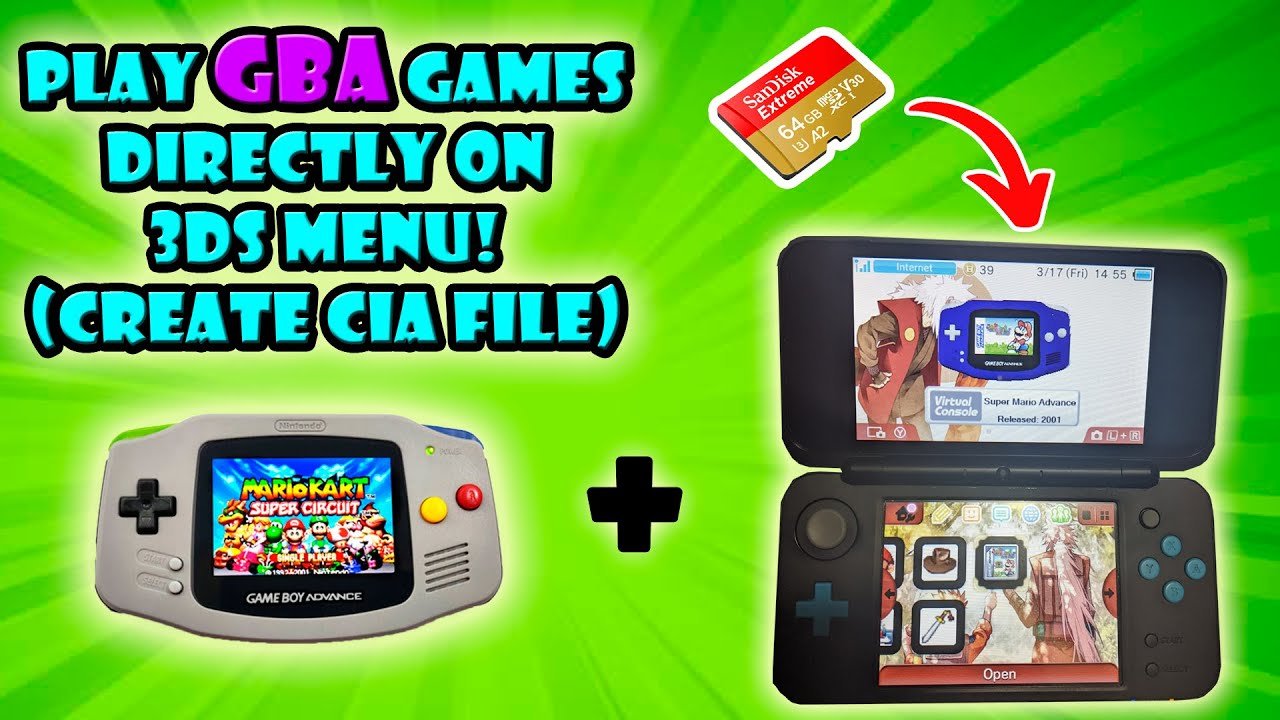
Yes, you can play GBA games on 3DS, but only certain ones through the Virtual Console or by using custom firmware.
Ever wondered, can you play GBA games on 3DS? It’s a question many Nintendo fans have. The 3DS, while amazing in its own right, doesn’t natively support Game Boy Advance cartridges.
However, Nintendo did release some select GBA titles on the 3DS eShop as part of the Virtual Console program. Plus, some crafty folks use custom firmware to get around limitations. This opens up other pathways to play GBA games.

Can You Play GBA Games on 3DS?
Okay, let’s get right to it! You’re holding your trusty Nintendo 3DS, maybe even a 2DS, and you’re suddenly hit with a wave of nostalgia for those classic Game Boy Advance (GBA) games. Who can forget the fun of playing Pokémon Ruby, The Legend of Zelda: Minish Cap, or even Metroid Fusion? The question is: can your 3DS actually play these gems?
The Short Answer: It’s Complicated
The simple answer is: yes, and no. It’s not a straightforward yes like putting a 3DS game in. It depends on a few things, and we’ll explore all the ins and outs below. Basically, you can play GBA games on your 3DS but not in the way you might expect.
Understanding the 3DS and its Capabilities
Before we dive into how to play GBA games, let’s understand what the 3DS is capable of. The Nintendo 3DS is a handheld console that plays games designed for it, obviously. It has a library of games that work beautifully on its screens. But, the 3DS also has a secret power – it has the technical capability to run older systems’ software. Inside your 3DS, there’s some older architecture that can handle GBA games.
However, there is a big difference between what the system can do and what it’s allowed to do by Nintendo. This brings us to the official methods, or lack thereof.
The Official Method: The Ambassador Program
There’s a way Nintendo did let a select group of people play GBA games on their 3DS. It’s called the “Ambassador Program.” This program was for early 3DS adopters (the very first ones who bought a 3DS early on) who got a price cut after Nintendo lowered the price of the console. To make it up to them, Nintendo gave those folks twenty free games. Ten were NES games, and ten were GBA games. This was a special one-time program, and it is not available anymore.
GBA Games Given in the Ambassador Program:
Here is a list of the GBA games that were part of the Ambassador Program:
- The Legend of Zelda: The Minish Cap
- Metroid Fusion
- Mario Kart: Super Circuit
- Mario & Luigi: Superstar Saga
- Wario Land 4
- F-Zero: Maximum Velocity
- Yoshi’s Island: Super Mario Advance 3
- Kirby & the Amazing Mirror
- Fire Emblem: The Sacred Stones
- Advance Wars
If you had a 3DS early enough and qualified for this, consider yourself lucky! This is the only official way Nintendo allowed GBA games on the 3DS. These games were specially made to work on the 3DS using an emulator. An emulator is kind of like a special program that lets one system pretend to be another system.
Why Didn’t Nintendo Release More GBA Games?
If the 3DS can run GBA games, why not release them on the eShop? Well, there are a few reasons.
- Money: Nintendo might not want to re-release old games because they want people to buy newer games.
- Technicalities: The GBA emulator on the 3DS was not as easy to make for public release on all consoles for various reasons.
- Focus on new releases: They would rather you focused on the new games they release for the 3DS and then later for the Nintendo Switch.
So, while it’s frustrating, that’s why there were no official releases of GBA games for the 3DS (aside from the Ambassador Program).
The Unofficial Method: Homebrew and Custom Firmware
Now, let’s talk about the unofficial method. This involves using homebrew software and custom firmware. This is where things get a little more technical, and it’s important to understand that doing this has risks. Modifying your 3DS could void your warranty and even break your system if not done carefully. It also can have legal ramifications as you are modifying the firmware that you do not have the rights to alter. This is for educational and informational purposes only.
What are Homebrew and Custom Firmware?
Homebrew software is software that’s not made by the official console manufacturer. It’s created by independent developers. These people create all types of tools, including emulators. Custom firmware is essentially a modified version of the 3DS’s operating system that lets you run homebrew software. If you install custom firmware, you are now changing how your 3DS works.
How Can You Play GBA Games Using Homebrew?
With homebrew, you can install a GBA emulator onto your 3DS. An emulator is a special program that allows one piece of hardware (the 3DS) to mimic another (the Game Boy Advance). It reads the GBA game files and allows you to play them.
Here’s a quick look at the general steps:
- Install Custom Firmware: This process is not simple and can vary. It involves using specific software and following very detailed instructions. You have to have all the tools in place, do the proper file work, and follow along using guides that are written out step by step.
- Install a GBA Emulator: Once you have custom firmware, you can install a GBA emulator application. There are some good ones out there, like mGBA.
- Load GBA ROMs: You need to have ROMs of the GBA games you want to play. These are digital copies of the game cartridges. You’ll need to copy these onto your 3DS’s SD card in a specific folder for the emulator to find them.
Things to Consider When Using Homebrew:
- Risk: Modifying your 3DS can be risky. If you do something wrong, you could “brick” your system, making it unusable.
- Legality: Getting ROMs of games you don’t own is illegal. You should only use ROMs of games you legally own and have backed up from your own games.
- Technical Skill: It takes a good amount of technical knowledge and patience to get homebrew working. This is not something for beginners.
- Updates: Custom firmware can be affected by Nintendo updates, meaning that you may need to reinstall or adjust the custom firmware in the future.
Is it Worth It?
Using homebrew to play GBA games on your 3DS can be very fun if you are technically inclined. You get the opportunity to play many of the games you missed, but with some challenges. There is the hassle of doing the work needed to install the custom firmware. If you are not comfortable with computers and following detailed instructions, it might not be something you want to attempt.
If you’re very keen on playing GBA games and are comfortable with the technical aspects, then homebrew could be the way to go. Just keep in mind all of the things above.
Other Ways to Play GBA Games
If the idea of using homebrew is too much, don’t worry! There are other options for playing GBA games. These include:
Playing on an Actual Game Boy Advance
The most straightforward way to play GBA games is, of course, on a Game Boy Advance or Game Boy Advance SP. These are the systems the games were originally made for. You can usually find them used online and in some video game stores. This is the most straightforward approach to enjoying your original games without custom firmware.
Playing on a Nintendo Wii U
The Wii U’s eShop does have some GBA games available for download. However, the Wii U is also a discontinued system. You won’t be able to get as many games as you might want on a GBA emulator on your 3DS. This is still an easy, safe, and legal way to play GBA games, however.
Using a Computer Emulator
There are many GBA emulators you can use on your computer. These work very well and can give you a similar gaming experience, just on a bigger screen. Again, be careful of the legality of getting the game ROMs.
What About the New Nintendo 3DS?
There is also the “New Nintendo 3DS,” and “New Nintendo 3DS XL”. While they are slightly more powerful, all the same rules above still apply. You will still need to use the homebrew method to play GBA games. The Ambassador Program is still the only way to play those GBA titles officially. The slightly more powerful processors of the New Nintendo 3DS models do not change that fact.
Comparing Options
Let’s look at a quick table that summarizes the methods of playing GBA games:
| Method | Pros | Cons |
|---|---|---|
| Ambassador Program | Official, legal, safe | Not available anymore, limited games |
| Homebrew | Large game library, free games | Risky, potentially illegal, technically challenging, may require constant updates |
| Game Boy Advance | Original experience, legal | Requires owning an older system and cartridges |
| Wii U Virtual Console | Legal, easy to use, safe | Requires a Wii U system, limited games, discontinued |
| Computer Emulator | Easy to set up, lots of options | May not have same feel as playing on a handheld, requires computer |
So, can you play GBA games on 3DS? Yes, but the main way is through homebrew or if you were an original ambassador. The official method is extremely limited. Playing on another device may be a better solution for some.
Play GBA Games on 3DS
Final Thoughts
Ultimately, only specific 3DS models and a special method allow playing GBA games. The 3DS Ambassador program offered some, but otherwise, you must use homebrew. This method bypasses the standard system limitations.
Therefore, officially, can you play gba games on 3ds? Not easily or widely. Homebrew access is required in most scenarios to play GBA games.

