
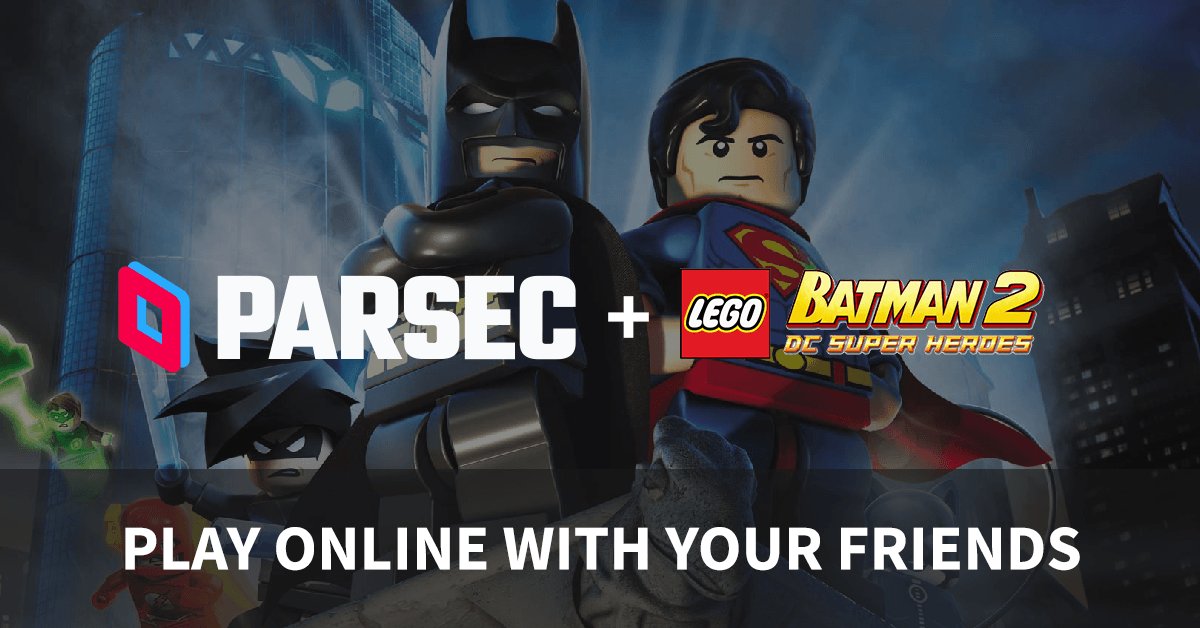
Yes, you can play LEGO games online on various platforms and websites.
Have you ever wondered if the fun of building with LEGOs could extend beyond the physical bricks? It’s a question many have: can you play lego games online? The answer is a resounding yes! Many different video game versions of LEGO worlds are available for online play.
These games allow you to explore familiar LEGO themes and new ones too. They also offer a range of experiences, from action-packed adventures to puzzle-solving fun, all accessible online.

Can You Play LEGO Games Online?
Absolutely! The world of LEGO games extends far beyond the physical bricks you might have at home. You can definitely play LEGO games online, and there are many fun ways to do it. Let’s dive into the awesome world of digital LEGO adventures!
Types of LEGO Games You Can Play Online
When we talk about playing LEGO games online, it’s important to know that there are different kinds. It’s not just one way to play! Let’s look at the main types you’ll find:
Official LEGO Video Games
These are the big, popular LEGO games you might see on consoles or computers. Think of games like LEGO Star Wars, LEGO Marvel Super Heroes, or LEGO Harry Potter. These games are packed with action, puzzles, and lots of those fun LEGO characters you love. They’re usually available for purchase and download on different gaming platforms. Here’s a bit more about them:
- Console Games: Many popular LEGO games are available on consoles like PlayStation, Xbox, and Nintendo Switch. You would buy these games either physically or through the console’s online store. Then, you can play them on your TV. Some offer multiplayer options, which means you can play with friends and family on the same screen, but usually not online with friends who are not with you.
- PC Games: You can buy and download LEGO games on your computer through websites like Steam or directly from the game publisher’s website. These games often look and play just like the console versions. Some also offer multiplayer options where you can play with friends using online connections, although this feature varies from game to game.
- Mobile Games: There’s also a variety of LEGO games that you can play on your phones and tablets. These mobile games are often simpler in design and can be free or inexpensive to download. They offer fun LEGO action on the go.
Browser-Based LEGO Games
These games are typically found on the official LEGO website or other safe and trusted game websites. They’re simpler than the console and PC games, and often free to play. You don’t have to download anything to play them; you just open them up in your web browser. Here’s what they are usually like:
- Mini-Games: Often these are quick, fun games that you can play for a few minutes at a time. They might be simple puzzles, racing games, or building challenges.
- Educational Games: The LEGO website also offers some games that are meant to teach you things while you play. These can be great for kids and are often tied to LEGO themes or products.
- Themed Games: Many browser games are themed around specific LEGO lines, like LEGO City or LEGO Friends. This allows you to explore the worlds of different LEGO sets in a digital format.
Online LEGO Building Platforms
These platforms are not so much about playing traditional games, but more about creating with LEGO bricks online. They let you build your own LEGO creations using a virtual set of bricks. Think of it as having a giant box of LEGOs on your computer!
- Virtual Building Tools: Some websites offer 3D building tools where you can choose from different types of bricks and connect them together to make models.
- Community Sharing: Once you build something, many of these platforms allow you to share your creations with others. You can also view other people’s builds and get inspiration.
How to Find LEGO Games Online
Finding LEGO games online is very easy. Here’s how you can do it:
Official LEGO Website
The best place to start is the official LEGO website. They have a section dedicated to games, where you can find a wide variety of browser-based and some mobile games. It’s also a safe place to look, so you don’t have to worry about downloading any harmful programs. Here is what you can do:
- Search the Games Section: Go to the LEGO website and look for the “Games” or “Play” link. This will lead you to all their online games.
- Look for Specific Themes: If you like a specific LEGO line, such as Ninjago or Minecraft, check if they have games tied to that particular theme.
- Explore New Additions: The LEGO website often adds new games, so it is always a great idea to check back and see if there is something fresh and exciting to play.
Online Game Stores
For the bigger LEGO video games, check out online game stores like Steam, the PlayStation Store, the Xbox Store, and the Nintendo eShop. Here is how to use them:
- Use Search: You can use the search bar to look for specific LEGO game titles or just search for ‘LEGO’ to see all the available games.
- Read Reviews: Before you buy a game, it’s a good idea to read reviews from other players. This can help you figure out if the game is something you will really like.
- Check for Deals: Game stores often have sales, so you might be able to find LEGO games for a cheaper price.
Mobile App Stores
If you are looking for LEGO games to play on your phone or tablet, check out the Apple App Store (for iPhones and iPads) or the Google Play Store (for Android devices). These app stores have lots of LEGO games, both free and paid. Here is how to get them:
- Search for “LEGO Games”: Just type “LEGO games” into the app store search box, and many results should pop up.
- Look for Free Games: There are many free LEGO games you can start playing right away.
- Read Ratings: Before downloading a game, look at the star rating and see what other users are saying about the game quality and fun factors.
Other Trusted Game Websites
While sticking to official channels is safest, there are other trusted websites that have LEGO games. Be sure to have a grown up help you if you are not sure if the site is okay. These websites usually have different types of browser-based LEGO games, and they are very easy to access, so you do not need a complicated process to play them. Here is something to remember:
- Ask a Grown-Up: Always ask a grown-up before visiting new game websites to make sure they are safe and trustworthy.
- Look for Secure Websites: Make sure the website address begins with “https” and has a lock icon in the address bar, so you will know that it is a safe website.
- Read User Comments: Sometimes other users will say whether they had a good experience with a site or not, so pay attention to these comments.
Multiplayer Options in LEGO Games
Playing with friends is always more fun, so let’s look at the multiplayer options you will find in online LEGO games. It is important to understand that not all LEGO games have the same options.
Local Co-op
Many LEGO console and PC games have a local co-op mode, also called couch co-op. This means you can play with a friend or family member who is physically with you, on the same screen, using two different controllers. You can join or quit at any time in these games. This is a great way to play together, and share the fun of the LEGO world together with a friend sitting next to you.
- Same Screen: Both players play on the same screen, so you can see what each other are doing.
- Shared Adventures: Local co-op games make you and your friend work together to solve puzzles and defeat bad guys.
- Good for Family Time: This is a great option for family members who like to play together.
Online Multiplayer
Some, though not all, LEGO PC and console games offer online multiplayer. This means you can play with friends who are not in the same room as you. However, it is good to understand that, this is not always available. Here are a few things about this:
- Playing with Friends: You can play with friends no matter where they are in the world, as long as you all have a copy of the game.
- Different Platforms: In some games, you may only play online with people who are playing on the same platform. For example, sometimes players on a PlayStation cannot play with players on an Xbox.
- Setup Required: Online multiplayer usually requires a little setup, like adding your friends to your game’s friend list.
Browser-Based Multiplayer
Browser games are less likely to have big multiplayer modes, but some might have simple ways to share your progress with others or compete on scoreboards. Here is the thing to keep in mind about these games:
- Community Boards: Some may have a high-score list that you can compare your scores against.
- Shared Worlds: Some browser based-games might let you see other users’ creations, but they don’t usually let you play together at the same time.
Safety Tips for Playing LEGO Games Online
It is really important to be safe when playing any games online. Here are some tips to stay safe while you enjoy LEGO games:
Stick to Official Websites
Always start by visiting the official LEGO website to find games. This is the safest way, as you will not have to worry about downloading any bad programs. You can find many fun and free games here, and you do not have to worry about safety concerns.
Ask a Grown-Up for Help
Always ask a grown-up before going to a new game site. A parent or guardian can help you make sure the site is safe, and they will help you to download or buy a new game. Here is why a grown up is important to have:
- Verify Websites: Grown-ups can help you verify that the website is safe for you to use.
- Manage Downloads: They can make sure that the files you are downloading are okay and they do not have any viruses or anything harmful.
- Manage Purchases: If you want to buy a game, a grown up can help you make sure that you pay correctly, and they will also make sure that the game is appropriate for you.
Protect Personal Information
Never share your personal information like your name, address, or school name, with other users online. Remember to keep these details private, so you stay safe. Here are a few things to keep in mind:
- Use a Nickname: Instead of using your real name, use a nickname. This keeps your real identity private.
- Do Not Share Photos: Avoid posting pictures of yourself, and never share pictures or details about your family or home.
- Be Careful of Chat Features: Some games have chat options, but be careful what you say and who you talk to. If anyone asks you personal questions, tell a grown up.
Be Careful About Downloading Files
You should only download games and files from trusted sources. Never click on pop ups or links from places you don’t know. Here are a few things to consider when downloading files:
- Official Stores: Only download games from official stores, like app stores or game websites.
- Check Reviews: Read reviews to see if other users had any problems with a download before downloading any files.
- Avoid Unknown Pop-Ups: Be cautious about clicking on any pop ups that show up on your screen, especially if they offer you a free game or free stuff. They can be dangerous, so it is best to stay away from them.
Set Time Limits
It is important to play in moderation, and you should also take breaks. Setting time limits is very helpful so that you spend your time wisely and also take the necessary breaks.
- Use Timers: Ask a grown up to help you set a timer so that you do not spend too much time playing a game.
- Take Breaks: Take short breaks away from the screen to move around and stretch.
- Balance with Other Activities: Make sure you make time for other important things such as spending time with family and friends, homework, reading, and doing physical activities.
With these tips in mind, you can have a fantastic time playing LEGO games online! There is a great LEGO adventure awaiting you, so go and explore and have fun.
Playing LEGO games online opens up a whole new world of fun and creativity. From action-packed console games to simple browser-based challenges, there’s something for everyone. Just remember to play safely, stick to trusted sources, and ask for help when needed. Now you’re ready to enjoy countless hours of digital LEGO fun!
How to play ONLINE CO-OP in ANY Lego Game
Final Thoughts
Yes, you can play many Lego games online. Various platforms provide access to these fun, block-building adventures. You will find options on dedicated websites, gaming services, and some official Lego pages.
These online games offer various experiences. Players can build, solve puzzles, and explore different Lego worlds, which makes it very engaging.
So, the simple answer to the question “can you play lego games online” is a definite yes. Many options await and it is very easily accessible.

