
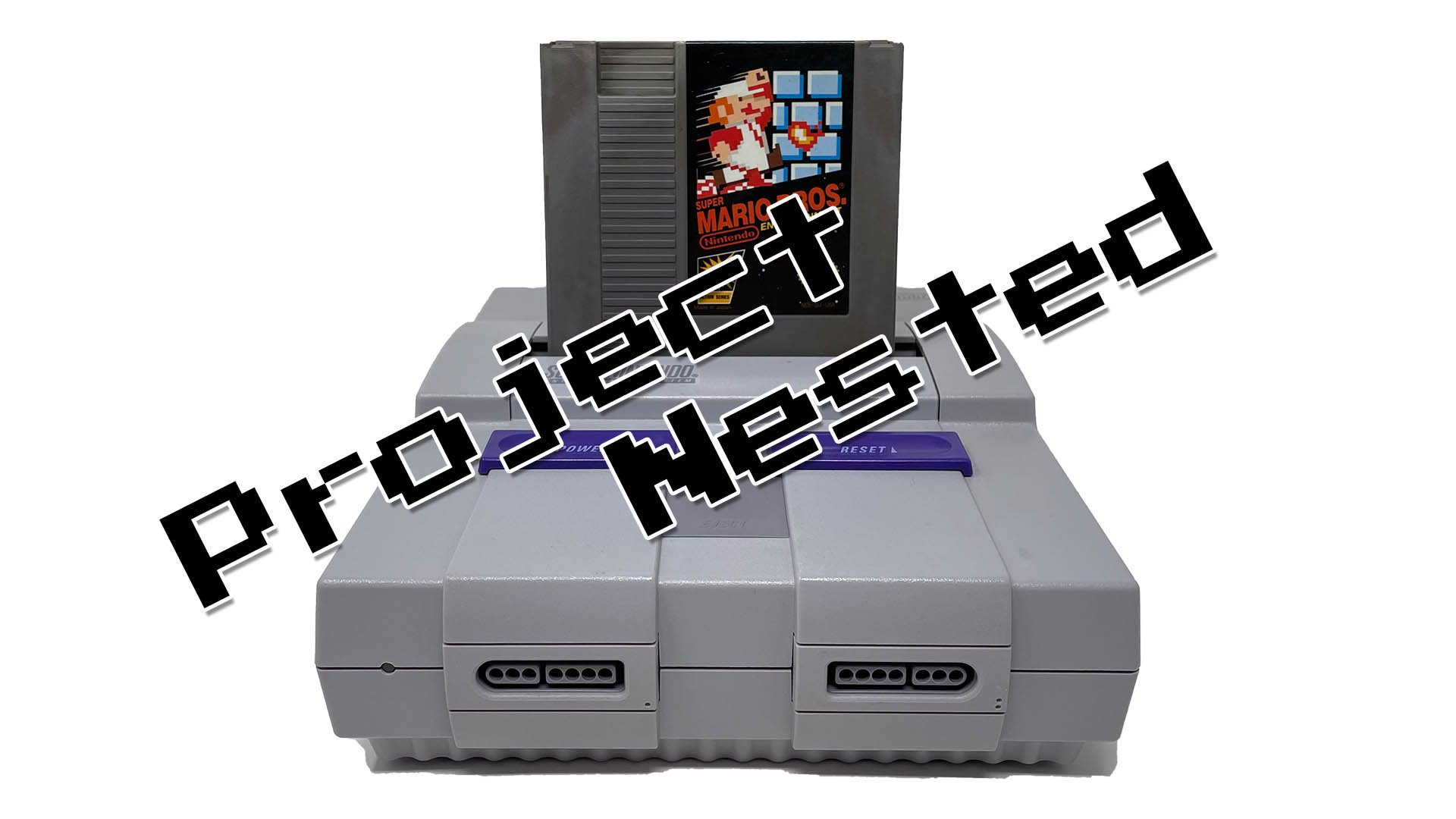
No, you cannot directly play NES games on a Super Nintendo (SNES) console.
Ever wondered if your old NES cartridges would work on your SNES? The idea of playing Mega Man 2 on that Super Nintendo is appealing. The differing hardware makes it a question many have.
Unfortunately, can you play nes games on snes is a straightforward “no”. The SNES console has different internal hardware. This means it is not compatible with the older NES cartridges.

Can You Play NES Games on SNES? Exploring the Compatibility Question
The question of whether you can play NES games on the SNES is a common one for retro gaming fans. Both the Nintendo Entertainment System (NES) and the Super Nintendo Entertainment System (SNES) are beloved consoles, but they are different beasts. It’s like wondering if you can put a Lego Duplo block on a regular Lego baseplate – they just aren’t built the same way. Let’s dig into why and what options, if any, exist for playing those classic 8-bit NES games on the 16-bit SNES.
Understanding the Hardware Differences
To really understand why you can’t directly play NES games on an SNES, it’s important to look at what makes each console tick. They are from different eras of gaming and have unique internal setups.
The NES: 8-bit Powerhouse
The NES, released in the mid-1980s, uses an 8-bit processor. Think of it like having a simple, efficient engine that’s perfect for the games it was designed to run. The graphics and sound are what we now call ‘8-bit’—blocky characters and catchy, synthesized tunes. The NES cartridges, or game paks, are designed specifically to work with its 8-bit hardware.
- Processor: 8-bit Ricoh 2A03 (modified 6502)
- Graphics: 256 × 240 pixel resolution, 52 colors on screen, sprites and tiles
- Sound: Five channels of audio (2 square waves, 1 triangle wave, 1 noise channel, 1 DPCM)
The SNES: 16-bit Evolution
The SNES, which came out in the early 1990s, is a more powerful 16-bit system. It has a faster processor, better graphics, and improved sound. It’s like upgrading to a car with a more powerful engine, better paint, and a more complex navigation system. The SNES game cartridges are built to communicate with its own specific hardware. They contain more information and use different data handling techniques compared to NES cartridges.
- Processor: 16-bit Ricoh 5A22 (modified 65c816)
- Graphics: 256 × 224 or 512 × 448 resolution, 256 colors on screen, more advanced sprite and tile rendering, 2D effects (Mode 7)
- Sound: Eight channels of 16-bit sampled audio
Incompatible Cartridge Slots
One of the most noticeable differences is the physical cartridge slots. The NES cartridge slot is a simple 72-pin connector, while the SNES has a 62-pin connector. The shapes, sizes, and pin configurations are completely different, meaning you can’t physically plug an NES game into the SNES.
Why Direct Compatibility Is Impossible
Beyond the physical differences, the core technical architectures of the two consoles are incompatible. Here’s a breakdown of the key reasons:
Different Processors
The NES uses an 8-bit processor, and the SNES uses a 16-bit processor. These processors speak different computer languages. It would be like trying to understand someone speaking Spanish when you only understand English. The SNES doesn’t understand the instructions the NES games are trying to give it. It’s a different language completely, with different processing instructions.
Memory and Data Handling
The way each console reads and processes game data is vastly different. The NES handles data in smaller chunks because of its 8-bit architecture, whereas the SNES, with its 16-bit setup, handles data in larger, more complex portions. The SNES simply is not equipped to interpret the kind of data the NES game cartridges are presenting.
Graphics and Sound Capabilities
The graphics and sound chips of both consoles are also different. The NES uses a more rudimentary setup, while the SNES has more advanced capabilities. The SNES’s sound chip cannot create the specific tones and sound patterns that define the sound of NES games. They are built on different architectures, therefore the SNES can’t produce the simple audio outputs of the NES.
The Idea of Emulation: A Potential Solution
While direct play of NES games on a SNES is impossible, there’s another way to enjoy these classic titles using the power of emulation. Emulation involves using software on a different device that mimics the hardware of the original console.
What Is Emulation?
Emulation is the process of mimicking the hardware and operating system of one machine on a different one. For our purposes, it involves using software to imitate the inner workings of an NES console on a SNES-compatible device. It’s like having a translator that takes the NES language and speaks in a language the SNES can understand, this is not the same thing as direct compatibility.
Emulators and the SNES Classic Edition
The Nintendo SNES Classic Edition is a mini replica of the SNES which comes preloaded with several games. It actually uses emulation technology to run those included SNES games. This little console, however, does not include any NES games. There is however a way to add an emulator to the SNES Classic to play NES games, but that is not the same as direct hardware compatibility.
There is an interesting, but unofficial way, to use an emulator on the SNES Classic Edition in order to play NES games, using homebrew software. This process involves adding a piece of software to the SNES Classic that allows you to load and play games from various consoles, including the NES. This is not a Nintendo-sanctioned method and often requires modifications to the device, which could carry risks. The key to understand here is that the NES game runs in the form of a software, not the direct form in the cartridges of the older systems.
How Emulation Works
Emulators work by translating the game data and instructions from the original system into something that the host device’s processor can understand. The emulator software simulates the behavior of the original hardware, such as the CPU, memory, and graphics and sound chips. This makes it possible to play games from older systems on different devices, such as computers, smartphones, and even modified retro game systems like the SNES Classic Edition.
Other Ways to Play NES Games
If you are eager to play NES games but do not want to go through the process of emulating, there are plenty of other ways to do it.
Nintendo Switch Online
Nintendo’s Switch Online service offers a library of classic NES games that can be played on the Nintendo Switch. This is a great way to enjoy many classic NES titles on a modern platform. The game library is ever-growing. This provides an easy and legal way to enjoy classics like Super Mario Bros, Legend of Zelda and many others.
The Original NES Console
Of course, the most authentic way to play NES games is on the original NES console. If you still have one kicking around, or can find one in good condition, this remains the most true-to-the-original experience. This involves purchasing game cartridges, setting up the console and reliving those glory days of 8-bit gaming.
Retro Consoles and Handhelds
There is an increasing market for retro-inspired consoles and handhelds that can play NES games. These devices often come preloaded with an emulator that lets you play a huge variety of games. This option offers portability with pre-loaded libraries, and comes with a variety of features like save states, filters, and other features that can enhance the gaming experience.
The Legacy of the NES and SNES
Even though we can’t directly play NES games on the SNES, both consoles hold a very special place in gaming history. They shaped the industry and continue to be loved by gamers of all ages. The NES, with its 8-bit charm, brought video games into the mainstream, while the SNES took gaming to a whole new level with its enhanced 16-bit capabilities. These consoles created some of the most famous franchises we still enjoy today. The legacy of the NES and SNES continues through remasters, remakes, and new games based on the same iconic franchises.
The fact that you cannot put a NES cartridge on an SNES, just shows the differences of hardware advancements at the time. It shows how far technology has come over time and that every console is special and unique in its own design and function. It is important to understand the hardware differences, but that does not mean one console is better than the other. They are both significant and influential in the history of video games.
In conclusion, while it might be tempting to think you could just plug an NES game into your SNES and start playing, it’s just not possible. The two consoles are built differently, with different processors and different ways of handling data. There are still ways to enjoy classic NES games, but you’ll need to explore options like emulators, the Switch Online service, or even dig out your old NES console. Each option offers a unique way to experience the magic of 8-bit gaming. The important thing is to continue enjoying and keeping the legacy alive for future generations to appreciate.
Yes You Can Play NES Games on the SNES! (But Not All of Them Yet…)
Final Thoughts
The simple answer is no, you cannot play NES games directly on a Super Nintendo console. They use different cartridges and internal hardware. Therefore, the SNES cannot read NES game paks.
While the SNES is a must-have for many retro gamers, its compatibility is strictly with its own library. The systems are just not designed for cross-console play. So, again, can you play NES games on SNES? No.

