
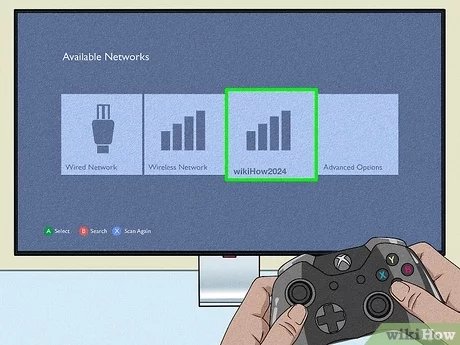
Unfortunately, not all original Xbox games work on the Xbox 360. Microsoft created a list of compatible games, so you must check if your specific game is on that list.
Many gamers wonder, can you play original Xbox games on the Xbox 360? It’s a valid question considering the history and library of both consoles. The Xbox 360 aimed for backward compatibility.
However, this wasn’t perfect. Microsoft didn’t enable support for every original game due to technical limitations. It is worth investigating if your specific old game works.

Can You Play Original Xbox Games on the Xbox 360?
So, you’ve got an Xbox 360 and maybe some old-school Xbox games gathering dust? It’s a common question: can you actually play those original Xbox discs on your Xbox 360? The short answer is: it’s complicated, but it is possible! Let’s dive into all the details, so you know exactly what to expect.
Xbox 360’s Backward Compatibility: A Closer Look
The Xbox 360 wasn’t designed to play every single original Xbox game from the start. It uses different hardware, making it tricky to just pop an old disc in and play. Microsoft knew people wanted to replay their favorites, so they created a special program called “backward compatibility.” This means that the Xbox 360 can play some original Xbox games. Not all of them, though, and that’s a very important point.
How Backward Compatibility Works
To make some original Xbox games work, the Xbox 360 uses software that pretends to be the original console. Think of it like a translator; the software reads the original Xbox game code and changes it into something the Xbox 360 can understand. This process isn’t easy, so Microsoft had to work hard and only a selection of titles are included in the backward compatibility list.
The List: Which Original Xbox Games Work?
Here’s where things get really important: Only a specific list of original Xbox games will work on the Xbox 360. Microsoft carefully chose and tested each game to see if it could be made compatible. The list isn’t very big, and it never expanded much further. To find out if your favorite game is on the list, you’ll need to check official sources. Here’s what you should know when checking the list:
- Official Microsoft List: The best place to check is the official list from Microsoft. Search online for “Xbox 360 backward compatible games list.” This will take you to a page that shows all the games that work.
- Version Matters: Some games might have different versions. Make sure to check the specific title and region to see if your version is compatible. For example, a game from Europe might not be compatible even if the same game from North America is.
- Not All Games Made It: If you can’t find your game on the list, it likely won’t work. The list is pretty much set, so don’t expect a surprise patch to suddenly add new games.
Many popular titles did make the cut, while some beloved classics were unfortunately left behind. You can often find the official list on official Xbox websites, forums, or gaming wikis.
Why Aren’t All Original Xbox Games Compatible?
Making an old game work on a new system is not as simple as it seems. Several reasons explain why all original Xbox games didn’t make it onto the compatibility list:
- Hardware Differences: The original Xbox and the Xbox 360 are built differently. They use different processors and graphics chips. This means that the instructions for one system don’t automatically work on the other.
- Software Complexity: The software needed to make a game compatible is not simple. It needs to accurately translate all the game’s code to work correctly on the new system. This process is time consuming and expensive for every single title.
- Legal Hurdles: Sometimes, it’s not just about the technology. There can be legal issues with re-releasing an old game, like licensing agreements that have expired or difficulty getting permission from the original developers and publishers.
- Cost: Microsoft needed to put time and resources into making each game compatible. Since the Xbox 360 was already going to newer games, the team had to pick and choose the games they put the work into.
How to Play Compatible Original Xbox Games
If you found your original Xbox game on the list, here are the steps to get it running on your Xbox 360:
- Check your Console: First, make sure your Xbox 360 has the latest updates. This usually happens automatically when you connect to Xbox Live, but it’s good to check.
- Insert the Game Disc: Gently put the original Xbox game disc into your Xbox 360 disc tray.
- Download the Emulator: If the game is compatible, your console will usually prompt you to download a small file. This file is the “emulator” – the special program that lets the game work. Follow the instructions on screen to download the file.
- Play!: Once downloaded, the game should start up like normal. You might see some slight differences in how the game looks or acts compared to how it was on the original Xbox, but the game should be playable.
Common Issues and Troubleshooting
Even if a game is compatible, you might still run into a few problems. Here are some things to look out for:
- Disc Errors: Make sure the original Xbox game disc is clean. Scratches and smudges might keep the game from working. Clean the disc with a soft, lint-free cloth.
- Game Not Starting: If the game doesn’t start, try restarting your Xbox 360 and inserting the disc again. You might need to remove the disc and re-insert it after restarting. Also, make sure that your hard drive is in good working condition and has free space.
- Graphical Issues: Some games might not look exactly the same as they did on the original Xbox. You might notice some small graphical glitches or changes in colors.
- Freezing or Crashing: Sometimes, an older game can freeze or crash on the Xbox 360. This is often caused by the way the emulator is trying to run the game. There may not be a workaround but you can try a full restart if the issue comes up.
- Not Compatible: As we covered, if the game isn’t on the backward compatibility list, it simply won’t work.
Other things to keep in mind
- Game Saves: If you have save files from playing the original Xbox game, unfortunately, they cannot be transferred to the Xbox 360. You’ll need to start fresh.
- Multiplayer: Online multiplayer for original Xbox games may not work anymore. Many online services for those older games have been shut down. Local multiplayer may still work.
The Future of Backward Compatibility
While Microsoft has done a decent job making some original Xbox games work on the Xbox 360, this feature wasn’t present on its successors for the longest time. But, with the release of the Xbox One and Xbox Series X|S, Microsoft has invested a lot more in backward compatibility. Many Xbox 360 and original Xbox titles now have been made compatible on the newer systems. If you’re interested in playing older games, it might be worth upgrading to a newer console, as you will have a much bigger selection of titles available, along with improvements in image quality and performance. This also ensures the longevity and availability of older games. Many titles are now optimized to play on newer hardware as well.
Alternatives to Playing on Xbox 360
If your game isn’t compatible on the Xbox 360, or if you’re having problems, there might be other options:
- Original Xbox: If you have an old original Xbox system still, it’s the simplest way to play your original Xbox games.
- Xbox One and Xbox Series X|S: A lot of original Xbox games have been made backward compatible on these newer consoles. If you have one of these, it is the best bet for playing original Xbox titles.
- Emulators: There are emulators available for playing older games on PC, but finding them and setting them up can be complicated, also make sure that these emulators and game ROMs are legally sourced.
- Remasters and Re-releases: Sometimes, developers release remastered or re-released versions of older games on newer platforms. This might be another way to experience your favorite titles with improved graphics and updated features.
So, while not every original Xbox game works on the Xbox 360, a good selection of games are available through backward compatibility. Be sure to check the official list, and if your game is on it, enjoy playing those classic games again!
It is important to note that some older games may show a decline in visual quality due to the differences in technology between the original Xbox and the Xbox 360. Some textures may not appear correctly, and there may be visual artifacts or glitches from time to time. These issues are often due to the emulation process, and while it is great that these games are playable at all, the performance or visual quality may not be exactly the same as they were on the original hardware.
In conclusion, the ability to play original Xbox games on the Xbox 360 is a valuable feature, that lets players relive older games on new hardware, but it’s important to remember the limitations. Always check the official list, and if you do run into issues, some troubleshooting can help. If you are looking to play a wide selection of original Xbox titles, you should consider upgrading to a newer Xbox system or investigate other options.
How to play original Xbox games on your Xbox 360
Final Thoughts
In short, not every original Xbox game works on the Xbox 360. Microsoft curated a list of compatible titles. This means your favourite may or may not be playable.
The compatibility list is your main resource. Always check it before purchasing. This list confirms, specifically, can you play original xbox games on the xbox 360.
Therefore, while some are playable, a full compatibility guarantee does not exist.

