
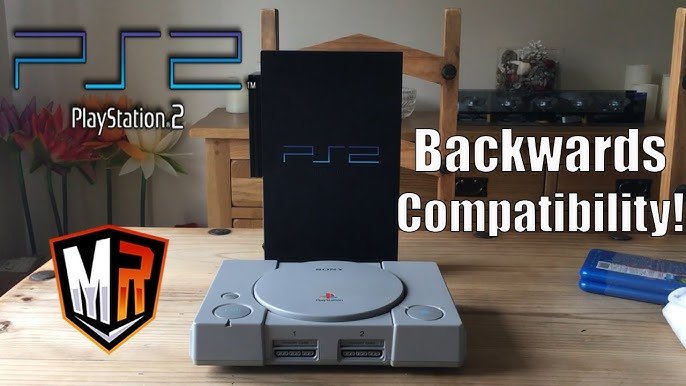
Yes, you can play PlayStation 1 games on a PlayStation 2 console.
Do you have a stack of old PlayStation 1 games gathering dust? Many people wonder, can you play playstation 1 games on a playstation 2? It’s a question that sparks nostalgic joy for many retro gaming fans.
Luckily, the PlayStation 2 has backwards compatibility. This means you can relive those classic PS1 titles on your PS2. Dust off those old discs and get ready for some fun!

Can You Play PlayStation 1 Games on a PlayStation 2?
Okay, so you’ve got a stack of awesome PlayStation 1 (PS1) games and a shiny PlayStation 2 (PS2) sitting there, looking all cool. The big question is: can these two generations of gaming get along? The simple answer is a resounding YES! But there’s more to it than just popping a disc in. Let’s get into the nitty-gritty of playing PS1 games on your PS2.
The PS2’s Backward Compatibility Magic
The PlayStation 2 was designed with a pretty neat trick up its sleeve: backward compatibility. This fancy term means the PS2 could play games from the older PlayStation 1. This was a big deal back then, and it’s still awesome today. It meant you didn’t have to keep both consoles hooked up to enjoy your older games. Sony designed the PS2 to recognize PS1 game discs, read the data, and play them like a champ. It’s like having two consoles in one!
Why Backward Compatibility Matters
Backward compatibility was more than just a cool feature; it was a smart move by Sony. It allowed PS1 owners to transition to the PS2 without losing their favorite games. Think about it: you spent hours and hours mastering games like Final Fantasy VII, Metal Gear Solid, or Crash Bandicoot. Wouldn’t it be sad to leave them behind? The PS2 understood this, ensuring your valuable game library remained playable.
How Does it Actually Work?
The PS2 has the necessary hardware to understand and run software designed for the original PlayStation. This includes the processor, graphics chip, and memory system to handle older games. Although PS2 has a more powerful system, it contains an internal component that essentially mimics the architecture of a PS1. When you insert a PS1 disc, this component activates and allows the PS2 to play it. You are essentially playing it using the internal PS1 system in the PS2.
How to Play PS1 Games on Your PS2
Playing PS1 games on a PS2 is usually straightforward, but there are a few things to know. Let’s go through the steps and some tips:
The Basic Process
Playing a PS1 game on your PS2 is very similar to playing a PS2 game. Here is how you do it:
- Turn on Your PS2: Make sure your PlayStation 2 is powered on and connected to your TV.
- Open the Disc Tray: Press the eject button on your PS2 to open the disc tray.
- Insert Your PS1 Game Disc: Place your PlayStation 1 game disc into the tray, making sure the label is facing up.
- Close the Disc Tray: Gently push the tray back in.
- Wait and Play: The PS2 will read the disc. If all goes well, the PS1 game should start automatically. If not, you can try restarting your console.
Things To Check
- Disc Condition: Make sure the PS1 game disc is clean and free of scratches. Scratches can sometimes make it difficult for the PS2 to read the disc. Clean the disc with a soft, dry cloth if it looks dirty.
- PS2 Condition: Ensure your PS2 is working properly. Try playing a known working PS2 game to confirm that the console is fine. Sometimes a faulty PS2 laser can have difficulty reading game discs of either console.
- Proper Disc Type: Make sure you are inserting a game disc, not a DVD or CD. Only game discs for PlayStation 1 are compatible.
Troubleshooting Common Issues
Sometimes things don’t go as planned. Here are some common problems and ways to fix them when playing PS1 games on a PS2:
Game Not Loading
If the PS1 game doesn’t load, try these fixes:
- Clean the Disc: A dirty or scratched disc is the most common culprit. As mentioned before, clean it carefully.
- Restart the Console: Sometimes a simple restart can resolve temporary glitches.
- Check the Disc Tray: Ensure the disc is properly placed in the tray. If the tray doesn’t go completely back in, it might cause issues.
- PS2 Laser: A weak or failing PS2 laser can struggle to read both PS1 and PS2 game discs, especially older PS1 discs. A failing laser is more likely if the system struggles with all kinds of discs, not just PS1 discs. If this is the case, you may need to seek professional repair.
Graphical Glitches
You may sometimes see graphical issues such as distorted textures or colors that are not normal. Here’s what you can do:
- Check TV Settings: Sometimes, the TV’s display settings can cause issues. Experiment with different settings to find what works best.
- Video Cables: Ensure the video cables are connected firmly. Damaged or faulty video cables can affect graphics. If you are using composite cables, try using component cables, which will give you a better image. If you are using component cables, make sure that your TV supports the component signal.
- Try a Different Game: If other games work perfectly, the problem may lie with the specific game.
Audio Problems
Sometimes you might experience audio issues, like no sound or static. Here’s how to tackle that:
- Check Audio Cables: Ensure the audio cables are correctly connected to your TV. Make sure all of the audio jacks are plugged in properly.
- TV Volume: Double-check if your TV volume is turned up. It might sound obvious, but it’s easily overlooked.
- Try Different Cables: A damaged or faulty audio cable might cause problems. Try a different set of audio cables to rule that out.
- In Game Volume: Check that the volume on the game settings is turned up. Some games may have their own volume settings.
Controller Issues
Using PlayStation 1 controllers with the PlayStation 2 can lead to some issues. Here are a few things to try:
- Try the PS2 Controller: When playing PS1 games, you can use a PS2 controller, and you should always try that first. It will prevent issues with analog sticks and other button differences.
- Check the Controller Connection: Make sure that the controller is properly plugged into the controller port on the PlayStation 2.
- Try a Different Controller: If you are using a PlayStation 1 controller with the PS2, try a different controller to rule out the issue of a faulty controller.
Are There Any Limitations?
While the PS2’s backward compatibility is awesome, it’s not perfect. There are some things you should keep in mind:
Compatibility Issues
Although most PS1 games run perfectly on the PS2, there are a few rare exceptions. Some games might have minor graphical glitches or audio problems, and a few might not run at all. These instances are rare, but it’s worth noting. Compatibility is also affected by the age and version of the console as well as the game. Earlier versions of the PS2 tend to have fewer compatibility issues.
Game Enhancements and Improvements
Don’t expect visual or performance upgrades when playing PS1 games on a PS2. The PS2 runs PS1 games as they were on the original PlayStation. No enhancements will be added like anti-aliasing or frame rate increases. The experience will be similar to playing them on the PS1 with the same benefits, limitations and glitches.
Memory Card Management
One thing to remember is that PS1 and PS2 games use different memory cards. You can’t use a PS2 memory card to save your progress in a PS1 game, and vice-versa. You will need a dedicated PlayStation 1 memory card to save the game progress of PS1 games. Make sure that you plug your PS1 memory card into the PS1 memory card slot.
Controller Differences
PS1 controllers work with the PS2, but there are a few things to remember. PS1 controllers lack analog buttons that PS2 controllers have, and certain games use that feature. Some games may not play well with PS1 controllers, since PS1 controllers do not have the analog sticks or buttons that the PS2 controller has. Therefore, it is recommended that you use a PS2 controller for the best compatibility.
Benefits of Playing PS1 Games on a PS2
Even with the minor limitations, there are many perks to using your PS2 for your PS1 gaming needs:
Convenience
Having one console that plays both PS1 and PS2 games is very convenient. It saves space, and reduces the hassle of switching between consoles. No more digging out old controllers and wires, which means less clutter and more gaming!
Saving Space
Instead of keeping two different consoles hooked up, you only need one. This is great for saving space under your TV. It also means fewer power outlets being used.
Easy Access to Your Classic Games
You can play your old favorite games without having to set up the original console. This means easier and faster access to your library of games.
So, there you have it! The PlayStation 2 is a great way to play your favorite PlayStation 1 games. While it’s not perfect, the backward compatibility feature allows for a seamless way to enjoy your classic games on a newer console. Remember to keep those discs clean, and have fun reliving those gaming memories!
Does PS2 play PS1 games
Final Thoughts
Yes, you absolutely can play PlayStation 1 games on a PlayStation 2. The PS2 boasts backward compatibility as a key feature. This means your old PS1 discs work perfectly fine on the console.
This compatibility offers great value. You don’t need to keep two consoles for both generations of games. It provides a simple way to enjoy your collection of classic titles.
Therefore, with no additional hardware required, can you play playstation 1 games on a playstation 2? Yes, and this must be a big win for retro gamers!

