
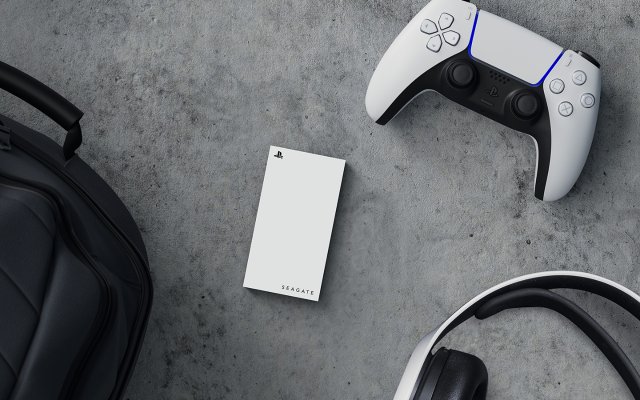
You cannot directly play PS5 games from an external hard drive.
So, you’re wondering, can you play PS5 games from external hard drive? It’s a common question for PlayStation 5 owners facing storage limits. The console architecture has some particularities.
While you can store PS5 games on an external drive, they must be transferred back to the console’s internal SSD to play. This is because of the high-speed requirements of modern games. This process enables quicker loading times.

Can You Play PS5 Games From External Hard Drive?
Alright, let’s talk about something many PlayStation 5 owners wonder: can you actually play those awesome PS5 games directly from an external hard drive? It’s a good question because, let’s face it, those games take up a lot of space! The answer is a bit more nuanced than a simple ‘yes’ or ‘no’. While you can’t directly launch and play PS5 games from a standard external hard drive, there’s a smart workaround that makes external storage really useful. Let’s dig into the details and see how it all works.
The PS5’s Storage Situation
Before we get into external drives, let’s quickly talk about the PS5’s built-in storage. The console comes with a pretty fast solid-state drive (SSD), which is a big reason why games load so quickly. But, here’s the catch: that SSD doesn’t have endless space. After you include the operating system and a few games, you’ll soon realize space is at a premium, especially for folks who love to have many games ready to go. This is where external storage becomes important.
Why Can’t You Directly Play PS5 Games From a Regular External Hard Drive?
The reason you can’t play PS5 games directly from a regular external hard drive boils down to speed. The PS5’s SSD is super-fast. PS5 games are built with that speed in mind, relying on it to load data quickly, which impacts everything from loading screens to texture pop-in. Standard external hard drives, whether they are HDD or older external SSDs, just aren’t fast enough to keep up with the demands of PS5 games. They simply can’t load data as fast as the internal SSD, resulting in reduced performance, such as longer loading times, stuttering, and even glitches in the game. Sony designed PS5 games to run best on the faster SSD technology.
What Kind of External Storage Can You Use With Your PS5?
So, if we can’t play PS5 games from a typical external hard drive, what can we use? Here’s a breakdown of what you can connect to your PS5:
- USB Extended Storage: This is your standard external hard drive (HDD) or older external SSD connected via USB. You can use this type of storage for several things, but playing PS5 games directly isn’t one of them.
- M.2 NVMe SSD: These are super-fast internal solid-state drives. They fit into the expansion slot inside your PS5. This is the type of storage you can play PS5 games from, and it’s as fast as your built-in SSD. However, installing this requires opening up your PS5.
How to Use External Hard Drives with PS5 Games
Even though you can’t play directly, external hard drives are still incredibly useful for your PS5. Here’s what you can use them for:
Storing PS5 Games
This is the primary function for most people who use external storage. You can move your PS5 games onto the external USB drive. This will free up space on your internal SSD for games you actually want to play. Here’s how it works:
- Move, Not Play: Think of it as a storage locker. You are not running the game off the external drive; you’re just keeping it there for now.
- Transfer Back to Play: When you want to play a game you moved, you’ll have to copy it back to the PS5’s internal SSD. This is still much faster than downloading the game again from the PlayStation store.
- Managing Space: This method is all about being smart with your storage. Keep the games you are actively playing on your internal SSD and store the rest on the external drive.
Playing PS4 Games from External Storage
The good news is that you CAN play PlayStation 4 (PS4) games directly from an external USB hard drive on your PS5. Because PS4 games are not designed to need the same speeds as PS5 games, they can run just fine from an external drive. This is an amazing way to expand your library without eating up your precious internal SSD space. To do this you will simply:
- Connect the External Drive: plug the drive into a USB port on your PS5.
- Format as Extended Storage: The PS5 will prompt you to format the drive as external storage.
- Move PS4 Games: Move any PS4 games you want to keep on the external drive.
- Play directly: And now, enjoy playing your PS4 games right from the external drive!
Choosing the Right External Drive
If you’re thinking of getting an external drive for your PS5, here are some things to keep in mind:
HDD vs. SSD
You have two main options for storage: traditional hard disk drives (HDD) and solid-state drives (SSD).
- HDDs: These are generally cheaper and come in larger sizes. However, they are slower than SSDs and will take longer to transfer games. For storing PS5 games and playing PS4 games, they work fine.
- SSDs: These are much faster, but they are more expensive. For storing PS5 games, you can move them a bit faster than with HDD, but again remember that you cannot play them directly from external SSD. For running PS4 games, SSD will improve loading times and game performance over HDD, making your gaming experience smoother.
USB Speeds
The USB port you plug your external hard drive into also makes a difference. PS5 has two types of USB ports on the back:
- USB 3.0 or Higher: This is the minimum you need for external storage. These ports will allow faster transfer speeds and are necessary to play PS4 games directly.
- USB 3.2 Gen 2×2: These are the fastest USB ports available, but they may not be supported by all external drives. If you have a drive with this capability, it can speed up game transfers and make PS4 games run the best they can.
Recommended Storage Sizes
How much storage should you get? This depends on how many games you want to store. Here are some general recommendations:
- 1TB: Good for starters or if you want to keep a small number of games on hand.
- 2TB: A good balance between space and cost. It is usually enough for a medium collection.
- 4TB+: If you have a large game library or like to keep everything, go big.
Setting Up Your External Hard Drive
Setting up an external hard drive with your PS5 is very easy. Here’s how you do it:
- Plug It In: Connect the external drive to any of the PS5’s USB ports.
- Format the Drive: Go to “Settings,” then “Storage,” and choose the “Extended Storage” option. The PS5 will then prompt you to format the drive for use. This process will erase any data already on the drive, so back it up if you need to.
- Move Games: Now you can move your PS5 or PS4 games. In the storage settings, select “Console Storage” for internal SSD or “Extended Storage” for the external HDD/SSD. Then, find the game you want to move and choose the “Move” option.
Managing Your Games
It is easy to move games between your internal SSD and your external drive, and managing your game space can feel easy if you have the right habits.
Tips For Managing Game Storage
- Keep Actively Played Games on the Internal SSD: This ensures the best loading times and game performance.
- Move Less Played Games to External Storage: Store the games that are currently not being played on the external drive to free up internal space.
- Utilize Folders: Create folders on your PS5 home screen to organize your library.
- Regularly Check Your Storage: Make it a habit to review your storage space so that you’ll know when to move your games around.
Future Possibilities and Updates
While you can’t play PS5 games directly from USB external storage now, Sony might improve this in future software updates. Always keep your PS5 software up-to-date to make sure you have access to the latest features and any changes regarding external storage. This way, you will be able to get the most out of your PS5.
Other Storage Options
While external USB drives are the most common way to expand storage, you also have the option of expanding your console’s internal storage with an M.2 NVMe SSD. These drives fit into the expansion slot inside the PS5 and work just as well as the internal drive, letting you play PS5 games directly from them. However, this involves more technical work and is typically more expensive. You’ll need to make sure the drive you buy meets all of Sony’s requirements to work well. If you can do this you will be able to install games and run them as you would do with the internal storage. The setup and speed will be faster than moving games to external USB hard drive.
Using an external hard drive with your PlayStation 5 is all about being smart with space and understanding the limitations of current technology. You can use external drives to store and move your PS5 games, freeing up your console’s internal SSD for the games you are currently playing. And, you can play your PS4 games directly from an external drive. By managing your storage space effectively, you can make sure you have access to all the great games you love. While the technology may change, these methods are going to be the best to use for now.
Why PS5 Games Cant Play From An External Drive
Final Thoughts
You can store PS5 games on an external drive, but you cannot directly play them from it. The PS5 requires games to reside on its internal SSD for optimal performance. You can move games from the external drive back to the console’s storage before playing.
Therefore, while external storage provides vital space, can you play ps5 games from external hard drive? The answer is no, not directly. The external hard drive acts as a storage facility for your games, rather than an active gaming source.

