
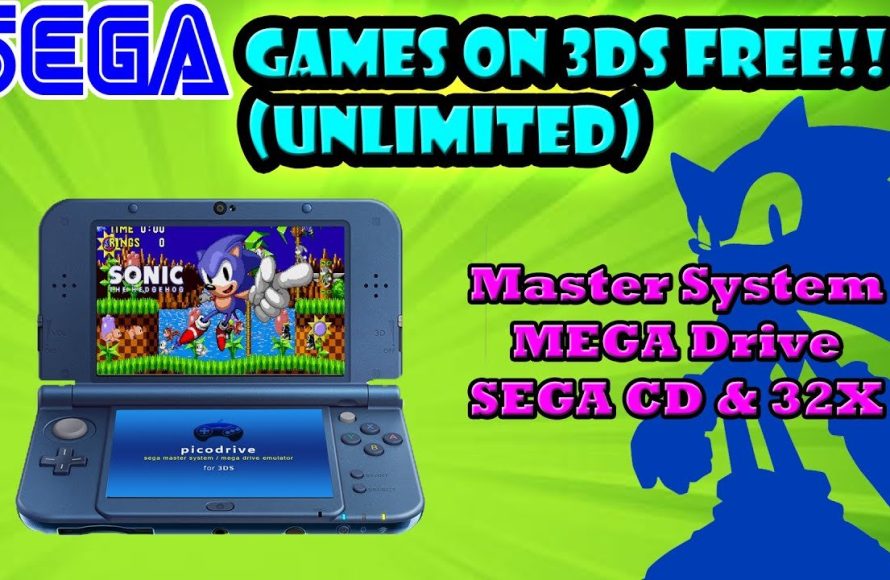
No, you cannot directly play Sega games on a standard Nintendo 3DS console.
The quest to enjoy classic Sega titles on your portable 3DS is a common one. Can you play Sega games on 3ds? Sadly, the answer isn’t a simple yes. The 3DS is built to play Nintendo games, not Sega games.
There are no official methods to load Sega Genesis or other Sega console games onto the 3DS. This is due to hardware and software differences.
Some people might try unofficial methods. However, these are often complex and come with risks. It is best to enjoy Sega games on platforms where they are officially available.

Can You Play Sega Games on 3DS? Exploring Retro Gaming on the Nintendo Handheld
So, you’re a fan of classic Sega games and you’ve got a Nintendo 3DS. That’s awesome! You might be wondering if you can play those Sonic the Hedgehog adventures or other Sega favorites on your 3DS. It’s a great question and the answer is a bit more detailed than a simple yes or no. Let’s dive in and explore all the different ways to get your Sega fix on your 3DS.
Official Sega Games on the 3DS eShop
The good news is that yes, you can play some Sega games on your 3DS! However, it’s not as simple as popping in an old Sega cartridge. The key here is the Nintendo eShop, the 3DS’s digital game store. Sega, along with many other companies, released some of their classic titles on the eShop as downloadable games. This is a fantastic way to enjoy retro games without having to find old consoles and cartridges.
Sega Classics on the Virtual Console
The 3DS eShop features a service called the Virtual Console. This is where many older games, including some Sega titles, were made available. Think of it like a digital museum of games! You’ll find titles that originally came out for older systems like the Sega Game Gear. These games are emulated, which means they are played on the 3DS using special software that mimics the original console’s hardware. While it’s not exactly the same as playing on the original machine, it provides a great way to experience these classic games in a portable format.
Popular Sega Games Available
While the selection might not include every single Sega game ever made, you’ll find some real gems. Here are some popular Sega games that made their way to the 3DS eShop:
- Sonic the Hedgehog Triple Trouble: This Game Gear title lets you play as Sonic or Tails on a new adventure.
- Shinobi: Play as a ninja in this Game Gear action title.
- Sonic Blast: Another blast from the past in Game Gear Sonic series!
- Columns: This is a fun puzzle game, where you have to match jewels of the same color.
- Dragon Crystal: An action RPG, that’s similar to rogue-like games.
Keep in mind that availability can vary depending on your region. Checking the eShop in your area will give you the most accurate list of available Sega titles.
Understanding Emulation and Homebrew
Okay, so you might be thinking, “What if my favorite Sega game isn’t on the eShop?” This is where things get a bit more complex and venture into the world of emulation and homebrew. Emulation is the process of using software to simulate another console on your current system. Homebrew refers to software created by independent developers, often for purposes not officially supported by the system’s manufacturer.
Emulators for Sega Systems
There are dedicated emulators for various Sega systems, like the Sega Master System and the Sega Genesis (also known as the Mega Drive). These emulators are available as homebrew applications for the 3DS. If you use a compatible emulator, you have a better chance to play even more Sega games on 3DS that are not available in official Nintendo eShop.
How Homebrew and Emulators Work
To use homebrew software, including emulators, you need to make some modifications to your 3DS. This process can involve installing custom firmware or using a special exploit. It’s important to understand that this can sometimes void your warranty and there are risks involved if it’s not done correctly. It’s essential to do thorough research from trusted sources before modifying your 3DS.
Here are the steps:
- Research: Thoroughly research the process of installing custom firmware on your specific 3DS model and system software version.
- Backup: Make a backup of your 3DS data before making any changes.
- Install: Follow instructions carefully to install custom firmware on your 3DS.
- Download: Get the required files and emulators needed for playing Sega games.
- Setup: Configure the emulators and prepare the files for playing the games.
The process can be a little technical but is feasible for users who are keen to explore this option.
Advantages of Using Emulators
The biggest advantage of using emulators is the vast library of games they open up. Many Sega games that aren’t available on the eShop can be played with emulators. This offers a truly comprehensive experience for any retro gaming enthusiast. You might be able to enjoy classics from the Master System, Genesis/Mega Drive, and even some Sega CD games (although this can be trickier on the 3DS).
Limitations of Emulators on 3DS
While emulators are powerful, they are not perfect. The 3DS has hardware limitations, so some games might not run at full speed or might have graphical glitches. This can especially be the case with the more advanced games from the Sega Genesis or Sega CD era. Also, setting up emulators and getting them to work correctly takes time and technical understanding.
Alternative Ways to Play Sega Games
If messing with homebrew or limitations of 3DS don’t sound ideal to you, there are some other alternatives to consider. You don’t have to be limited to just the 3DS for your Sega gaming needs.
Other Nintendo Consoles
You might be surprised to learn that you can play Sega games on other Nintendo systems too! The Nintendo Switch has a very strong selection of Sega games on its eShop, including the Sega Genesis Classics collection. These collections include many popular Genesis/Mega Drive games, such as Sonic the Hedgehog, Golden Axe, Streets of Rage, and many others. If you have a Nintendo Switch, this is a simple way to play a big selection of Sega retro titles without any fuss.
Mobile Gaming
Mobile platforms like Android and iOS have several Sega games that are available. Many retro classics have been ported to mobile phones and tablets, often with touch controls that can be customized to fit your preference. These games are often easy to pick up and play without the setup or configuration that homebrew emulators may require. There are many Sega games officially available in Play Store or App Store.
Original Hardware
Of course, there is always the original way to play Sega games: on original consoles. If you want the most authentic experience, finding a classic Sega console such as the Master System, Genesis/Mega Drive, or Game Gear, along with the games you like can be very rewarding. The feel of the original controllers and the authentic picture quality are unique. While it requires some setup and space, it is something to think about if you want to feel a nostalgic connection.
Key Differences: Official vs. Emulated Sega Games
Let’s put the different methods of playing Sega games on 3DS in perspective. Here’s a quick comparison:
| Feature | Official eShop Games | Emulated Games (Homebrew) |
|---|---|---|
| Ease of Access | Easy to download and play, no modifications required | Requires technical knowledge and modifications to your 3DS |
| Game Selection | Limited to what Sega chooses to release on the eShop | Potentially access to a very large library of games |
| Performance | Generally smooth performance optimized for the 3DS | Can vary, may experience slow-downs or glitches |
| Legality | Legally purchased and officially supported games | Potentially not legal if obtained without owning original games, often requires legal ROMs |
| Risk | No risk of damaging your system | Can potentially damage the console if not done correctly |
Making the Right Choice For You
So, can you play Sega games on 3DS? The answer is a qualified ‘yes’! The best way for you depends on what you’re looking for in your retro gaming experience. If you’re happy with official releases and don’t want to mess with homebrew, the eShop options will serve you well. If you want to explore a much wider catalog of Sega titles and are comfortable with the technicalities, then emulation is an option, just with extra care and research. And if you want to play a larger collection of Sega titles you can try the Nintendo Switch for a simple solution. Ultimately, there are several avenues to travel to get your Sega gaming fix. Hopefully, this guide has provided you with a better understanding of what’s possible and will help you decide on the best route for you!
No matter which method you chose, enjoy your retro Sega gaming experience!
How to Play SEGA Games on your Modded 3DS!! (PicoDrive Guide 2023)
Final Thoughts
The 3DS doesn’t directly play Sega cartridges. However, some Sega titles are available via the 3DS eShop, mainly through virtual console. This provides a way to experience some classics.
This route is limited. The availability varies depending on your region. “can you play sega games on 3ds” is answered with a qualified yes, if you use the eShop.

